Email marketing software with the biggest free plan
Create, send and measure your email campaigns from one place. Mailrelay’s free plan lets you send up to 80,000 emails a month to up to 20,000 contacts, with no time limit and no credit card.
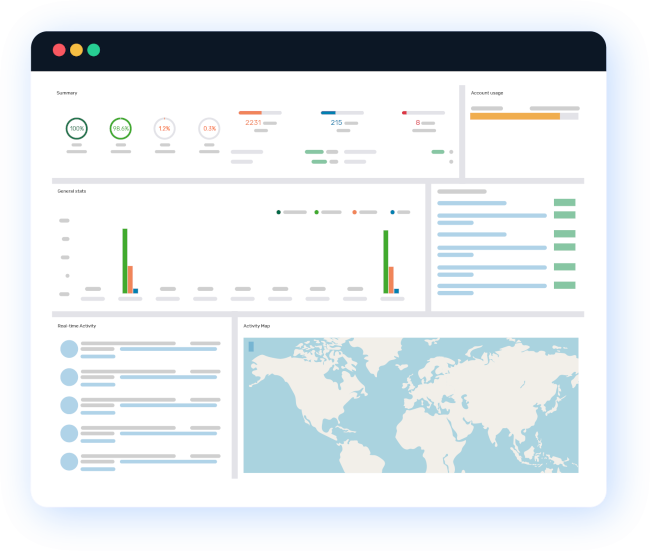
How to create an email campaign with Mailrelay
Your first campaign can be ready in four steps:
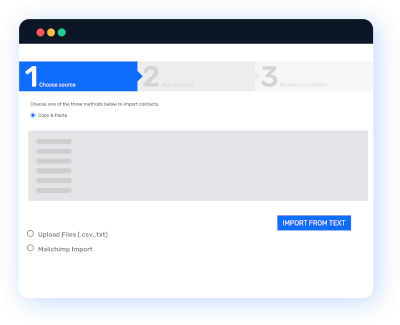
Import your contacts
Upload a CSV file or paste your list into the import field. Coming from Mailchimp? You can bring your contacts with you.
After that, your list stays clean on its own: bounces and unsubscribes are handled automatically. Organize your contacts in groups or with tags and add custom fields, such as company or city, to segment your sends.
1
2
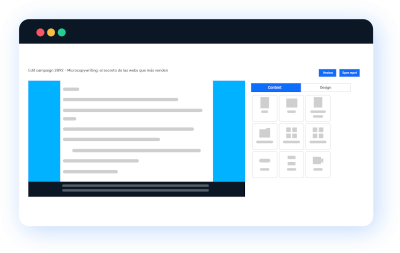
Design your email
Use the drag-and-drop editor, start from a template or let the AI write a first draft. If you already have your own HTML design, you can upload it too.
Your designs adapt to mobile without you doing anything. You can personalize each email with the contact’s name or other fields, and even show or hide blocks based on their preferences with conditional content.
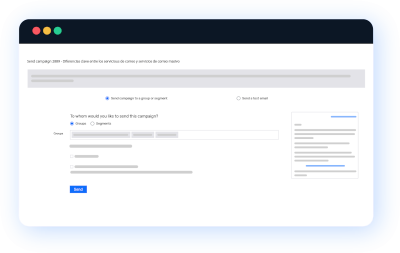
Send or schedule your campaign
Send it right away or choose the day and time. Not sure which subject line will work better? Run an A/B test with two subject lines or two senders and let your data decide.
You can also skip weekends or out-of-office hours, even if your contacts are in different time zones. And we send from our own IP ranges so your campaigns reach the inbox, however big the send.
3
4
Analyze your results
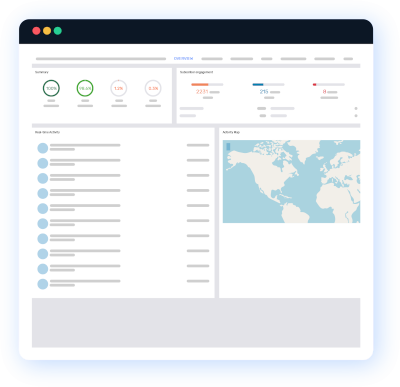
Opens, clicks, most clicked links, bounces, unsubscribes and spam complaints, campaign by campaign. That’s how you learn what to repeat and what to change. Don’t rely on generic advice about the best day or time to send: your own data will tell you what works for your list.
The click map shows you where your readers click inside the email. You can also export reports as CSV or PDF, or share them via a link with your team or your clients.
What our email marketing software includes
The biggest free plan
Up to 80,000 emails a month to 20,000 contacts, free forever.
It’s not a trial: you can grow your list and get results before you pay for anything.
Drag-and-drop editor with AI
Build your newsletter by dragging text, image or column blocks. Start from a template, or ask the AI for a first draft and adapt it to your brand.
Support from real people
Our own support team answers your questions, on every plan. You focus on your business and we help you with the technical side.
Reports for every campaign
In marketing, what you don’t measure, you can’t improve. You get full statistics for every campaign, also on the free plan.
SMTP server
Send transactional emails from your website, online store or CRM through our SMTP server, or use it for high-volume campaigns. Included in paid plans. On the free plan, try it for 30 days.
REST API and integrations
Connect Mailrelay to your own systems with our REST API and webhooks, or use the available plugins and integrations to sync your contacts automatically.

Automation, segmentation and forms on every plan
Sending the same email to everyone rarely works. These features are included even in the free plan:

Automation
Build workflows visually: welcome series, birthday emails, abandoned carts or follow-ups triggered when someone joins a group or gets a tag. You can also send SMS from your automations.

Segmentation
Organize your contacts with groups, tags and custom fields, and create segments with your own conditions. Each person gets the emails that are relevant to them.

Forms and landing pages
Grow your list with signup forms and landing pages built from templates. You’ll see which ones convert. And every new contact joins your list because they chose to: permission is what gets you into the inbox.
Need more channels? From the same account you can also send SMS campaigns and WhatsApp campaigns.
Which plan do you need?
The free plan includes all these features. Paid plans add volume, priority sending and more support channels.
Frequently asked questions about email marketing software
It’s a tool to create, send and measure emails to a list of contacts: newsletters, promotions or automated emails. Unlike your personal inbox, it manages signups and unsubscribes, takes care of deliverability and gives you statistics for every send. If you’re just getting started, our guide on what email marketing is explains the basics.
Personal email is designed for one-to-one conversations. If you send a campaign to many people from your inbox, you risk showing every recipient’s address (which can breach the GDPR), hitting sending limits and landing in spam. Email marketing software handles bounces and unsubscribes automatically and helps your emails reach the inbox.
Yes. You can send up to 80,000 emails a month to 20,000 contacts with no time limit and without entering a credit card. Emails include the Mailrelay logo, which you can remove with an add-on, and the SMTP server is available as a 30-day trial.
Yes. Export your contacts from your current tool as a CSV file and import them into Mailrelay with their custom fields. You can also bring campaigns you’ve already designed, so you don’t have to start from scratch.
Look at what you’ll really use: sending volume and number of contacts, automation, deliverability, reports and support in your language. That a competitor uses a tool isn’t reason enough. Test before you pay: with a free plan you can check all of this with your own list. If you want to compare options, read our guide to email marketing platforms.
Trusted by our customers
- Mailrelay has allowed us to improve communication with our customers, build natural customer loyalty, and enhance our customer service. Offering a personal touch is one of our company’s hallmarks, and Mailrelay helps us achieve that effectively. We have received exquisite support at all times, and they have resolved all our inquiries in no time. I…
- The Mailrelay system has been a solution to our marketing system, and the customer support was good, and fast. Customer support is also in Spanish, this enables more of our staff to make contact, the treatment is customized and they are connected throughout the working day, from 8-22 and give rapid assistance. You can send…
- Mailrelay is an easy and efficient tool that has saved us a lot of time and internal IT and commercial resources that weused to have to consume. It allows us toadapt predesigned templates to our corporate style and we can send mailings with personalized fields instantly. It has helpedus with our client relationships.
- We started using Mailrelay in early 2012 as part of an internal communications project and, after we saw that the system brought us good results,including design options, we ended up working with the software tocommunicate with the media and marketing actions. So far, we didn’t have any problems, even in the case of specificcampaigns, when…
- By using Mailrelay, i try to send email marketing campaigns more Professional and with a more attractive design, and with this system I can measure the results of the strategies. Thanks to its statistical system I can sort and track our databases, see the analytical results of our campaigns, etc. Another improvement is the fact that this email…
- Thanks to Mailrelay we can manage our own offers and exclusive packages, in a very agile way. In addition, the support offered by Noé, from the beginning was excellent, fast and effective. This helps us manage the system more easily. Without this help, we would have taken longer to learn how to manage the platform.