SMS campaigns that reach your customers instantly
Send SMS advertising, reminders and notifications from the same account you use for your email marketing. With your brand as the sender, to more than 50 countries, and paying only for what you send.
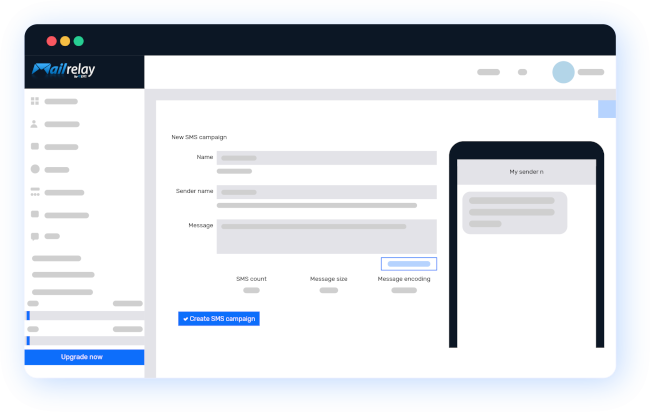
How to create an SMS campaign with Mailrelay
Your first SMS campaign can be ready in four steps:
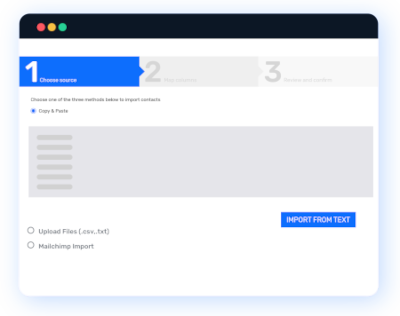
Import your contacts
Paste your list of mobile numbers or use the phone numbers you already have in your email lists. Whatever is easiest for you.
Organize your contacts in groups or with tags to send each message only to the people it matters to. And, as with email, permission is the foundation: send advertising only to people who have agreed to receive it.
1
2
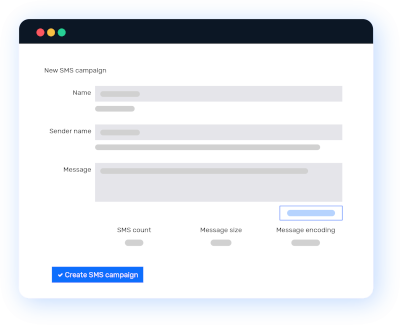
Write your SMS
Write your message with text, emojis or links. The editor shows you the length in real time: one SMS holds 160 characters, or 70 if it includes emojis or other special characters.
If you go over, the message is automatically split into several SMS. As the sender, you can use your company name, between 3 and 11 characters, so your customers know who is writing before they open it.
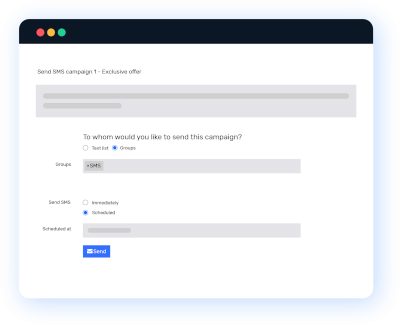
Send your campaign
Send it and your contacts will receive it on their phones almost instantly, in more than 50 countries.
If you already do email marketing with Mailrelay, you can also add SMS to your automations. For example, a welcome email and, a few days later, an SMS with a reminder.
3
4
Analyze your results
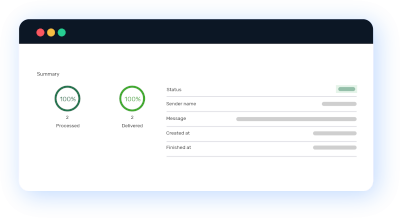
See how many SMS were delivered and which ones didn’t arrive. Mailrelay automatically flags messages that bounce, so you can keep your list up to date.
If you include a link, measure what happens next too: add UTM parameters and track the visits and sales from each campaign in your analytics.
What SMS brings to your marketing
It arrives instantly
SMS is received almost instantly and doesn’t depend on an app or an internet connection. It’s the channel for things that can’t wait: today’s offer, a schedule change or an urgent notice.
It gets read
An SMS appears right on the phone screen, and most are read shortly after they arrive. That’s why it’s worth using with care: few messages, short and useful.
Delivery statistics
You know how many messages were delivered and which ones bounced, campaign by campaign, so you can improve with your own data.
You only pay for what you send
It works with prepaid credit packages, with no monthly fees or commitment. Credit can be used for one year from purchase.
Your brand as the sender
Use your company name as the sender so your customers recognize you before they open the message. In some countries, carriers replace it with a number or require it to be registered first.
SMS and email in one account
You don’t need another tool: you send SMS from the same dashboard as your email campaigns and can combine them in your automations.

What to use SMS campaigns for
SMS works best when the message is short and urgent. These are the most common uses:

Promotions and flash sales
A discount that ends today, last remaining spots or the start of the sales. Messages that lose their value if they’re read too late.

Reminders
Appointments, bookings, pending payments or the date of an event. A timely SMS reduces forgotten appointments and no-shows.

Notifications and confirmations
Order confirmations, schedule changes or incidents. Information your customer needs to know right away.
Need to share something longer, with images? Combine SMS with your email marketing campaigns from the same account.
How much does sending SMS cost?
The price depends on the number of messages and the destination country. You buy prepaid credit, with no commitment, and use it whenever you want for a year.
Frequently asked questions about SMS campaigns
It’s a set of text messages sent to a list of contacts with a specific goal: announcing an offer, reminding someone of an appointment or notifying them of a change. Unlike a personal text, it’s sent from a platform that manages the list, the sender and the statistics. We explain it in more detail in our guide to SMS marketing.
Less often than you think. SMS goes straight to the phone, so if you use it for everything, your customers will soon get tired of it. Save it for what’s urgent or important and leave the rest for email. There’s no ideal frequency for everyone: test, look at the unsubscribes and sales from each send, and adjust using your own data.
Ask for them yourself: in the signup form on your website, in your store or when confirming a purchase, explaining what you’ll use them for. Don’t buy number databases: you’d be writing to people who don’t know you, and the campaign wouldn’t work.
Get to the point: who you are, what you’re offering and what the customer has to do, with a single link if needed. Use urgency only if it’s real; an offer that “ends today” and then carries on undermines trust. And make it clear how to unsubscribe.
Yes, to more than 50 countries in Europe and the Americas, as well as others such as India and Senegal. The price per message varies by destination, and some carriers require the sender or links to be registered. If you’re comparing tools, check what a good SMS sending platform should offer, and for large sends you’ll find more ideas in our guide to mass SMS.
Trusted by our customers
- Mailrelay has allowed us to improve communication with our customers, build natural customer loyalty, and enhance our customer service. Offering a personal touch is one of our company’s hallmarks, and Mailrelay helps us achieve that effectively. We have received exquisite support at all times, and they have resolved all our inquiries in no time. I…
- The Mailrelay system has been a solution to our marketing system, and the customer support was good, and fast. Customer support is also in Spanish, this enables more of our staff to make contact, the treatment is customized and they are connected throughout the working day, from 8-22 and give rapid assistance. You can send…
- Mailrelay is an easy and efficient tool that has saved us a lot of time and internal IT and commercial resources that weused to have to consume. It allows us toadapt predesigned templates to our corporate style and we can send mailings with personalized fields instantly. It has helpedus with our client relationships.
- We started using Mailrelay in early 2012 as part of an internal communications project and, after we saw that the system brought us good results,including design options, we ended up working with the software tocommunicate with the media and marketing actions. So far, we didn’t have any problems, even in the case of specificcampaigns, when…
- By using Mailrelay, i try to send email marketing campaigns more Professional and with a more attractive design, and with this system I can measure the results of the strategies. Thanks to its statistical system I can sort and track our databases, see the analytical results of our campaigns, etc. Another improvement is the fact that this email…
- Thanks to Mailrelay we can manage our own offers and exclusive packages, in a very agile way. In addition, the support offered by Noé, from the beginning was excellent, fast and effective. This helps us manage the system more easily. Without this help, we would have taken longer to learn how to manage the platform.






Start your SMS campaigns today
Create your free account, top up the credit you need and send your first campaign in minutes. No commitment or monthly fees.