Dedicated email server: what running your own sending server involves and when it pays off
The difference between your own server, a dedicated IP and a shared IP, everything you'll have to maintain and when it's worth it
A dedicated email server is a machine, physical or virtual, that a single company uses exclusively to send its email, with its own IPs and its own sending software.
Nobody else shares its resources or its reputation.
It gives you maximum control, but it also shifts onto the company all the work that an email marketing provider does today.
Before setting one up, it’s worth knowing what it involves and what alternatives there are.
What is a dedicated email server?
Short answer: it’s an email server reserved for a single sender, who configures and maintains it on their own.
It usually runs a sending program, or MTA, such as Postfix, Exim or Sendmail.
That program talks to the Gmail, Outlook or Yahoo servers over the SMTP protocol.
It can sit in your office, in a data center or on a rented virtual server.
What defines it is that you decide everything: what gets sent, at what pace and from which IP.
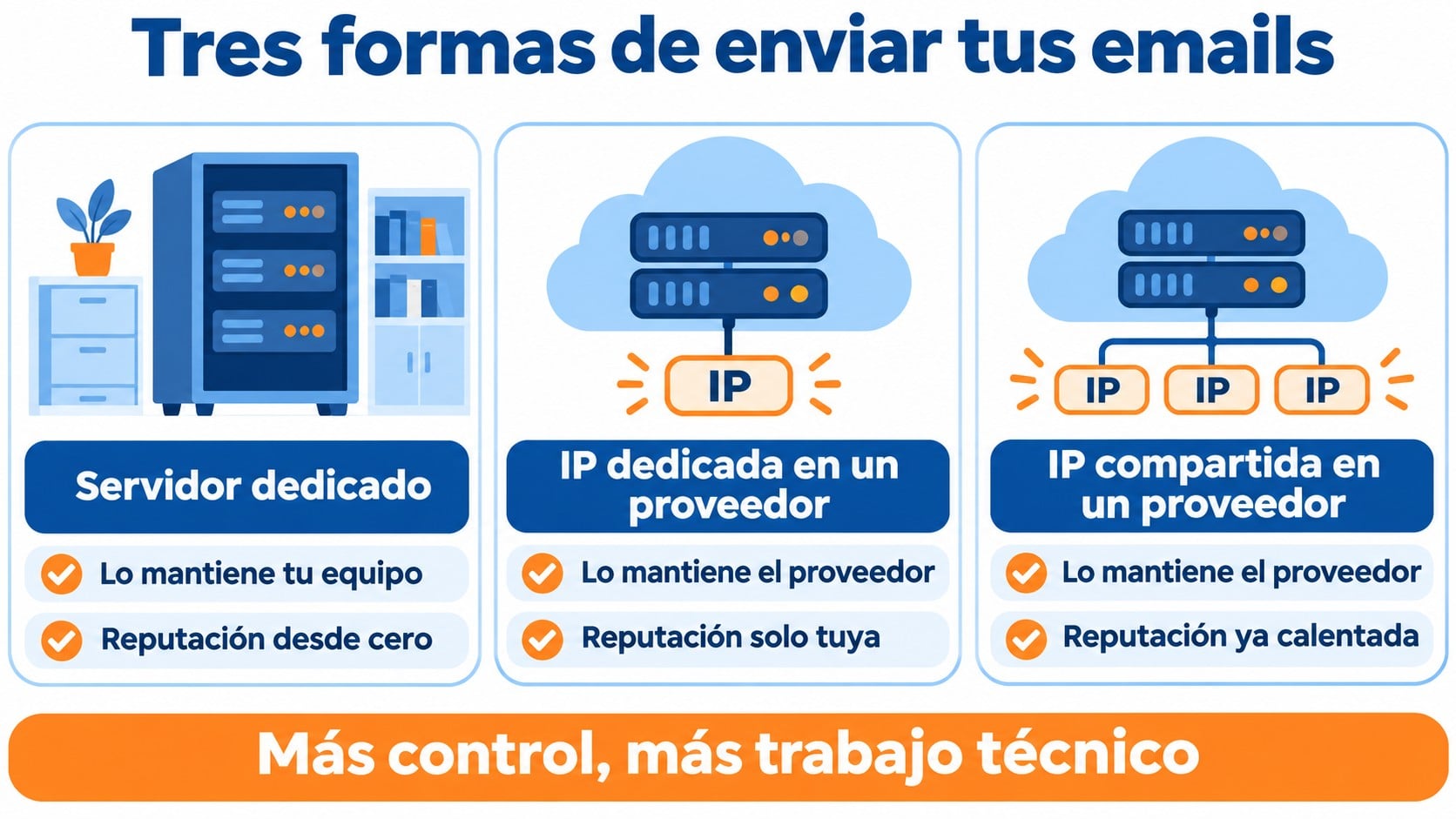
Many people confuse a dedicated email server with the dedicated IP that email marketing providers offer. They’re not the same thing.
With a dedicated IP you keep using the provider’s platform, but your emails go out from an address that is yours alone.
With your own server, you manage not only the IP but the entire infrastructure.
| Option | Who maintains the infrastructure | Reputation | When it makes sense |
|---|---|---|---|
| Dedicated email server | Your technical team | Yours alone, built from scratch | Specific technical requirements and an experienced team |
| Dedicated IP with a provider | The provider | Yours alone, with help warming it up | Large, regular volumes |
| Shared IP with a provider | The provider | Shared and already warmed up | Most companies and SMBs |
Send without setting up or maintaining servers
Shared IPs already warmed up and monitored, with automatic handling of bounces and unsubscribes. Free for up to 80,000 emails a month.
What you need to set up your own email server
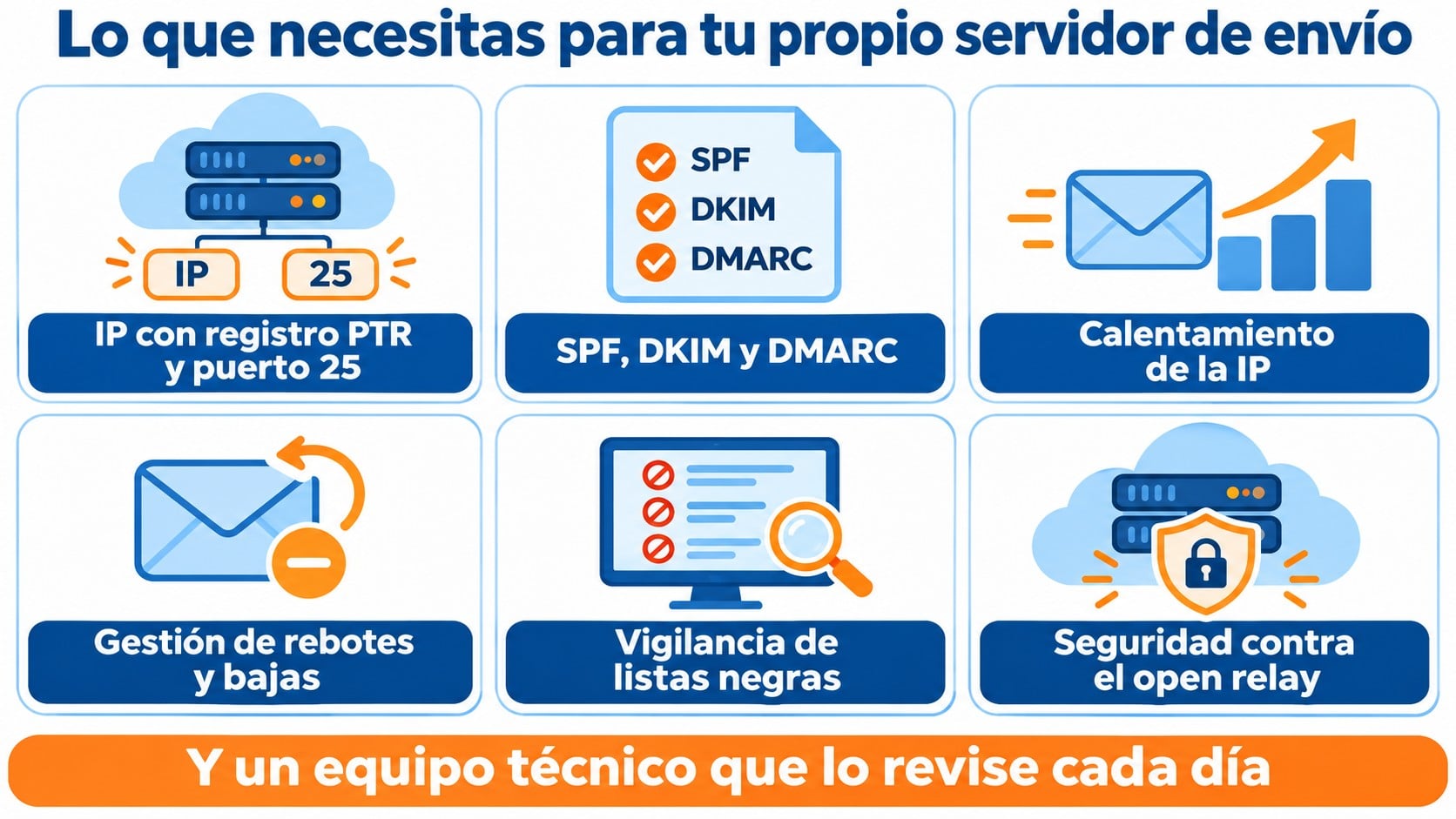
Setting up a sending server is more than installing a program. For your emails to reach the inbox, you have to take care of several pieces at once.
A properly configured IP
The IP needs reverse DNS (a PTR record) pointing to your domain.
Many cloud providers block outbound SMTP port 25 by default, so first you have to check that you can use it.
Domain authentication
Your sending domain must have SPF, DKIM and DMARC. Gmail and Yahoo require them from bulk senders, along with one-click unsubscribe.
IP warm-up
A new IP has no history.
You need an email warm-up lasting several weeks, increasing the volume little by little, before sending full campaigns.
Bounces, complaints and unsubscribes
The server must process bounces, log spam complaints and remove anyone who unsubscribes from the list.
If it doesn’t, your sender reputation drops within a few sends.
Monitoring and security
You have to check daily whether the IP has landed on a blacklist and respect each provider’s sending limits, as they use throttling to slow down anyone who sends too fast.
A misconfigured server can end up as an open mail relay and send spam for third parties.
Advantages and disadvantages
The main advantage is full control.
Your reputation doesn’t depend on other senders, and you can fine-tune every technical detail of sending.
It can also make sense if you have strict internal requirements about where data is processed and a team that already manages servers.
For most companies, the drawbacks outweigh the benefits.
You need people with deliverability experience, hours of maintenance and a fast response when something goes wrong.
On top of that, you start with no history.
A mistake in the first few weeks can land your IP on a blacklist, and rebuilding a reputation costs far more than losing it.
When a dedicated server is worth it
A dedicated email server makes sense when email is part of your product and you have a technical team to look after it every day.
For example, a platform that sends millions of its own notifications.
If what you want is to send newsletters and campaigns, an email marketing provider gives you the same with far less risk.
And if you need a reputation that is yours alone, a dedicated IP with that provider is usually the middle ground.
How Mailrelay helps you
With Mailrelay you don’t have to set up or maintain any server.
By default, every account sends from Mailrelay’s own shared IPs, already warmed up and monitored by the platform.
The platform checks whether any IP lands on a blacklist, processes complaints through integrations with mailbox providers, and handles bounces and unsubscribes automatically. We explain it in how Mailrelay protects deliverability.
If you send large volumes on a regular basis, you can get one or more dedicated IPs with annual billing, and the team will guide you through the warm-up.
You’ll find the terms in more Mailrelay services.
For your transactional emails there’s also an SMTP service and an API.
The free account lets you send 80,000 emails a month to 20,000 contacts, with human support on every plan.
Your reputation, with no servers to maintain
Monitored shared IPs, a dedicated IP if your volume calls for it, and human support on every plan.
Frequently asked questions
These are the most common questions about dedicated email servers.
You can, but it isn’t recommended.
A corporate email server isn’t built for bulk sending, and a campaign can also get your day-to-day email blocked.
Does a dedicated server improve deliverability?
Not on its own.
Deliverability depends on authentication, list quality and the IP’s history. A new, poorly managed server usually gets worse delivery than a well-monitored shared IP.
What’s the difference between a dedicated server and an SMTP service?
With a dedicated server, you manage everything yourself. With an SMTP service, you use a provider’s infrastructure, and it takes care of the IPs, reputation and bounces.
Key takeaways about dedicated email servers
A dedicated email server gives you full control in exchange for taking on all the technical work.
For most companies, a provider with shared IPs or a dedicated IP achieves the same results with far less risk.
Related entries
A sending server brings together several technical pieces of email marketing. These entries explain each of them.