DuckDuckGo: what it is, what it's for and how to set it to Spanish
The search engine that doesn't track you: how it works and how it differs from Google
DuckDuckGo is a search engine founded in 2008 by Gabriel Weinberg, with a mission to provide a search experience that protects users’ privacy.
Unlike other search engines that track user behavior to personalize results and sell data to advertisers, DuckDuckGo doesn’t store personal information, doesn’t keep search histories and doesn’t use tracking cookies.
This privacy-focused approach has caught the attention of a growing number of users concerned about the privacy of their data.
Instead of building profiles based on search history, DuckDuckGo shows the same results to all users, based solely on the search terms entered.
This not only protects privacy, but also ensures an unbiased search experience that isn’t manipulated by personalized algorithms.
What is DuckDuckGo for?
DuckDuckGo lets you search the internet without your searches being linked to your profile. Besides the search engine, it has other tools:
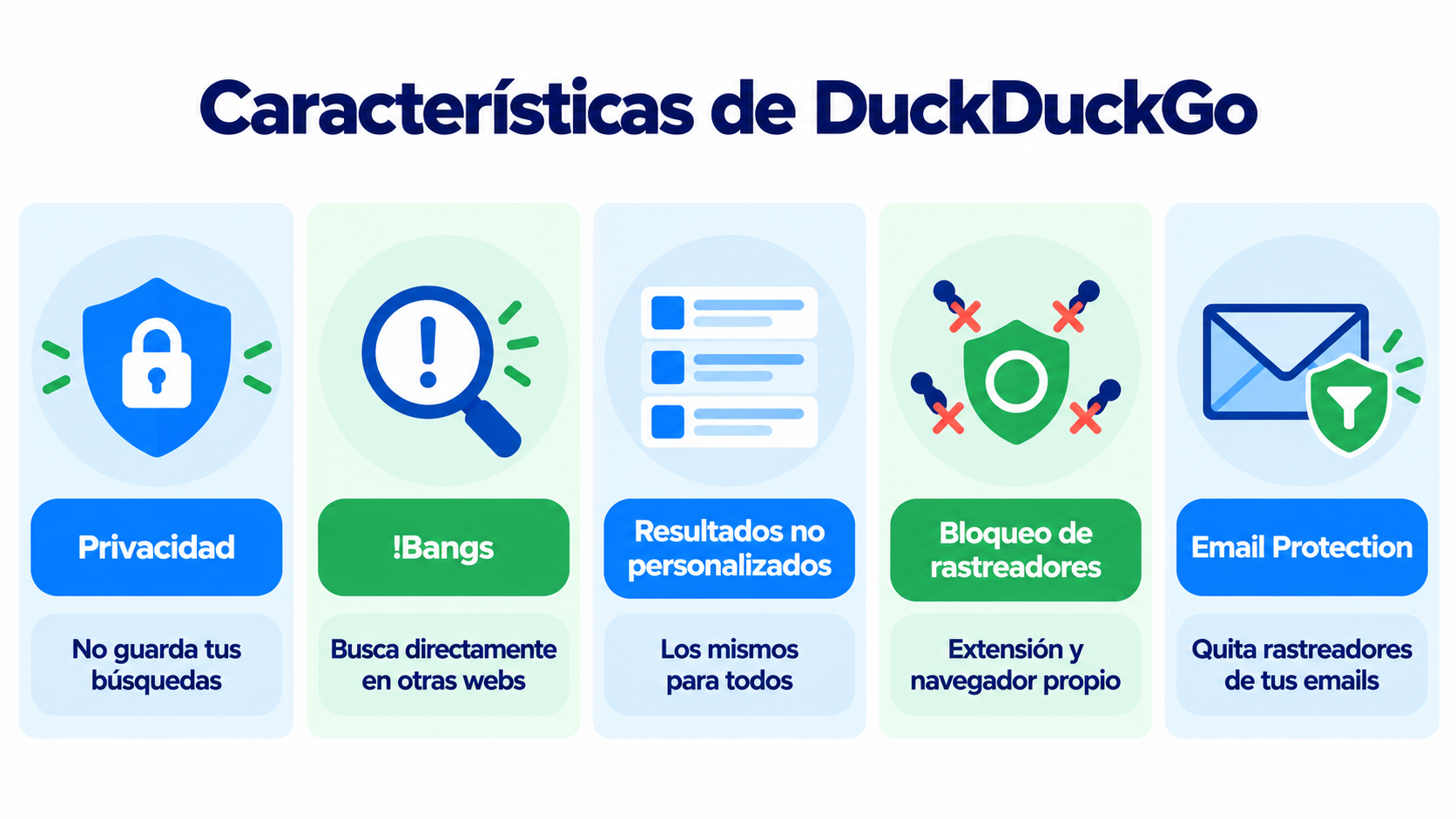
- Search engine on the web and in any browser.
- Its own browser for mobile and desktop, with tracker blocking.
- Browser extension that blocks trackers and forces HTTPS connections.
- Email Protection, a free service that forwards your emails and strips hidden trackers from them.
Key features of DuckDuckGo
Since we can’t create an exhaustive list, let’s focus on the most important ones:
Absolute privacy
DuckDuckGo’s most notable feature is its commitment to user privacy.
By not tracking searches or creating user profiles, DuckDuckGo ensures that its users’ personal information is not collected, shared or sold to third parties.
This is a key differentiator in a world where data monetization is the norm.
Instant search with !Bangs
DuckDuckGo offers a unique feature called “Bangs” that lets users search other websites directly from the DuckDuckGo search bar.
For example, if you type “!wikipedia digital marketing”, you’ll be taken straight to Wikipedia’s search results for “digital marketing”.
This feature saves time and improves search efficiency.
Non-personalized results
Unlike other search engines, DuckDuckGo doesn’t personalize results based on the user’s search history or geographic location.
This means all users see the same results for a given query, which promotes a fairer, unbiased search experience.
Ad tracker blocking
DuckDuckGo also offers a browser extension that blocks third-party ad trackers and forces the use of HTTPS connections on websites, adding an extra layer of security while you browse.
Reach your customers while respecting their privacy
Email marketing with double opt-in: you only write to people who have given you permission.
Is DuckDuckGo available in Spanish?
Yes. DuckDuckGo is available in Spanish and detects your browser’s language. If it shows up in another language or with results from another country, you can change it in a few seconds:
- Go to duckduckgo.com and open the menu (the three lines at the top right).
- Click Settings.
- Under Region, choose Spain (or your country) to see local results first.
- Under Language, choose Español de España (or your variant).
- Save the changes.
Your settings are saved in your browser, with no need to create an account.
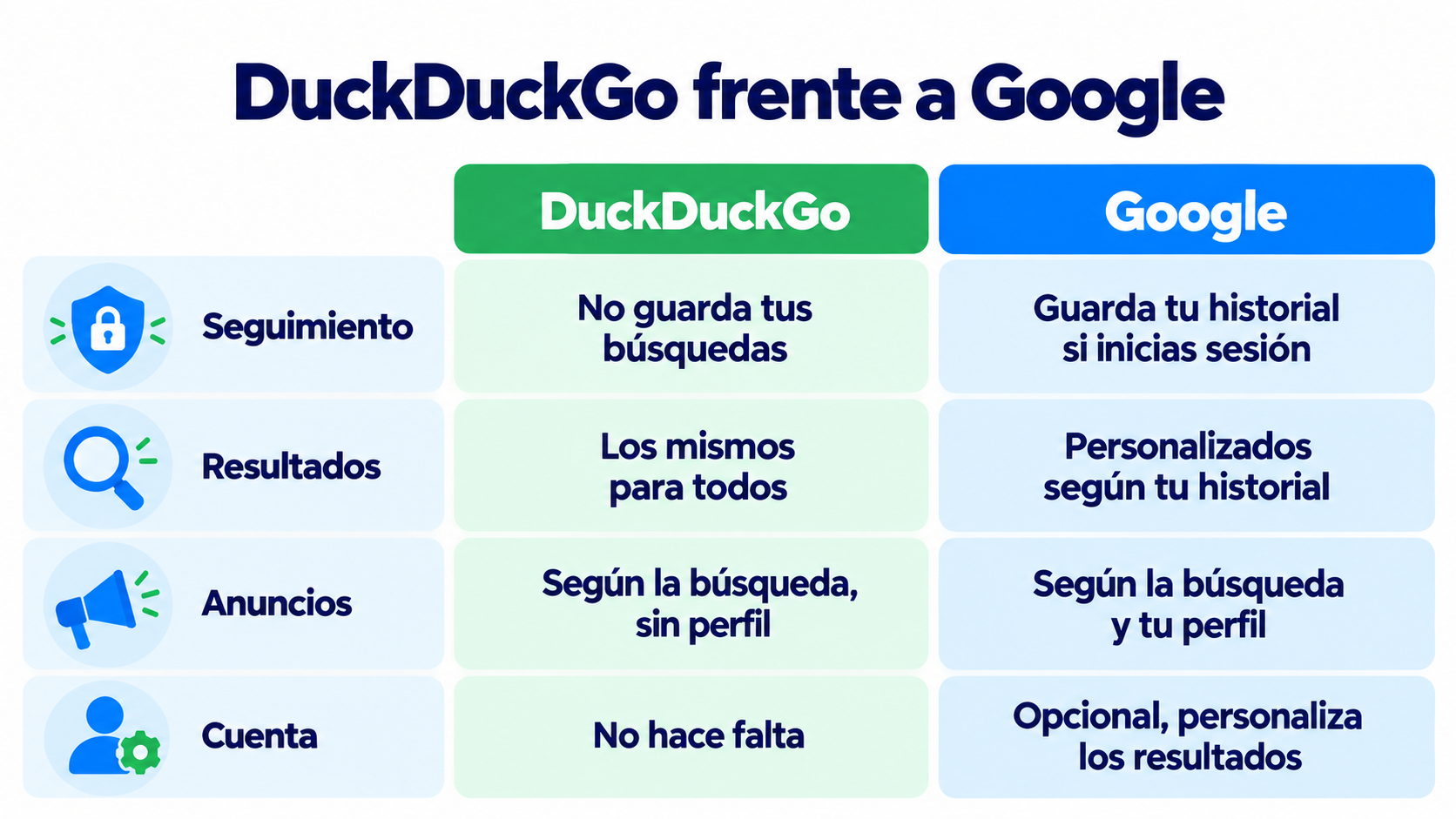
DuckDuckGo vs. Google
| DuckDuckGo | ||
|---|---|---|
| Tracking | Doesn’t store your searches or build a profile | Stores your history if you’re signed in |
| Results | The same for everyone | Personalized based on your history and location |
| Ads | Based on the search, with no profile (Microsoft Advertising) | Based on the search and your profile (Google Ads) |
| Own browser | Yes, with tracker blocking | Yes (Chrome) |
| Extra features | !Bangs and Email Protection | Integration with Gmail, Maps, YouTube and the rest of Google |
| Account | Not needed | Optional, but it personalizes the results |
DuckDuckGo and digital marketing
In the context of digital marketing, DuckDuckGo’s growing popularity poses new challenges and opportunities for marketers.
By not relying on the same personalization methods used by Google and other search engines, SEO and SEM strategies must be adjusted to align with DuckDuckGo’s privacy focus.
SEO optimization for DuckDuckGo
SEO for DuckDuckGo requires a slightly different approach than Google.
Since DuckDuckGo doesn’t track users or personalize results, marketers need to focus on content quality, proper keyword use and building high-authority backlinks.
Content that directly answers users’ questions and offers real value is more likely to rank well on DuckDuckGo.
Advertising on DuckDuckGo
DuckDuckGo partners with Microsoft Advertising to display ads in its search results.
However, unlike Google Ads, these ads aren’t personalized based on the user’s profile.
This means advertising strategies need to be broader and less reliant on hyper-targeted segmentation.
DuckDuckGo and email marketing
DuckDuckGo also affects email. With Email Protection you get a @duck.com address that forwards emails to your usual inbox and strips out hidden trackers, such as the pixels that record whether you open an email.
For anyone doing email marketing, this has a consequence: opens from those subscribers may not be counted. That’s why it’s worth paying more attention to clicks, which don’t depend on a pixel, and to replies and purchases.
How Mailrelay helps you
DuckDuckGo has established itself as a relevant alternative for those who value their online privacy.
By not tracking user activity or personalizing search results, it offers a safer and more equitable experience.
However, its focus on privacy also requires marketers to adjust their strategies, in SEO as well as in advertising and email marketing.
With Mailrelay you can do email marketing while respecting your subscribers’ privacy:
- Double opt-in on every signup, so you only write to people who have given you permission.
- Click statistics per link (on the free account and on Enterprise), a more reliable metric than opens when subscribers use services that block trackers.
- Segments based on clicks, to send each person what interests them.
- Servers in the European Union and automatic unsubscribes in every send.
The free account includes 80,000 emails a month and up to 20,000 contacts.
Email marketing with servers in the EU
Your data and your subscribers’ data, hosted on servers in the European Union.
Frequently asked questions
What is DuckDuckGo?
It’s an internet search engine created in 2008 by Gabriel Weinberg. It doesn’t store your searches or build a profile with your data, and it shows the same results to all users.
Is DuckDuckGo free?
Yes. The search engine, the browser, the extension and Email Protection are free. DuckDuckGo is funded by ads that depend on what you search for, not on who you are.
How do I set DuckDuckGo to Spanish?
Open the menu, go to Settings and choose Spain under “Region” and Spanish under “Language”. The changes are saved in your browser.
Is DuckDuckGo safer than Google?
It protects your privacy better, because it doesn’t store your search history or use it to personalize ads. That doesn’t protect you from fraudulent websites: you should still check which pages you visit.
Does DuckDuckGo affect email marketing statistics?
It can affect opens. If a subscriber receives your emails through Email Protection, the service removes the tracking pixels and their open may not be recorded. Clicks are still counted.