Engagement: what it is, how to measure it and why it matters in email marketing
How much your audience engages with what you send, how to measure it now that opens are no longer reliable, and how to grow it
Having 20,000 subscribers sounds good. But if nobody opens, nobody clicks and nobody replies, that list is worth much less than it seems. What makes the difference is how many people engage with what you send and publish. That is engagement.
What is engagement?
Engagement is the degree of interaction and commitment an audience has with a brand. In Spanish it is translated as “compromiso”, “implicación” or “interacción”, although in marketing the English word is almost always used.
You can see it in specific actions: a click in a newsletter, a reply to an email, a comment on Instagram or a shared article. Each one shows that the person has spent some of their time on your content.
That is why it is considered an indicator of the quality of your relationship with your customers, beyond the size of your audience.
Why it matters so much
An engaged audience is an audience that listens. People who interact with your brand often trust your recommendations more and are more likely to end up buying.
It also affects visibility. Social networks show more of the content that generates interaction. And something similar happens with email: Gmail and Outlook take into account how your subscribers react to decide whether your messages go to the primary inbox or to spam.
It is also a source of information. Knowing which content gets the most response helps you understand your buyer persona and decide what to send next. In the long run, all of this shows in customer loyalty and in the ROI of your actions.
How to measure engagement
There is no single metric. It depends on the channel:
| Channel | Engagement metrics |
|---|---|
| Open rate, CTR, CTOR, replies, forwards and unsubscribes | |
| Social media | Likes, comments, shares, saves and mentions |
| Website and blog | Time on page, pages per session and bounce rate |
Not all interactions are worth the same. Replying to an email or sharing a post takes more effort than a “like”, so it shows greater interest.
Choose a few metrics per channel and always track them the same way. That way you can turn them into KPIs and compare your progress month by month.
How to calculate the engagement rate
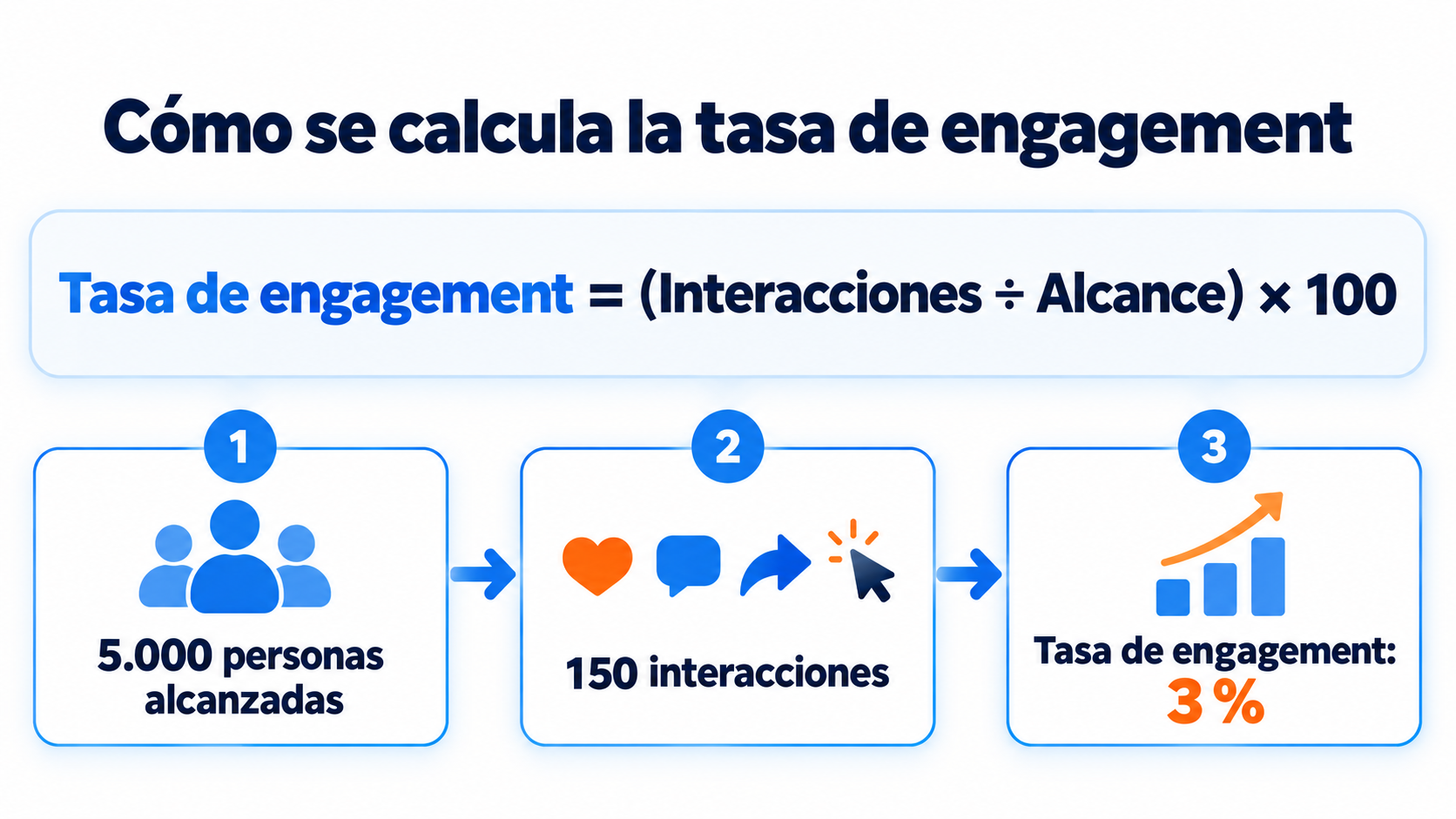
The engagement rate expresses interactions as a percentage, so you can compare different posts or periods. The most common formula is:
Engagement rate = (total interactions ÷ reach) × 100
For example, a post reaches 5,000 people and gets 150 interactions. Its rate is 3%.
Some tools use the number of followers instead of reach. Both options are valid, but don’t mix criteria: if you change formulas, comparisons stop making sense.
In email, the equivalent calculation is the CTOR: unique clicks divided by unique opens, multiplied by one hundred. It tells you what share of the people who opened the message were interested in the content.
Measure what your subscribers really do
Clicks, unsubscribes and behavior-based segments in a single tool. Start with the free account.
Engagement in email marketing
In email marketing, your subscribers’ engagement has a direct consequence: it affects your deliverability.
Mailbox providers watch what people do with your messages. Whether they open them, move them to the primary inbox, reply or delete them without reading.
Gmail’s sender guidelines also require keeping your spam rate below 0.3%, and unengaged contacts are the ones who complain the most.
When many contacts ignore your emails for months, your messages can end up as graymail or straight in spam. And that also affects the subscribers who do want to read you.
How do you measure email engagement if opens are not reliable?
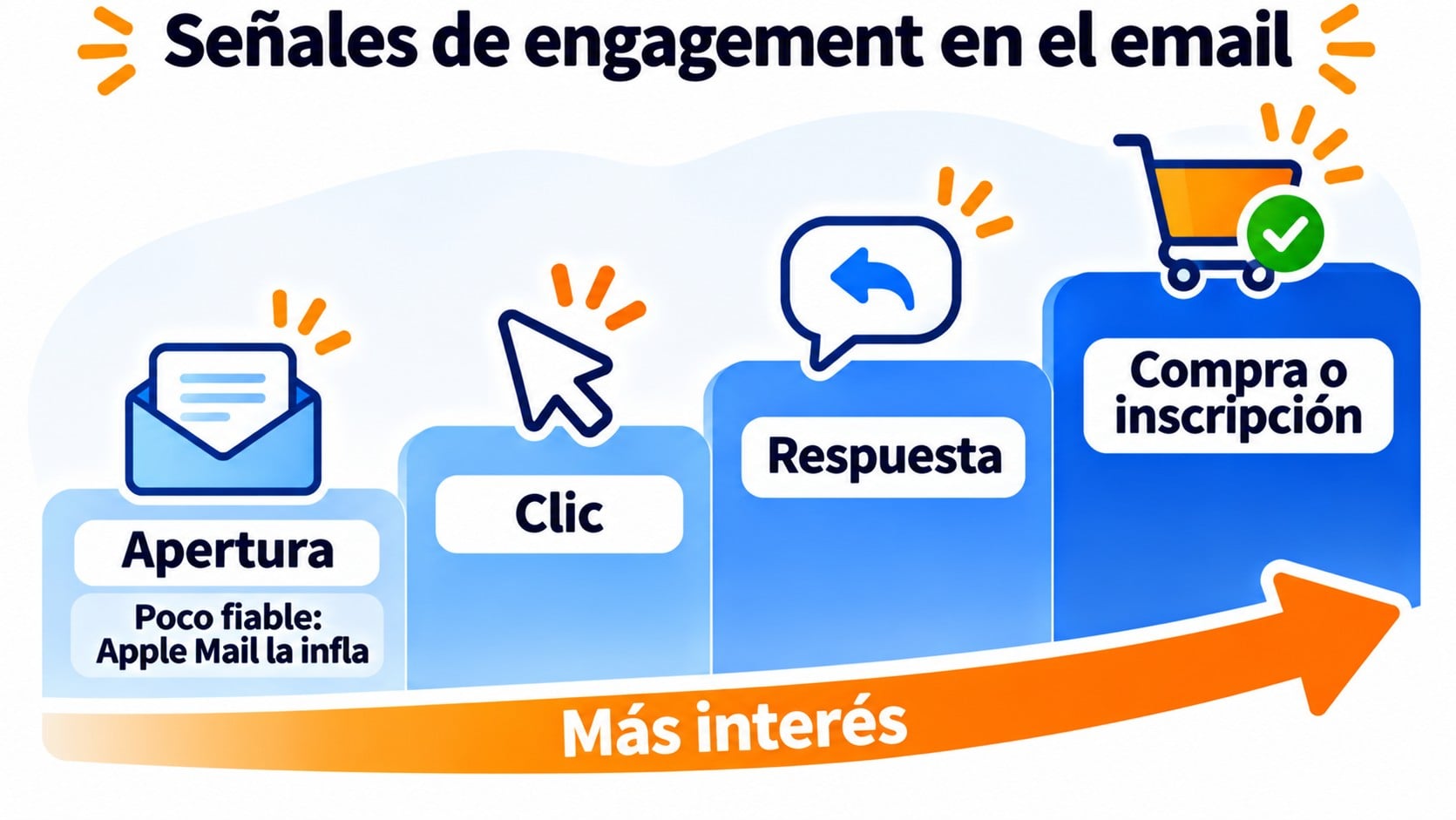
Since 2021, Apple Mail Privacy Protection downloads the images in emails even if the user doesn’t open them. That inflates the open rate and makes it less reliable.
That is why it is best to focus mainly on signals that require a real action:
- Clicks and CTOR. Nobody clicks without having read.
- Replies. They are the clearest sign of interest and also the one Gmail and Outlook value most.
- Unsubscribes and complaints. If they go up, your content or your sending frequency isn’t a good fit.
- Conversions. Purchases, downloads or sign-ups that come from your campaigns, measured with UTM parameters in Google Analytics.
How to improve engagement
These are the actions that have the biggest impact, whatever the channel:
- Get to know your audience. Analyze which content works best and who interacts with it.
- Segment. Segmentation lets you send each group what interests it, instead of a generic message.
- Personalize. Using the contact’s name or recommending products based on their purchases increases response. We explain how in personalization in email marketing.
- Provide value before selling. Content marketing and storytelling spark more conversation than constant promotion.
- Invite interaction. Ask questions, ask for feedback or invite people to reply. Sometimes all it takes is asking.
- Test and compare. With an A/B test you can check which subject line or call to action works best.
- Clean your list. Good list hygiene removes contacts who haven’t interacted for months and only drag you down.
Beware of vanity metrics
A post with thousands of likes may not generate a single sale. These are called vanity metrics: figures that look good in a report but aren’t related to your goals. Follower count and impressions are the most typical examples.
Useful engagement is the kind that brings you closer to conversion. A click through to your store, a reply to your newsletter or a webinar sign-up say much more about your audience.
How Mailrelay helps
With Mailrelay you get statistics for every campaign, with deliveries, unsubscribes and complaints. On the free account and the Enterprise plan you also see opens and clicks, with details on which links generate the most interest, where opens happen and the times when people read you most.
With that data you can create behavior-based segments, for example with people who haven’t opened in months, and send them a re-engagement campaign. Automations, included in the free account, keep the relationship alive with welcome or birthday emails.
Every sign-up goes through double opt-in, so your list starts with contacts who have confirmed they want your emails. The free account lets you send up to 80,000 emails a month to 20,000 contacts, with human support on every plan.
Send less to those who don’t read you and more to those who do
Segments, automations and double opt-in, with human support on every plan.
Frequently asked questions about engagement
What is a good engagement rate? It depends on the channel, the industry and the size of the audience. Small accounts usually have higher rates than large ones. The most useful thing is to compare yourself with your own history.
Are engagement and reach the same thing? No. Reach tells you how many people have seen your content. Engagement, how many have done something with it.
How do you say engagement in Spanish? The most common translations are “compromiso”, “implicación” or “interacción”. In the industry, however, the English word is almost always used.
Key takeaways about engagement
Engagement tells you whether your audience is really paying attention to you. That is why it is more useful than any follower or subscriber count.
In email, it also decides whether you reach the inbox. Measure it with clicks and replies, look after those who engage and stop pushing those who don’t.