Internet Message Format (RFC 5322): what it is and what an email looks like inside
The standard that defines how every email you send is written, from the first header line to the last line of the body
Every email you send, whatever the program or platform, follows the same text format that every server understands. That format is called the Internet Message Format and it is defined in RFC 5322, the successor to the well-known RFC 2822 and RFC 822.
Here you’ll find what it is, what an email looks like inside and how it relates to your campaigns.
What is the Internet Message Format?
The Internet Message Format (IMF) is the standard that defines how an email message is written: which headers it carries, how they are separated from the body and which characters can be used. It is published by the IETF, the body that maintains the internet’s technical standards.
It shouldn’t be confused with SMTP. SMTP is the protocol that carries email between servers, like the delivery truck. The Internet Message Format is the format of the envelope and the letter inside it. That’s why the SMTP RFC is RFC 821 and the format RFC is RFC 822.
RFC 822, RFC 2822 and RFC 5322
The standard has been updated twice. Each version replaces the previous one but keeps the same structure:
| Document | Year | What it brought |
|---|---|---|
| RFC 822 | 1982 | First version, written by David H. Crocker for the ARPA network. |
| RFC 2822 | 2001 | A revision that clarifies and modernizes RFC 822. |
| RFC 5322 | 2008 | Current version. It is today’s reference for the Internet Message Format. |
That’s why you’ll see “rfc822” in many places even though the current standard is 5322. For example, the MIME type message/rfc822 indicates that an attachment is another complete email, like .eml files.
What an email looks like inside
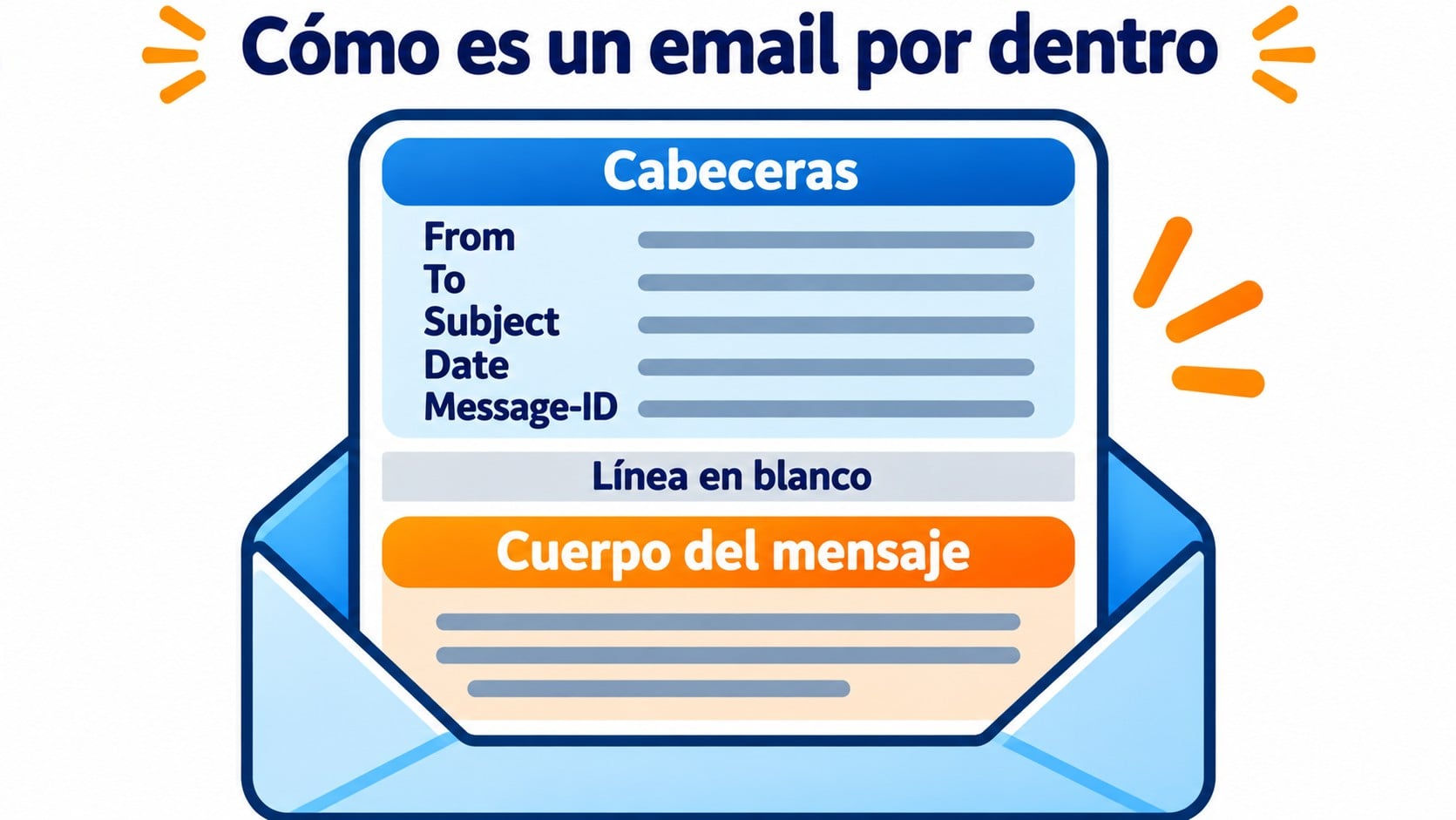
Every message that follows the Internet Message Format has two parts separated by a blank line:
- Headers. Lines in the form “Name: value” that describe the message.
- Body. The content, which can be text or, thanks to MIME, HTML, images and attachments.
A very simplified example:
| Line | What it’s for |
|---|---|
| From: [email protected] | Who sends it. Mandatory. |
| To: [email protected] | Who it’s addressed to. |
| Subject: November news | The subject line. |
| Date: Fri, 13 Nov 2026 10:00:00 +0100 | Date and time it was sent. Mandatory. |
| Message-ID: [email protected] | Unique identifier of the message. |
| (blank line) | Separates the headers from the body. |
| Hi, here’s what’s new… | The email body. |
If you want to see the email structure from the reader’s point of view (subject, greeting, body, signature), there’s a dedicated entry.
Send well-formed emails without touching a single header
Mailrelay builds every message in the correct format and lets you set up SPF and DKIM. 80,000 free emails a month.
Main rules of the Internet Message Format
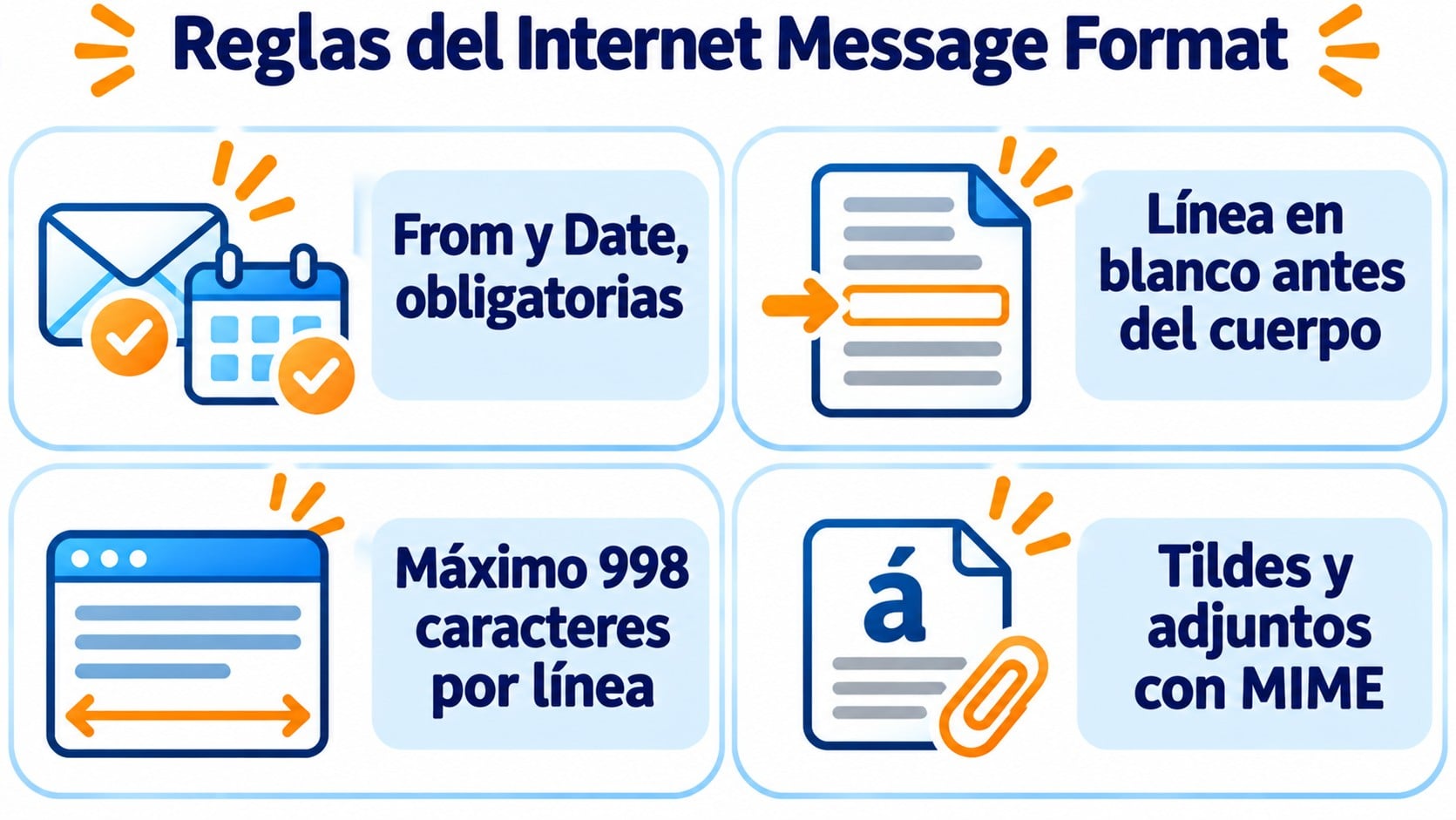
- Only two mandatory headers: From and Date. The rest are recommended or optional.
- Short lines. Each line can be at most 998 characters long, and staying under 78 is recommended.
- ASCII text. The original format only supports ASCII characters. Accented characters, letters like ñ, HTML and attachments are encoded with MIME.
- Headers can be folded. A long header can continue on the next line if that line starts with a space.
What it has to do with your campaigns
When you send a newsletter, following the Internet Message Format helps it arrive properly. An email with malformed headers, no Message-ID or a wrong date looks suspicious to filters.
DKIM signatures, which sign specific headers and the body, also rely on this format, as does the List-Unsubscribe header, which lets people unsubscribe with one click. And when you’re checking why an email ended up in spam, the first step is to read its full headers.
How Mailrelay Helps You
With Mailrelay you don’t have to write headers by hand. The platform builds every message in the correct format, encodes accented characters and HTML, and lets you set up SPF and DKIM for your domain from the dashboard.
In addition, sign-ups use double opt-in, hard bounces are flagged and stop receiving sends, and you get human support on every plan. The free account includes 80,000 emails a month to 20,000 contacts.
Focus on the content, not the format
Create your free account, design your campaign with the editor and send to 20,000 contacts with human support included.
Frequently Asked Questions
What is RFC 822?
It is the first version of the standard that defines the format of email messages, published in 1982. Today it has been replaced by RFC 5322, but the name is still used, for example in the message/rfc822 type.
What’s the difference between RFC 2822 and RFC 5322?
RFC 5322 is the 2008 revision of RFC 2822. It keeps the same structure and clarifies details. It is the current standard.
How do I view an email’s headers?
In Gmail, open the message, click the three dots and choose “Show original”. In Outlook, open the message and look for the option to view the source or the message properties.
Key takeaways about the Internet Message Format
It is the standard that defines how an email is written: headers, a blank line and the body. It started as RFC 822, went through RFC 2822 and today is RFC 5322. You won’t see it when you write a campaign, but it’s behind every message you send.