Mockup: what it is, what it's for and how to make one step by step
How to see, show and fix a design before producing it, whether it's a website, a product or your next newsletter
A mockup is a realistic visual representation of how a design will look before it is produced: a website, an app, a package, a T-shirt or an email. It shows colors, fonts, images and text, but it doesn’t work yet.
It lets you see the result, show it and fix it while changing something is still cheap.
What does mockup mean?
In English, a mock-up is a scale model or replica. In Spanish design it is translated as maqueta or boceto visual, although Spanish speakers almost always use the English word.
A mockup answers one question: “What will this look like when it’s finished?”
What is a mockup for?
To decide before producing. Changing a color in a design is cheaper than reprinting a thousand boxes or recoding a website.
To present an idea. The client or the team see something close to the final result, not a description.
To spot mistakes. Text that doesn’t fit, poor contrast or elements that get lost.
To sell before manufacturing. Many stores show the product with a mockup while they prepare production.
To coordinate the team. Design, development and marketing work from the same reference.
Mockup, wireframe and prototype: the differences
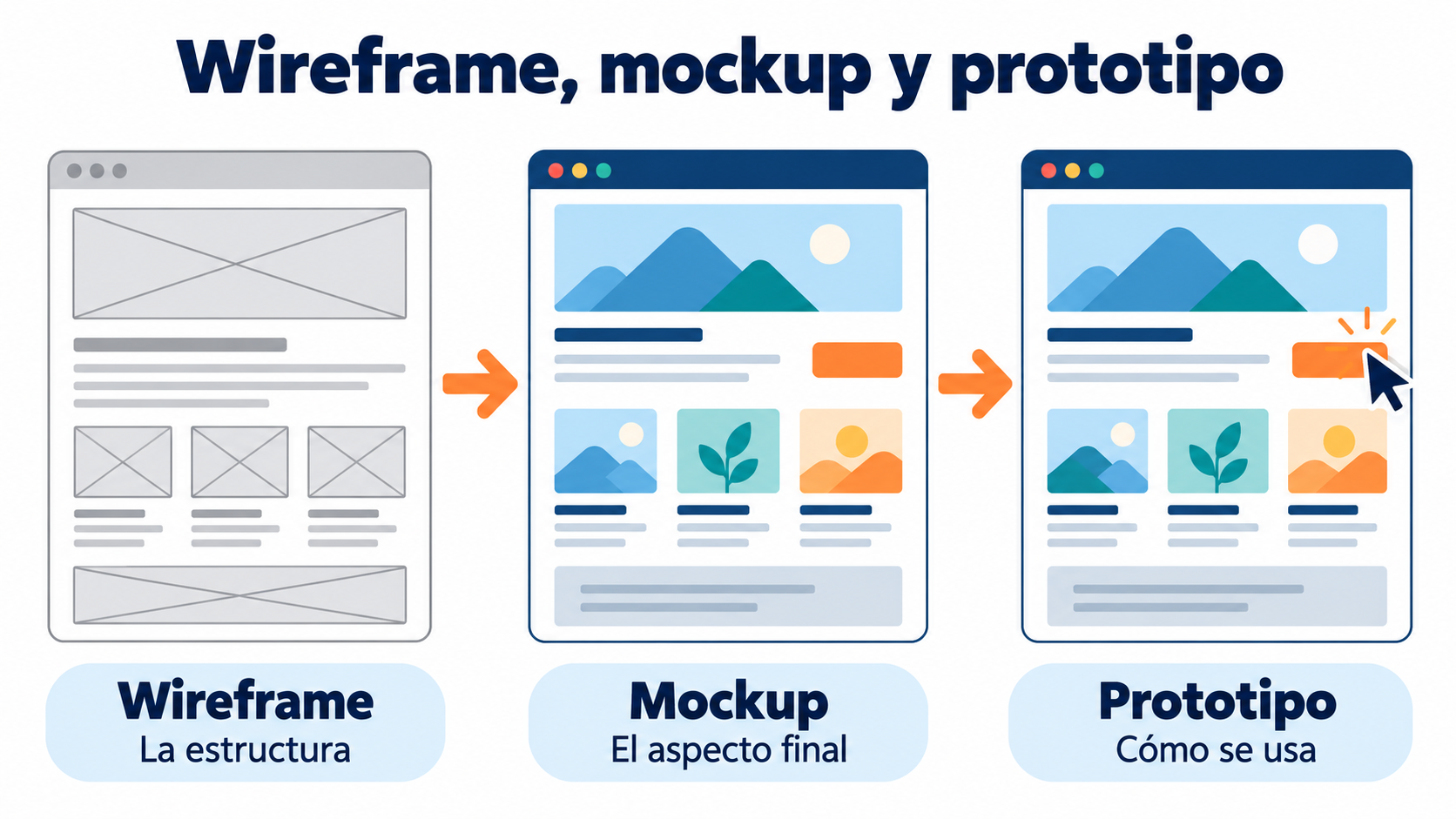
| Wireframe | Mockup | Prototype | |
|---|---|---|---|
| What it is | An outline of the structure | A static visual design | An interactive version |
| Level of detail | Low: boxes and lines | High: colors, fonts, images | High, with navigation |
| Can you use it? | No | No | Yes, in a simulated way |
| What it’s for | Organizing the content | Seeing how it will look | Testing how it’s used |
| When | At the start | After the wireframe | Before development |
The usual approach is to go through all three stages: first the structure, then the look and then the interaction.
Types of mockup
Web. A website’s pages with their final design: header, menu, text, images and buttons.
App. The screens of a mobile or tablet app, often shown inside an image of a phone.
Product. The design applied to an object: T-shirts, mugs, boxes, bottles or bags.
Branding. A brand’s logo and identity on business cards, stationery, signs or uniforms.
Advertising. Posters, billboards, social media or press ads as they would look in place.
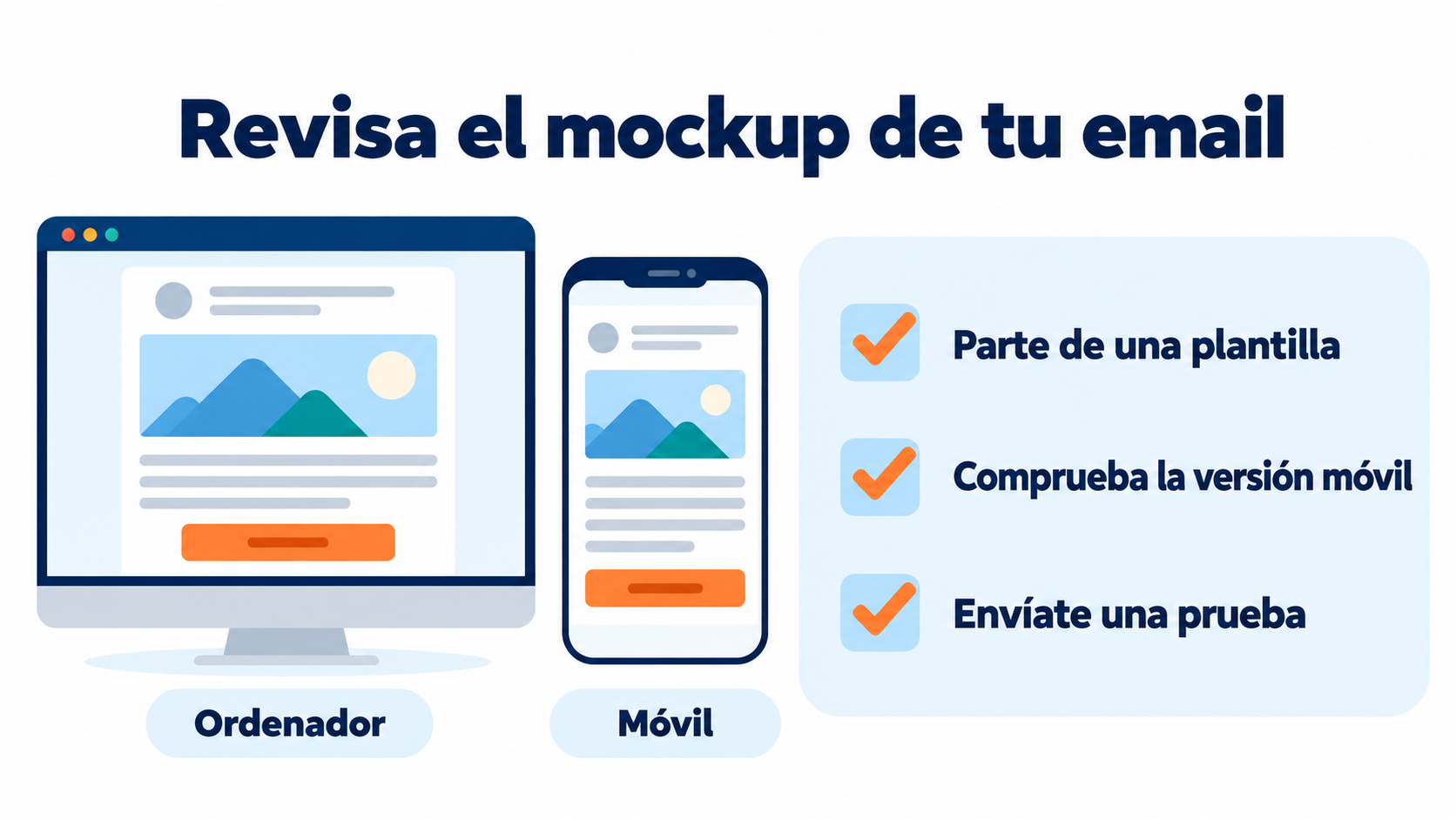
Email. A newsletter or a sales email before it is sent, in desktop and mobile versions.
How to make a mockup in 6 steps
1. Define your goal. What you want to show and to whom: a client, your team or your buyers.
2. Start from a wireframe or a sketch. Organize the content first and then decide on the look.
3. Apply the visual identity. Your brand’s colors, typography, logo and images.
4. Use real content. Final text and images, or as close to them as possible. Placeholder text hides space problems.
5. Show it in context. A website on a screen, a package on a shelf, an email on a phone.
6. Ask for feedback and make corrections. Show it to whoever has to approve it and to someone who represents your customer.
Design your emails without code
Choose a template in Mailrelay, adapt it to your brand with the drag-and-drop editor and send yourself a test.
Tools for creating mockups
| Tool | Best for | Price |
|---|---|---|
| Figma | Web and app design, teamwork | Free plan and paid plans |
| Penpot | Open-source alternative to Figma | Free |
| Balsamiq | Quick, low-fidelity wireframes and mockups | Paid, with a trial |
| Canva | Product and social media mockups with templates | Free plan and paid plans |
| Photoshop | Realistic product mockups with layers | Paid |
For a product design, many free templates let you place your design on a photo in a couple of clicks. Always check the license before using them in advertising.
Mockups in email marketing
Before sending a campaign, it’s a good idea to see it the way the subscriber will:
Design on a template. Email marketing templates are, in practice, mockups ready to adapt to your brand.
Check the mobile version. A large share of emails are opened on a phone. A responsive design avoids tiny text and buttons that are impossible to tap.
Check how it looks in each email program. Email rendering varies from one email client to another.
Send a test. Send it to yourself and a colleague before sending it to the whole list.
Common mistakes
Skipping the wireframe. If the structure doesn’t work, no color will save it.
Using placeholder text. Later, the real text doesn’t fit or throws the design off.
Designing for desktop only. Mobile is where a large share of websites and emails are viewed.
Mistaking it for the finished product. Looking good doesn’t mean it works. Test it before launching it.
Using templates without checking the license. Some only allow personal use.
How Mailrelay helps you
The Mailrelay editor lets you design your emails by dragging blocks onto templates, check the preview and send yourself a test before the campaign. That way you review the whole design without writing any code.
The free account includes up to 80,000 emails a month and 20,000 contacts, with human support by chat, ticket and phone.
Send your newsletters with Mailrelay
Up to 80,000 emails a month and 20,000 contacts for free, with human support on every plan.
Frequently Asked Questions
These are the most common questions about visual mockups.
What is a mockup in a nutshell?
A realistic image of how a design will look before it is produced.
What is the difference between a mockup and a wireframe?
A wireframe is an outline of the structure, without colors or images. A mockup shows the final look.
What is the difference between a mockup and a prototype?
A mockup is static. A prototype lets you click and navigate to test how it’s used.
How do you say mockup in Spanish?
Maqueta or boceto visual, although in design the English term is almost always used.
Can you make a mockup for free?
Yes. Tools like Figma, Penpot or Canva have free plans, and there are product templates at no cost.