Whitelist: what it is and how to get on your subscribers' whitelist
The clearest sign that someone wants your emails, and what you can do to get your subscribers to give it to you
A whitelist is a record of trusted senders, domains or servers whose emails are accepted without going through the usual spam filters. It is also known, more and more often, as an allowlist.
It is the opposite of a blacklist. If a blacklist blocks, a whitelist lets through.
What is an email whitelist?
Short answer: it is a list of addresses or domains that the recipient, their company or their email provider considers safe. Messages that come from them go to the inbox even if something in them might look suspicious.
There are three levels, depending on who creates it:
| Type of whitelist | Who manages it | Example |
|---|---|---|
| Personal | The recipient themselves | Adding a sender to their contacts or to “safe senders” |
| Company | The corporate email administrator | Allowing a domain in Google Workspace or Microsoft 365 |
| Provider or external | Reputation services and email providers | Lists of trusted IPs or domains, such as DNSWL |
In email marketing, the personal one matters most. It is the only one a sender can ask for directly, and it is worth a lot, because it is a clear sign that the subscriber wants your emails.
How to add a sender to your whitelist
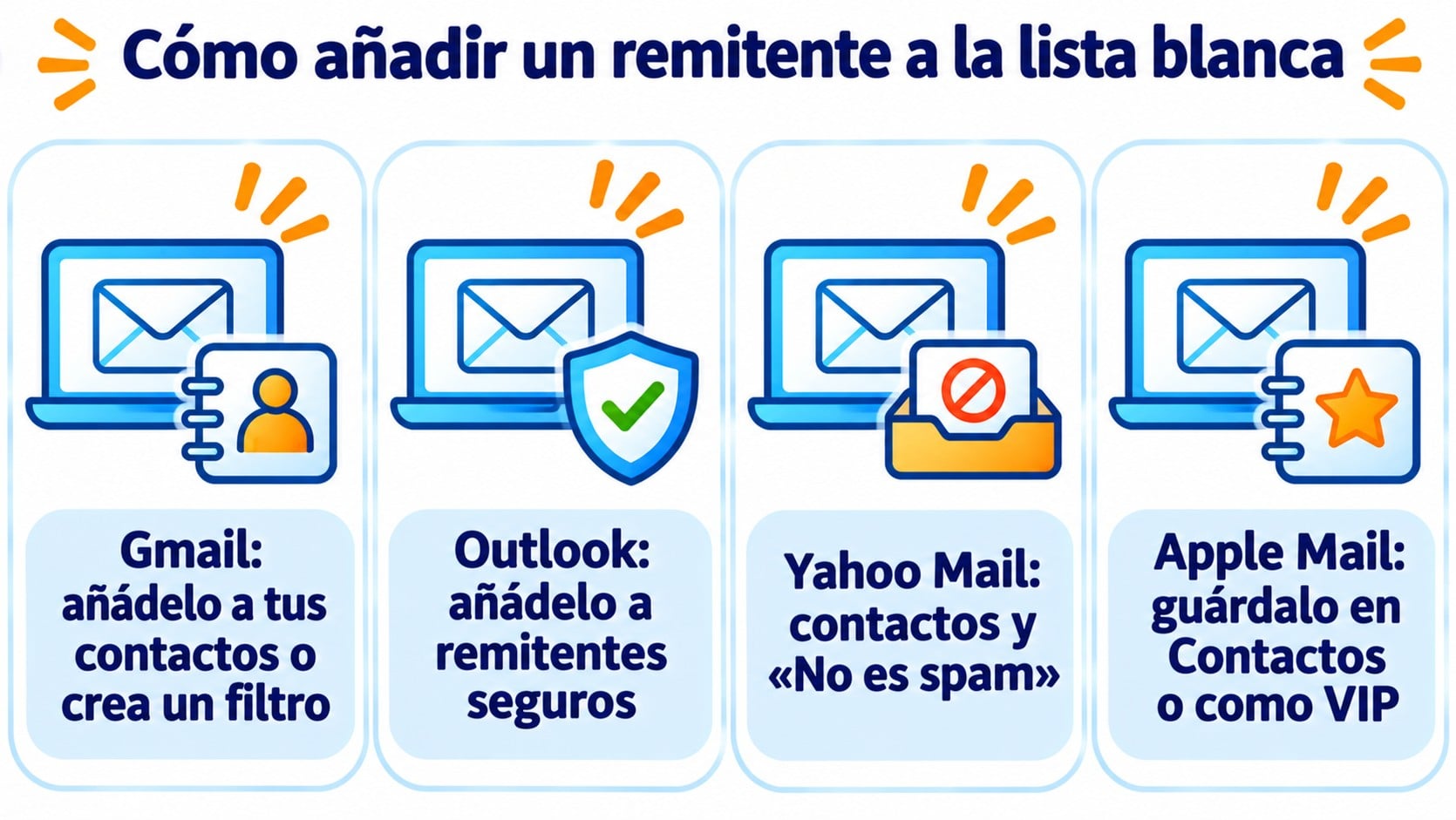
Each email provider has its own way of doing it. These are the most common ones:
- Gmail. Add the address to your contacts. If you want to go further, create a filter with the sender in “From” and tick the option to never send it to spam. If an email is already in spam, open it and click “Not spam”.
- Outlook. In the junk email settings, add the address or domain to the safe senders list. Microsoft explains it in its Outlook help.
- Yahoo Mail. Add the sender to your contacts and, if their email is in spam, mark it as “Not spam”.
- Apple Mail (iPhone and Mac). Save the address in Contacts or mark it as VIP.
In business email, the administrator can add entire domains to the whitelist for the whole organization. This is common when a supplier sends invoices or important notices.
Start the relationship on the right foot
With Mailrelay, every signup goes through double opt-in and you can customize the confirmation email. 80,000 free emails a month.
Whitelist, blacklist and greylist
All three are used to decide what to do with incoming email, but they decide in different ways:
| List | What it does with the email | What it means for the sender |
|---|---|---|
| Whitelist | Accepts it and lets it through to the inbox | Trust: your emails get through |
| Greylist | Temporarily rejects it and waits for a retry | A delay of a few minutes, but it arrives |
| Blacklist | Blocks it or sends it to spam | A serious deliverability problem |
Keep in mind that a whitelist is not an absolute guarantee. If your email fails authentication or looks like spoofing, some providers filter it anyway, for security reasons.
Why a whitelist helps your email marketing
When a subscriber adds you to their contacts or safe senders, they tell their provider that they want your emails. This has two effects.
The first is direct. That subscriber gets your campaigns in their inbox, instead of losing them in the spam folder.
The second is indirect. Gmail, Outlook and Yahoo pay attention to how people respond to your messages. The more people save you, open your emails and reply to you, the better your sender reputation, and that also shows with people who haven’t added you.
In Gmail, saving the sender to your contacts or dragging their email to “Primary” also helps keep it out of the Promotions tab.
How to get your subscribers to add you to their whitelist
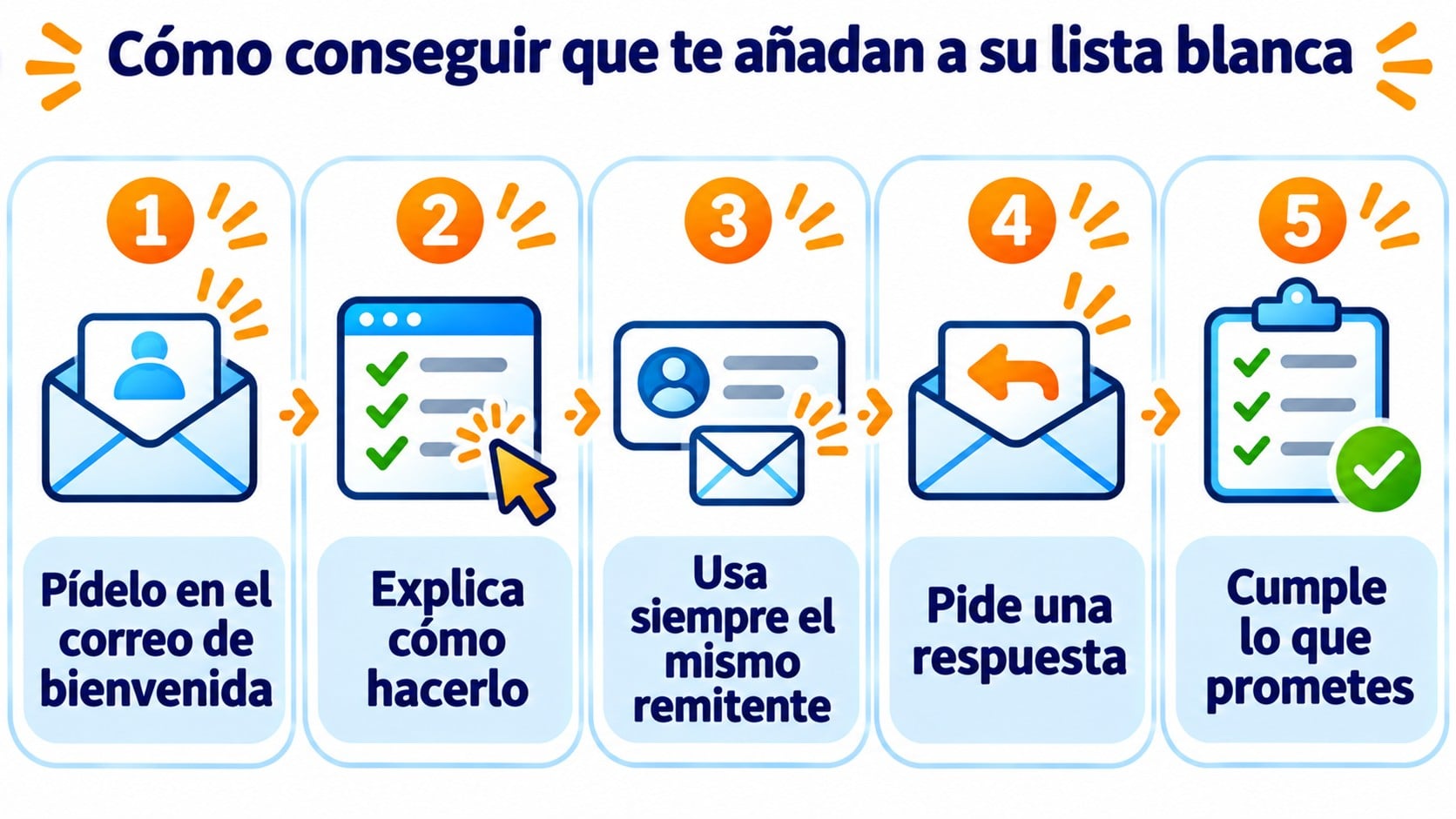
You can’t add yourself. But you can ask at the right moment and make it easy:
- Ask in the welcome email. It’s when interest is highest. One sentence is enough: “So you don’t miss anything, add us to your contacts”.
- Explain how to do it. A link to a page with the steps for Gmail, Outlook and mobile clears up any doubts.
- Always use the same sender. If you change your address every month, the whitelist stops working.
- Ask for a reply. A simple question in the welcome email generates replies, and replies also count as a trust signal.
- Keep your promises. If you send what people expected, they’ll keep you in their contacts.
And don’t forget the technical side. A whitelist is no substitute for authenticating your domain with SPF and DKIM.
How Mailrelay helps you
Mailrelay always works with double opt-in. You can customize the confirmation email and use it to ask new subscribers to add you to their contacts, right when their interest is highest.
You set up SPF and DKIM from the dashboard with your own sending domain, and automations let you prepare a welcome email that repeats the request. It’s all included in the free account, which allows 80,000 emails a month to 20,000 contacts, with human support on every plan.
Earn a place in their contacts
Create your free account with SPF and DKIM from the dashboard, welcome automations and human support on every plan.
Frequently asked questions
What does it mean to be whitelisted?
It means the recipient or their email server trusts you and accepts your messages without filtering them as spam.
Does a whitelist keep you out of the spam folder completely?
Almost always, but not completely. If the email fails authentication or looks like a spoofing attempt, the provider may filter it anyway.
Can you pay to get on the Gmail or Outlook whitelist?
Not in Gmail. There are paid sender certification programs that some providers recognize, but they require good practices beforehand and are no substitute for the reputation you build with your sending.
Key takeaways about whitelists
A whitelist is the clearest way a subscriber has of saying “I want your emails”. You can’t force it, but you can ask for it in the welcome email, explain it clearly and earn it with every send.