Email broadcasting: what an email broadcast is, types and how to send one
One message for your whole list: when to use it and how to get it opened
Email broadcasting is sending the same email to an entire subscriber list, or to a segment, at the moment you choose. Each email of this kind is called an email broadcast.
It is the classic way of doing email marketing: you prepare the campaign, choose who it goes to and send it or schedule it. A newsletter, a sale offer or a webinar invitation are all examples of a broadcast.
What does broadcasting mean?
Broadcasting means transmitting the same content to a wide audience. It is the term used for radio and television: a single transmission that reaches many people at once. A broadcast is the transmission itself.
In email marketing the idea is the same: one sender, one message and many recipients. It is also called mail blasting, mass emailing or simply a campaign. An email blast is a send that goes to the entire list, without segmentation.
The term is also used on other channels. On WhatsApp, for example, broadcast lists send the same message to several contacts at once.
How do you send an email broadcast?
These are the five steps of any send:
Choose the list or segment. Decide who receives it: the whole list, a group of customers or subscribers in a specific area.
Create the email. Write the subject line and preheader, design the message and add a clear button.
Run a test. Send it to yourself and check the links, images and mobile version.
Send or schedule. Choose the day and time when your audience usually opens their email.
Measure the results. Review opens, clicks, unsubscribes and complaints to improve your next send.
What is the difference between a broadcast and an automated email?
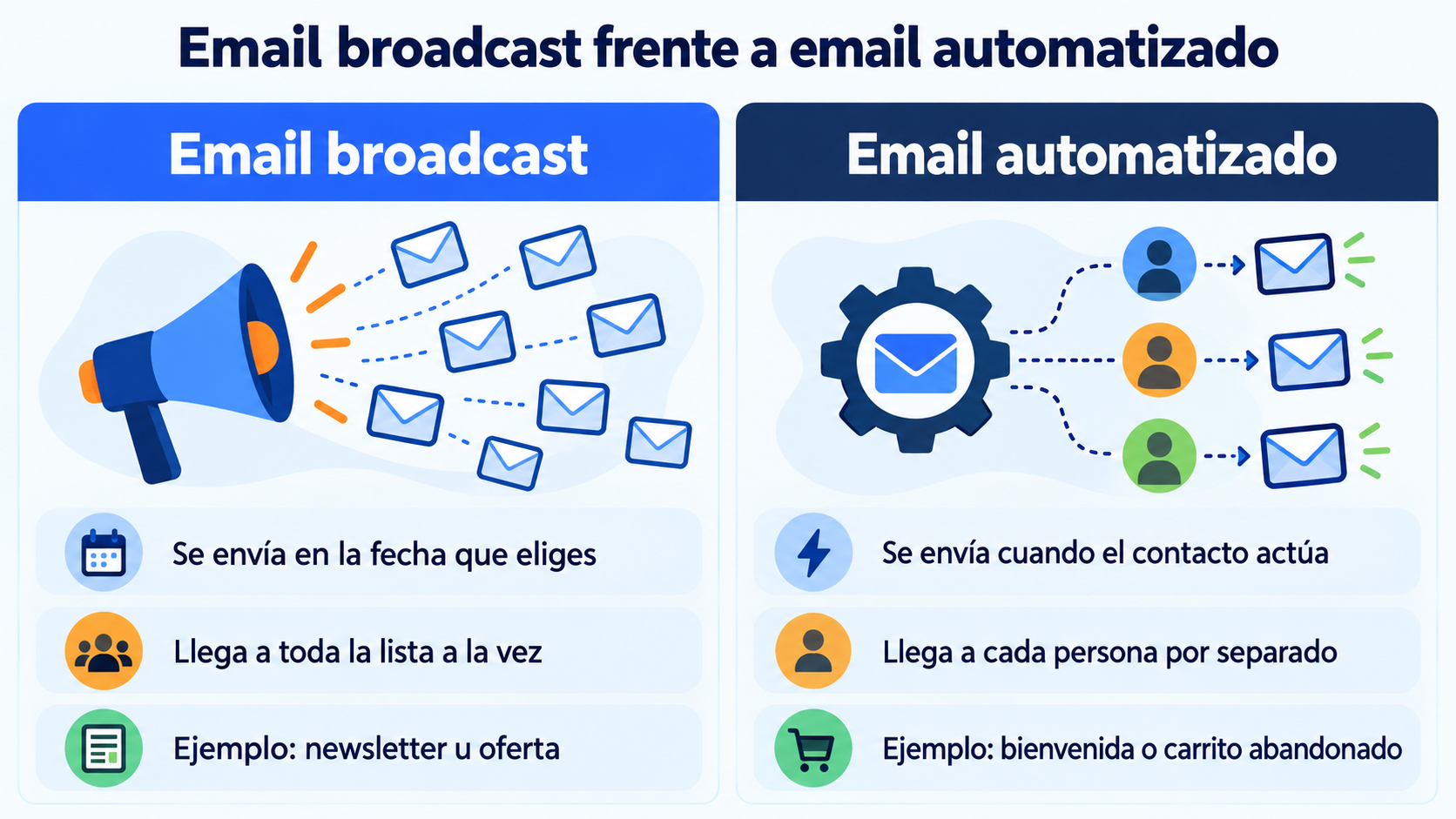
You send this type of email yourself, to many people at once and on a specific date. An automated email goes out on its own, to each person, when they do something: subscribe, buy or abandon a cart.
| Email broadcast | Automated email | |
|---|---|---|
| When it is sent | On the date you choose | When the contact does something |
| Who receives it | The whole list or a segment, at the same time | Each contact, individually |
| How often | Once | Every time the condition is met |
| Examples | Newsletter, offer, invitation | Welcome, abandoned cart, birthday |
| Tool | Campaigns | Autoresponder or marketing automation workflows |
The two complement each other. Automated workflows accompany each contact, while campaigns keep the relationship with the whole list alive.
Types of email broadcast
These are the most common sends of this kind:
| Type | What it’s for | Example |
|---|---|---|
| Newsletter | Keep in touch regularly | A monthly newsletter with industry news |
| Offer or promotion | Sell on a specific date | 20% off during the sales |
| Launch | Introduce a new product or service | “Our new collection is here” |
| Event invitation | Get attendees | A webinar or a store opening |
| Educational content | Provide value and build trust | A guide or the latest blog posts |
| Company news | Announce changes | New opening hours, prices or service |
| Important notice | Communicate something urgent | An incident or a change in terms and conditions |
Send your next campaign with Mailrelay
Create your email, choose who it goes to and schedule it in minutes, with statistics for every send.
Tips for sending an email broadcast
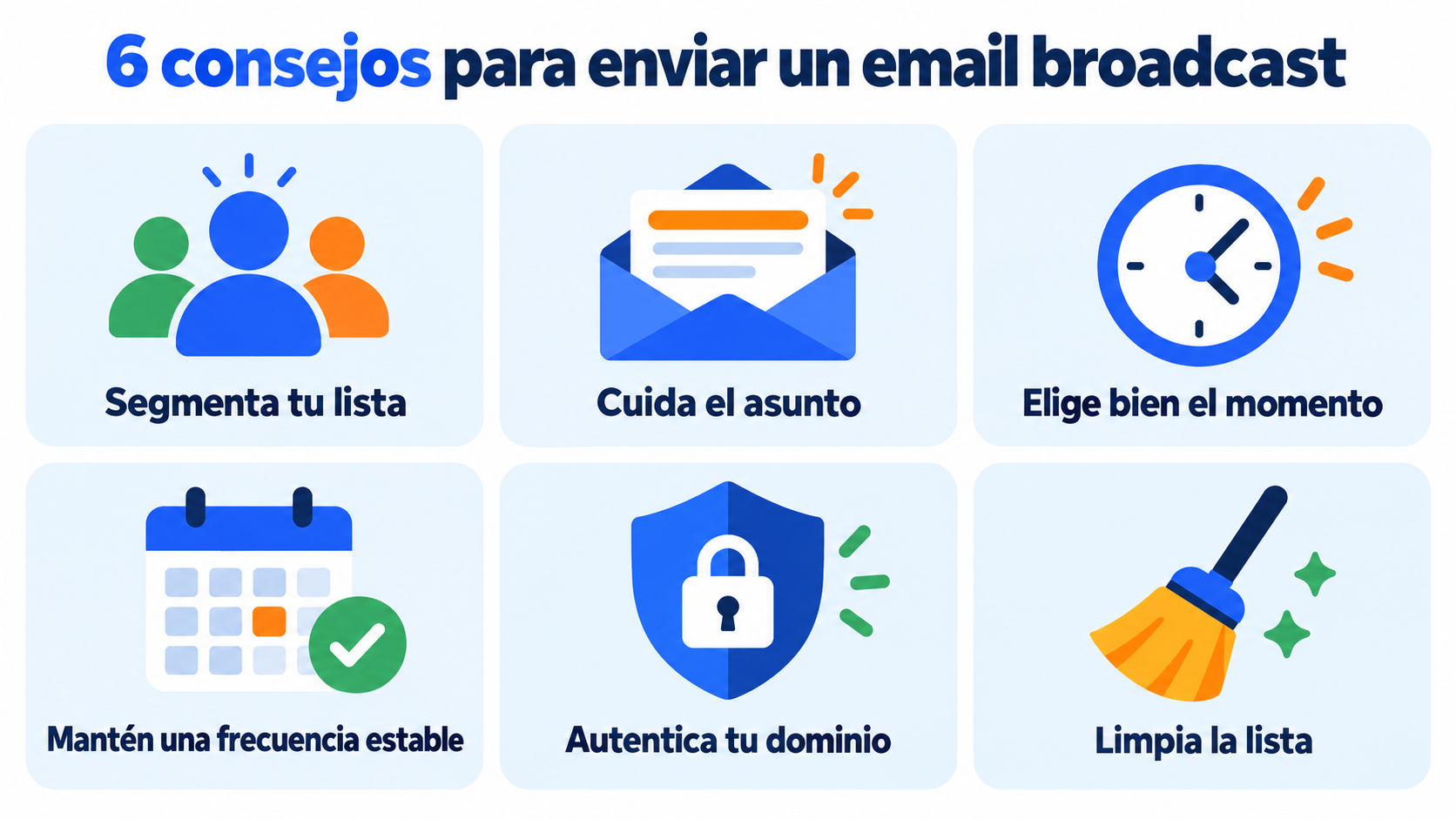
Segment whenever you can. The same email for everyone performs worse than a tailored one. Segmentation increases clicks and reduces complaints.
Nail the subject line. It decides whether the email gets opened. Try two versions with an A/B test before sending to the whole list.
Choose the right moment. Check your statistics to see when your subscribers open their emails and schedule the send.
Keep a steady frequency. Not so rarely that they forget you, nor so often that they get tired of you.
Comply with Gmail and Yahoo. If you send in volume, you need SPF, DKIM and DMARC, one-click unsubscribe and a low rate of spam complaints.
Clean your list. Stop sending to people who haven’t opened in months: it improves your reputation and your results.
Email broadcasting, email blast and bulkmail
These terms are used almost as synonyms, but there are nuances:
Email broadcasting is the general term for any send of the same email to many recipients.
Email blast usually refers to a send to the entire list, without segmentation. It has a somewhat negative connotation.
Bulkmail focuses on volume: thousands or millions of emails sent with a specialized platform.
How Mailrelay helps you
With Mailrelay you create your campaign in the editor, choose the subscriber groups or segment, and send it right away or schedule it.
You can test subject lines and senders with an A/B test and send an automatic newsletter with your blog posts via RSS. The statistics show you who opens and clicks. The free account includes up to 80,000 emails a month and 20,000 contacts, with human support on every plan.
Send your newsletters with Mailrelay
Up to 80,000 emails a month and 20,000 contacts for free, with human support on every plan.
Frequently asked questions
These are the most common questions about this topic.
What is broadcasting in a nutshell?
It is sending the same message to many people at once. In email marketing, it is sending a campaign to an entire list or to a segment.
What does broadcast mean?
It means a transmission sent out to a wide audience. In email marketing, it is an email sent to many recipients at once.
Yes. The newsletter is the most common type: a regular send to the whole list or to a group.
Which is better, a broadcast or an automated email?
Neither is better: they serve different purposes. Ideally, you should combine both.
How often should I send an email broadcast?
It depends on your audience and what you have to say. For most businesses, between once a week and once a month is a good starting point.