Emoji: what it is, where it comes from and how to use it in email marketing
The little picture you type like a letter, why it looks different on every phone and when it works in your email subject lines
An emoji is a small picture that you type as if it were a letter, used to express an emotion, an object or an idea in a message. 😀, ❤️, 🎉 and 📦 are examples: you see them on WhatsApp, on social media and in the subject lines of many emails too.
The word comes from Japanese: “e” means picture and “moji” means character. Its resemblance to “emotion” is pure coincidence.
What is an emoji?
Short answer: it is a character shaped like a picture. It is not a photo or an attached file: your phone or computer treats it as just another letter and draws it in its own design.
That is why the same picture looks slightly different on an iPhone, on Android or on Windows. They all follow the same Unicode list, the standard that gives a code to every character in the world, but each company draws it in its own way.
It is spelled emoji, and the plural is emojis.
Emoji, emoticon and kaomoji: the differences
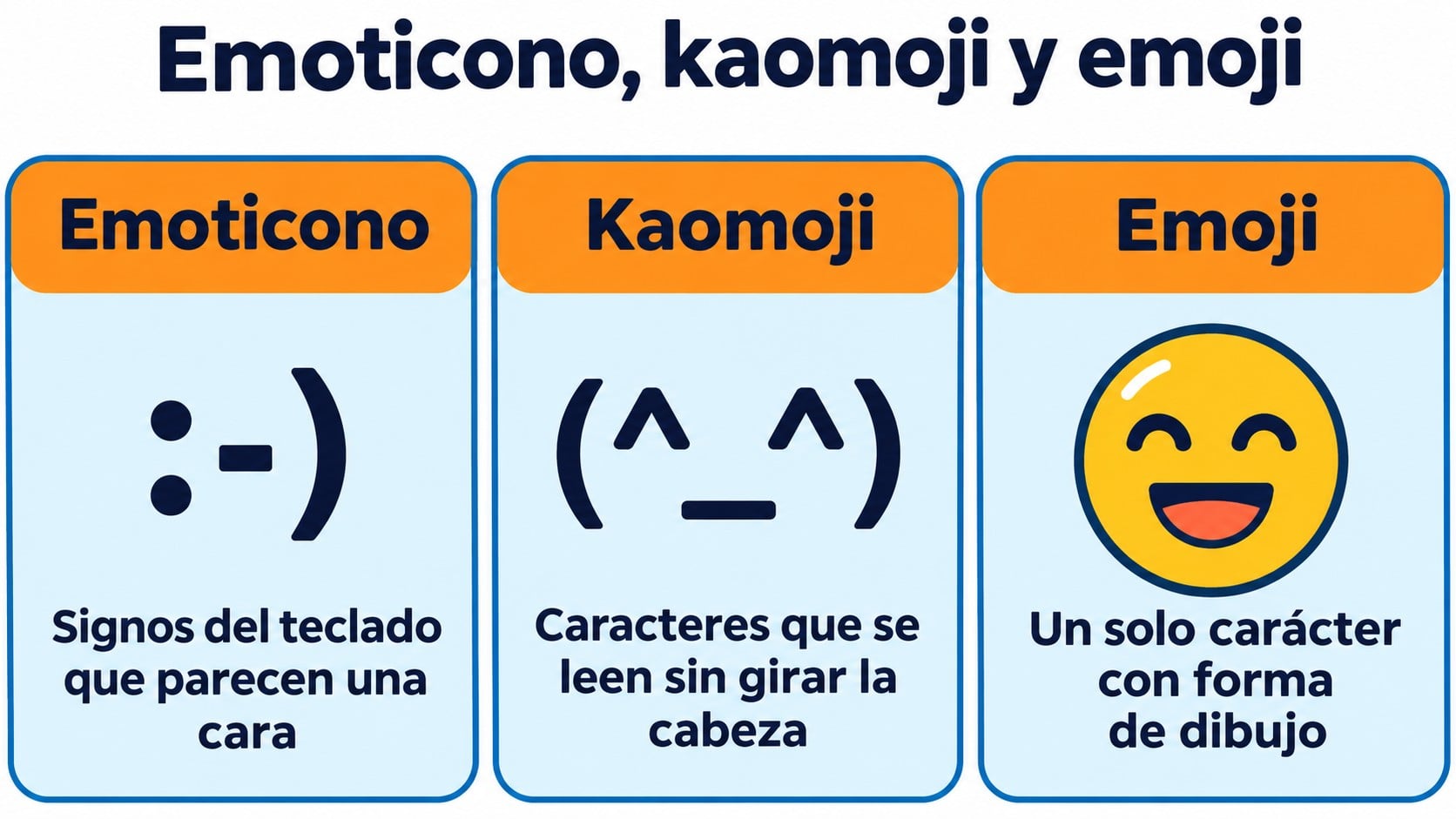
People use them as synonyms, but they are not the same thing:
| Type | How it is built | Example |
|---|---|---|
| Emoticon | Keyboard symbols that look like a face when you tilt your head | 🙂 😉 🙁 |
| Kaomoji | Japanese characters you read without tilting your head | (^_^) (T_T) |
| Emoji | A single character shaped like a picture, in color | 😊 🤷 🎁 |
If you are interested in faces made with text, we cover them in kaomoji. And if you are looking for hearts, arrows or stars that are not emojis, see the symbols entry.
Where emojis come from
The first 176 were designed by Shigetaka Kurita in 1999 for the mobile internet service of the Japanese carrier NTT Docomo. They were 12 by 12 pixel drawings: a sun, a heart, an envelope, a smiling face.
In 2010 Unicode added them to its standard, and from then on any device could display them. The following year they reached the iPhone keyboard and, shortly after, Android. In 2016 the MoMA in New York added those 176 originals to its collection.
Today the official Unicode list is close to 4,000, counting skin tone variants and flags. New ones are approved every year.
Add color to your subject lines
Create your campaigns with responsive templates, animated GIFs and open tracking in Mailrelay’s free account.
What emojis do in an email
In an email, these little pictures do three things:
- They grab attention in the inbox. A splash of color in the email subject line stands out among dozens of lines of text.
- They set the tone. A 🎉 signals a celebration and a ⏰ that something is about to expire, without spending a single word.
- They save space. On mobile the subject line gets cut off early, and an icon says a lot in a single character.
Do they always improve the open rate? No. It depends on your audience and on what they replace. The way to find out is to run an A/B test: send the same subject line with and without an emoji to two parts of your list and keep the one that gets more opens. Mailrelay lets you do this on every plan, including the free one.
How to use emojis in your campaigns without overdoing it
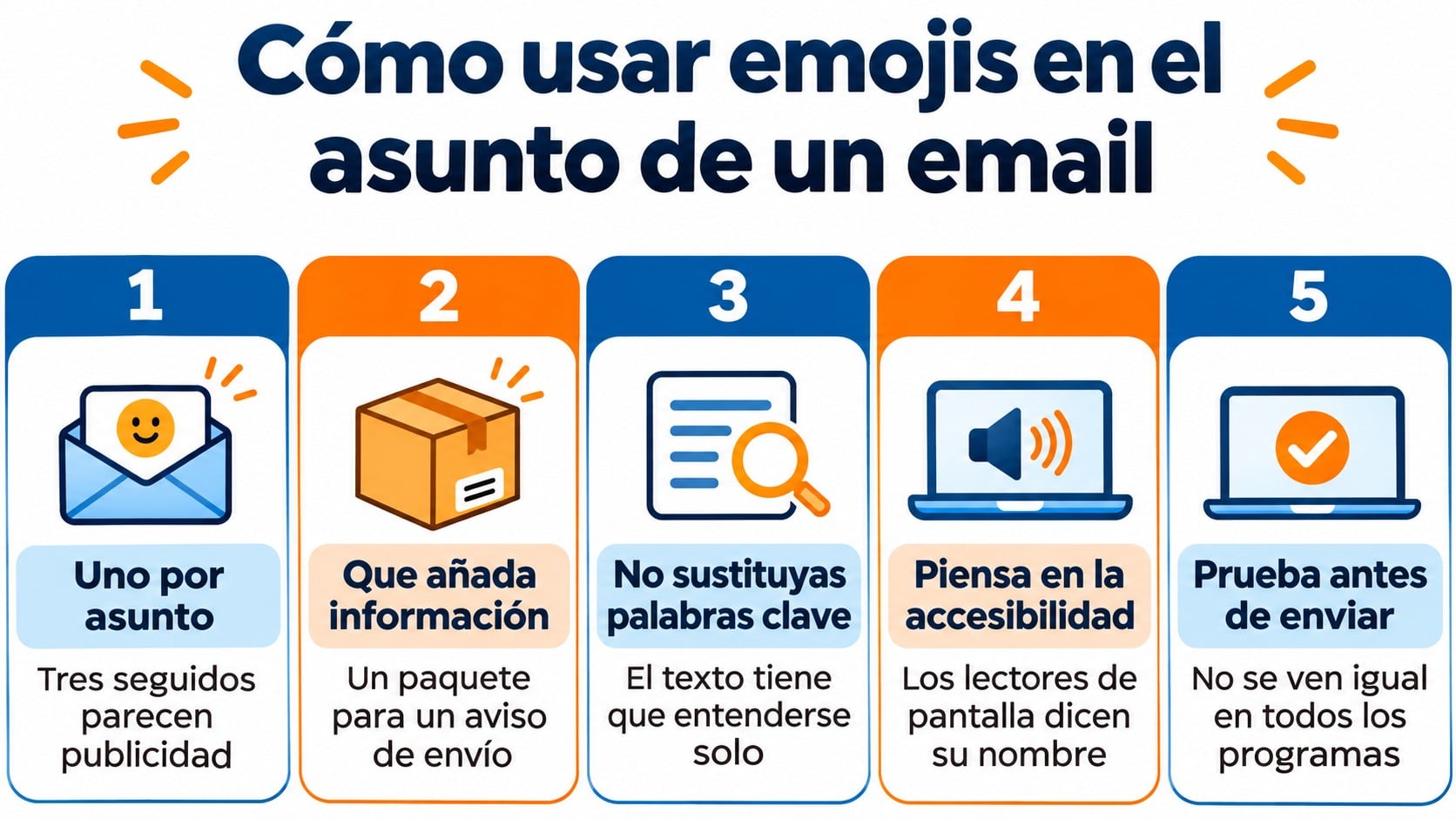
- One per subject line, almost always. Three icons in a row look like aggressive advertising and can trigger spam filters.
- Make it add information. 📦 in a shipping notice makes sense. A random smiley face does not.
- Never in place of a keyword. “Sale 🔥” is easy to understand. “🔥 prices” maybe not.
- Think about people who use a screen reader. The reader says its name out loud: “smiling face with smiling eyes”. Ten in a row turn into an endless sentence.
- Test before sending. Some versions of desktop Outlook show them in black and white or as an empty square.
You can also use them in the preheader, the body and the signature, with the same restraint.
For lists you can copy and paste, and to learn how to type them on a PC, Mac or phone, check out our guide to emojis for email.
How Mailrelay helps you
In Mailrelay you paste them into the subject line, preheader or text of your campaigns like any other character. Before sending, send yourself a test and check how they look on your phone and your computer.
To find out whether they work with your list, compare the opens of similar sends with and without an emoji. Open tracking is included in the free account and in the Enterprise plan. In the editor you can also insert animated GIFs if you want to go further.
The free account lets you send 80,000 emails a month to 20,000 contacts, with human support on every plan.
See which subject lines get the most opens
80,000 free emails a month, open tracking, automations and human support on every plan.
Frequently asked questions
Emoji or emoticon: which is the right word?
Both words exist, but they do not mean the same thing. An emoticon is a face made with keyboard symbols, like :-). An emoji is the color picture.
Do emojis count as spam?
Not on their own. What raises suspicion is excess: lots of icons, capital letters and exclamation marks in the same subject line.
Why do I see a square instead of an emoji?
Because your device or email program does not have it in its list, almost always because it is a new one or because you are using an old version.
Key takeaways about emojis
An emoji is a character shaped like a picture, not an image. Used well, it adds color and tone to your subject line with a single character. Use it in moderation, make sure it adds something, and test it before sending to your whole list.