Scroll: what it means, what scrolling is and what it is for
From parchment to the phone screen: what scrolling is, the types of scroll and how to design with it in mind
Scroll is moving the content on a screen up, down or sideways to see what doesn’t fit in view. You do it every time you turn your mouse wheel or swipe your finger across your phone.
The word is English. In Spanish it is called desplazamiento, and the verbs are desplazarse or deslizar.
What does scroll mean?
Scroll has two meanings in English:
- As a noun, it is a roll of paper or parchment, like the ancient manuscripts that were read by unrolling them.
- As a verb, to scroll means to move text or an image across a screen.
The computing sense comes from the first one: reading a long page is like gradually unrolling a parchment. That is why some translation tools give “roll” or “parchment” as its translation.
It is spelled scroll, with two ls. Spellings such as “scrool”, “scrol” or “escrol” are common mistakes when people search for it.
What is scrolling?
Scrolling means moving through a page, an app or a document. In Spanish conversation people also say scrollear, a colloquial verb that isn’t in the dictionary.
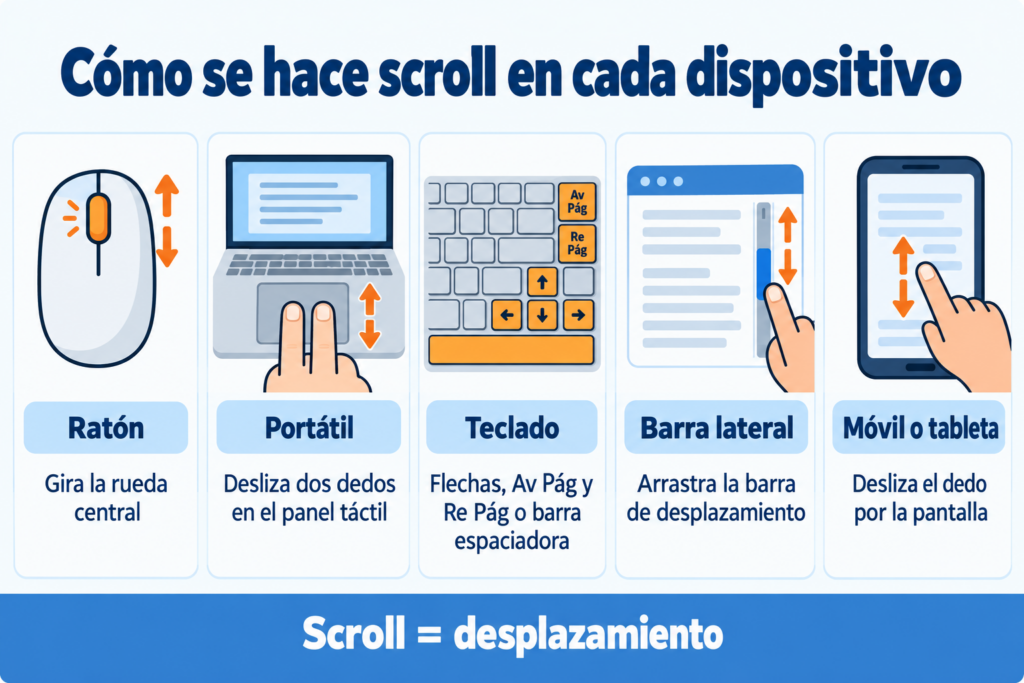
| Device | How to scroll |
|---|---|
| Computer with a mouse | Turning the scroll wheel |
| Laptop | Sliding two fingers across the touchpad |
| Keyboard | With the arrow keys, Page Down / Page Up or the space bar |
| Scroll bar | Dragging the browser’s side bar |
| Phone or tablet | Swiping your finger across the screen |
The mouse wheel became popular in 1996 with Microsoft’s IntelliMouse. Before that, you had to use the side bar or the keyboard to move around.
Design emails that read from top to bottom
Mobile-friendly templates and a drag-and-drop editor to place each block where it will be seen. Free for up to 80,000 emails a month.
On Instagram, TikTok, X or Facebook, scrolling means flicking through posts with your finger. The feed never ends: when you reach the bottom, more content loads.
This is called infinite scroll. It was invented by designer Aza Raskin in 2006 so that people wouldn’t have to click “Next page”. Years later, he himself regretted how easily it lets people waste time.
When that scrolling becomes compulsive and full of bad news, it is called doomscrolling.
Types of scroll
Vertical. The most common: from top to bottom. This is how almost all websites, emails and feeds are read.
Horizontal. From left to right. It is used in image carousels, product galleries and catalogs.
Infinite. Content loads automatically when you reach the end. It is typical of social media and some online stores.
Parallax. The background moves more slowly than the foreground, creating a sense of depth.
Scrollytelling. A story that unfolds as you scroll, with animations, graphics or videos. News outlets use it a lot in their in-depth features.
Scrolling in web design
Scrolling decides what each visitor sees first. What appears without scrolling is called above the fold, an expression inherited from folded newspapers. That is where the main message and the first call to action should go.
Some useful guidelines:
- Put the important things at the top. Many people don’t scroll all the way to the bottom of the page.
- Break up the content into short blocks with clear headings so readers know where they are.
- Repeat the call to action throughout the page, not just at the end.
- Avoid accidental sideways scrolling on mobile: it is a sign of a design that doesn’t fit the screen.
- Measure how far people get. Scroll maps show what percentage of visitors see each part of the page.
A well-organized landing page uses scrolling to present the offer step by step.
Scrolling in email marketing
Your subscribers scroll through your emails too, almost always on their phones. That is why designing a newsletter is a lot like designing a website:
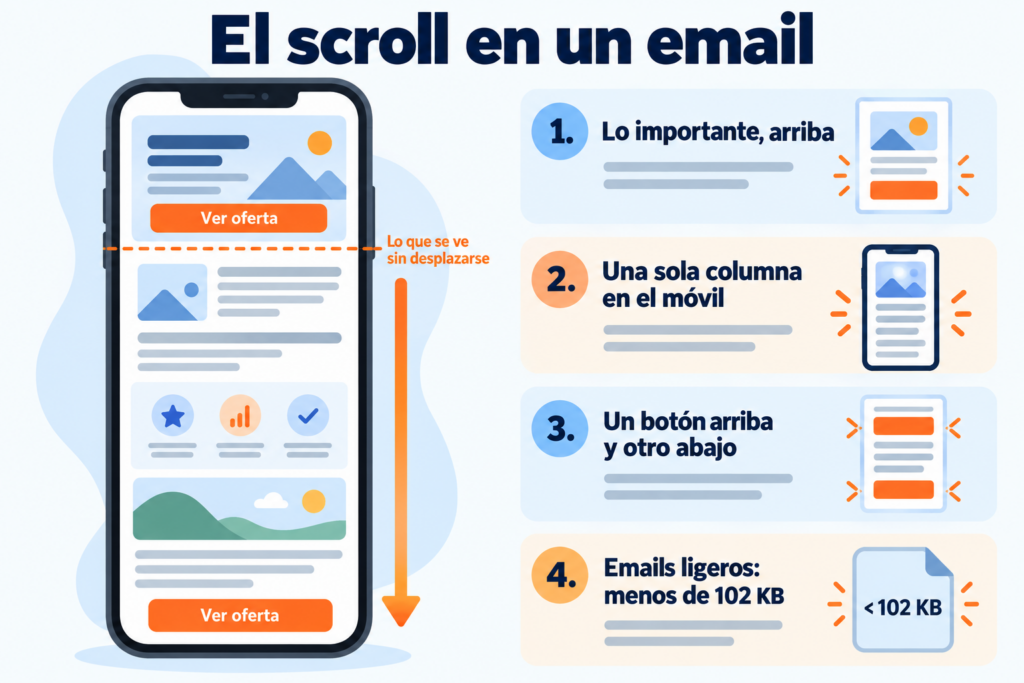
What is seen first matters most. The subject line, the header and the first block decide whether the reader keeps scrolling.
A single column works best on mobile. A responsive email design adapts to the screen and avoids sideways scrolling.
Put one button at the top and another at the bottom. That way readers can act without scrolling, and those who read to the end also find the call to action.
Don’t make it longer than it needs to be. If the email is very long, Gmail clips the message after 102 KB and shows a link to view it in full.
How Mailrelay helps you
With Mailrelay’s drag-and-drop editor, you can design emails that read well on any screen. All templates are mobile-friendly, and you can preview them before sending.
In the statistics, the click map shows you which parts of the email your subscribers click on.
The free account includes up to 80,000 emails a month and 20,000 contacts, with human support in English on all plans.
Find out how far your subscribers get
Click map and statistics for every send, with human support in English on all plans.
Frequently asked questions about scrolling
These are the most common questions.
What does scroll mean?
Moving content on a screen. It is the action of moving the content on a screen to see what doesn’t fit in view.
What is scrolling?
Moving through a website, an app or a document with the mouse wheel, the touchpad, the keyboard or your finger.
How do you say scroll in Spanish?
Desplazamiento, or desplazarse and deslizar as verbs. As an old noun, scroll also means a roll or a parchment.
What is infinite scroll?
A design in which content loads automatically when you reach the end of the page, as on social media.
What does scrollear mean?
A colloquial Spanish way of saying “hacer scroll” (to scroll). It isn’t in the dictionary, but it is widely used in speech.