Whitespace: what it is, its types and how to use it in websites and emails
The empty space that makes your design easier to read
Whitespace (written as whitespace or white space) is the empty area between the elements of a design: around text, images, buttons and margins. It doesn’t have to be white. It’s any space without content, whatever the background color.
Far from being wasted space, it’s what makes a design easy to read. It separates elements from one another, shows what matters and gives the eye a rest.
What is whitespace for?
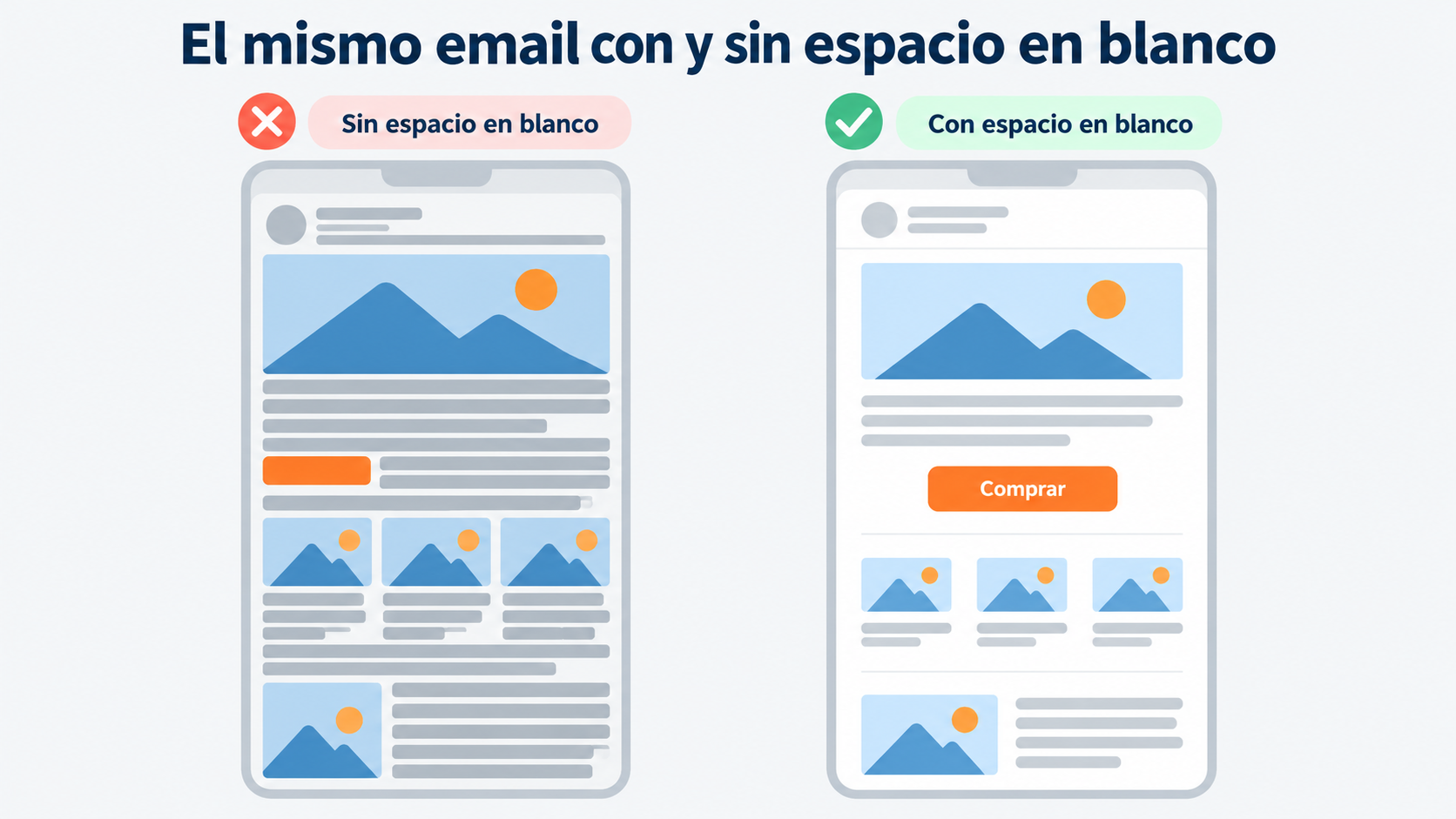
It improves readability. Margins and line spacing keep text from looking cramped. A paragraph with room to breathe gets read before a dense block.
It organizes information. Space groups what belongs together and separates what is different. Readers understand the structure without needing lines or boxes.
It directs attention. A button or headline surrounded by space stands out more than one squeezed between other elements. It’s a way of saying “look here”.
It conveys quality. An uncluttered design looks more polished and easier to use. That’s why high-end brands tend to leave lots of empty space.
Design emails that breathe
Create your free Mailrelay account: adjust margins, spacers and padding in the drag-and-drop editor, without touching any code.
Types of whitespace
| Type | What it is | Example |
|---|---|---|
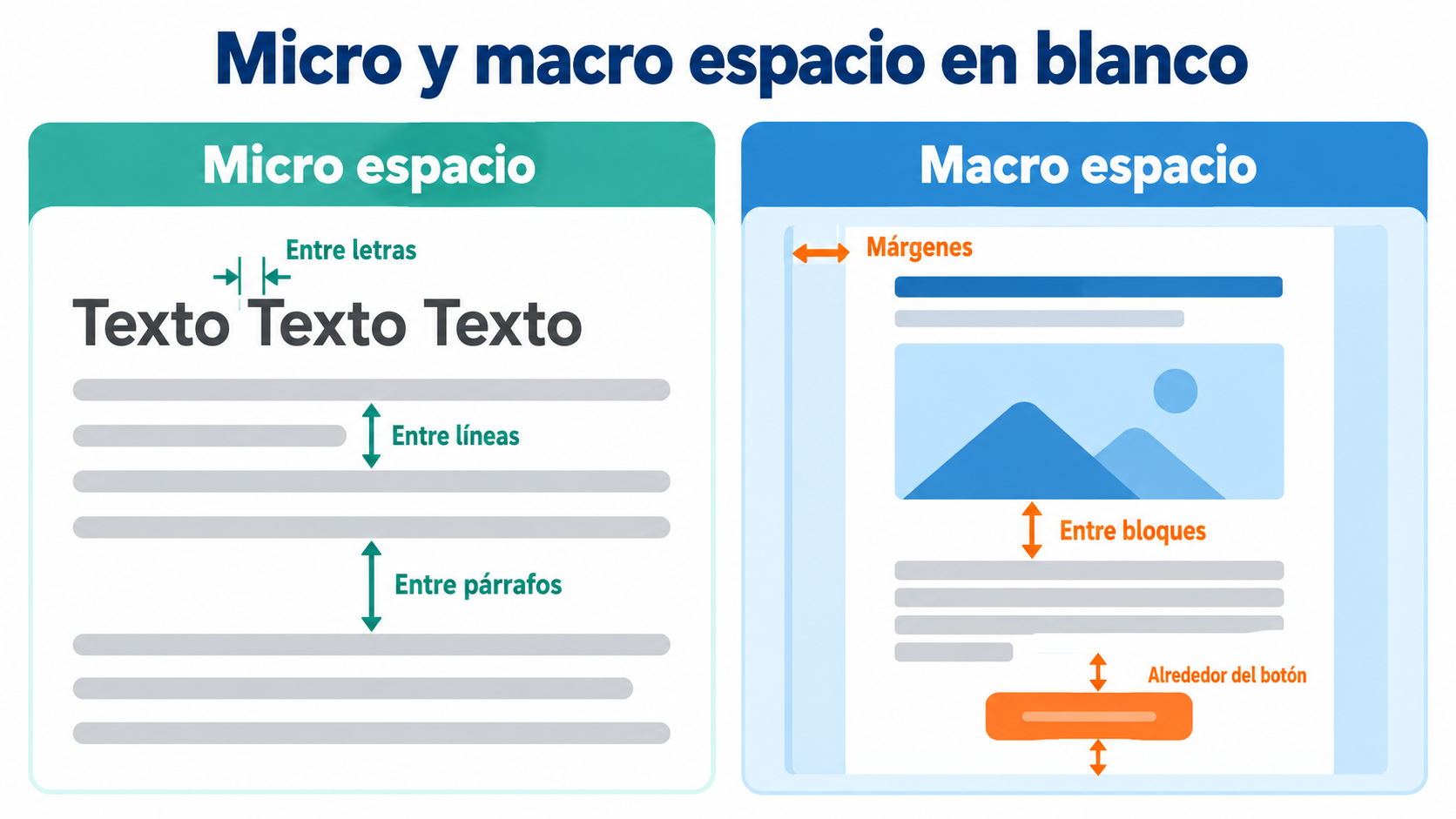
| Micro | The small space between letters, lines and paragraphs | The line spacing of a text |
| Macro | The large space between blocks and around the design | The margin around a headline or an image |
| Active | Space left on purpose to highlight or separate something | The space around a buy button |
| Passive | Space that appears naturally when laying out the design | The gap at the end of a short paragraph |
All four work together. Micro whitespace makes text easy to read. Macro whitespace organizes the page. Active whitespace is what you use to guide the reader.
Whitespace on a website
On a website, whitespace helps visitors find what they’re looking for in seconds. A good example is a search engine’s home page: almost everything is empty space, with the search box right in the center.
On a landing page, leaving space around the form and the call to action avoids distractions. On mobile it matters even more: with little screen space, crowded elements get tapped by accident. More on responsive design.
Whitespace in email
In an email, space is more limited, and each email client displays the design in its own way. Here are the keys:
- One idea per block. Separate each section (news, product, offer) with clear space.
- Generous margins around the button. The main button should be seen at first glance, with nothing crowding it.
- Short paragraphs with line spacing. Two to four lines, with space between them.
- Fewer elements. If everything competes for attention, nothing stands out. Remove anything that doesn’t help the email’s goal.
- Test on mobile. What looks like plenty of space on a computer can feel tight on a phone.
A block-based layout, like the one used in modular email design, makes it easier to keep the same spacing across all your emails.
Whitespace in HTML and CSS
If you’re looking for the technical term: in HTML, the browser collapses several consecutive spaces into one. To force a space that doesn’t collapse or break onto a new line, you use the entity. In CSS, the space between elements is controlled with margin (outside the element) and padding (inside), and the white-space property decides how spaces and line breaks in text are handled.
When designing websites and emails, it’s best to create space with margins and padding, not with empty lines or lots of in a row: the result is cleaner and adapts better to each screen.
Common mistakes
Filling every gap. Thinking that empty space is wasted space leads to cluttered designs.
Inconsistent spacing. If margins change from one block to the next, the design looks sloppy. Always use the same measurements.
Leaving too much space. If readers have to scroll a lot to find the content, the space stops helping.
Forgetting about mobile. A design that breathes on a computer can look cramped on a small screen.
How Mailrelay helps you
In Mailrelay’s newsletter editor, you control spacing without touching any code:
- The Spacer block adds space between blocks and lets you choose its height in pixels.
- The Divider draws a line to separate sections.
- For text and buttons, you adjust the padding (Dimension option) and line height (Typography option).
You can also start from a ready-made email template and send yourself a test to see how it looks on mobile. All of this is included in the free account, which lets you send up to 80,000 emails a month.
Start for free with Mailrelay
Up to 80,000 emails a month, a drag-and-drop editor and human support.
Frequently asked questions
What is whitespace in design?
It’s the empty area between the elements of a design (text, images, buttons and margins). It makes content easier to read and highlights what matters.
What does whitespace mean?
It’s the design term for the empty space between elements. It’s also written white space and is sometimes called negative space.
Does whitespace have to be white?
No. It’s any area without content, whatever the background color: it can be gray, black or a brand color.
What’s the difference between micro and macro whitespace?
Micro whitespace is the small kind, between letters, lines and paragraphs. Macro whitespace is the large kind, between blocks and around the design.
How do you add a space in HTML?
With the entity for a fixed space, and with margin and padding in CSS to separate elements.