Cookies: what they are, what they're for and what types exist
How they work, what Spanish law requires and why your email list doesn't depend on them
Cookies are small text files that a website stores in your browser to remember information about your visit. Thanks to them, an online store keeps your cart, and a website remembers your language or knows you’ve already logged in.
They’re also used to measure visits and to show ads. That’s why almost every website asks for your permission to use them.
Cookie is the English word for a small biscuit. In computing, it has been used since the nineties to name these small pieces of data that the browser stores and sends back to the website on every visit.
Spanish uses the English word as is: hardly anyone talks about computer «galletas».
They store simple data, such as an identifier or a preference. These are their most common uses:
| Use | Example |
|---|---|
| Keep you logged in | Not having to log in on every page |
| Remember preferences | Language, currency or font size |
| Save the cart | The products are still there when you come back to the store |
| Measure visits | How many people visit and which pages they read |
| Personalize | Show products similar to the ones you viewed |
| Advertising | Show ads based on what you visited on other websites |
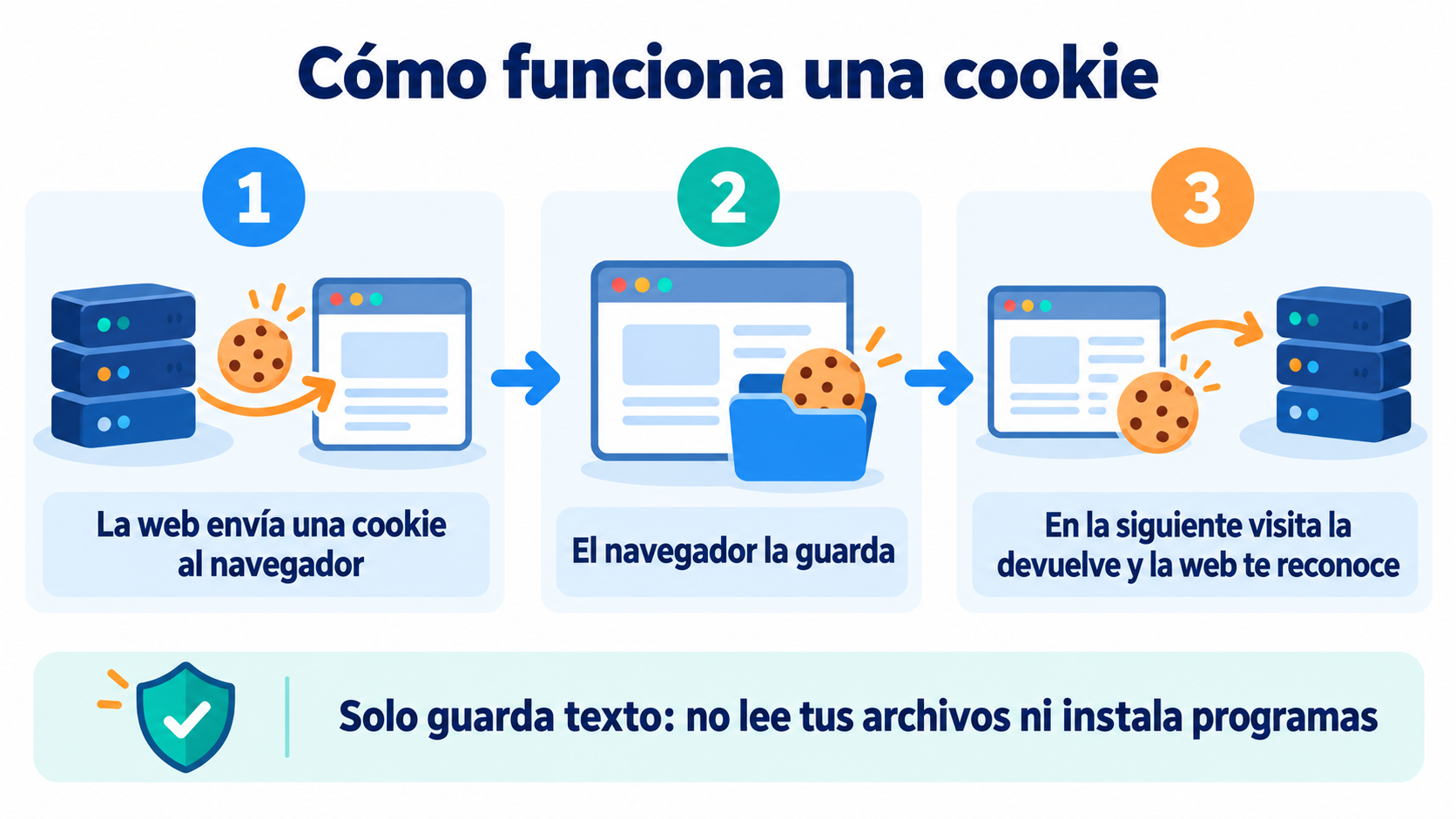
They can’t read your files or install programs. They only store text, and each website can only read what it stored itself.
How do they work?
When you visit a website, the server sends the browser a small file with a name, a value and an expiration date. The browser stores it.
On later visits, the browser sends it back to the website. That’s how the website «recognizes» you and remembers what you did before.
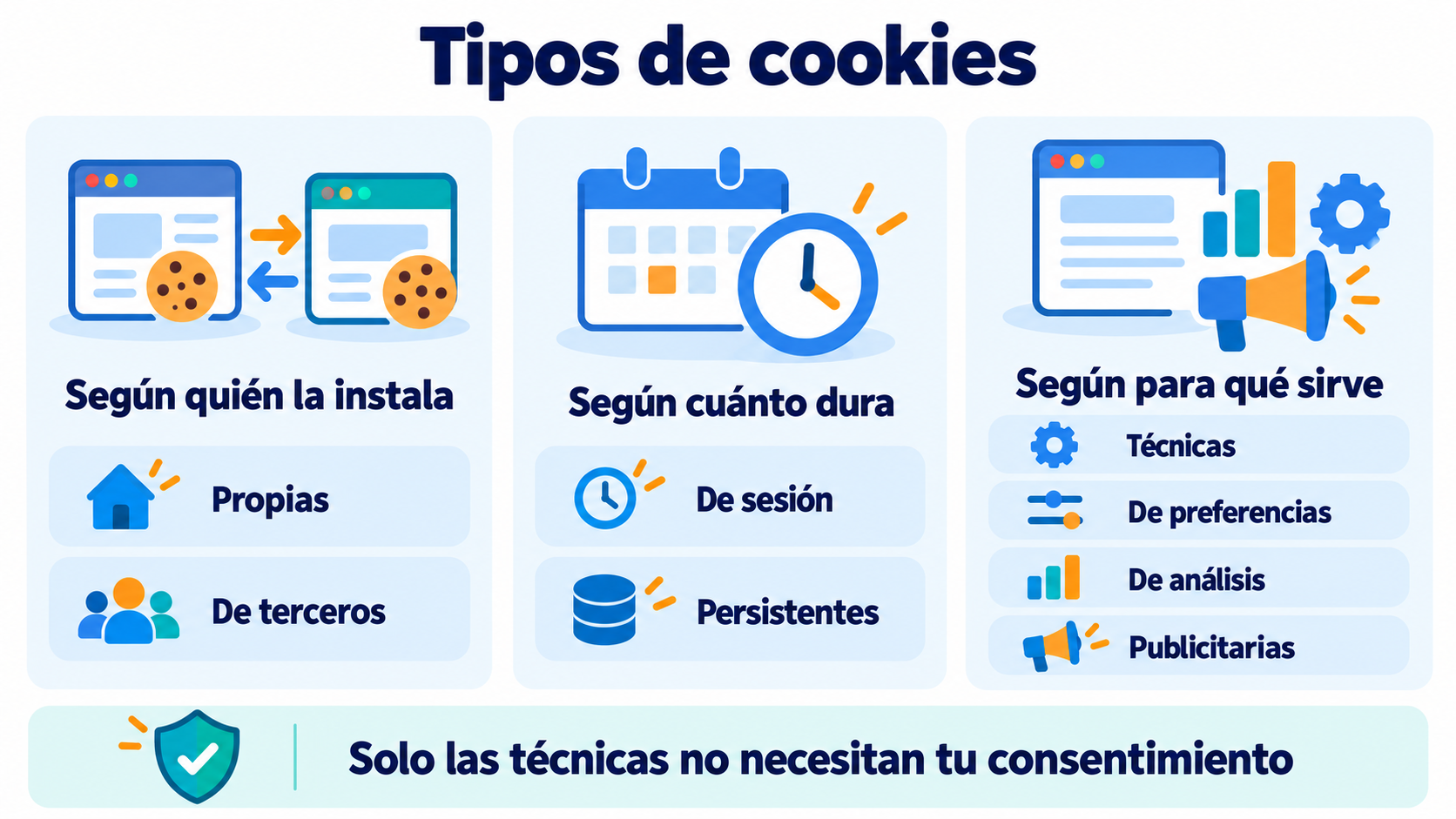
They are classified in three ways:
| By… | Type | What it does |
|---|---|---|
| Who sets it | First-party | Created by the website you visit |
| Third-party | Created by another company, such as an advertiser or an analytics tool | |
| How long it lasts | Session | Deleted when you close the browser |
| Persistent | Kept until their expiration date or until you delete them | |
| What it’s for | Technical or necessary | Make the website work: session, cart, security |
| Preference | Remember your settings | |
| Analytics | Measure how the website is used, like Google Analytics | |
| Advertising | Show ads and track your browsing across websites |
The most controversial are third-party advertising cookies, because they make it possible to follow a person across many different websites.
In Spain, their use is regulated by article 22.2 of the LSSI and by the GDPR when they process personal data. The Spanish Data Protection Agency (AEPD) explains how to apply it in a dedicated guide.
The key points:
Technical cookies don’t need consent. The rest do: you have to ask for permission before setting them.
Rejecting must be as easy as accepting. The AEPD updated its guide in 2023. Since then, the reject button has to be on the first layer of the notice, with the same format as the accept button. Websites had until January 11, 2024 to comply.
You have to inform clearly. What is set, what for and by whom, usually in a policy linked from the notice.
Users can change their mind. They must be able to withdraw their consent at any time.
More information in privacy policy. Keep in mind this isn’t legal advice: check your case with a specialist.
Build your own contact list
Create a form with Mailrelay and talk to your visitors without depending on third-party cookies.
Their end was announced for years. Safari and Firefox already block them by default. Google planned to remove them from Chrome, but dropped that plan in 2024 and in 2025 confirmed it is keeping them.
Even so, they provide less and less data: many users reject them in the notice and others browse with blockers. That’s why brands are looking for alternatives, such as first-party data or zero-party data. We explain it in cookieless.
Cookies and email marketing
Email doesn’t depend on them. When someone subscribes to your newsletter, they give you their details directly and with their permission.
It’s first-party data: you don’t lose it if a browser blocks tracking or an ad platform changes.
Emails don’t install anything in the browser when they’re opened, either. Email marketing tools measure opens with a small pixel and clicks with tracking links. What does happen is that, when someone clicks, the destination website may use its own cookies, always with the user’s consent.
That’s why a subscriber list is one of the most stable assets of a digital business. With a subscription form, you turn anonymous visits into contacts you can talk to again.
How Mailrelay helps you
With Mailrelay you can create subscription forms for your website, store each contact’s consent and send them segmented campaigns without depending on third-party tracking. Open and click statistics tell you what works.
The free account includes up to 80,000 emails a month and 20,000 contacts, with human support by chat, ticket and phone.
Send your newsletters with Mailrelay
Up to 80,000 emails a month and 20,000 contacts for free, with human support on every plan.
Frequently Asked Questions
These are the most common questions about this topic.
Small files that a website stores in your browser to remember who you are, your preferences or what you did on it.
Usually not. They aren’t viruses and they can’t read your files. What advertising cookies do is record your browsing, so it’s best to accept only the ones you need.
The website must keep working. Only technical cookies are set, so it may not remember your preferences and you’ll see less personalized ads.
First-party cookies are created by the website you visit. Third-party cookies are created by another company, for example an advertiser or an analytics tool.
From your browser’s privacy settings. All browsers let you do it, for a specific website or for all of them at once.