Marketing automation: what it is and how it works
How to make your messages send themselves, at the right time and to each customer
Marketing automation is the use of software to send messages and carry out marketing tasks automatically. Each message goes out based on what the person does: subscribing, buying, opening an email or visiting a page.
Instead of sending every email by hand or checking every contact, you set up some rules once. From then on, the tool works on its own, at the right time and with the right message.
What does marketing automation mean?
It is also called automated marketing or MA for short. All three terms mean the same thing.
The term covers every channel: email, SMS, WhatsApp, ads, the website or the CRM. The most widely used channel is email. When automation is limited to email, it is called mailing automation or automated emails.
It should not be confused with bulk sending. A newsletter goes to the whole list at once. An automated workflow goes to each person individually, when they meet a condition.
How does marketing automation work?
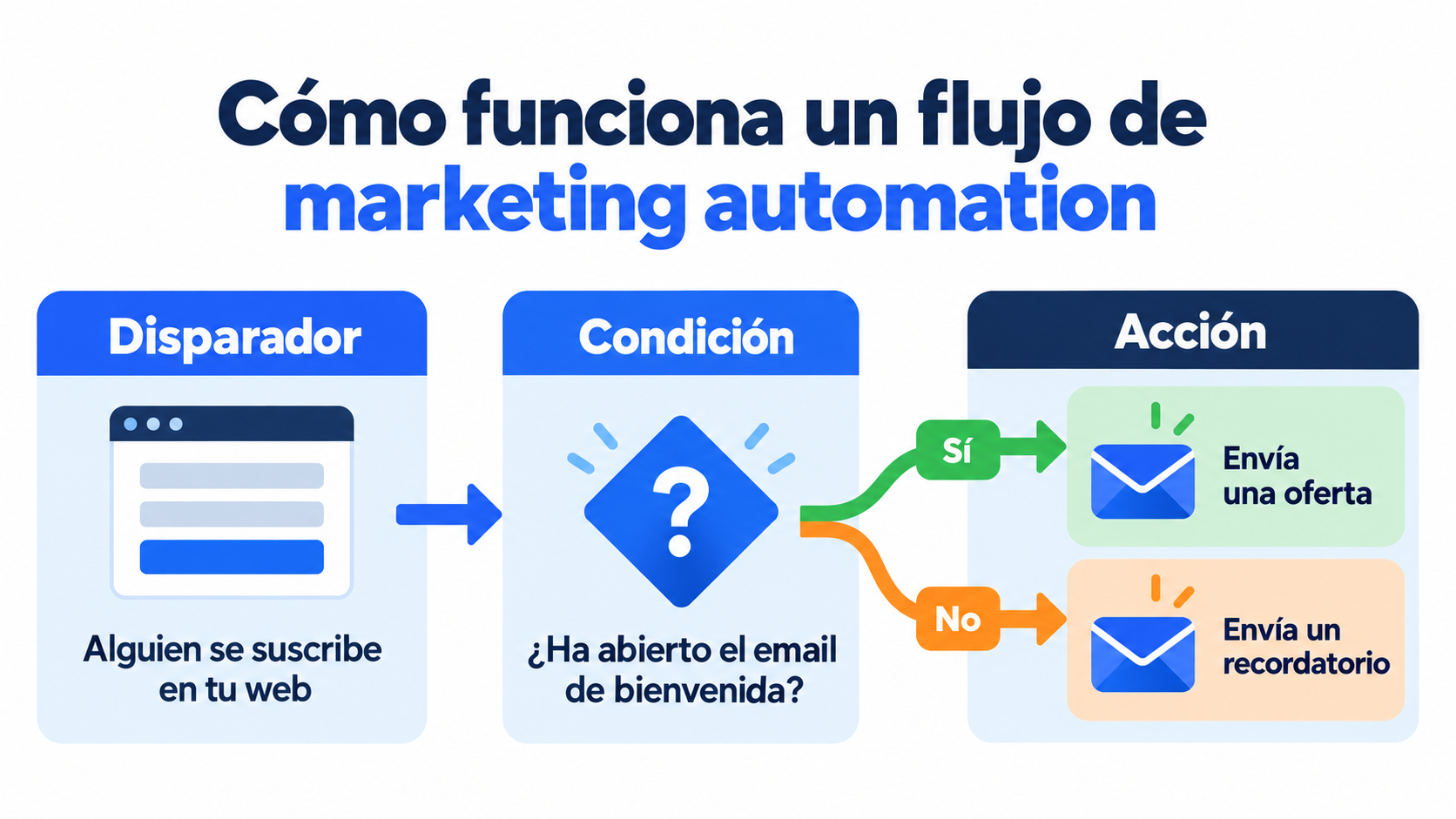
Every automated workflow is built from three elements:
| Element | What it is | Example |
|---|---|---|
| Trigger | The event that starts the workflow | Someone subscribes on your website |
| Condition | The rule that decides the path | Did they open the first email? |
| Action | What the tool does | Send an email or an SMS, or add a tag |
With these elements you can build multi-step journeys. For example: someone downloads a guide, gets a welcome email and, three days later, another one with a case study. If they click, they move to a group of interested contacts. If not, they get a reminder.
The data that feeds these workflows is the data you already have: the form, the purchase history or the clicks in your emails. That is why segmentation and clean data are the starting point.
Marketing automation examples
These are the most common workflows, and the ones that deliver results soonest:
| Workflow | When it is triggered | What it achieves |
|---|---|---|
| Welcome | On subscribing | Introduce the brand and win the first purchase |
| Lead nurturing | After downloading a lead magnet | Educate the contact until they are ready to buy |
| Abandoned cart | When products are left unpaid in the cart | Recover lost sales |
| Post-purchase | After an order | Ask for a review or recommend another product |
| Birthday or anniversary | On a date linked to the contact | Send greetings with a personal offer |
| Reactivation | After months without opening | Rekindle interest or clean the list |
| Lead scoring | With every action the contact takes | Alert sales when a contact is hot |
Sequences of several emails spaced out over time are called drip campaigns. They are the easiest way to get started.
What are the benefits?
It saves time. Repetitive tasks run on their own and the team can focus on strategy and content.
It arrives at the right time. The message goes out when the customer acts, not when someone remembers to send it.
It personalizes at scale. Each contact gets what interests them, even if you have thousands.
It sells more. Welcome, abandoned cart and post-purchase workflows work every day, at night and on weekends too.
It measures everything. You know which workflow converts, which email fails and where contacts drop off.
It also has its risks: automating a bad strategy only repeats it faster, and a poorly configured workflow can send the same message several times. It is a good idea to review your workflows every few months.
Automate your emails without coding
Create your welcome workflow with Mailrelay’s visual editor and let it work for you.
Marketing automation and inbound marketing
Inbound marketing attracts customers with useful content: articles, guides or videos. Marketing automation is what turns those visitors into customers, with emails that continue the conversation.
The two complement each other: inbound gets the contact and automation guides them all the way to the purchase.
What marketing automation tools are there?
There are platforms for every company size. These are some of the best known:
| Tool | Who it is for | Strengths |
|---|---|---|
| HubSpot | Small and medium-sized businesses | Marketing, CRM and sales in a single platform |
| ActiveCampaign | SMBs and ecommerce | Email automations with a CRM |
| Brevo | SMBs | Email, SMS and WhatsApp |
| Klaviyo | Online stores | Purchase data and ecommerce workflows |
| Keap (formerly Infusionsoft) | Small service businesses | CRM, payments and sales follow-up |
| Salesforce Marketing Cloud | Large companies | Complex journeys and B2B |
| Adobe Marketo Engage and Oracle Eloqua | Large B2B companies | Lead scoring and large-scale campaigns |
| Mailrelay | SMBs and high-volume senders | Email and SMS, visual automation editor and human support |
To choose, look at how many contacts you have, which channels you need and whether the price rises sharply as your list grows. You will find a full comparison in the best tools to automate your emails.
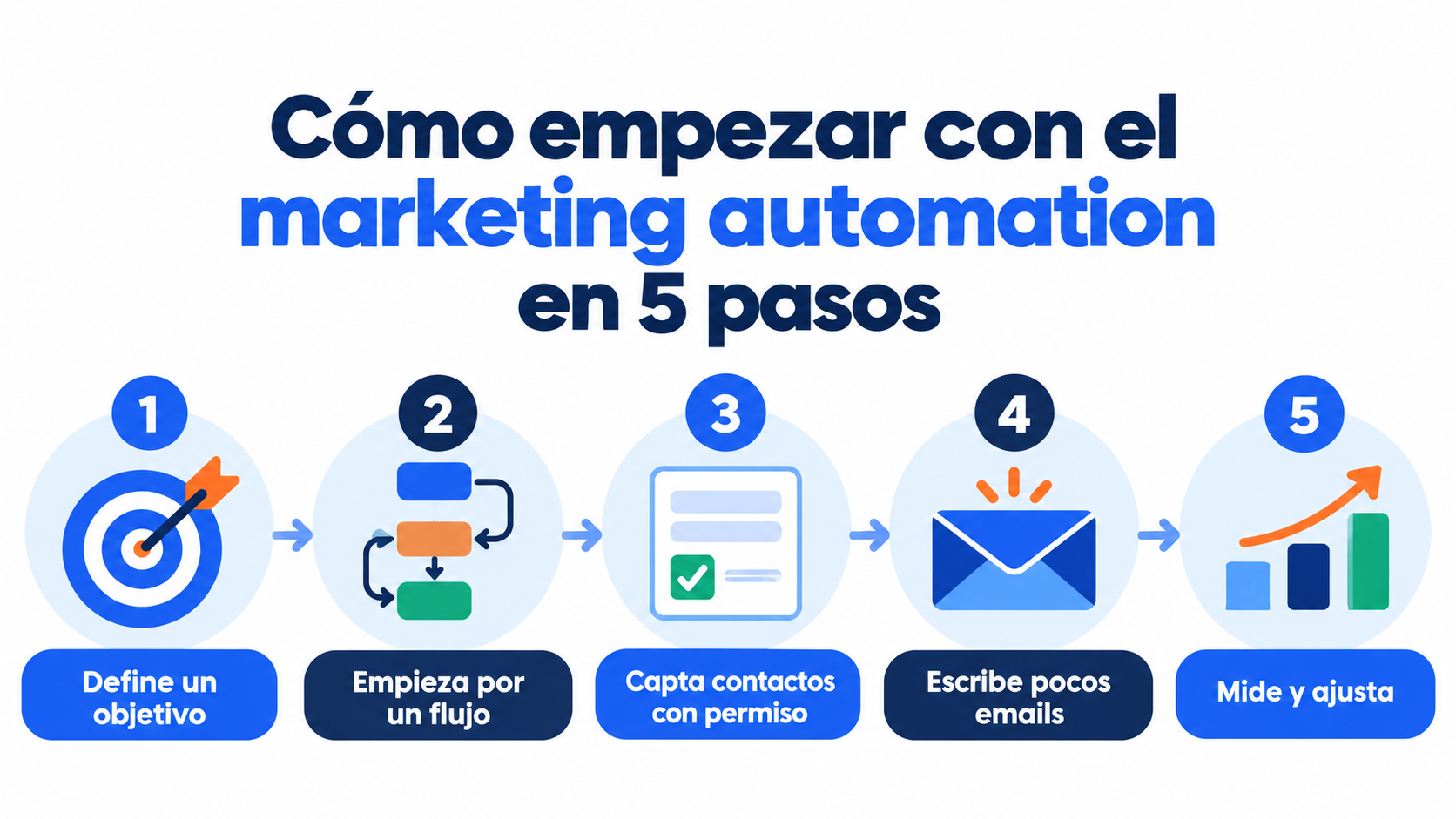
How to get started with marketing automation?
Set a goal. For example, getting more subscribers to make their first purchase.
Start with one workflow. The welcome workflow is the easiest and the one that performs best.
Collect contacts with permission. Use a subscription form with double opt-in.
Write few emails. Three well-thought-out messages are worth more than ten generic ones.
Measure and adjust. Check the opens, clicks and sales of each step, and change whatever is not working.
How Mailrelay helps you
Mailrelay includes a visual automation editor to build journeys without coding. Workflows are triggered by a subscription, a date, a birthday, a group or a contact action, such as a click.
You can add conditions, waits and branches, and combine email, SMS and webhooks in the same workflow. The free account includes up to 80,000 emails a month and 20,000 contacts, with human support by chat, ticket and phone.
Send your newsletters with Mailrelay
Up to 80,000 emails a month and 20,000 contacts for free, with human support on every plan.
Frequently Asked Questions
These are the most common questions about this topic.
What is marketing automation in a nutshell?
It is using software so that marketing messages send themselves, based on what each customer does.
Are marketing automation and automated marketing the same thing?
Yes. Automated marketing and MA are other ways of saying marketing automation.
What can be automated in marketing?
Emails, SMS, WhatsApp messages, contact scoring, passing data to the CRM, ad audiences and tasks for the sales team.
Is marketing automation only for large companies?
No. A small business can start with a welcome workflow and an email tool that includes automations.
How is it different from email marketing?
Email marketing is the channel. Marketing automation is the way of sending: automatically, to each person and at the right time.