Personalization in email marketing: what it is, levels and how to get started
How to make every subscriber get an email that feels written just for them, without overcomplicating things
Personalization in email marketing means tailoring each email to the person who receives it. It is based on their data, their interests and what they do, instead of sending the same message to the whole list.
It can be as simple as greeting someone by name or as complete as an email that changes based on what each customer bought last.
Is it worth it? According to McKinsey (Next in Personalization, 2021), 71% of consumers expect brands to communicate with them in a personalized way, and 76% get frustrated when that doesn’t happen.
What is personalization in email marketing?
Personalizing means using what you know about each subscriber to make the email relevant to them. That includes their data (name, city, language), their interests and their behavior: what they open, what they click on and what they buy.
In the beginning, personalizing meant putting the name in the greeting. Today, with more data and tools, you can change the subject line, the email’s blocks, the sending time and even the offer.
It isn’t the same as personalized marketing, which covers every channel. Here we’re only talking about email, where personalizing is easier and cheaper than in almost any other channel.
The five levels of email personalization
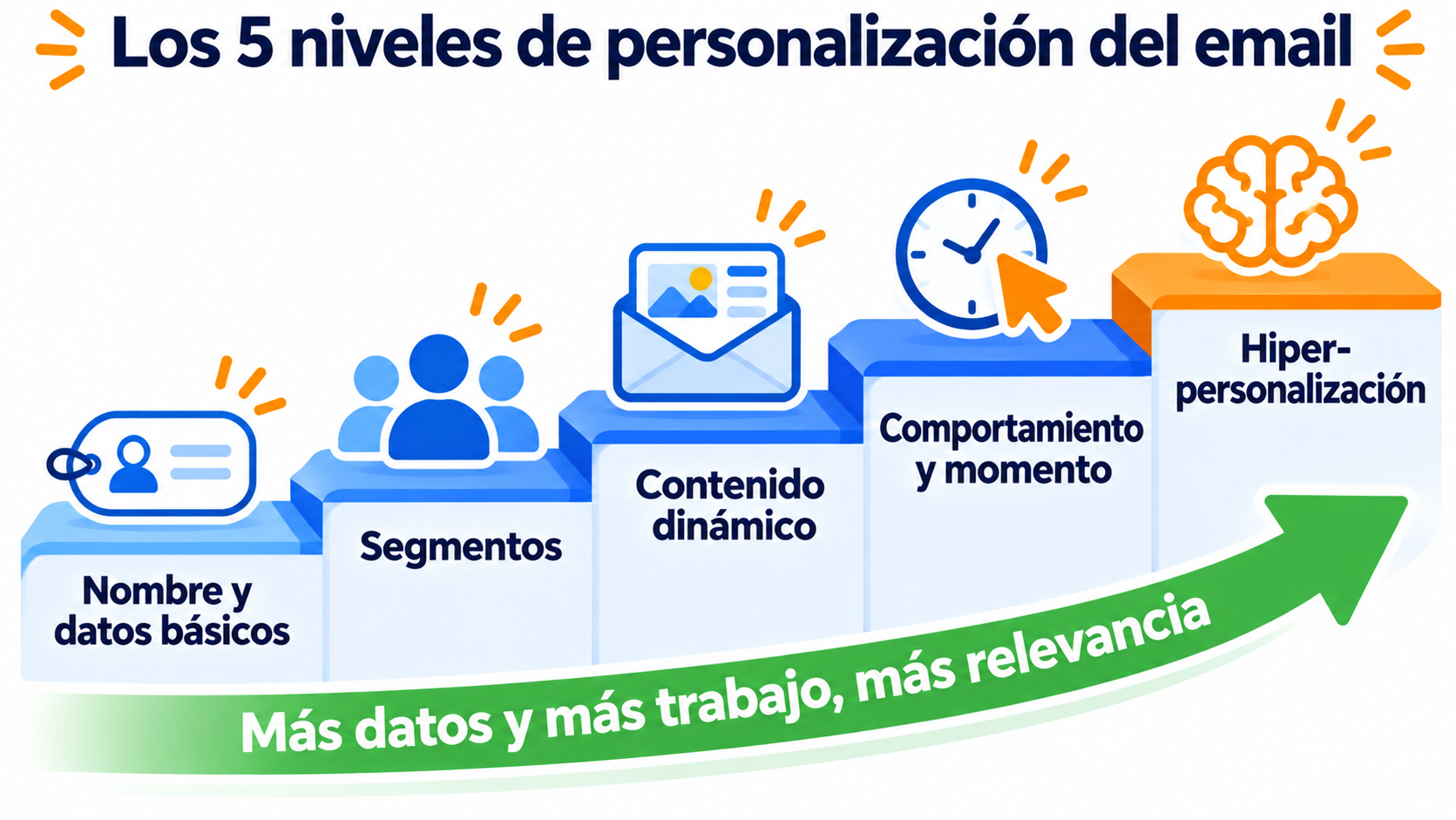
You don’t need to start with the most complex level. Personalization works in levels, and each one needs more data than the one before:
| Level | What it uses | Example | Learn more |
|---|---|---|---|
| 1. Basic data | Name, city, company | “Laura, your order has shipped” | Dynamic variables |
| 2. Segments | Interests, location, customer type | One newsletter for customers and another for people who haven’t bought yet | Segmentation |
| 3. Dynamic content | Conditions within the same email | A different offer block depending on the city | Dynamic content |
| 4. Behavior and timing | What the subscriber does | A welcome email when someone signs up, or a re-engagement email after months without clicks | Welcome email |
| 5. Hyper-personalization | Real-time data and AI | Recommendations based on what they looked at on your website yesterday | Hyper-personalization |
Most businesses get almost all of the results with levels 1 to 3. With levels 4 and 5, personalization in email marketing becomes more relevant, but you also need more data, more integration and more care.
Personalize your emails from your very first send
Use variables, groups and conditional blocks with Mailrelay’s free account.
What data do you need to personalize?
Without reliable data, there’s no personalization. And first of all, that data must have been collected with permission, as the GDPR requires.
These are the most useful sources:
- What the subscriber gives you. The signup form and the preference center, where they choose topics and frequency. This is what’s known as zero-party data.
- What you store in their profile. Custom fields, such as their city, the last product they bought or their signup date.
- What they do with your emails. Clicks say a lot about their interests.
Be careful with opens. Since 2021, Apple Mail records an open even if nobody reads the email, and Apple Mail accounts for most opens. To decide what each subscriber is interested in, rely more on clicks.
Only ask for what you’re going to use. A form with ten fields scares off signups, and data you never use adds nothing.
A step-by-step personalization example
Imagine an online sports store with 8,000 subscribers that sends the same newsletter to everyone.
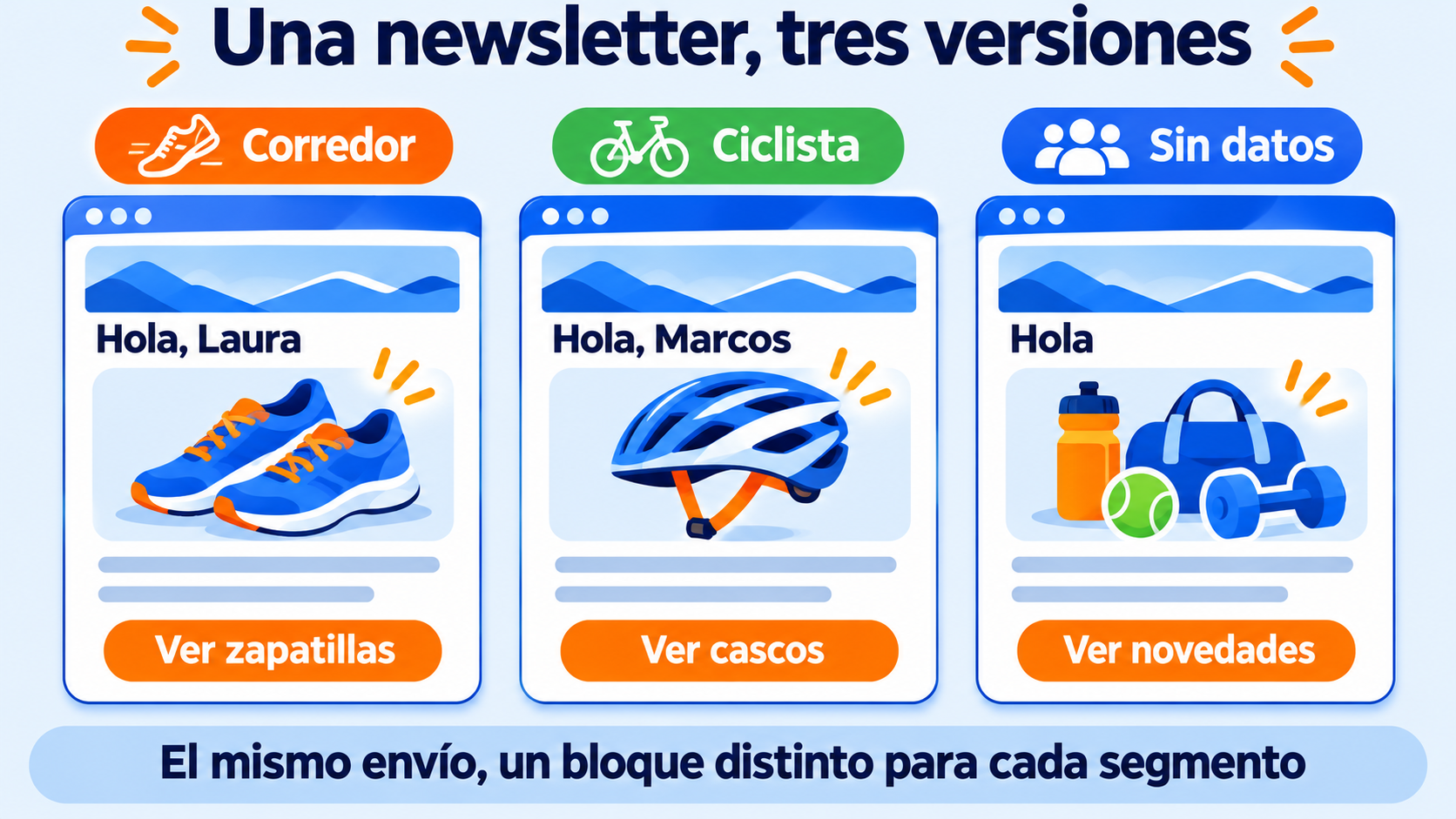
First, it adds the name to the greeting, with a default value (“Hi”) for anyone who didn’t provide it. Then it asks in the form which sport each subscriber practices and creates three groups: running, cycling and no data.
There’s still just one newsletter, but with a conditional block. Runners see the new running shoes, cyclists see the helmets, and everyone else sees a general selection.
Finally, an automation sends an email to anyone who hasn’t clicked in three months, with a simple question: “Are you still interested in running?”
With four changes, every subscriber gets something that suits them. And a more relevant email also has a better chance of reaching the Primary tab instead of Promotions.
Common mistakes when personalizing emails
- Variables without a default value. The result is a “Hi, ,” that gives away the mass send.
- Old or misspelled data. Calling someone “BOB” or congratulating them on a purchase they returned a year ago does more harm than good.
- Looking like a spy. If the email shows data the subscriber doesn’t know you have, it feels like surveillance, not attention.
- Personalizing only the name. A subject line with a name and generic content doesn’t fool anyone.
- Too many segments. If each group has 30 contacts, you won’t be able to measure what works. Better a few segments that make sense.
And be careful with the name in the subject line, the best-known technique:
Using the name is a marketing strategy you should apply with analysis. It has been recommended for so many years that it may already be overused in your industry. Use it, but make sure you measure its effects and combine it with other subject line styles so you don’t fall into monotony.
Jose Argudo, CMO at Mailrelay
How Mailrelay helps you
With Mailrelay, you can take personalization in email marketing to the next level without switching tools.
In the subject line, the “Add variables” drop-down inserts the name or other contact data. In the content, variables such as “{{ subscriber.name }}” and your custom fields accept a default value, so no email is left with gaps.
With groups and segments, you split your list by interests or behavior. With conditional blocks, each segment sees its own part of the same email. And with automations, included in the free account, you send the message at just the right time.
Before sending to everyone, the subject line and sender A/B test tells you which version works best. You get all of this with the free account, with up to 80,000 emails a month and 20,000 contacts.
Give every subscriber their own email
Segment your list and automate messages based on what each contact does, without paying a thing.
Frequently asked questions
These are the most common questions when you start personalizing.
Does putting the name in the subject line still work?
It depends on your industry and your list. It works best when the rest of the email is also designed for that person. Compare a subject line with a name and one without it in an A/B test before deciding.
What’s the difference between personalization and segmentation?
Segmentation divides your list into groups. Personalization is what you do with those groups and with each contact’s data: changing the greeting, the content or the sending time. Segmentation is one of the levels of personalization.
Do I need a paid plan to personalize my emails?
No. In Mailrelay, variables, groups, segments, conditional blocks and automations are all included in the free account.