POP3: what it is, how it works and how it differs from IMAP
The protocol that downloads your email to your device
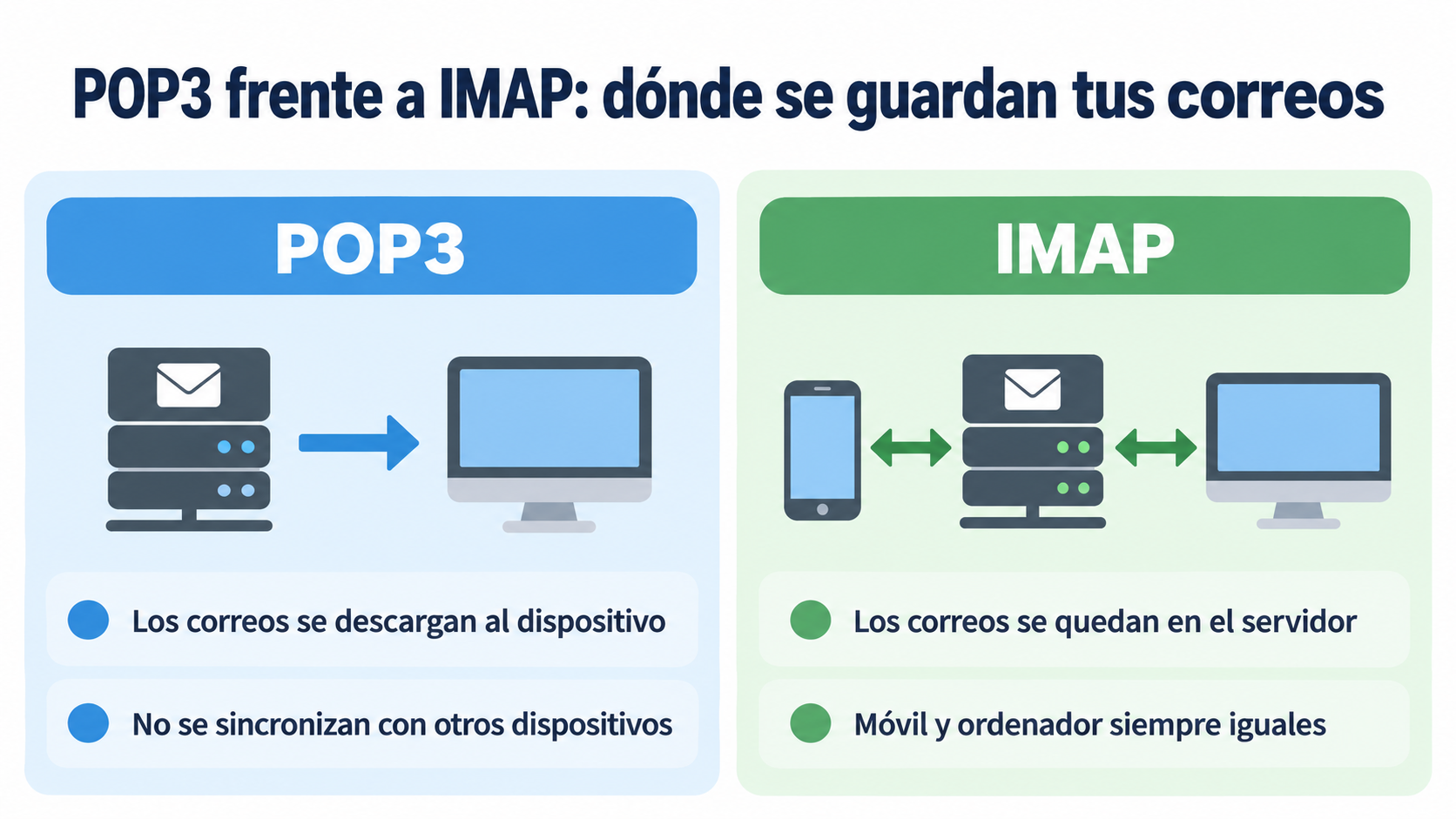
POP3 (Post Office Protocol, version 3) is the protocol an email program uses to download messages from the server to a device, such as a computer or a phone. Once downloaded, they can be read on that device, even offline.
It is one of the two protocols for receiving email. The other is IMAP, which leaves the messages on the server and syncs them across devices. Sending relies on a third protocol, SMTP.
What does “Personal (POP3)” mean?
When you add an email account manually in some Android apps, the app asks what type of account it is. Three options usually appear: “Personal (POP3)”, “Personal (IMAP)” and “Exchange”.
- Personal (POP3): the phone downloads the emails and stores them on the phone itself. What you do on the phone (reading, deleting or moving) is not reflected on your computer or in webmail.
- Personal (IMAP): the emails stay on the server. If you read or delete a message on your phone, it also changes on your computer.
- Exchange: for business accounts with Microsoft Exchange or Microsoft 365.
If you are going to check your email from both your phone and your computer, choose IMAP. POP3 only makes sense if you use a single device or want to keep a local copy of everything.
How does POP3 work?
- The email program connects to the incoming email server with your username and password.
- It downloads the new messages to the device.
- Depending on the settings, it deletes the messages from the server or leaves a copy there for a while.
- It closes the connection. From then on, the emails are read from the device.
That is why, if you lose your phone or your disk fails, you also lose the downloaded emails, unless you have a backup.
Send your newsletters without setting up servers
Create your free Mailrelay account and send your campaigns from the dashboard.
POP3 vs IMAP: what is the difference?
| POP3 | IMAP | |
|---|---|---|
| Where the emails are stored | On the device | On the server |
| Multiple devices | Not synced | Everything is synced |
| Offline | Already downloaded emails can be read | Cached emails can be read |
| Space on the server | Frees up space | Takes up space on the server |
| Port | 110 (unencrypted) and 995 (SSL/TLS) | 143 (unencrypted) and 993 (SSL/TLS) |
| Recommended use | A single device or local copy | Phone and computer at the same time |
Today most providers recommend IMAP. Also, since January 2026 Gmail no longer fetches email from other accounts via POP: you have to use IMAP or the Gmail app.
How to set up a POP3 account
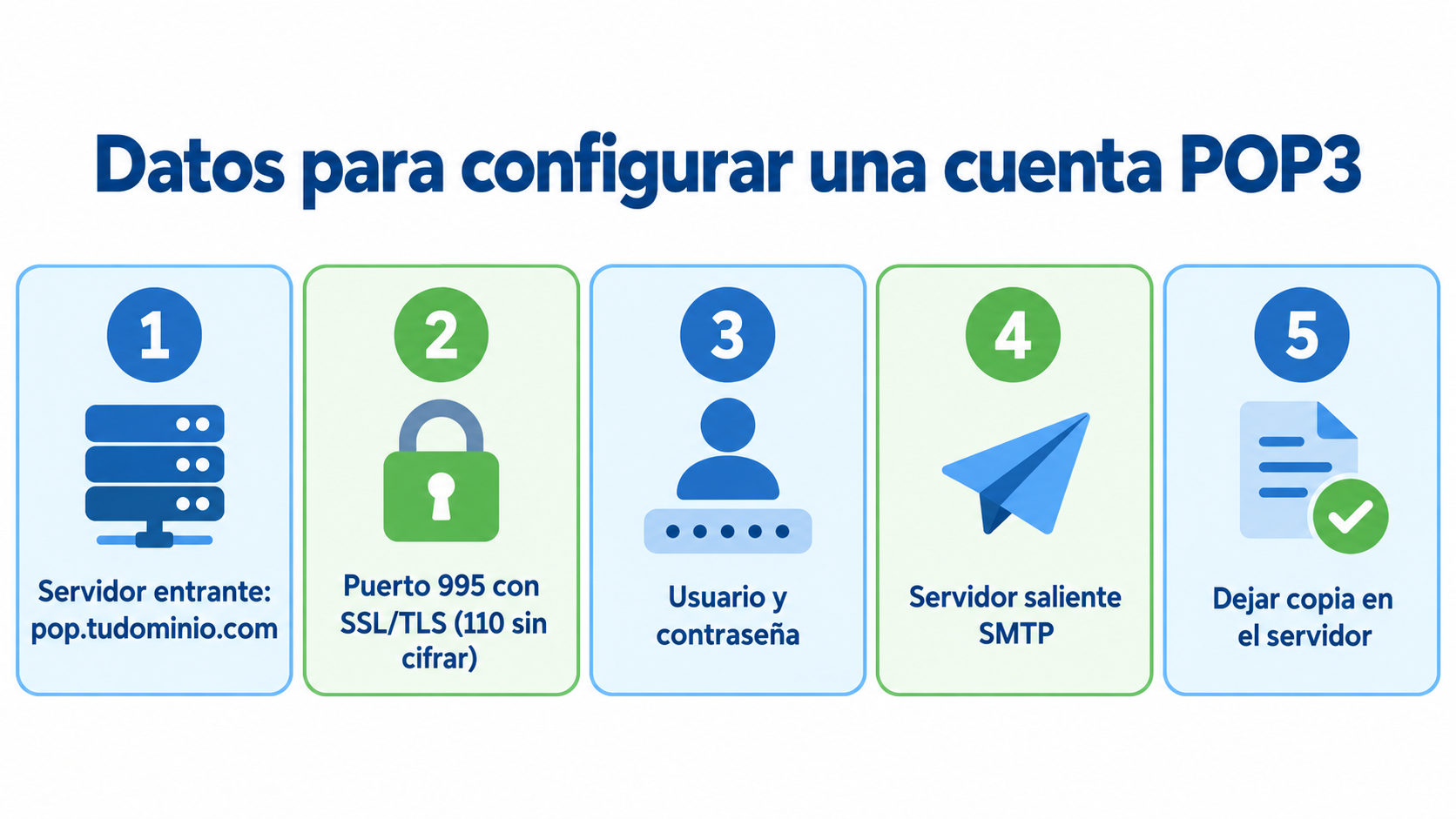
You need the following details, which your email provider gives you:
- Incoming email server (POP3): for example, pop.yourdomain.com.
- Port: 995 with SSL/TLS (recommended) or 110 unencrypted.
- Username and password of the account.
- Outgoing email server (SMTP), with its port, so you can send.
Turn on the leave a copy on the server option if you want to keep seeing the emails in webmail. Always use the encrypted port: with 110, the password travels unprotected.
Advantages and disadvantages of POP3
Advantages:
- You read emails offline once they are downloaded.
- You free up space on the server.
- You have a local copy of all your email.
Disadvantages:
- It does not sync across devices.
- If you lose the device, you lose the emails unless you have a backup.
- Many providers are moving away from it in favor of IMAP.
How Mailrelay helps you
POP3 is for receiving email. To send newsletters and campaigns to your contacts you need something else: an email marketing platform. With Mailrelay you import your contacts, design the email with the editor and send it from the dashboard, without setting up any server.
If your website or store has to send automatic emails, such as order confirmations, you can use Mailrelay’s SMTP server. With the free account you can send up to 80,000 emails per month.
Start for free with Mailrelay
Up to 80,000 emails per month, a template editor and human support.
Frequently asked questions
What is POP3 in email?
It is the protocol that downloads emails from the server to your device so you can read them there. Its name stands for Post Office Protocol, version 3.
What does “Personal (POP3)” mean on a phone?
It is one of the options when you add an email account manually. With it, the phone downloads the emails and stores them on the phone, without syncing them with other devices.
Is POP3 or IMAP better?
For most users, IMAP, because it keeps your email the same on your phone, your computer and webmail. POP3 is only worth it if you use a single device.
Which port does POP3 use?
995 with SSL/TLS encryption, which is the recommended one, and 110 unencrypted.
If I use POP3, are the emails deleted from the server?
It depends on the settings. Most programs let you leave a copy on the server for a while or until you delete it.