Spam: what it is, where it comes from and how to protect yourself from junk mail
What junk mail is, why it's called spam, what types exist and how to keep your emails out of the spam folder.
Spam is any unsolicited message sent in bulk, almost always for advertising or fraudulent purposes. It most often arrives by email, but it also comes through SMS, social media, website comments and phone calls.
It’s also known as unwanted email or junk mail. Whoever sends it is a spammer.
What does spam mean?
SPAM was the name of a brand of canned meat. It became a synonym for a repeated message thanks to a 1970 Monty Python sketch. In it, a group of diners repeats the word nonstop until no one can talk.
Early internet users adopted the term for the messages that flooded forums and inboxes. The first unsolicited mass mailing usually cited dates from 1978: a commercial advertisement sent to hundreds of users of ARPANET, the network from which the internet was born.
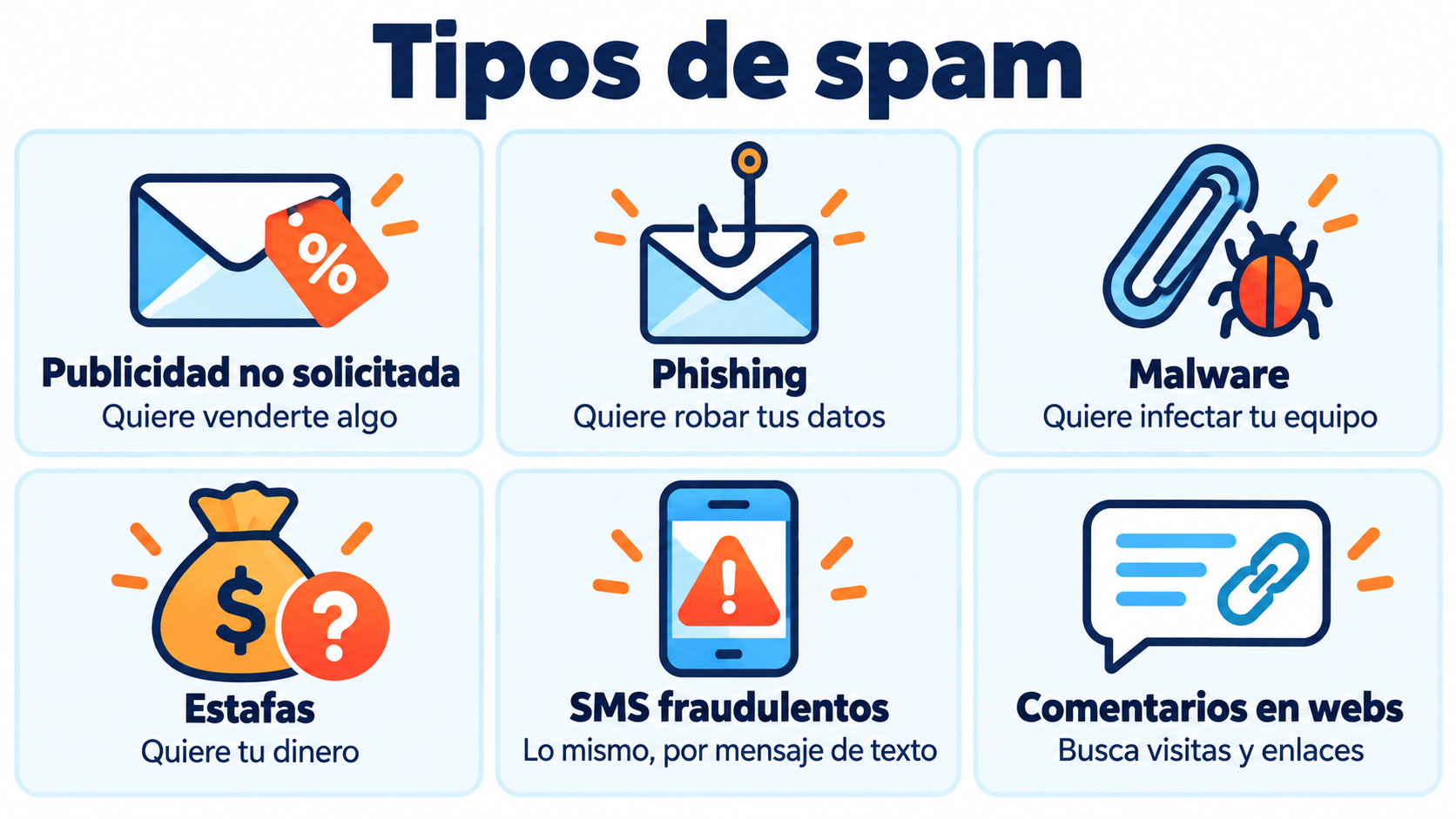
Types of spam
| Type | What it’s after | Example |
|---|---|---|
| Unsolicited advertising | To sell you something | Offers for products you never asked for |
| Phishing | To steal passwords or payment details | A fake notice from your bank with a link |
| Malware | To infect your device | An attachment posing as an invoice |
| Scams | To get money out of you | Prizes, inheritances or miracle investments |
| Mobile messages | The same, via SMS | A fake notice about a held package |
| Comments on social media and websites | Traffic or links | Automated comments with links |
Spam pages are websites created only to attract traffic with tricks: copied text, mass links or misleading promises. Google penalizes them.
Why does it still exist?
Because sending millions of messages costs very little. Even if only one person in thousands responds, it pays off for the sender.
In addition, many mailings are sent from infected computers or stolen accounts, which makes it hard to find who is responsible.
How filters detect spam
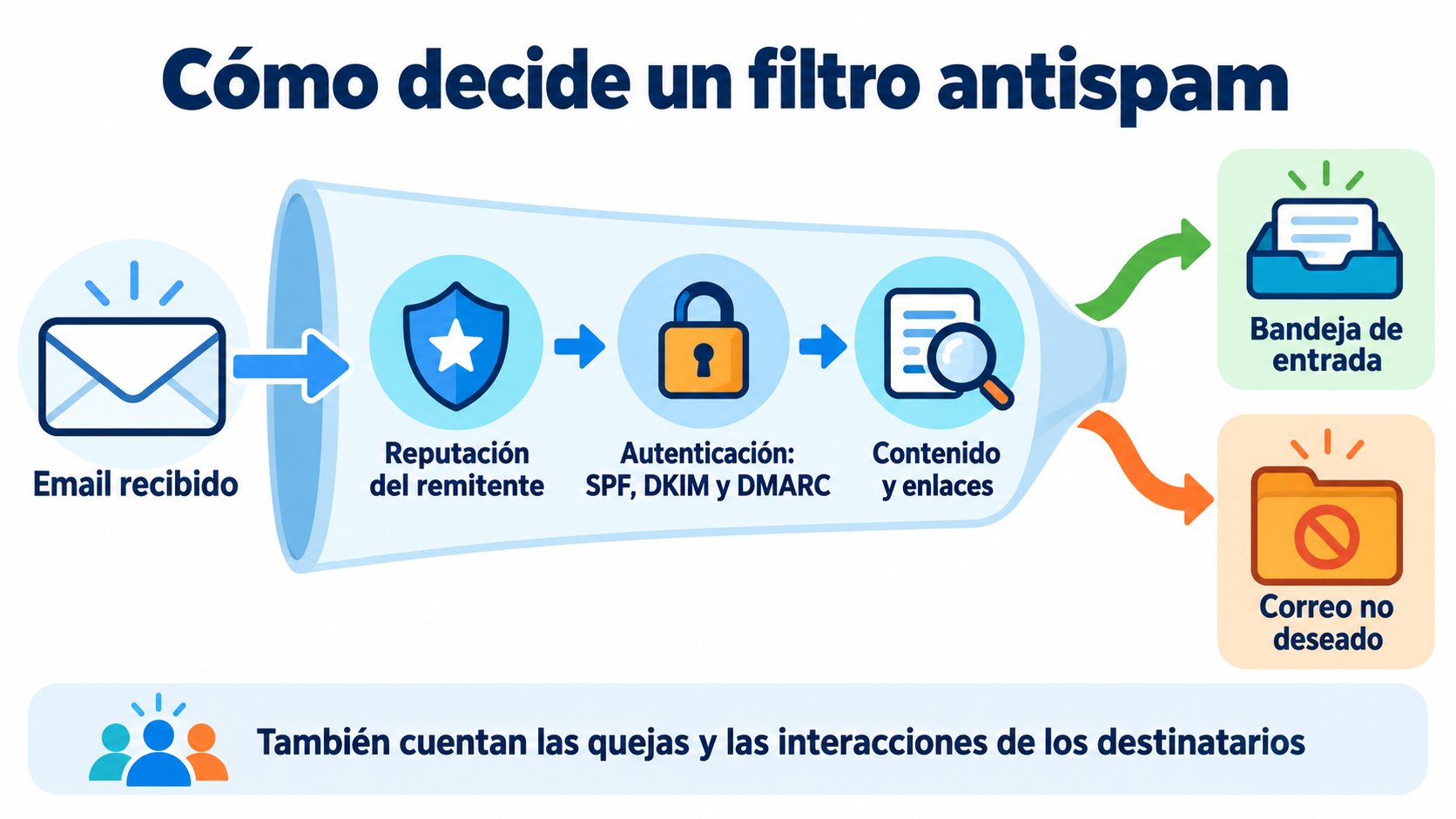
Gmail, Outlook and Yahoo use antispam filters. They analyze each message and decide whether it goes to the inbox or to the spam folder:
Sender reputation. The history of the sending domain and IP. If they appear on a blacklist, getting through is hard.
Authentication. They use SPF, DKIM and DMARC to check that the sender is who they claim to be.
Content. Misleading subject lines, too many capital letters, suspicious links or an image with hardly any text.
Recipient behavior. If many people mark it as spam or delete it without opening it, that sender’s next messages get filtered more.
Spam traps. Addresses created to catch anyone sending without permission, known as spamtraps.
Get your emails into the inbox
Mailrelay helps you authenticate your domain with SPF and DKIM and handles bounces and unsubscribes automatically.
What to do if you receive junk mail
Don’t open links or attachments. It’s the most common way to fall for a scam.
Mark it as spam. This helps the filter learn and protect other users.
Don’t reply. Replying confirms that your address is active.
Only unsubscribe if you know the sender. In a fraudulent message, the unsubscribe link may be another trap.
Report fraud. In Spain, INCIBE provides help on the 017 helpline and the Spanish Data Protection Agency (AEPD) handles complaints about commercial communications sent without consent.
Is it legal to send bulk email without permission?
No. In Spain, the LSSI prohibits sending commercial communications by email or SMS without the recipient’s prior consent. The exception is existing customers, as long as you offer them similar products and an easy way to unsubscribe.
The GDPR also requires you to be able to prove that consent. Outside Europe there are similar laws, such as the CAN-SPAM Act in the United States.
Spam vs. email marketing: the difference
| Spam | Email marketing | |
|---|---|---|
| Permission | None | The subscriber has signed up |
| Sender | Unknown or fake | A brand the subscriber knows |
| Unsubscribe | Missing or misleading | A clear link in every email |
| Content | Generic or fraudulent | Relevant to the recipient |
| Legality | Prohibited | Allowed with consent |
Even so, a legitimate email can end up in the spam folder if the list is outdated, the domain isn’t authenticated or subscribers don’t engage. We explain it step by step in how to keep your emails out of spam.
How Mailrelay helps you
Mailrelay only lets you send to permission-based lists, helps you set up SPF and DKIM on your domain and handles unsubscribes and bounces automatically. With double opt-in you confirm that each address is real and that its owner wants to receive your emails.
The free account includes up to 80,000 emails a month and 20,000 contacts, with human support on every plan.
Send permission-based email marketing
Up to 80,000 emails a month and 20,000 contacts for free, with human support on every plan.
Frequently asked questions
These are the most common questions about junk mail.
What is junk mail in a nutshell?
A message you didn’t ask for that is sent in bulk, usually to sell you something or deceive you.
Why is it called spam?
Because of a brand of canned meat that Monty Python turned into a synonym for something repeated to exhaustion.
What’s the difference between spam and phishing?
Spam is any unsolicited bulk message. Phishing is a specific type that tries to steal your data by posing as someone you trust.
Is it dangerous to open junk mail?
Opening a suspicious message is usually safe. The risk lies in clicking its links, downloading attachments or replying.
Why do my emails go to spam?
Because of reputation problems, lack of domain authentication, suspicious content or a list with addresses that haven’t given you permission.