Sending a mailing that helps you reach your sales or visibility goals doesn’t have to be hard or take you a lot of time.
In today’s post, we’ll see how to do it in a few steps.
It’ll only take you a few minutes.
Shall we get started?
1) Log in to your Mailrelay account
The first step, of course, is to log in to your account.
For this article, we’ll assume you’ve already uploaded your contacts and they’re ready in their groups or segments.
If you haven’t uploaded your contacts yet, don’t worry, importing them is easy if you follow these steps: here.
Once your contacts are sorted.
2) Write the subject line of your mailing
Go to the Newsletters menu – Newsletters submenu.
On that screen, click the Add button; a popup will appear, and you click the Create newsletter option, the one at the top.
You’ll see something like this:
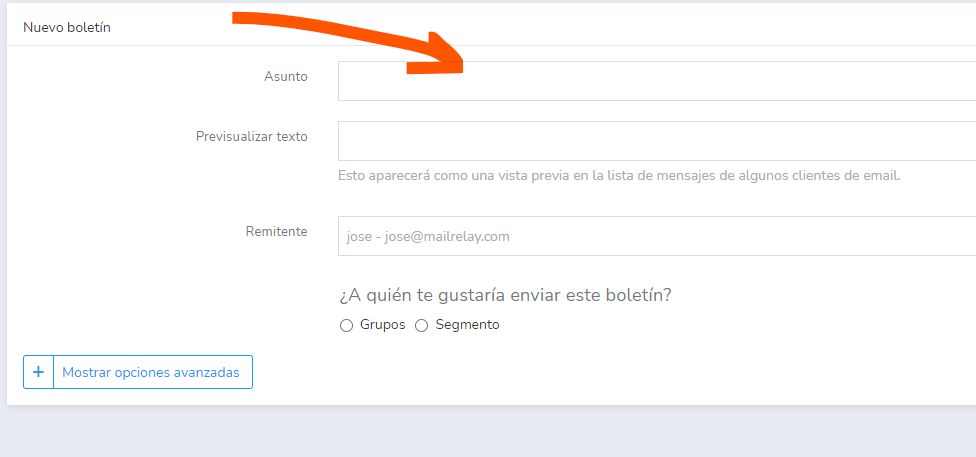
These options are pretty self-explanatory.
What matters on this screen is the subject line.
You can type anything and just continue the process.
However, typing just anything won’t help you send an effective bulk mailing.
In other words, just any subject line won’t:
- Stand out in your contacts’ inboxes
- Convince them to open it
- And get them to do what you want
I explained quite a few concepts about how to write effective subject lines in this post.
If you have some time, I highly recommend reading it; it’ll help you write really effective subject lines for your mailings.
No time?
No problem.
There’s a simple way to create effective subject lines. Look, if you’re just starting out or short on time, try focusing on the basics:
- A subject line that’s relevant to the content of the mailing
- What use or benefit it has for the contact
- And, in some way, make it clear what you expect the contact to do when they open it
Doing something like this will take you almost no time.
Let’s say, for example, that you have an online shoe store and you’re going to send a bulk email to give your contacts a 10% discount.
Well, you can write something like:
- Buy for less now with this 10% discount
It’s not the best subject line in the world.
No.
But in 90% of cases it’s better than subject lines like:
- Discount
- Offer
- Catalog
These are all real subject lines.
And they don’t really help contacts get an idea of what they’ll find inside the email.
Creating a subject line following the three points I mentioned won’t take you more than a minute at most.
3) Choose one of the pre-written newsletter templates
Of the whole process of sending bulk emails, the most time-consuming part is preparing the newsletter you’re going to send.
That’s normal.
At Mailrelay, we’ve worked hard to make this part quick and easy for you:
- A simple process in just a few steps. We could have reduced them, but we think it’s simpler to split them up.
- A simple but powerful editor. Drag and drop blocks (text, images, buttons) to shape the newsletter however you like.
- And we’ve included newsletter templates with pre-written text, so you just have to adapt them and they’re ready.
Once you’ve set up your newsletter subject line and the other options on the second screen, you’ll reach another one similar to this:
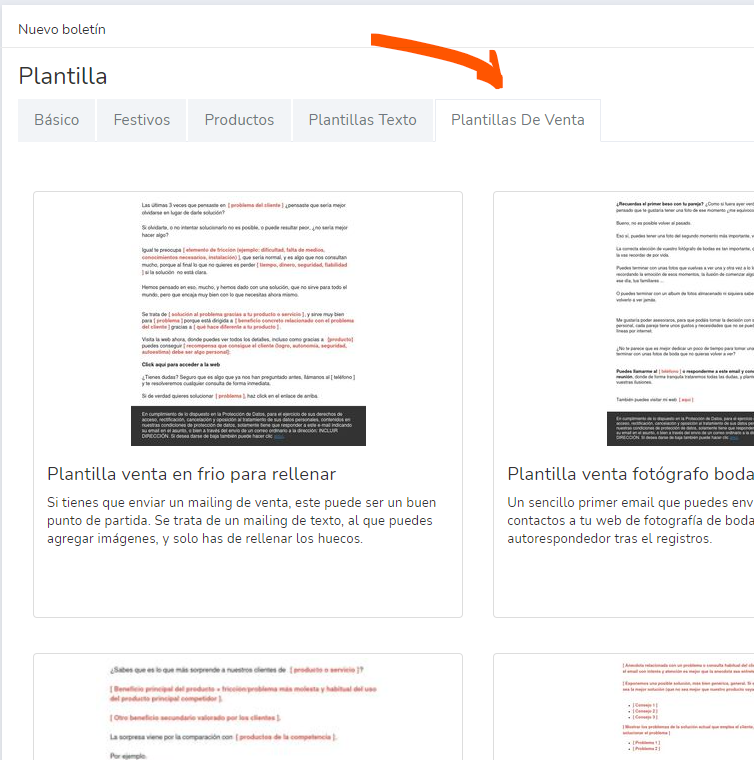
Here, in the different tabs, you can see the available template options.
For example, if you go to the «sales templates» tab, you’ll find a series of pre-written text templates.
Let’s load the first one, for example, the «cold sales template», a good option for sending first-contact bulk emails.
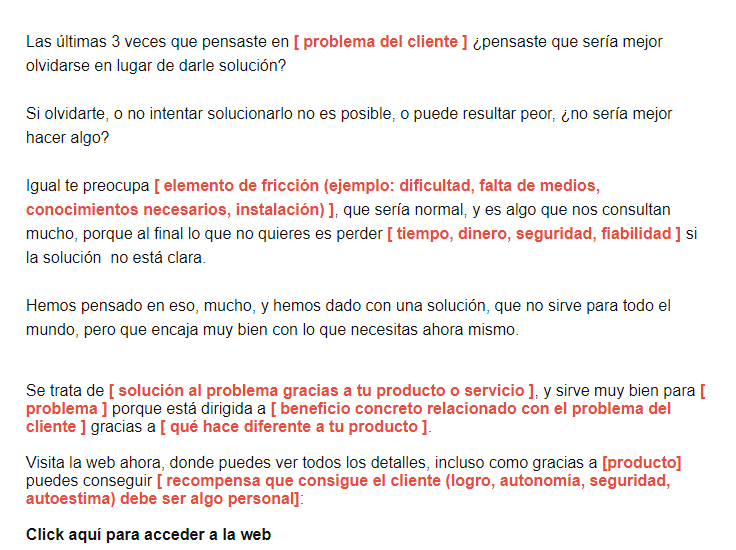
As you can see, this template is made up almost entirely of text.
That’s good for you for several reasons:
- It’s easy to edit: you just have to change the text in orange.
- It doesn’t include stock images that you can’t change and that have nothing to do with your product.
- Thanks to the block editor, you can add your own images in a moment, with no difficulty.
There are many templates like this that can be used in various situations.
► Pre-written templates save you time when creating your mailings
It happens a lot.
Many businesses short on time end up creating newsletters that are just an image with hardly any text.
This causes deliverability problems, since many emails that are just an image end up in the spam folder.
They’re also less effective, because many people associate emails made up only of images with advertising.
So they reject them before they’ve had time to consider them.
Pre-written newsletter templates are designed to encourage recipients to read them, making it much more likely they’ll take the action you want.
4) Send your mailing
This part is as simple as the previous ones: just select your newsletter and click the send icon (green envelope).
The screen you’ll see will be similar to this:
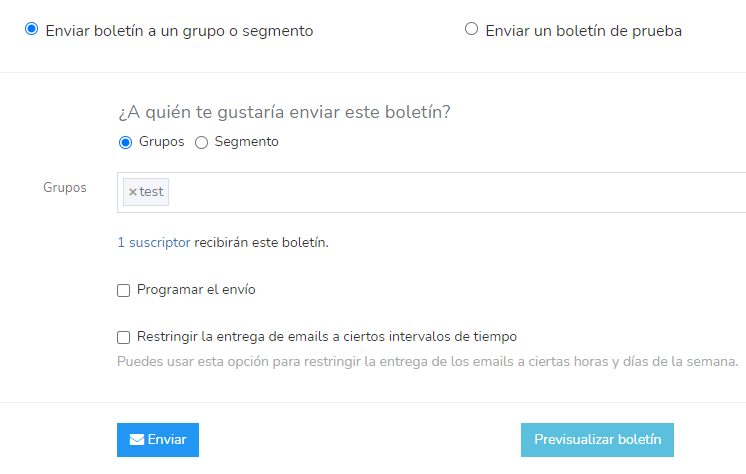
Although you chose a group to send it to when you first designed your newsletter, you can now choose another.
You also have the option of sending it right away or scheduling it to go out at another time that suits you.
And that’s all there is to it.
· Final thoughts
That’s it for this simple post.
We’ve worked hard to make the whole process of sending your mailing quick and easy.
Now, to get sales you can’t just send one; you need to keep it up.
Choosing a good email template is key to making this process even faster.