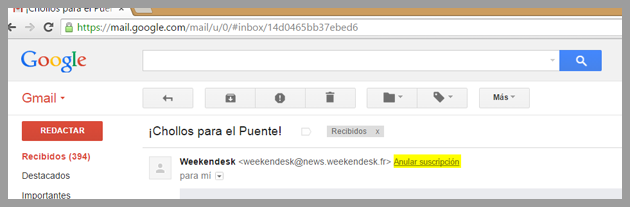
First of all, note that mailings must always include a clearly visible, hassle-free unsubscribe link to comply with Spanish and international anti-spam regulations. However, even if you don’t use Mailrelay’s dynamic unsubscribe links (because you use your own on your portal, for example), unsubscribes may still appear in your dashboard, in the corresponding section under subscribers.
How is this possible? It’s very simple: some ISPs such as Hotmail, Gmail, etc. have a system that displays their own unsubscribe link in their interface. It points to the address the ESP specifies in the header and sends the ESP feedback informing it of the email address of the subscriber who submitted the unsubscribe. It works much like the reporting of subscribers who click “this is spam”.
This is an example of the code inserted into the email headers:

Knowing this, if you don’t use Mailrelay’s unsubscribe links, it’s important to check your dashboard from time to time and add any unsubscribes that came in this way to your own unsubscribe records, or to enable the unsubscribe notification in the Settings menu:
Unsubscribe notifications by email
If you want to better understand how this process works, in our glossary we explain what unsubscribe is and how the contact suppression list is managed.