Attachment
The file that travels with your email: how big it can be and when a link is better
An invoice in PDF, photos from a trip or a contract to sign. Almost every day we send or receive a file along with an email. That file is an email attachment.
It sounds simple, and it is. But it comes with size limits, security risks and a few rules. They’re worth knowing, especially if you email your customers.
What is an email attachment?
An email attachment is a file sent inside an email message. It can be a document, an image, a spreadsheet, an audio file or a compressed archive.
It travels with the message but separately from the email body. In the inbox it’s shown with a paperclip icon. The recipient can open or download the email attachment whenever they want.
The word also works as a verb and an adjective. That’s why we say “I’ve attached the file” or “please find the invoice attached”.
“Attached”, “enclosed” or “please find attached”?
“Please find attached” is still common in business emails, but many people now find it stiff. A simpler “I’ve attached the report” or “the report is attached” says the same thing.
“Enclosed” comes from paper letters, where documents went inside the envelope. In email, “attached” is the natural choice.
And whatever wording you use, mention the file in the text. It helps the reader know what to expect.
Most common types of email attachments
You can attach almost any kind of file. These are the most common:
| Type | Formats | Typical use |
|---|---|---|
| Documents | PDF, DOCX, ODT | Invoices, contracts, quotes |
| Spreadsheets | XLSX, CSV | Reports, price lists |
| Images | JPG, PNG, GIF | Photos, screenshots, designs |
| Presentations | PPTX, KEY | Sales proposals |
| Archives | ZIP, RAR | Several files at once |
| Calendar | ICS | Meeting invitations |
Many providers block some formats for security reasons. We’ll cover that below.
If you only want to show an image, it’s often better to place it in the body than to attach it. That way it’s seen without opening anything, as part of the email structure.
Email attachment size limits
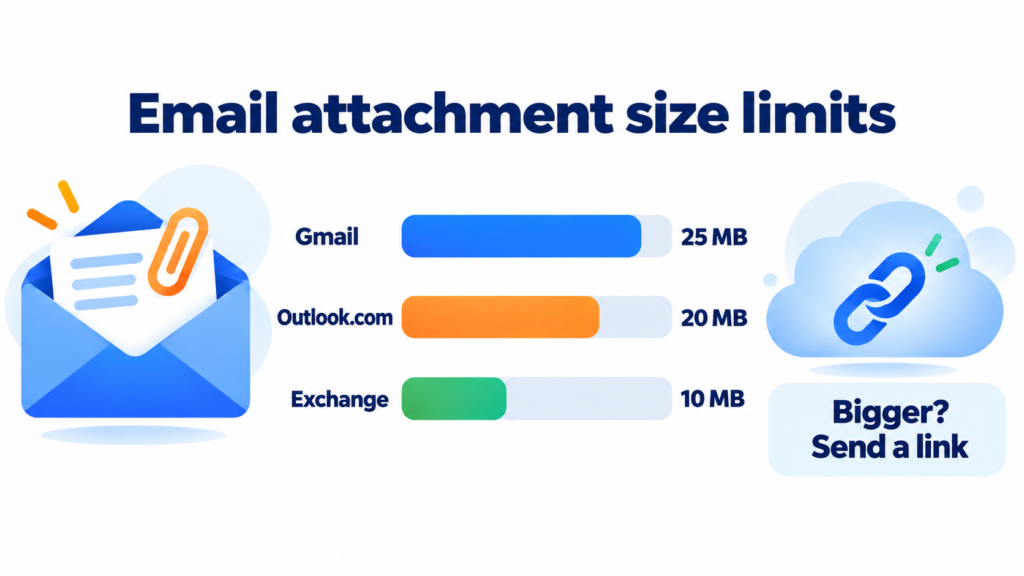
Each provider sets a maximum size per message. The limit counts all the attachments together, not each one separately:
| Provider | Limit per message | If you go over |
|---|---|---|
| Gmail | 25 MB | It replaces the file with a Google Drive link |
| Outlook.com | 20 MB | It suggests sharing from OneDrive |
| Outlook with an Exchange account | 10 MB by default | Depends on your company’s settings |
There’s a technical detail to keep in mind. To travel across the internet, an email attachment is encoded in Base64. That increases its size by about a third. A 20 MB file can take up around 27 MB inside the email.
If the file is bigger, upload it to the cloud and send the link.
How to attach a file to an email
The process is almost the same in every email app. You write the message, click the paperclip icon and choose the file. Then you wait for it to finish uploading. In Gmail and Outlook you can also drag it straight into the message window.
Before you hit “send”, check three things. That it’s the right file, that its name makes sense and that you mention it in the text. Many apps, Gmail included, warn you if you write “I’ve attached” and forget the email attachment. The same goes for forwarding a message: decide whether to keep the original attachments.
Attachments and security
Attachments are one of the favourite ways to slip in malware. A fake PDF or a spreadsheet with macros can install a virus with a single click. It’s the basis of many phishing attacks against corporate email.
That’s why providers block certain formats. Gmail, for example, rejects executables (.exe, .bat, .msi) and scripts (.js, .vbs, .ps1). It also blocks disk images (.iso, .dmg). Documents with malicious macros and password-protected archives containing other files are blocked too.
Be wary of any email attachment you weren’t expecting, even if it seems to come from someone you know. Spoofing makes it easy to fake the sender.
Send documents without making your email heavier
With Mailrelay you link your files with buttons and see in real time who clicks each download.
Create a free accountAttachments in email marketing: use a link instead
In a personal email, attaching a PDF is normal. In a bulk campaign, not so much.
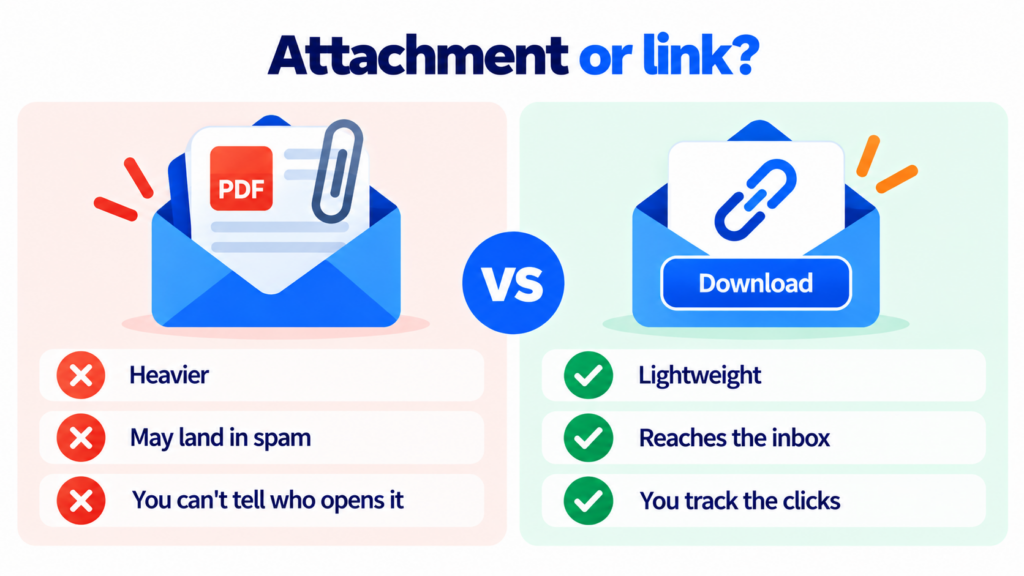
An email attachment sent to thousands of people multiplies the weight of every message. And it slows down loading on mobile. On top of that, antispam filters distrust bulk sends with attachments —exactly what malware does— and may send them to spam. There’s another problem: you can’t measure who opens an attachment.
The alternative is simple. Upload the file to your website or the cloud. Then add a button or CTA in the email that leads to the download. The email stays light, you protect your deliverability and you see how many people click.
Giving away an ebook or a guide as a lead magnet? Link to it from a landing page or from your welcome email. We explain it step by step in adding attachments safely without increasing the size of the email.
There’s one common exception: transactional emails, like an invoice or a ticket, usually do carry the PDF. They go to one person, who is definately expecting it.
How Mailrelay helps
With Mailrelay you create light newsletters with the visual editor. You link your documents with buttons, without bloating the email. In the reports you see in real time who clicks each download link. You can also send transactional emails with attachments, like invoices, through the SMTP service.
The free account includes up to 80,000 emails a month and 20,000 contacts. Human support by chat, ticket or phone is included on every plan.
Start sending your campaigns for free
Up to 80,000 emails a month and 20,000 contacts, with human support on every plan.
Try Mailrelay for freeFrequently asked questions about email attachments
What does attachment mean in an email? It’s a file sent along with the message, like a PDF, a photo or a spreadsheet. You’ll recognise it by the paperclip icon.
What is the maximum attachment size? It depends on the provider: 25 MB in Gmail and 20 MB in Outlook.com. For larger files, use a Google Drive, OneDrive or Dropbox link.
How do I send an attachment? Click the paperclip icon in your email app, choose the file and wait for it to upload before sending. You can also drag it into the message.
Why can’t I send an email attachment? It’s usually over the size limit or in a blocked format, such as .exe or .js. Compress it or share it with a link.
Can you send attachments in a newsletter? You can, but it’s not recommended: it’s heavier, it may land in spam and you won’t know who opens it. Link to the file instead.