Communication media: what they are, types and examples
What the main media are, how they are classified, what functions they serve and how brands use them to reach their audience.
Communication media are the channels used to convey information, ideas and messages to other people, from a single recipient to millions at once. The press, radio, television, the internet and social media are some of the best known.
When a medium reaches a very large audience at the same time, we talk about mass communication media, or mass media. When it connects just a few people, like a phone call or a letter, it is an interpersonal medium. In either case, the medium acts as the channel, one of the elements of communication that connects the sender with the receiver.
What are the main communication media?
The table lists the main media and how each one reaches its audience:
| Medium | Format | How it reaches the audience |
|---|---|---|
| Press: newspapers and magazines | Print and digital | Text and images people read whenever they want |
| Radio | Audio | Live or recorded shows, also as podcasts |
| Television | Audiovisual | Live or on-demand programming |
| Cinema | Audiovisual | Films and documentaries in theaters or on streaming platforms |
| Outdoor advertising | Print and screens | Billboards, posters, bus shelters and street screens |
| Internet and digital media | Digital | Websites, search engines, video platforms and podcasts |
| Social media | Digital | Content posted by people and brands, with interaction |
| Email and messaging | Digital | Direct messages to each person or to a list |

Types of communication media
They can be classified in several ways. These are the three most common.
By reach
By reach, media are either mass or interpersonal. Mass media reach a large audience at once with the same message: television, radio, the press or major websites. Interpersonal media connect one person with another or with a small group, such as the phone, postal mail, email or instant messaging.
By format
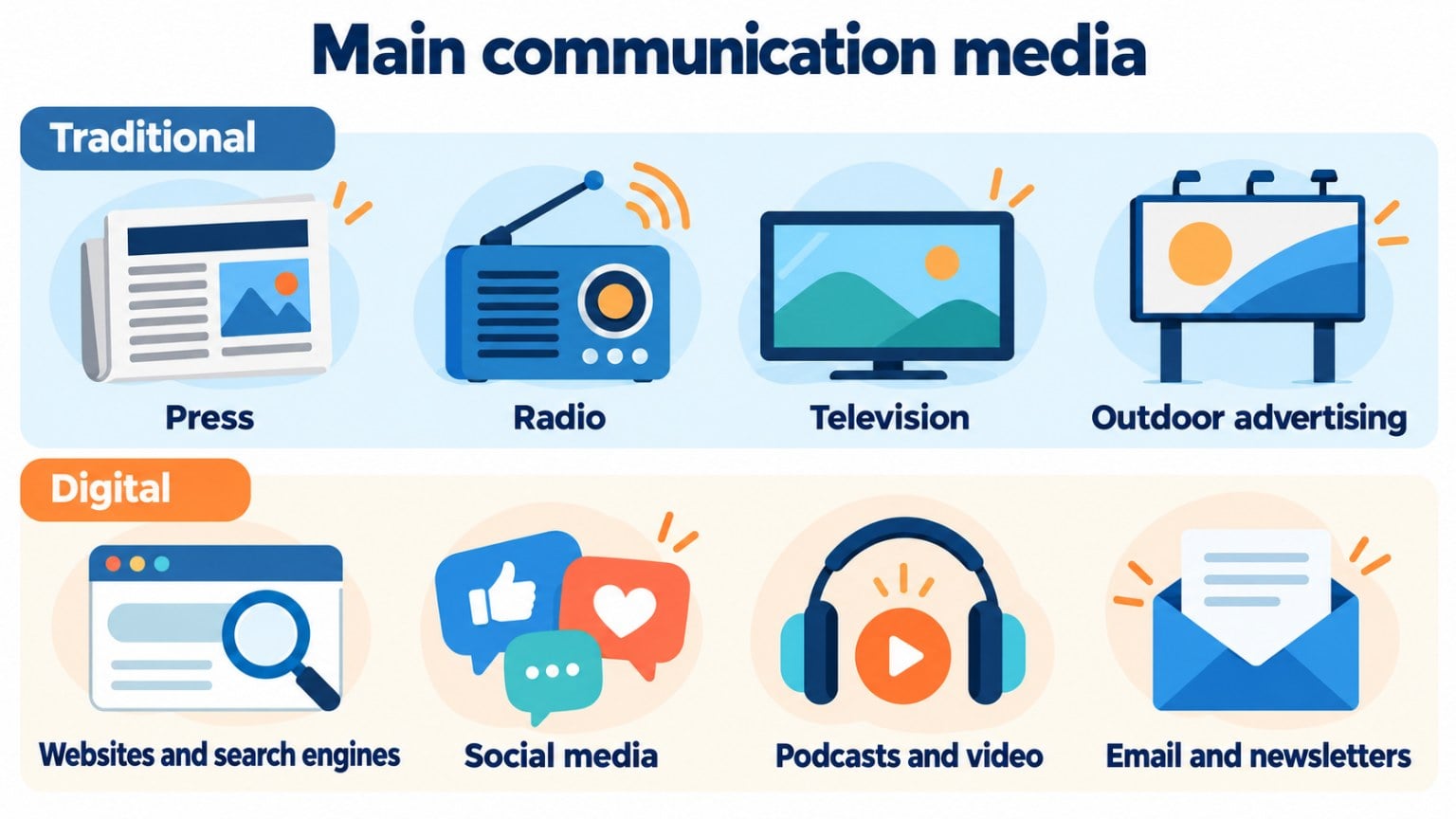
By format, there are print media (newspapers, magazines, books, brochures or posters), audio media (radio and podcasts), audiovisual media (television, cinema and video platforms) and digital media, which cover everything consumed over the internet: websites, social media, newsletters or apps.
Traditional and digital
Media are also divided into traditional and digital:
| Traditional media | Digital media | |
|---|---|---|
| Examples | Press, radio, television, cinema, outdoor advertising | Websites, search engines, social media, email, podcasts |
| Direction | One-way: from the medium to the audience | Two-way: the audience replies, comments and shares |
| Segmentation | By area, network, program or publication | By interests, behavior, location or list |
| Measurement | Audience estimates | Accurate data on visits, clicks and conversions |
| Cost of advertising | High on television and in the national press | Starting from small budgets |
Today the line is blurred: almost every newspaper, radio station and TV network also has a digital version.
Functions of communication media
Communication media serve five main functions. The first is to inform: to report what is happening in the world, the country or the city. They also educate, by spreading knowledge about science, culture, health or the economy, and entertain with series, music, sports, comedy or game shows.
In addition, they shape opinion, since they analyze current events and give a voice to different points of view. Finally, they serve to persuade: advertising uses them to make products known and convince people to buy them.
A brief history of the media
The first printed newspapers appeared in Europe in the 17th century. Radio became popular in the 1920s, and television from the 1950s onward.
With the internet, from the 1990s, came digital media: websites, search engines and email. The 2000s saw the rise of social media and, later, mobile consumption, video platforms and podcasts.
The big difference is that now anyone can publish. Brands, companies and individuals no longer depend only on the major media to reach their audience.
Communication media in marketing
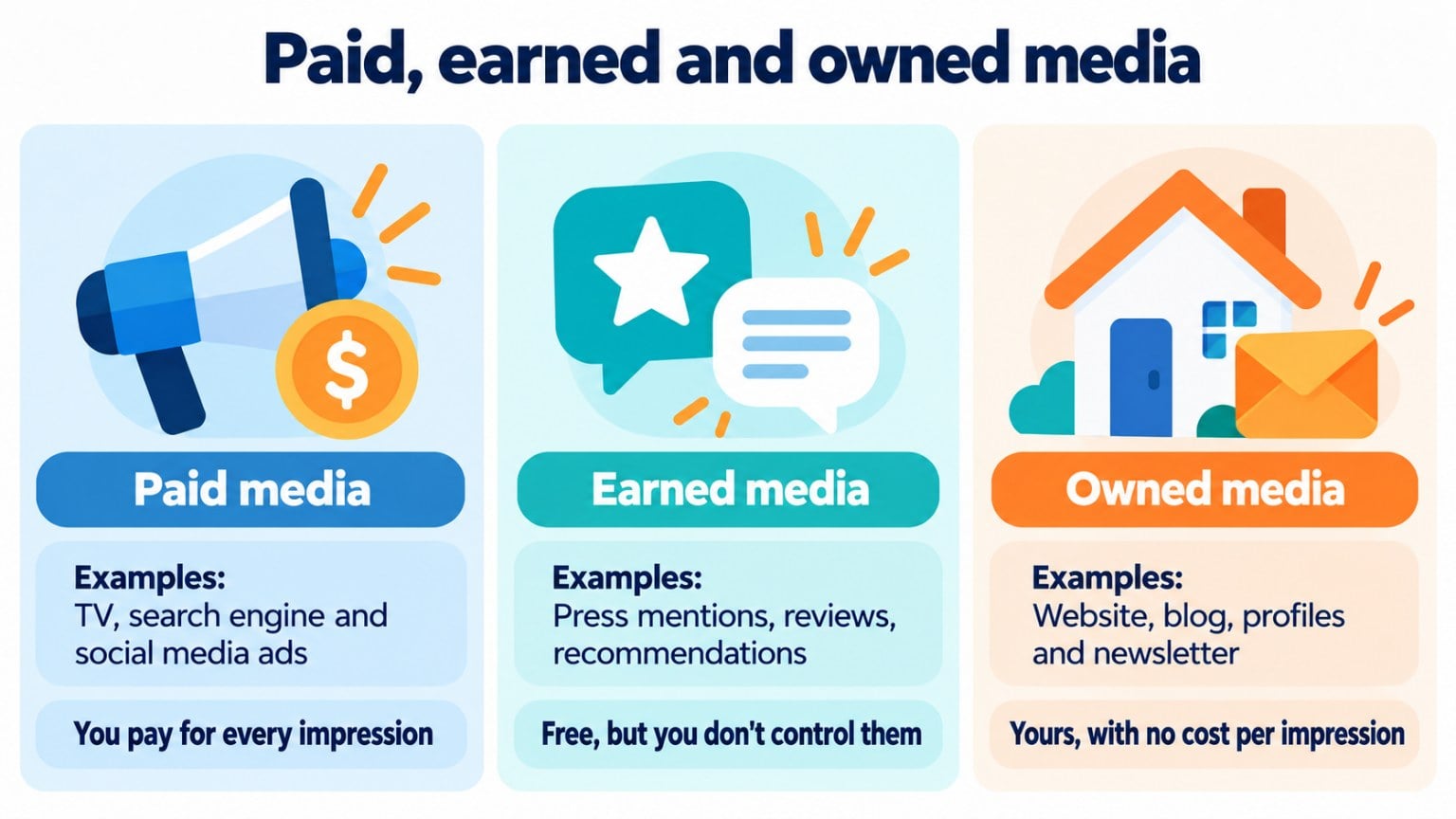
In marketing, media are usually divided into three groups. Paid media are ads on television, radio, the press, search engines or social media: you reach a lot of people quickly, but you pay for every impression.
Earned media are press mentions, often sparked by a press release, reviews, shared content or recommendations. They are free, but you don’t control them.
Finally, owned media are your website, your blog, your social profiles and your newsletter. You control them and don’t pay for every impression.
Most campaigns combine all three. For example, a social media ad promotes an offer, the interested person subscribes to the newsletter and email marketing turns them into a customer.
To decide which media to use, when and with what budget, you put together a media plan.
There are many communication media, but few give you as much freedom and control as a newsletter. Your list is yours: you don’t depend on any particular platform, and if you switch tools, your subscribers come with you, which doesn’t happen with your social media followers. You send your messages whenever you want, without an algorithm deciding who sees them. Your readers can reply to you, and you can analyze the results of every campaign. My advice: export your list from time to time and keep a copy, because it’s one of the most valuable assets your business has. Freedom and control: what more could you ask for?
Jose Argudo, CMO at Mailrelay
Email, your own communication medium
Social media platforms change their algorithms and decide how many of your followers see each post. That doesn’t happen with email: the message lands in each subscriber’s inbox.
Plus, the list is yours. You can create a newsletter, send news and offers, and measure the opens and clicks of every campaign.
Email, your own communication medium
With a newsletter you talk directly to your audience, without depending on algorithms. Get started for free with Mailrelay.
With Mailrelay you can get started for free, with up to 80,000 emails a month and 20,000 contacts, and human support on every plan.
Send your newsletters with Mailrelay
Up to 80,000 emails a month and 20,000 contacts for free, with human support on every plan.
Newsletters for media outlets and high-volume sending
Many digital newspapers, magazines and high-traffic blogs send one or more newsletters a day to hundreds of thousands of subscribers.
To do that, they need a tool that doesn’t slow down their sends, protects their reputation and automates the daily work.
To create and send a media outlet’s newsletter, the most widely used options are email marketing tools such as Mailrelay, Mailchimp, Brevo or Mailjet. For a media outlet, what matters is that the platform meets four requirements:
- send large volumes with no daily limits;
- create the newsletter automatically from the published news stories;
- protect the sender reputation, for example with a dedicated IP;
- segment readers by section or topic.
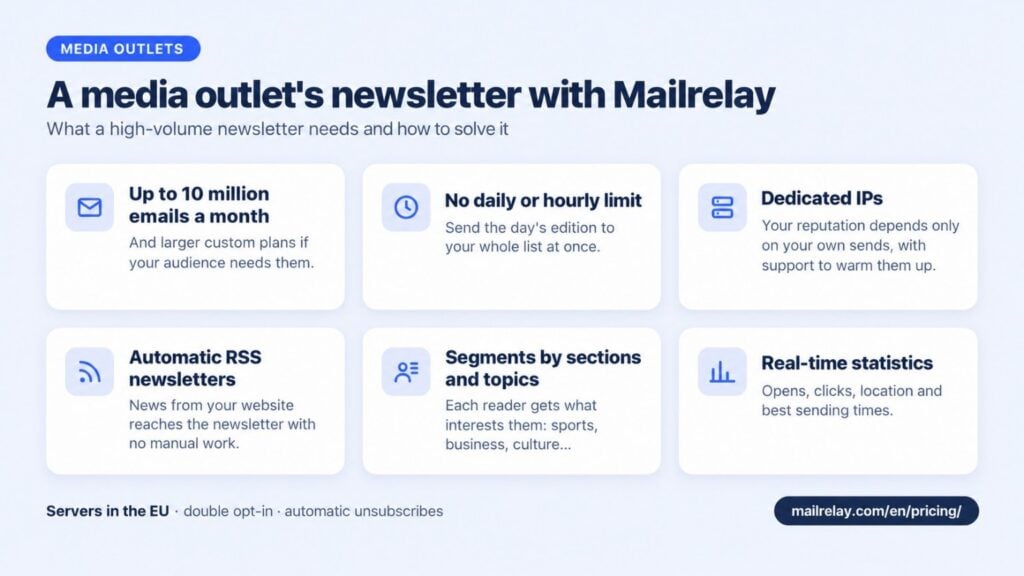
Mailrelay meets all four: it has plans of up to 10 million emails a month, with no daily or hourly limit, automatic RSS campaigns on every plan, and dedicated IPs that can be added separately to any plan.
This is how Mailrelay covers what a media outlet needs:
| What a media outlet needs | How Mailrelay solves it |
|---|---|
| Send to its entire audience every day | Plans of up to 10,000,000 emails a month, with no daily or hourly limit. If you need more volume, you can get a custom plan. |
| Protect its sender reputation | Dedicated IPs, so your reputation depends only on your own sends, with support for warming them up gradually (IP warming). |
| Send the day’s news without manual work | RSS campaigns: Mailrelay turns your website’s RSS feed into a newsletter that is sent automatically. |
| Send each reader what interests them | Groups and segments by section, topic or sending frequency. |
| Find out which stories interest readers most | Open and click statistics, reader locations and heat maps with the best times to send. |
| Comply with the GDPR | Servers in the European Union, double opt-in and automatic unsubscribes. |
You can see all the plans and volumes on the pricing page.
Email marketing platforms for media newsletters (November 2026)
| Platform | Automatic newsletter from RSS | Free plan | Dedicated IP |
|---|---|---|---|
| Mailrelay | Yes, on every plan: daily, weekly, monthly or manual. It is only sent if there are new posts | 80,000 emails a month and 20,000 contacts | Yes, purchased separately with any plan |
| Mailchimp | Yes, with the RSS automation: daily, weekly or monthly. Automations have been paid-only since June 2025 | 250 contacts and 500 sends a month, up to 250 a day | Yes, as a paid add-on |
| Brevo | Yes, with the “RSS Campaign” integration: daily, weekly or monthly, and one list per integration | 300 emails a day | Yes, as an add-on on the Professional and Enterprise plans; Enterprise includes one |
| Mailjet | No automatic sending: its editor includes an RSS block that imports articles into a campaign. Automating it requires Zapier | 6,000 emails a month, with a maximum of 200 a day | Yes, on the Premium plan (from 100,000 emails, on request) and on custom plans |
Plans and prices change often. Before you decide, check each tool’s website for the limits of the plan you need.
An RSS campaign collects the latest news from your website and sends it to your subscribers with no manual work. Here’s how to set it up:
- Copy your website’s RSS feed URL. In WordPress it is usually yourdomain.com/feed. You can also use a YouTube channel’s feed.
- In Mailrelay, go to Campaigns > RSS campaigns, click +Add and create the campaign.
- Fill in the subject, the sender and the groups or segments that will receive it. For example, one group for each section of the outlet.
- In the RSS options, paste the feed URL and choose how many news stories to include in each send.
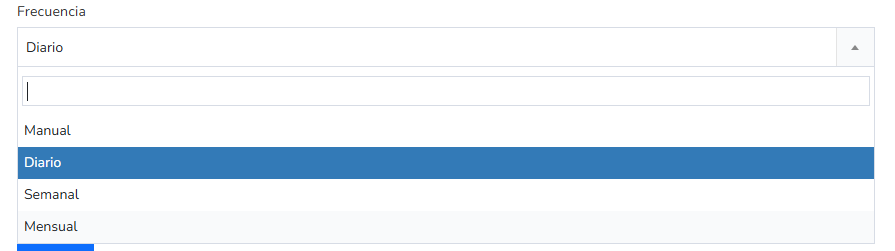
- Choose the frequency: manual, daily, weekly or monthly. If there are no new stories since the last send, the campaign isn’t sent.
- Design the news block with the editor’s RSS variables: the title, link and image of each post.
- Send a test to your email before activating it, to check that the news stories display correctly.
A tip: if you type {{ first_rss_entry.title }} in the subject, each campaign will use the headline of the latest news story as its subject. You’ll find all the details in the help center: How to create an RSS campaign.
If your outlet publishes several times a day and you want more than one send a day, use the manual frequency and send the campaign whenever you need to.
Frequently asked questions
These are the most common questions about this topic.
What are communication media?
The channels used to convey information and messages to other people, such as the press, radio, television, the internet or social media.
What are the most important communication media?
Television, radio, the press and the internet, which includes websites, search engines, social media and email.
What is the difference between traditional and digital media?
Traditional media, such as the press, radio or television, communicate in one direction only. Digital media let the audience reply, share and choose what they consume, and their results can be measured more accurately.
What are mass media?
Media that reach a very large audience with the same message at the same time, such as television, radio or the press.
What are the functions of communication media?
To inform, educate, entertain, shape opinion and persuade, for example through advertising.
An email marketing tool that lets you send high volumes with no daily limits, create the newsletter from your website’s RSS feed and add a dedicated IP.
Mailrelay offers all three and has plans of up to 10 million emails a month.
Yes, with an RSS campaign. The tool reads your website’s feed and sends the new stories every day, week or month.
In Mailrelay it is available on every plan, including the free account, and if there are no new stories, nothing is sent.
Yes. It has plans of up to 10 million emails a month, and custom plans for higher volumes.
It has no daily or hourly sending limit, offers dedicated IPs with support for warming them up, and lets you send automatic RSS campaigns with the news from your website.
How many emails a month can you send with Mailrelay?
It depends on the plan: from the free account up to 10,000,000 emails a month on paid plans. If you need more, you can ask about a custom plan.
Related entries
If you found this useful, here are some other related reads: