Free newsletter: how to create and send your newsletter without paying
Create, send and measure your newsletter at no cost: limits, steps and when to upgrade to a paid plan
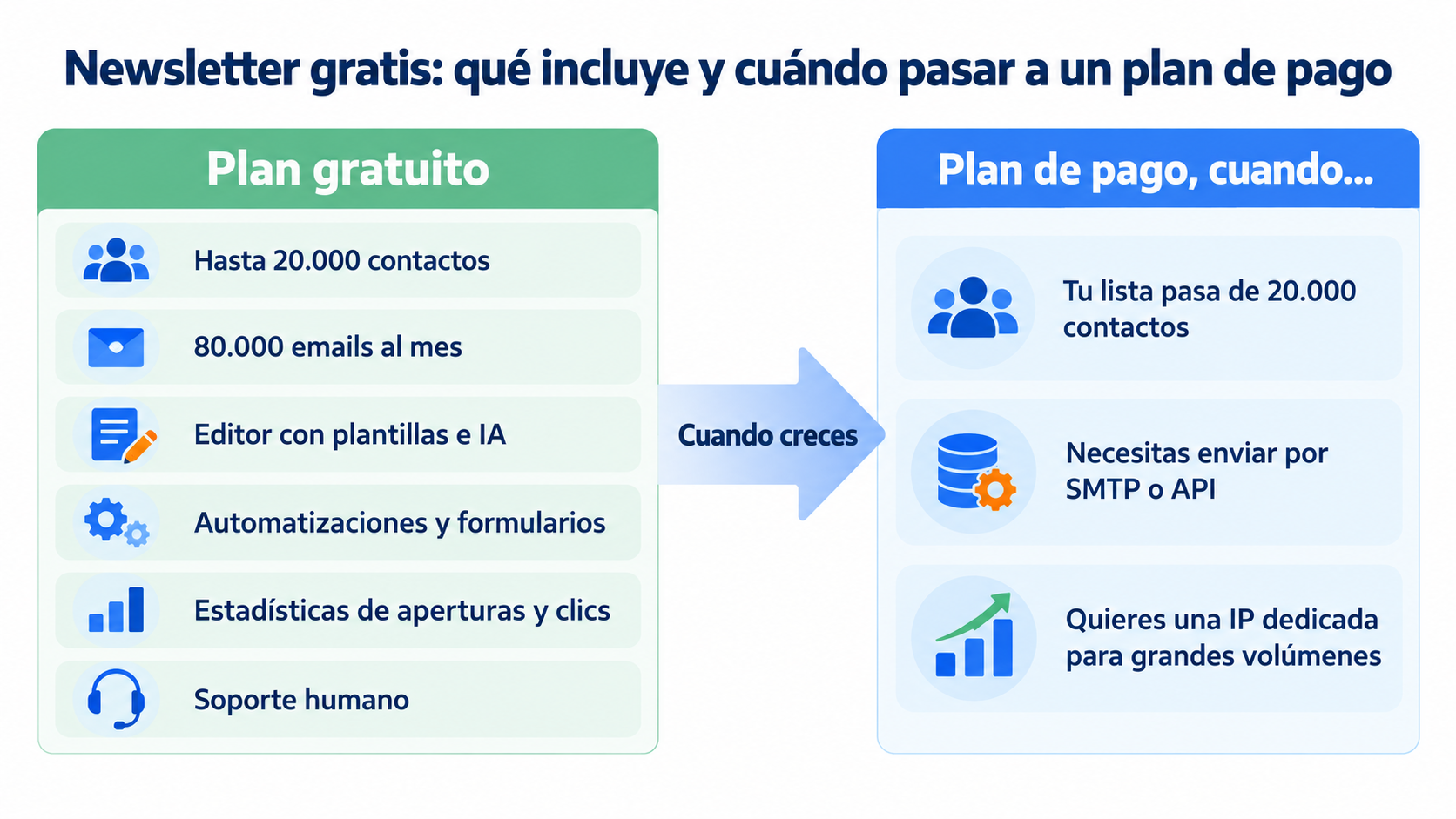
A free newsletter is a newsletter you create and send by email with the free plan of an email marketing tool. You don’t pay for the editor, the sending or the statistics. With Mailrelay you can send up to 80,000 emails a month to 20,000 contacts at no cost.
It’s the easiest way to keep your customers up to date without a budget. If you’re looking for the complete guide to design and content, read how to create a newsletter step by step.
Yes. Many email marketing tools have a free plan with limits on contacts or sends. The difference lies in how much they let you send and which features they include.
You can also send it from your personal email account, but it has clear limits:
| Option | Limit | What you’re missing |
|---|---|---|
| Personal Gmail or Outlook | Around 500 recipients a day on Gmail | Statistics, unsubscribe management and templates |
| Mailrelay free plan | 80,000 emails a month and 20,000 contacts | None of the basics: editor, automations and statistics included |
| Paid plan | Based on contacts and sends, from €48 a month | For large lists or sending via SMTP/API |
With a professional tool, your emails have a better chance of reaching the inbox. Plus, you comply with the law: every email includes an unsubscribe link.
Not every business can invest in tools or in advertising with uncertain results. A free newsletter lets you start with no risk:
- Connect with your customers without spending: you send news and useful content at no cost.
- Sell without paying for ads: you share offers with people who already know your brand.
- Build your brand: you show up in the inbox regularly.
What Mailrelay’s free plan includes
With the free account you get the features you need to send newsletters professionally:
- Drag-and-drop editor with templates and an AI assistant to help you write.
- Automations, such as the welcome email.
- Forms and landing pages to capture subscribers.
- Statistics on opens, clicks, unsubscribes and location.
- Human support on every plan.
Sending via SMTP or API is available as a 30-day trial on the free account. If you need it afterwards, you can purchase it separately or get it included in the paid plans.
Create your free newsletter now
80,000 emails a month and 20,000 contacts at no cost, with editor, automations and statistics.
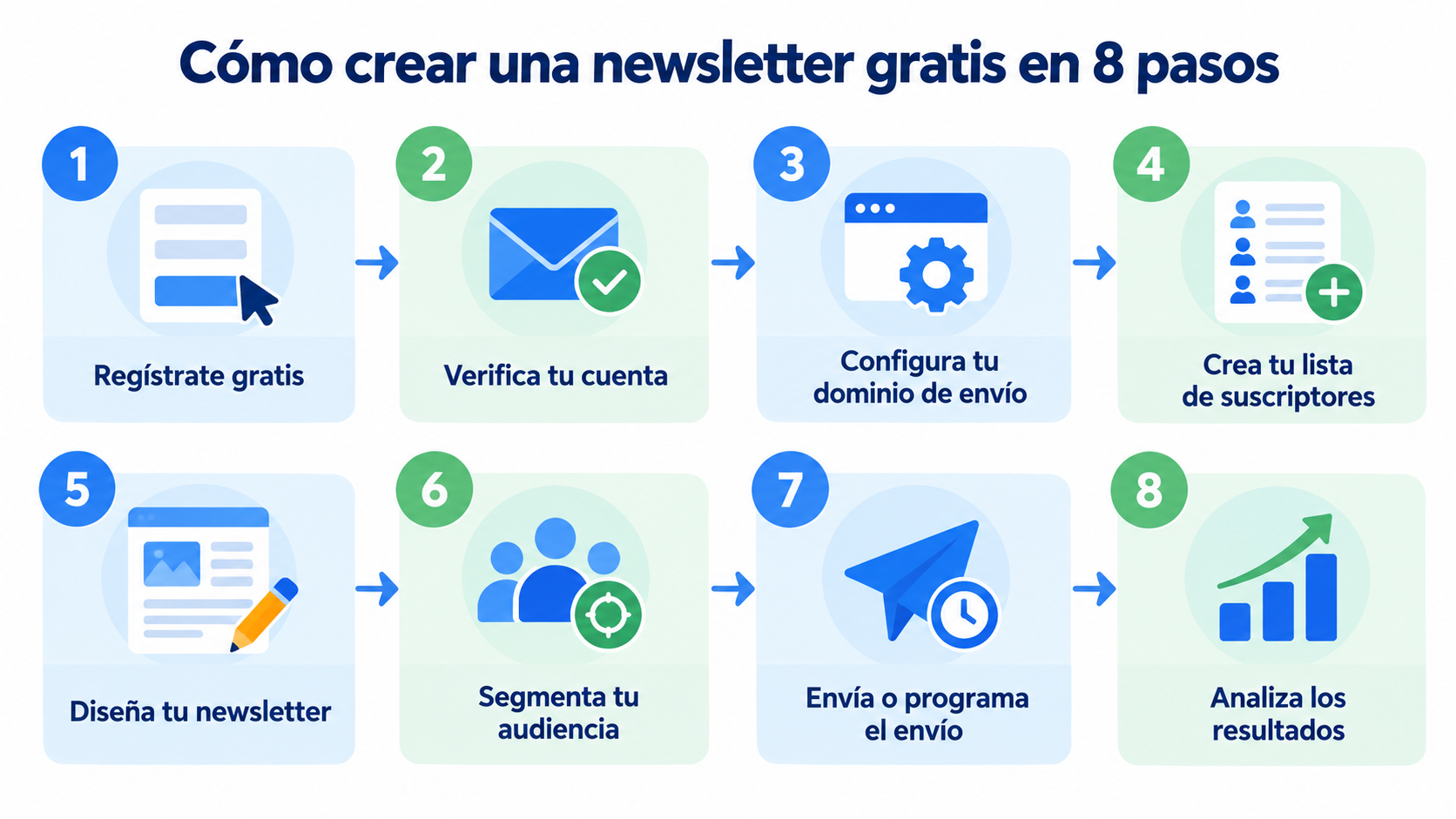
The process takes a few minutes. These are the steps in Mailrelay:
1. Sign up for free with Mailrelay
Go to Mailrelay and click “Create account”. All you need is your name and your email address.
2. Verify your account
Confirm your registration from the email you’ll receive. This gives you access to all the features of the free plan.
3. Set up your sending domain
Under “Settings” and “Email authentication” you’ll find the SPF, DKIM and DMARC records. From there you can generate a link so your hosting provider can help you add them.
4. Create your subscriber list
Import your contacts from a CSV file or create a form for your website. Mailrelay handles unsubscribes and bounces so your list always stays clean.
Choose a template, add your logo and colors, and include images and links. If writing isn’t your thing, the AI assistant gives you a first draft that you can then fine-tune.
6. Segment your audience
Send each group what interests them. You can filter by opens, clicks, subscriber groups or the data you’ve imported.
7. Send or schedule the send
Send it right away or schedule it for the time your audience reads their email. You can also schedule several in advance.
8. Analyze the results
Check who opened, which links they clicked, how many unsubscribed and whether there were spam complaints. Use that data to improve your next send.
The free plan works for you as long as your list doesn’t exceed 20,000 contacts and you don’t send more than 80,000 emails a month. For example, with 10,000 subscribers you can send up to 8 newsletters a month.
It’s worth upgrading to a paid plan when:
- Your list grows beyond 20,000 contacts.
- You need to send emails from your website or online store via SMTP or API.
- You want a dedicated IP for high-volume sending.
Being free doesn’t mean anything goes. Your subscribers will read the newsletter if it gives them something of value. Some ideas that work for almost any business:
| Content type | Example |
|---|---|
| News | New products, changes to opening hours or services |
| Useful content | A tip, a short guide or your latest blog post |
| Offers | A subscriber-only discount |
| Real-life cases | A customer’s story or a before and after |
| Calendar | Events, webinars or key dates of the month |
For design inspiration, take a look at these newsletter examples.
Creating a free newsletter is easy if you choose the right tool. With Mailrelay you get 80,000 emails a month, 20,000 contacts and human support, even on the free account.
Be consistent: send regularly, measure each campaign and improve little by little. That way your email marketing will deliver results without you paying anything at first.
Send your first newsletter today
Sign up in minutes and get human support, even on the free account.
These are the most common questions about free newsletters.
Yes. Subscribing to a newsletter is almost always free: you just give your email address and agree to receive the emails. You can unsubscribe whenever you like using the link at the bottom of every email.
How many emails can I send for free with Mailrelay?
Up to 80,000 emails a month to a maximum of 20,000 contacts, at no cost.
It’s recommended. Gmail, Yahoo and Microsoft require bulk email to be sent from a domain authenticated with SPF, DKIM and DMARC. Sending from a Gmail or Hotmail address means more of your emails end up in spam.