Lead magnet: what it is, types and how to create one that gets subscribers
The free resource that turns visitors into subscribers, and how to create your own
A lead magnet is a free piece of content or resource that you offer in exchange for a person’s contact details, usually their email address. It’s the most common way to turn anonymous visitors into subscribers.
Lead magnet literally means a magnet for leads. A lead is a potential customer who has given you their details. The magnet is what convinces them to hand them over.
What is a lead magnet for?
Hardly anyone subscribes to a newsletter “just in case”. But plenty of people will leave their email if they get something useful in return right then.
You grow your list. With contacts who asked for your content and have a real interest in the topic.
You segment from the start. Someone who downloads a pricing guide doesn’t have the same needs as someone who requests a social media template.
You start the relationship by offering value. The first contact isn’t a sale, it’s help.
It’s a basic building block of lead generation and the first step of lead nurturing.
Types of lead magnet
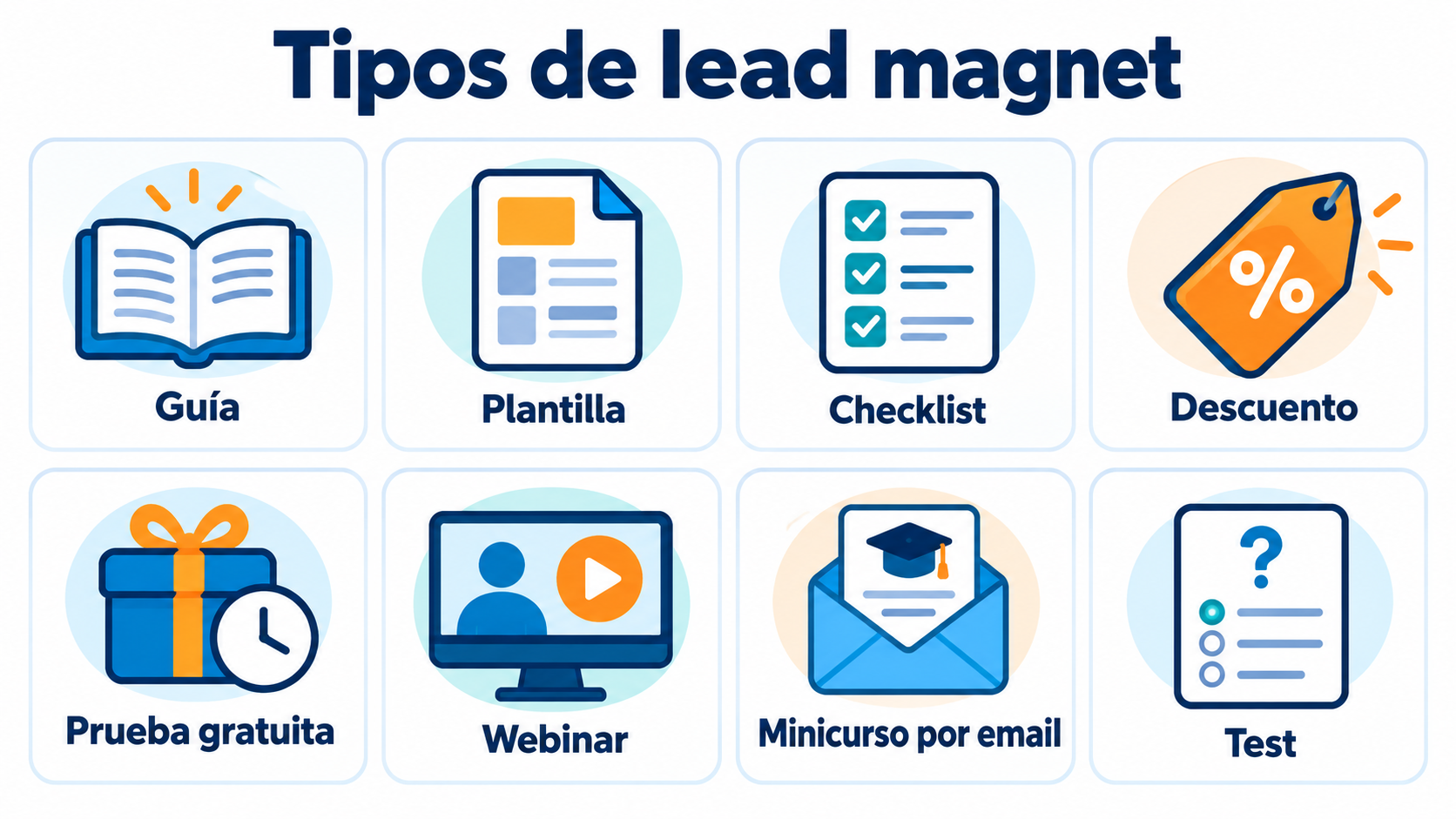
| Type | Example | Works well for |
|---|---|---|
| Guide or ebook | “Guide to opening your online store” | Topics that need explaining |
| Template | Sales email templates | Saving the reader time |
| Checklist | “20 things to check before launching your website” | Tasks with specific steps |
| Discount | 10% off your first purchase | Online stores |
| Free trial | 14 days of access to a software tool | Digital products |
| Webinar | Live class with Q&A | Services and training |
| Email mini-course | 5 lessons in 5 days | Building a reading habit |
| Calculator or quiz | “How much could you save?” | Decisions involving numbers |
| Report or study | Industry data from the past year | B2B and professionals |
| Exclusive access | Community or private content | Brands with a loyal audience |
What makes a good lead magnet
It solves a specific problem. “Quote template for photographers” works better than “Everything about photography”.
It’s quick to consume. A one-page checklist usually converts better than an 80-page ebook.
It fits what you sell. Whoever downloads it should be a potential customer, not just someone looking for freebies.
It delivers on its promise. If it disappoints, your first email has already lost credibility.
It’s delivered instantly. Nobody wants to wait a day to get their download.
Deliver your lead magnet automatically
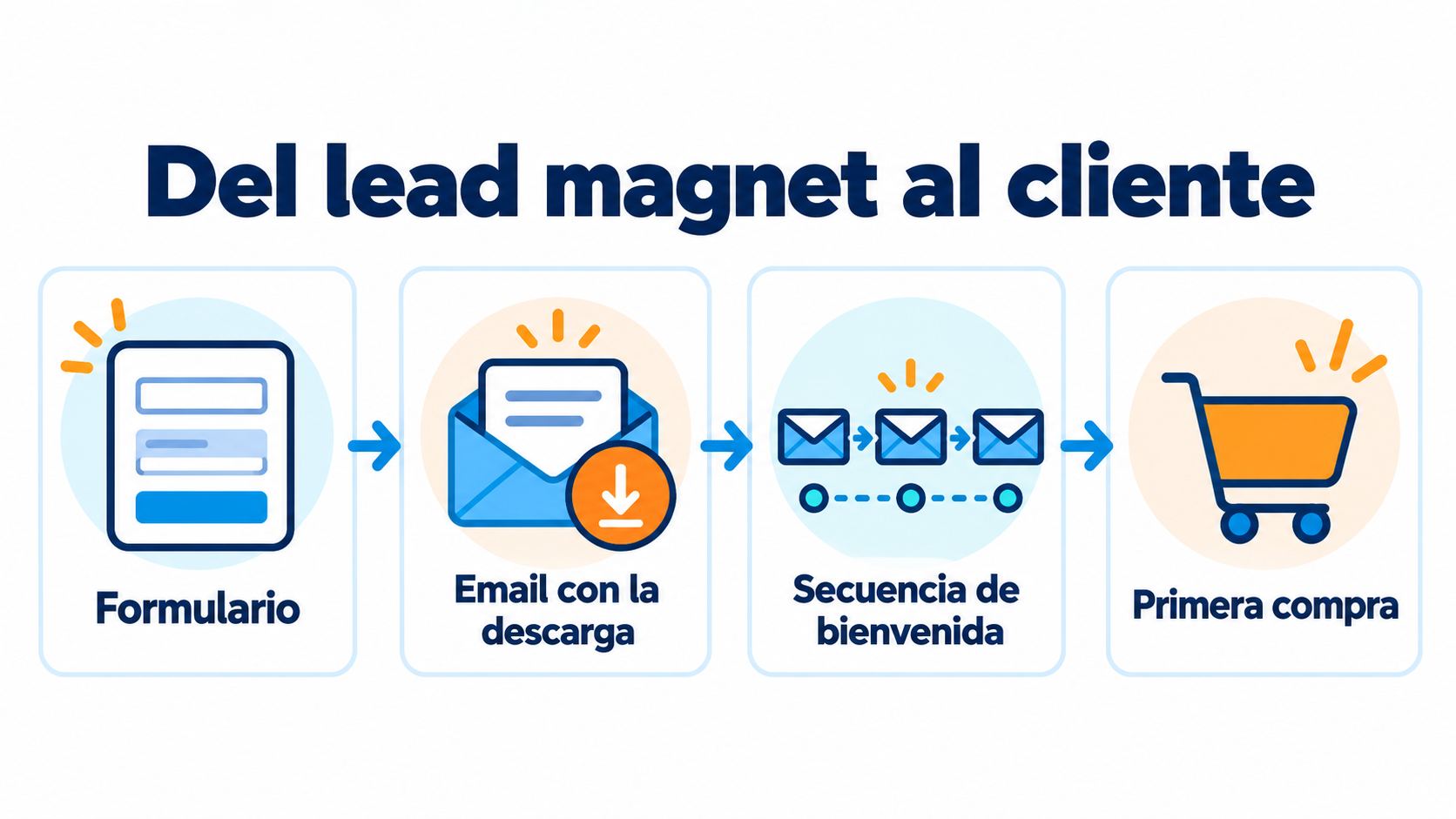
Create the form, the download email and the welcome sequence with Mailrelay.
How to create a lead magnet in 6 steps
1. Choose who it’s for. Start from your buyer persona and their most pressing problem.
2. Choose the format. The one that best solves that problem and that you can produce well.
3. Create it. Short, practical and branded. Done is better than perfect.
4. Set up the opt-in page. A landing page or a subscription form with a clear headline and few fields.
5. Automate delivery. A confirmation email with the download link.
6. Measure and improve. Form conversion rate, opens of the delivery email and how many people end up buying.
Lead magnets and email marketing
The lead magnet gets you the email address. What you do next decides whether that contact becomes a customer.
Deliver with double opt-in. Sending the resource in the double opt-in confirmation email ensures the email address is real.
Welcome sequence. After the download, 3-5 emails that expand on the topic and introduce your product. For more ideas, see welcome email.
Segment by download. Record which lead magnet each person requested so you can send them related content.
Ask for consent clearly. Explain on the form that they are subscribing to your emails, not just getting the download. That way you comply with the GDPR.
Examples by industry
Cosmetics store: a “Which routine does your skin need?” quiz with personalized recommendations by email.
Language school: a five-day mini-course with one lesson a day and an audio file.
Tax advisory firm: a PDF tax calendar for the year for freelancers.
Restaurant: a free dessert on the first booking for anyone who subscribes.
B2B software: an industry data report and a demo session.
Travel agency: a city guide with weekend itineraries.
Looking for more? Here are 20 lead magnet ideas with examples by type of business, plus two ready-to-copy delivery emails.
Common mistakes
Asking for too much information. For a checklist, the email address is enough. Every extra field reduces sign-ups.
A topic that’s too broad. It attracts lots of people who will never buy from you.
Forgetting the follow-up sequence. Without follow-up emails, the contact goes cold.
Not updating it. A lead magnet with three-year-old data looks abandoned.
How Mailrelay helps you
With Mailrelay you can create subscription forms with double opt-in, deliver the lead magnet in the confirmation email and launch an automated welcome sequence. Groups let you separate contacts according to what they downloaded.
The free account includes up to 80,000 emails a month and 20,000 contacts, with human support by chat, ticket and phone.
Send your newsletters with Mailrelay
Up to 80,000 emails a month and 20,000 contacts for free, with human support on every plan.
Frequently Asked Questions
These are the most common questions about lead magnets.
What is a lead magnet in a nutshell?
A free resource, such as a guide or a template, offered in exchange for an email address.
What is the best type of lead magnet?
The one that quickly solves a specific problem for your ideal customer. Templates, checklists and discounts tend to convert very well.
Is it legal to ask for an email address in exchange for a download?
Yes, as long as you clearly state that the person is subscribing to your communications and you keep a record of their consent.
How many lead magnets should I have?
Start with one. Once it works, create others for different topics or audiences.
How do you deliver a lead magnet?
The usual way is an automated email with the download link right after subscribing.