Temporary email: what it is, how long it lasts and when to use a temporary email address
What a disposable email address is, how long it lasts, what alternatives you have with Gmail or Outlook and how to keep it from filling up your subscriber list.
A temporary email (also called a disposable email) is an address that is created instantly, without signing up, and stops working after a while. It’s used to receive a one-off message, such as a verification code, without giving out your real email address.
It is also called disposable or throwaway email. It is offered by specialized websites that generate a random address and show incoming messages on screen.
How do temporary emails work?
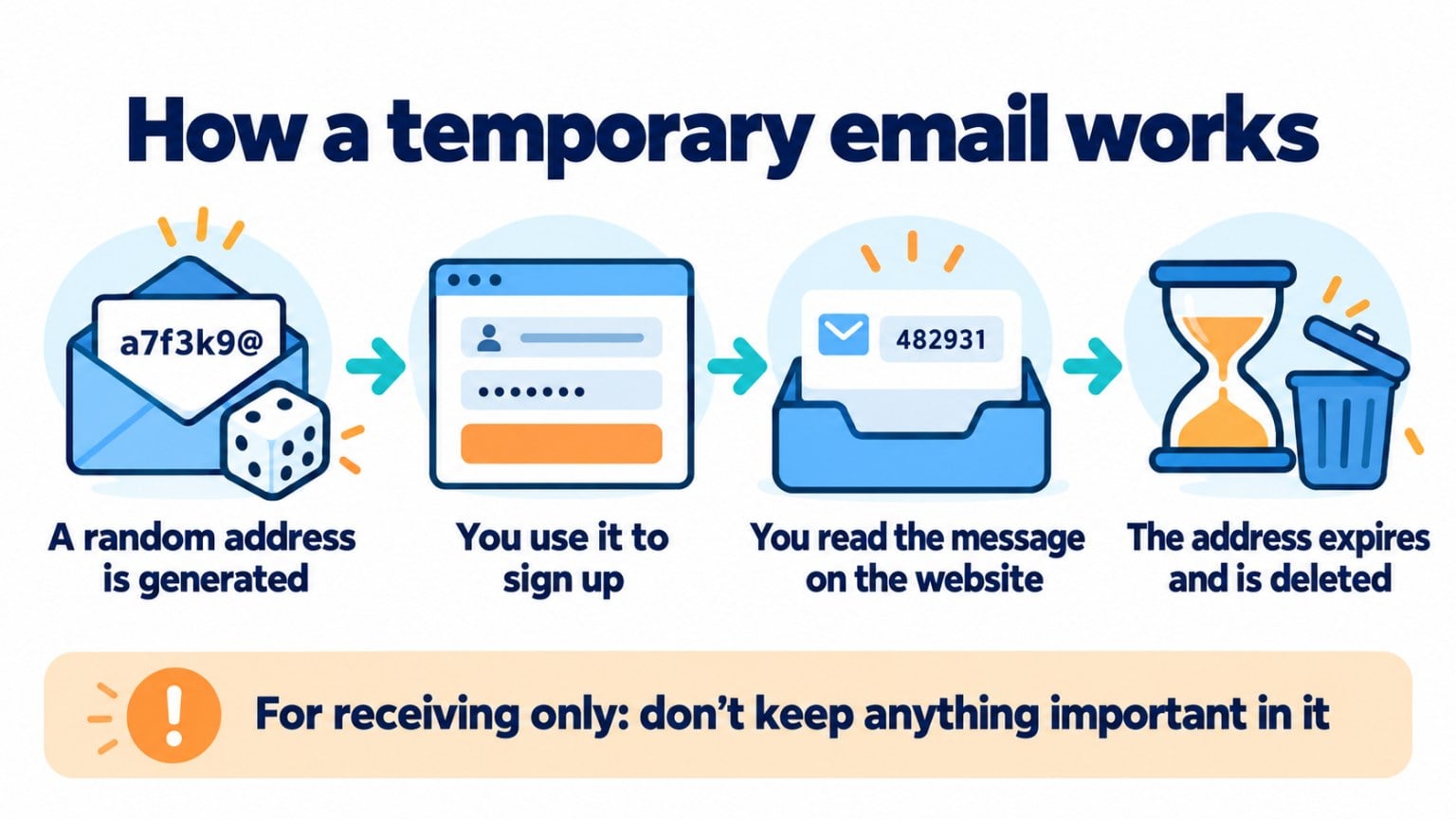
The process is very simple:
1. You go to a temporary email service. The website assigns you a random address, without asking for your name or a password.
2. You use that address wherever it is requested. For example, in a sign-up form or to download a free resource.
3. You read the message on the website itself. Emails arrive in a public or semi-public inbox, visible while the address is active.
4. The address expires. Once the time is up, the address and the messages received are deleted.
Most of these services can only receive email. You can’t use them to send messages or hold a conversation.
How long does a temporary email last?
It depends on the service. Some delete the address after 10 minutes, others keep it for a few hours or days, and a few let you extend the time manually.
Keep in mind that, while it lasts, on many of these services anyone who knows the address can see the messages. That’s why you shouldn’t use it for anything involving personal data or passwords.
Advantages and disadvantages of a temporary email
| Advantages | Disadvantages | |
|---|---|---|
| Privacy | You don’t give out your real address | Messages may be visible to others |
| Speed | Created in seconds, without signing up | It expires and you lose the messages |
| Spam | Your main inbox doesn’t receive advertising | You won’t be able to recover the account you signed up for |
| Access | Useful for one-off verifications | Many websites block these domains |
When to use a temporary email (and when not to)
It makes sense for:
- Trying out a website or app you’re not sure you’ll use.
- Receiving a verification code from a one-off service.
- Posting in a forum or leaving a comment without giving out your email.
It’s not a good idea for:
- Accounts you want to keep, such as banks, stores or social networks.
- Purchases, invoices or warranties.
- Newsletters you’re interested in: you’ll stop receiving them when the address expires.
Best-known temporary email services
If you need a temporary email for a one-off use, these are some of the most popular temporary email services. They are all free and don’t require signing up:
| Service | How long it lasts | Highlights |
|---|---|---|
| Temp Mail | Deleted after a while (it doesn’t say how long) | iPhone and Android apps and browser extensions; paid version with more addresses |
| 10 Minute Mail | 10 minutes | Designed for a code or a confirmation; once it expires, you can’t reply or forward |
| Guerrilla Mail | About 60 minutes | No sign-up |
| YOPmail | Messages are kept for 8 days | You don’t need to create the address and the inbox has no password: anyone who knows the name can read it |
None of them are suitable for important accounts: if you lose access, you won’t be able to recover the password. And since some inboxes are accessible to anyone, don’t use them for personal or banking details.
Data checked on each service’s website in October 2026.
Alternatives: Gmail and Outlook aliases
If what you want is to keep sign-ups separate from your main email, an alias is usually a better option. You receive the messages in your usual inbox and they don’t expire.
Gmail. Add a + sign and a word right before the @ symbol. For example, if your username is “name”, you can sign up as “name+stores” followed by your Gmail domain. Emails arrive in your inbox and you can create a filter to sort them.
Outlook. From your Microsoft account settings you can add aliases, which are new addresses linked to the same inbox. Microsoft limits how many aliases you can create per year.
Forwarding alias services. Some browsers, email providers and password managers generate addresses that forward to yours. You can deactivate each one when it starts receiving spam.
A secondary address. A free account with any email service, used only for sign-ups and subscriptions.
How temporary emails affect your subscriber list
If you have a subscription form, some people will sign up with a temporary email. This usually happens when you offer a lead magnet, such as a guide or a discount, in exchange for an email address.
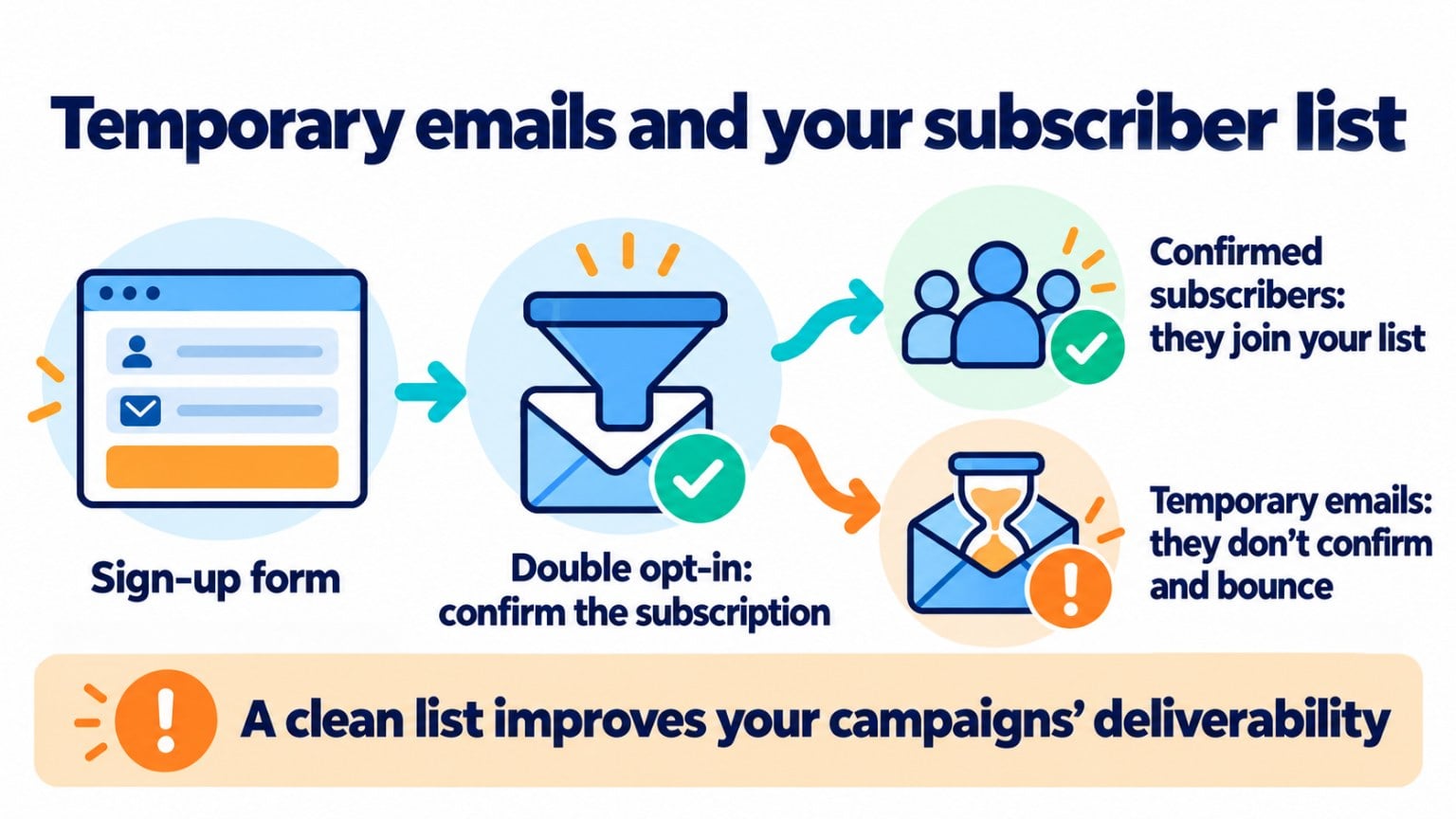
Those addresses stop existing shortly afterwards. Every subsequent send generates a bounce, and a high bounce rate hurts your deliverability.
They also inflate your list with contacts who will never open an email, which worsens your metrics and makes you pay for contacts that don’t exist.
Protect your list from temporary emails
With Mailrelay forms and double opt-in, only subscribers who confirm their address get into your list.
How to keep temporary emails out of your forms
Use double opt-in. With double opt-in, subscribers must confirm their sign-up from the email they receive. Anyone who just wanted the resource and left won’t confirm.
Deliver the resource by email. If the lead magnet is sent to the address instead of downloaded from the website, the address has to be real.
Block disposable domains. Some form tools let you reject known temporary email domains.
Clean your list regularly. Remove addresses that bounce and contacts who haven’t opened any email in months.
How Mailrelay helps you
Mailrelay includes subscription forms with double opt-in, handles bounces automatically and lets you segment inactive subscribers to clean your email lists.
The free account includes up to 80,000 emails a month and 20,000 contacts, with human support on every plan.
Send your newsletters with Mailrelay
Up to 80,000 emails a month and 20,000 contacts for free, with human support on every plan.
Frequently asked questions
These are the most common questions about temporary email.
What is a temporary email?
An email address that is created without signing up and is deleted after a while, along with the messages received.
How long does a temporary email last?
From 10 minutes to several days, depending on the service.
Can you send email from a temporary email address?
With most services, no. They can only receive messages.
Is it safe to use a temporary email?
For unimportant sign-ups, yes. Don’t use it for accounts involving personal data, payments or passwords, because messages may be visible to others and you’ll lose access when it expires.
How do you create a temporary email in Outlook or Gmail?
They don’t offer temporary emails as such, but you can use aliases: in Gmail, by adding +word before the @ symbol; in Outlook, by adding an alias from your Microsoft account.