Complaint: what a spam complaint is and how to avoid it
What happens when someone marks your email as spam and how to keep your sends from getting blocked
In English, complaint means an expression of dissatisfaction. In email marketing, a complaint is what gets recorded when a recipient marks your email as spam.
Every time someone clicks “Mark as spam” or “Report spam”, their mailbox provider takes note. And if complaints pile up, your next sends end up in the spam folder or don’t arrive at all.
What does complaint mean?
In its general sense, a complaint is a grievance or a claim, such as a customer’s complaint about poor service. The plural is complaints.
In email marketing, the word has a specific meaning: it is the spam complaint (often shortened to complaint) or abuse report that the user sends from their inbox. They don’t need to write anything. A single click on the spam button is enough.
How does a spam complaint happen?
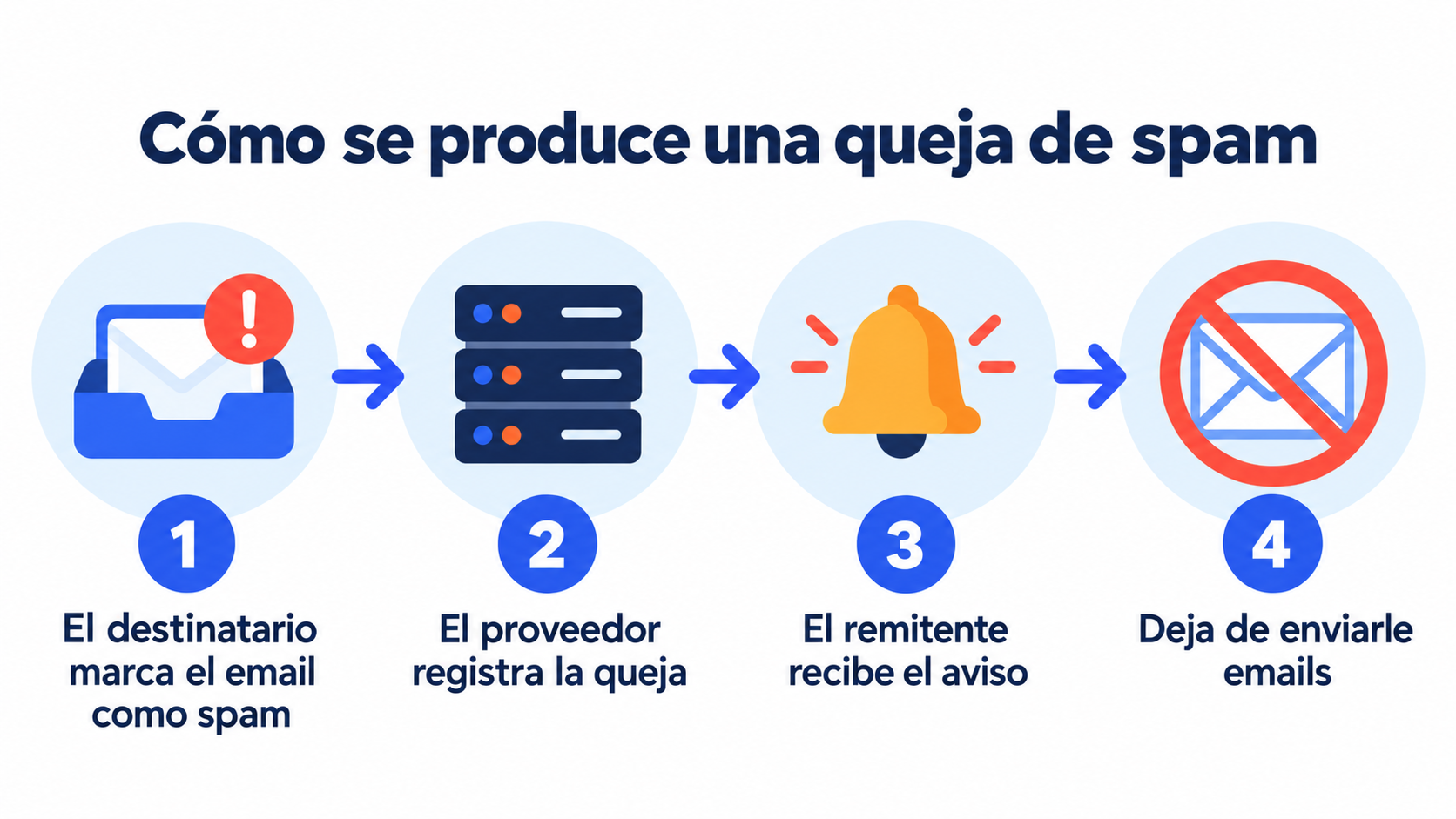
The process has four steps:
The recipient marks the email as spam. They do it from Gmail, Outlook, Yahoo or any other provider.
The provider records the complaint. It counts it against the sender reputation and the reputation of the sending domain.
The sender gets notified. Many providers let the sender know through a feedback loop (FBL).
The sender stops emailing them. Someone who has complained shouldn’t receive any more emails from you.
Each provider reports complaints differently:
| Provider | How it reports complaints |
|---|---|
| Gmail | Aggregate complaint rate in Google Postmaster Tools and a feedback loop for sending platforms |
| Yahoo and AOL | Complaint Feedback Loop (CFL), with a notification for each complaint |
| Outlook and Hotmail | JMRP program and reputation data in SNDS |
| Other providers | Feedback loops in the standard ARF format |
What happens if you get a lot of complaints?
Complaints weigh much more than an unsubscribe. For the provider, they are the clearest sign that a sender is sending unwanted email.
With few complaints, you’ll hardly notice anything. If they rise, your emails start landing in spam. And if they keep rising, the provider may reject your sends or block your domain or IP.
Since 2024, Gmail and Yahoo have required bulk senders to keep their complaint rate below 0.1% and never reach 0.3%. You can see how it is calculated in spam rate in email marketing and the rest of the conditions in the bulk sender requirements.
| Complaint rate | What it means |
|---|---|
| Less than 0.03% | Ideal, what we recommend at Mailrelay |
| Up to 0.1% | Within the Gmail and Yahoo limit |
| From 0.1% to 0.3% | Risk zone: more emails in spam |
| 0.3% or more | Sends rejected or blocked |
Keep your spam complaints under control
Mailrelay processes complaints for you and alerts you if they go above 0.03%, so your emails keep reaching the inbox.
Why do people complain?
It’s almost never out of malice. These are the most common reasons:
They don’t remember subscribing. A long time has passed since they signed up, or the sender isn’t recognizable.
They get too many emails. The frequency is higher than they expected.
The content isn’t what they asked for. They signed up for a discount and receive all kinds of campaigns.
Unsubscribing is hard. If they can’t find the link, the spam button is quicker.
They never gave permission. This happens with purchased lists, a practice you should always avoid.
How can you reduce complaints in email marketing?
Use double opt-in. With double opt-in, only people who confirm their subscription get onto your list.
Make unsubscribing easy. Keep the unsubscribe link visible and add the List-Unsubscribe header, which Gmail and Yahoo require for one-click unsubscribe.
Be recognizable. Always use the same sender name and a subject line that delivers on its promise.
Send what you promised. Stick to the frequency and type of content you announced when you collected the contact.
Segment. With segmentation, each group gets what interests them.
Clean your list. Stop sending to people who haven’t opened in months, or run a re-engagement campaign first.

What’s the difference between a complaint, an unsubscribe and a bounce?
They are three metrics that are often confused:
| Metric | What it is | Effect on your reputation |
|---|---|---|
| Complaint | The user marks your email as spam | Very negative |
| Unsubscribe | The user leaves your list (unsubscribe) | Neutral, it’s a clean exit |
| Bounce | The email can’t be delivered | Negative if repeated |
An unsubscribe is good news compared with a complaint: the contact leaves without hurting your deliverability.
How Mailrelay helps you
Mailrelay automatically processes the notifications from providers’ feedback loops. You can see the complaints for each campaign in the statistics, and the dashboard alerts you if they go above 0.03%.
You can also collect contacts with double opt-in forms, segment your list and see who isn’t opening so you can clean it. The free account includes up to 80,000 emails a month and 20,000 contacts, with human support by chat, ticket and phone.
Send your newsletters with Mailrelay
Up to 80,000 emails a month and 20,000 contacts for free, with human support on every plan.
Frequently Asked Questions
These are the most common questions about complaints.
What is a complaint, in a nutshell?
It’s the report generated when someone marks your email as spam.
What does complaint mean in Spanish?
It means queja or reclamación. In email marketing, it is translated as queja de spam.
How many spam complaints are too many?
Gmail and Yahoo require you to stay below 0.1%: fewer than one complaint per 1,000 emails delivered. Ideally, you shouldn’t go above 0.03%.
Can I email someone again after they’ve complained?
No. Anyone who marks your email as spam should be removed from your list, even if they haven’t unsubscribed.
Is a complaint the same as an unsubscribe?
No. An unsubscribe is a clean exit from the list. A complaint damages the sender’s reputation.