Email marketing campaigns: what they are, types and how to create them step by step
From goal to report: how to create email campaigns that drive sales and sign-ups
Quick answer: an email marketing campaign is a planned action that sends one or more emails to a specific audience. It starts from a measurable goal, a permission-based list, a relevant message and a call to action. Its results are then used to improve the next send.
When a company plans several sends throughout the year, we talk about email marketing campaigns: each with its own goal, audience and metrics.
An email marketing campaign can help you:
- Sell
- Capture sign-ups
- Win back customers
- Or build loyalty
It also lets you talk directly to people who already know your brand.
This two-way communication is key.
That said, remember that sending an email to your entire database doesn’t guarantee results.
You need to decide who you’re writing to, what you want to achieve and how you’ll measure the response.
In this guide, you’ll learn how to create email campaigns from scratch. You’ll also see a complete example, the main metrics and a checklist to go through before sending.
What is an email marketing campaign?
An email marketing campaign is a direct marketing action carried out by email. It has a goal, an audience, a message, a schedule and several performance indicators.
It can be a single send or a sequence of several emails.
What matters is that all its elements work together towards a specific result.
For example, a store can announce a collection with three messages. The first sparks interest, the second showcases the products and the third reminds readers that the promotion is ending.
These terms are related, but they don’t mean exactly the same thing:
| Concept | What it is | Example |
|---|---|---|
| Email marketing campaign | An action with a defined goal and time period | Launching a course over ten days |
| Newsletter | Regular send of news or content | Weekly newsletter with tips and updates |
| Automation | A flow triggered by a date or a behavior | Welcome series after a subscription |
| Transactional email | A message needed to complete or confirm a transaction | Purchase confirmation or password recovery |
A newsletter can be part of your email campaigns. Likewise, an automation can run a campaign without manual intervention for each send.
What is an email marketing campaign for?
The goal changes depending on the business and the customer’s stage.
Ideally, choose a single priority for each email marketing campaign.
The most common uses are:
- Introducing a product or service.
- Generating sales, bookings or quote requests.
- Turning subscribers into sales opportunities.
- Welcoming new contacts.
- Educating an audience before they buy.
- Recovering abandoned carts or processes.
- Re-engaging contacts who have stopped responding.
- Building customer loyalty with relevant content and benefits.
- Collecting feedback, reviews or survey responses.
Choosing the goal first simplifies every decision that follows. It also keeps you from filling the email with competing calls to action.
How to create an email marketing campaign step by step
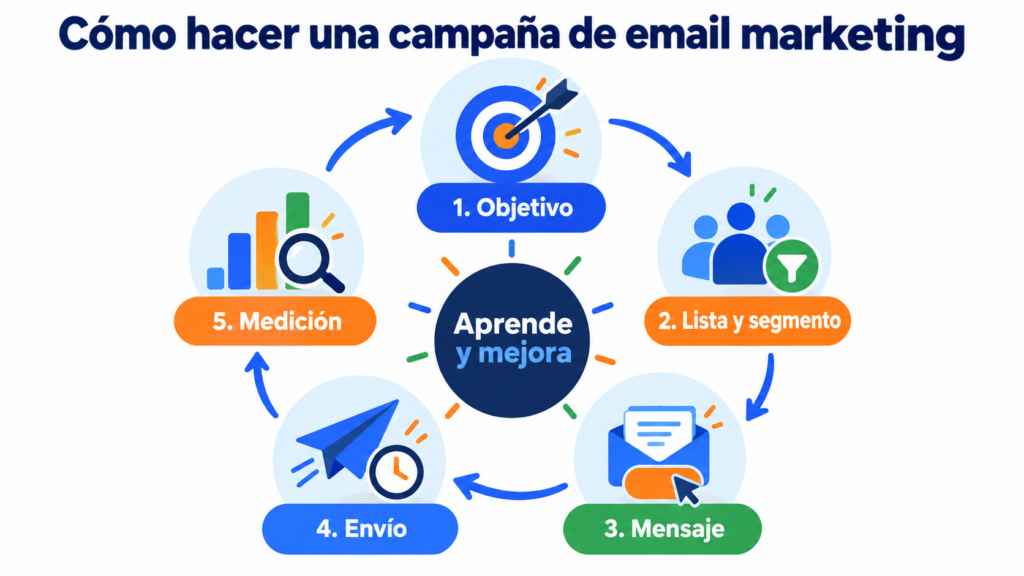
An effective campaign starts before you open the editor. The following process connects strategy, content, sending and learning.
1. Define the goal of your email marketing campaign
Write the expected result in one sentence. It should include an action, a number, a deadline and an audience.
For example: “Get 40 demo bookings from contacts who downloaded the guide within the next 14 days.”
Then choose one main KPI. If you’re after sales, measure purchases or revenue. If you’re after traffic, measure qualified clicks to the chosen page.
2. Prepare a short brief for your email campaign
A brief prevents contradictions during creation. You can copy this template and fill it in before each email campaign:
- Goal: what result do you want to achieve?
- Audience: who needs this message now?
- Problem: what specific difficulty does that group have?
- Promise: what will they get by taking action?
- Offer: what are you proposing and on what terms?
- Main action: what should they do after reading?
- KPI: what figure will indicate success?
- Schedule: how many emails will you send and when?
- Hypothesis: what element do you want to learn about or test?
This document also speeds up reviews and approvals. It also keeps marketing, sales and design aligned.
3. Work with your own permission-based list
Without this, there’s no email marketing.
Your email marketing campaigns need a legitimate contact base.
Contacts who actually want to receive your emails and have asked for them.
Use forms, previous purchases and other sources where you can justify the relationship and the applicable permission.
Avoid buying databases. Those people don’t know you and haven’t asked for your messages. As a result, they increase complaints, unsubscribes and the risk of landing in spam.
You can grow your audience with forms and landing pages to capture subscribers. Explain what each person will receive and roughly how often.
4. Segment the audience of your email campaigns
Segmentation divides the list into groups with relevant characteristics. You can use location, language, interests, purchases, past activity or stage in the customer journey.
Start with a simple, useful rule. For example, separate customers from subscribers who haven’t bought yet.
Then tailor the offer and the pitch. Check out our guide on segmentation in email marketing if you want to dig deeper.
A segmented email marketing campaign is usually more relevant. It also produces clearer data than a generic send to the whole list.
5. Decide whether you need one email or a sequence
One email can be enough for a simple announcement or a reminder. However, a complex offer usually needs several touchpoints.
A typical sequence contains three or four messages:
- Presenting the problem or opportunity.
- Explaining the solution and its benefits.
- Answering questions, objections or perceived risks.
- A final reminder when there’s a real deadline.
Each email should move the conversation forward. Avoid repeating the same text with a different subject line.
You can also create simple email automation flows. This way, you’ll trigger welcome, drip or re-engagement campaigns based on contact behavior.
6. Write the subject line and preheader
The subject line should hint at a benefit, something new or a relevant question. Keep the promise aligned with the content of the message.
The preheader completes that idea. Don’t use it to repeat the subject line word for word.
Example:
- Subject line: A faster way to plan your monthly calendar
- Preheader: Includes the template and an example ready to adapt
Test clear subject lines rather than over-the-top formulas. Curiosity works when the email delivers a real answer.
7. Build the content around a single action
A simple structure helps people read and decide quickly:
- Opening: connect with a recognizable situation.
- Value: explain the benefit or the main information.
- Proof: add an example, a demonstration or a specific detail.
- Action: point to the next step with a visible CTA.
- Trust: clarify terms, deadlines or foreseeable questions.
Use short sentences, subheadings and white space. Also, put the most important information at the beginning.
In many email campaigns, a single main CTA works best. You can repeat it if the email is long, but it should lead to the same destination.
8. Design the email for mobile and accessibility
Check your email marketing campaign on a small screen. The text should be readable without zooming in, and buttons need enough space to tap them.
Add alt text to your images. Keep good contrast and avoid conveying essential information only through an image.
Also, balance text and visuals. A lightweight email loads faster and still makes sense when images are blocked.
9. Protect your campaign’s deliverability
Deliverability refers to the ability to reach the inbox. It depends on the technology, your reputation, your list and how your subscribers react.
Set up SPF, DKIM and DMARC to authenticate your domain. In our guide, we explain how to set up SPF, DKIM, DMARC and a custom domain.
It’s also a good idea to keep a steady sending pace. If you increase volume significantly, do it gradually.
Clean out hard bounces and review inactive contacts. Also, make unsubscribing easy and don’t hide the sender’s identity.
10. Check compliance before sending
In Spain, promotional email communications require prior request or authorization. There’s a limited exception for customers and similar products or services.
In addition, each message must identify the sender. It must also offer a simple, free procedure to object or unsubscribe.
Keep proof of where each contact came from. Include the date, the form and the accepted text where applicable.
These guidelines are general and don’t replace legal advice. If you have doubts about your case, ask for a professional review.
11. Run a full test and a useful A/B test
Send a test to several accounts and devices. Check the sender, subject line, preheader, links, images, personalization, mobile version and landing page.
If you run an A/B test, change only one variable. You can compare two subject lines, two senders or two CTAs.
Define the winning metric beforehand. The subject line can be evaluated by opens, but it’s best to add clicks and conversions to avoid incomplete conclusions.
12. Send, measure and document what you learn
There’s no universal time for all email marketing campaigns. The best time depends on your audience, their time zone and the context of the message.
Start with a reasonable time slot. Then compare similar campaigns and test controlled changes.
Record what you sent, to whom, when and with what result. That way, each email marketing campaign improves the next one.
Create your first email marketing campaign
With Mailrelay’s free account, you can send up to 80,000 emails a month to 20,000 contacts, with an editor, segmentation and statistics.
Types of email marketing campaigns and when to use them
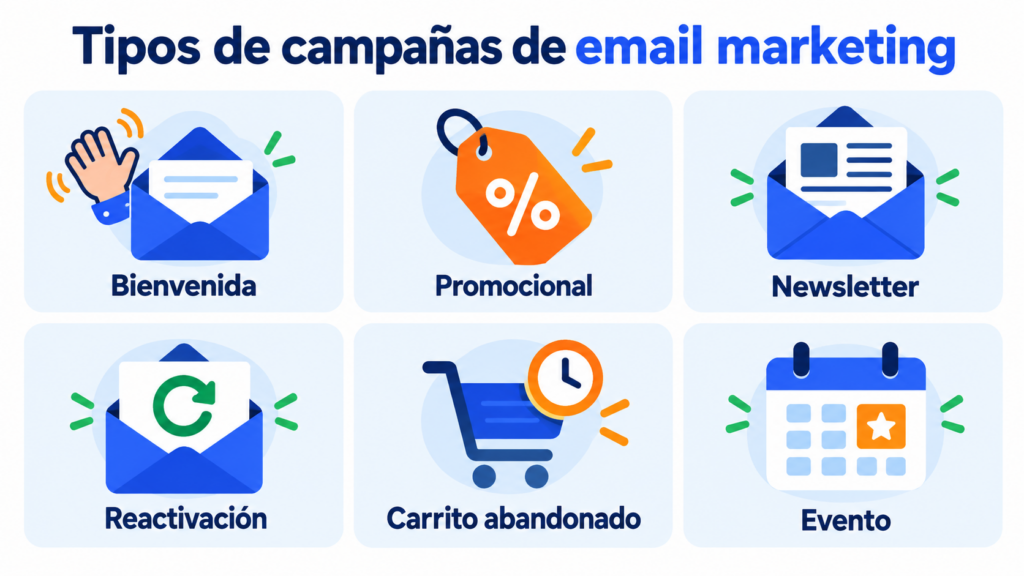
The format should match the goal. This table helps you choose between the most common types of email campaigns:
| Campaign type | When to use it | Main action | Priority KPI |
|---|---|---|---|
| Welcome | After a new subscription | Get to know the brand or activate a resource | Click or activation |
| Promotional | Offer, launch or season | Buy, book or request information | Conversion and revenue |
| Educational | Considered purchase or complex service | Consume content and move forward | Qualified click |
| Abandoned cart | Purchase intent without completion | Recover the purchase | Recovered carts |
| Reactivation | Contacts with no recent interaction | Confirm interest or preferences | Reactivations and unsubscribes |
| Loyalty | After the purchase | Buy again, recommend or respond | Repeat purchase or review |
| Survey | When you need direct information | Answer questions | Completed responses |
| Event | Before and after an appointment | Register or attend | Registrations and attendance |
You’ll find real examples of each type in these email campaign examples.
You can combine several types within one strategy. However, each email marketing campaign should keep one dominant purpose.
Complete email marketing campaign example
Imagine a small advisory firm that offers a financial review for freelancers. It has a list of people who downloaded a template but haven’t yet requested a meeting.
Goal and audience of the example
The goal is to get 25 bookings in 14 days. The audience includes contacts who downloaded the template in the last three months.
The promise will be to spot avoidable expenses and prepare for the next quarter. The main CTA will lead to a booking page.
A sequence of four email campaigns
Although they share a goal, each message has a role:
- Day 1, diagnosis: three signs that your costs are getting off track.
- Day 4, practical value: a short exercise to find an unnecessary recurring expense.
- Day 8, objections: what the review includes, how long it takes and who needs it.
- Day 12, close: a notice that it’s the last day to book the available slots.
The deadline must be real. Avoid inventing urgency, because it can reduce trust.
Sample content for one of the emails
Subject line: Are any of these three expenses slipping through the cracks?
Preheader: Review them in five minutes before closing the quarter
Opening: “Many small expenses go unnoticed because they come in on different dates. We’ve put together a quick review to find them.”
Value: explain three categories and offer a question to assess each one.
CTA: “Book my review”.
Closing: clarify the duration, availability and how to get in touch.
This email campaign doesn’t sell in every paragraph. First, it helps the reader recognize a specific need.
How to evaluate the example
The advisory firm will measure bookings, conversions from the page and clicks. It will also keep an eye on bounces, unsubscribes and complaints.
If there are opens but not enough clicks, it will review the promise and the CTA. If there are clicks but no bookings, it will analyze the page or the terms of the offer.
Metrics to measure an email marketing campaign
Metrics make sense when they’re connected to the goal. Avoid judging an email marketing campaign by a single percentage.
Key email campaign metrics
- Delivery rate: percentage of emails accepted by the recipients’ servers.
- Bounce rate: percentage of messages that couldn’t be delivered.
- Open rate: an estimate of recorded opens.
- CTR: percentage of recipients who clicked.
- CTOR: ratio of clicks to recorded opens.
- Conversion: percentage who completed the business action.
- Unsubscribe rate: percentage who canceled their subscription.
- Spam complaints: contacts who marked the message as spam.
- ROI: financial return compared with the cost of the campaign.
Opens provide context, but some privacy protections can distort them. That’s why you should combine that figure with clicks, conversions and historical trends.
You can learn more about this in our guide to email marketing metrics.
Quick diagnosis based on results
| Signal | Possible cause | First thing to check |
|---|---|---|
| Many bounces | Old list or incorrect addresses | Contact source and list cleaning |
| Few opens | Sender, subject line, timing or deliverability | Authentication and subject line testing |
| Opens without clicks | Weak promise or scattered content | Offer, hierarchy and CTA |
| Clicks without conversions | Friction after the email | Page, form and consistency |
| Many unsubscribes | Wrong expectations or frequency | Acquisition, segmentation and cadence |
| Spam complaints | Lack of permission or recognition | Source, identity and relevance |
Also, look at the click map. It can show whether the main button goes unnoticed or whether an image draws all the attention.
Mistakes that hurt email campaign performance
A good tool won’t fix a muddled strategy. Check for these mistakes before launching your email campaigns:
- Starting without a goal or KPI.
- Buying lists or using contacts without a valid legal basis.
- Sending the same message to your entire audience.
- Promising something in the subject line that the email doesn’t deliver.
- Including too many offers and calls to action.
- Designing for desktop only.
- Neglecting SPF, DKIM and DMARC.
- Sending volume spikes after long periods of silence.
- Measuring only opens and ignoring conversions.
- Changing several variables in an A/B test.
- Sending the click to a slow or inconsistent page.
- Hiding the unsubscribe link or making it complicated.
Also, avoid copying other brands’ email campaigns without context. A format can inspire you, but your data should decide what works.
How to create email marketing campaigns with Mailrelay
At Mailrelay, we bring together everything you need to manage an email marketing campaign from a simple dashboard.
You can create lists, import contacts and remove duplicates. You can also segment with custom fields and tailor the content to each group.
Our visual editor includes AI writing features. It also generates responsive designs and lets you create newsletters without any coding knowledge.
If your campaign needs several messages, you can create welcome, drip or re-engagement automations. You can also A/B test key elements.
After sending, our statistics update in real time. You’ll see opens, clicks, bounces, unsubscribes, complaints and the best-performing links.
The click map overlays interactions on the design. This makes it easier to spot which areas draw attention.
You can also connect other systems through our REST API and WordPress plugin. Our multilingual support team is available by phone, chat and ticket, even on the free account.
The free account lets you send up to 80,000 emails per month to up to 20,000 contacts. It includes automation and the essential features to get started and grow.
Create your free Mailrelay account and prepare your next email marketing campaign with expert support whenever you need it.
Launch your campaigns with Mailrelay
Segmentation, automations and real-time statistics, with chat, ticket and phone support on every plan.
Checklist before sending an email marketing campaign
Use this list for every send:
- [ ] The goal fits in a single sentence.
- [ ] The main KPI matches that goal.
- [ ] Contacts have a valid, documented source.
- [ ] The segment needs the message right now.
- [ ] The sender is recognizable.
- [ ] The subject line and preheader complement each other.
- [ ] The promise in the subject line is reflected in the content.
- [ ] There’s one clear main CTA.
- [ ] All links work and lead to the right destination.
- [ ] The email makes sense even if images don’t load.
- [ ] The design works on mobile.
- [ ] Custom fields have fallback values.
- [ ] SPF, DKIM and DMARC are set up.
- [ ] Your identity and the required information are visible.
- [ ] The unsubscribe link works without friction.
- [ ] The test version arrived and was reviewed.
- [ ] The A/B test changes only one variable.
- [ ] The campaign and the landing page tell the same story.
Frequently asked questions about email marketing campaigns
What is an email marketing campaign in a nutshell?
It’s a planned action that uses one or more emails to achieve a measurable goal. It includes an audience, a message, a call to action, a schedule and metrics.
How do you create an effective email marketing campaign?
Define a goal, use a permission-based list, segment your audience and prepare a relevant message. Then test the email, send it with a specialized platform and analyze conversions, clicks, unsubscribes and deliverability.
How many emails should an email campaign have?
It can have a single email or a sequence. A simple announcement may only need one. A launch or a considered purchase usually requires several messages with different roles.
How often should you send email campaigns?
There’s no universal frequency. Choose a cadence you can sustain and that your audience expects. Then look at clicks, conversions, unsubscribes and complaints to adjust it.
What’s the best time to send email campaigns?
It depends on your audience, their time zone and the type of message. Use your historical data and compare similar campaigns. Test one variable at a time before changing your whole schedule.
Which metric matters most in an email marketing campaign?
The main metric depends on the goal. For sales, prioritize conversions, revenue and ROI. For a guide, downloads may be what matters. Clicks, bounces, unsubscribes and complaints provide operational context.
Why does an email marketing campaign end up in spam?
Causes can include lack of permission, poor reputation, old lists, complaints or incomplete authentication. Check SPF, DKIM, DMARC, bounces, frequency and relevance. Our guide to deliverability in email marketing explains each factor.
Can I run email marketing campaigns with a purchased list?
It’s not a recommended practice. Those contacts haven’t asked for your messages and may generate complaints. In addition, a purchased list makes it hard to justify permission and hurts deliverability.
How much does it cost to start an email marketing campaign?
The cost depends on volume, contacts and the platform. With Mailrelay, you can start for free with up to 80,000 emails a month and 20,000 contacts. You’ll also get human support and automation features.
What tool do I need to manage email campaigns?
Look for a platform that handles lists, segmentation, responsive design, automation, A/B testing, authentication and clear statistics. Mailrelay brings these features together with a simple dashboard and expert support on every account.