Just a few days ago Return Path published a very interesting PDF for all of us who do email marketing: “Marketer’s Field Guide to Gmail, Outlook.com, and Yahoo!”. In the PDF you’ll find a very interesting analysis of the main ISPs — Gmail, Outlook.com (Hotmail) and Yahoo! Mail — their main features and the main ways they decide which emails go to spam and which don’t.
Since this is a topic that interests us, I’m going to summarize the points related to spam detection at the various ISPs, for example:
Introduction: The challenge of avoiding spam at the most popular email providers
Junk email, commonly known as spam, has been a constant problem for email users and service providers since the early days of email.
With the rise in the use of email marketing and the growing number of emails sent every day, email providers such as Gmail, Outlook.com and Yahoo Mail have implemented sophisticated systems and algorithms to filter spam and keep it away from their users’ inboxes.
These filtering systems not only protect users from junk email but also ensure that legitimate, relevant messages reach recipients’ inboxes.
As senders, however, we face the challenge of adapting to these constantly evolving filters and making sure our emails are delivered properly, without being flagged as spam.
In this article, we’ll explore how the most popular email providers decide which emails are spam and how we can improve our email marketing practices to ensure better deliverability to our recipients’ inboxes.
We’ll cover the filters and algorithms used by Gmail, Outlook.com and Yahoo Mail, and offer tips on adapting to their requirements and staying out of the spam folder.
How does Gmail decide which emails are spam?
Gmail uses a range of techniques and criteria to determine whether an email is spam or not. Some of the key factors that influence this decision are:
👉 Domain authentication: Gmail checks domain authentication using SPF, DKIM and DMARC records. If an email isn’t properly authenticated, it’s more likely to be treated as spam.
👉 Sender reputation: Sender reputation is essential for deliverability in Gmail. If a sender has a history of sending spam or receives many user complaints, their emails are more likely to be filtered as spam.
👉 Email content: Gmail analyzes the content of the email for spam signals, such as spam-related keywords, suspicious links and unusual text formatting.
If an email contains typical spam elements, it’s more likely to be filtered as such.
👉 User behavior: Gmail also takes into account how users interact with emails.
If a user frequently marks a sender’s emails as spam or, on the contrary, moves them to their inbox, this can affect how Gmail filters that sender’s future emails.
Gmail uses a combination of these and other factors to decide whether an email is spam.
To make sure your emails reach your recipients’ inboxes instead of being filtered as spam, it’s important to follow email marketing best practices and maintain a good sender reputation.
► Gmail filters and algorithms
Gmail uses a combination of filters and algorithms to identify and classify spam. Some of the key factors Gmail takes into account when filtering emails include:
- Domain authentication: Gmail verifies domain authentication using SPF, DKIM and DMARC records to make sure the email comes from a legitimate, authenticated domain.
- Email content: Gmail analyzes the content of the email for spam signals, such as spam-related keywords, suspicious links and unusual text formatting.
- Sender reputation: Gmail considers the sender’s reputation, including their spam rate, user complaints and sending history.
- User behavior: Gmail also analyzes user behavior, such as marking emails as spam or moving them to the inbox, to adjust its algorithms and improve filtering accuracy.
► Blocklists and sender reputation in Gmail
Gmail maintains internal blocklists and also uses external blocklists, such as Spamhaus and SURBL, to identify and block spam senders.
These lists contain IP addresses and domains associated with spam or abuse. Sender reputation is crucial to avoid being added to these lists and to ensure deliverability in Gmail.
Sender reputation is based on several factors, including the following:
- Spam rate: The number of emails marked as spam by Gmail users.
- Bounce rate: The number of emails not delivered because of invalid or inactive addresses.
- User complaints: The number of complaints filed against the sender by Gmail users.
► How to improve deliverability in Gmail
To improve deliverability in Gmail, follow these best practices:
- Authenticate your domain: Make sure the SPF, DKIM and DMARC records are set up correctly for your domain.
- Keep a clean subscriber list: Remove inactive or invalid email addresses and use a double opt-in signup process to collect legitimate addresses.
- Avoid suspicious keywords and links: Review the content of your emails to avoid spam-related keywords and links to unsafe or low-quality websites.
- Personalize and segment your emails: Send relevant, personalized content to your subscribers to improve engagement and reduce the chances of them marking your emails as spam.
Monitor your metrics: Analyze open, click and unsubscribe rates to identify potential problems and make adjustments to your email marketing campaigns.
How does Outlook.com filter spam?
In general, Outlook.com (formerly Hotmail) uses a different strategy from Gmail’s, for example:
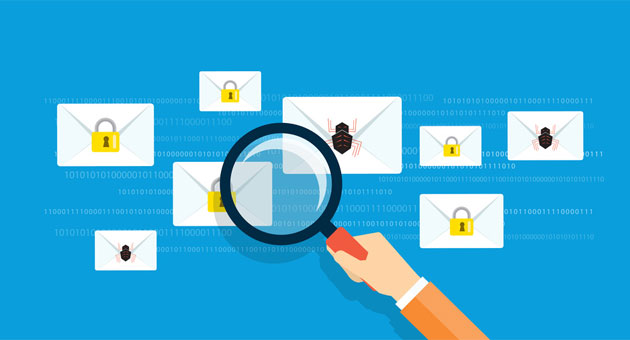
(1) It uses SmartScreen technology, as we already mentioned in the article “The importance of segmenting subscribers into active and inactive”. This technology learns from other spam and phishing mailings, as well as from some users who take part in the Feedback Loop (FBL) program.
(2) It also takes into account the sending volume, any previous spam complaints we’ve had, and the presence of spam traps in our subscriber database.
(3) Sender Reputation Data (SRD), information about sending reputation. A good share of filtering decisions are based on this information.
Participants in this program are chosen at random from among Outlook.com users in 200 countries. These users’ votes are taken into account to determine which emails are spam.
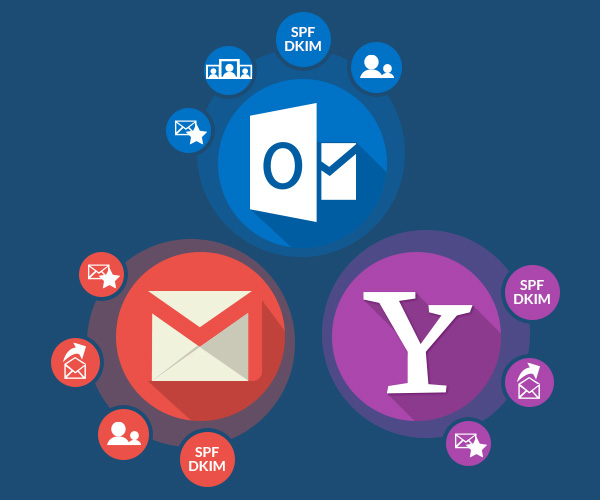
(4) As with Gmail, it will be essential that we authenticate our emails with SPF and DKIM.
Outlook.com, Microsoft’s email service, also uses a range of techniques and criteria to determine whether an email is spam or not.
► Outlook.com filters and algorithms
Outlook.com implements advanced filters and algorithms to protect users from junk email.
Some of the key factors Outlook.com takes into account when filtering emails include:
- Domain authentication: Outlook.com verifies domain authentication using SPF, DKIM and DMARC records, just like Gmail, to make sure the email comes from a legitimate, authenticated domain.
- Email content: Outlook.com analyzes the content of the email for spam signals, such as spam-related keywords, suspicious links and unusual text formatting.
- Sender reputation: Outlook.com considers the sender’s reputation, including their spam rate, user complaints and sending history.
► Blocklists and sender reputation in Outlook.com
Outlook.com maintains internal blocklists and also uses external blocklists to identify and block spam senders.
Sender reputation is crucial to avoid being added to these lists and to ensure deliverability in Outlook.com.
Sender reputation is based on factors similar to Gmail’s, such as spam rate, bounce rate and user complaints.
► How to improve deliverability in Outlook.com
To improve deliverability in Outlook.com, follow these best practices:
- Authenticate your domain: Make sure the SPF, DKIM and DMARC records are set up correctly for your domain.
- Keep a clean subscriber list: Remove inactive or invalid email addresses and use a double opt-in signup process to collect legitimate addresses.
- Avoid suspicious keywords and links: Review the content of your emails to avoid spam-related keywords and links to unsafe or low-quality websites.
- Personalize and segment your emails: Send relevant, personalized content to your subscribers to improve engagement and reduce the chances of them marking your emails as spam.
- Monitor your metrics: Analyze open, click and unsubscribe rates to identify potential problems and make adjustments to your email marketing campaigns.
How does Yahoo Mail filter spam?
Yahoo Mail also bases much of its decision-making on sending reputation, for example:
(1) Sending reputation. Based on a combination of IP + domain + From email address, if any of these elements is low, it will damage the reputation and make it harder for us to reach the inbox.
(2) Engagement, how subscribers react to our emails, is another decisive factor, and it’s based on a history of opens, whether the user deletes the email, whether they do so right after opening it, and whether they reply to our emails (remember how important it is to not use no-reply addresses).
(3) Authentication using SPF and DKIM is also very important.
► Yahoo Mail filters and algorithms
Yahoo Mail applies filters and algorithms to identify and block unwanted emails.
Some of the key factors Yahoo Mail considers when filtering emails are:
- Domain authentication: Yahoo Mail verifies domain authentication using SPF, DKIM and DMARC records to make sure the email comes from a legitimate, authenticated domain.
- Email content: Yahoo Mail analyzes the content of the email for spam signals, such as spam-related keywords, suspicious links and unusual text formatting.
- Sender reputation: Yahoo Mail assesses the sender’s reputation based on spam rate, user complaints and sending history.
► Blocklists and sender reputation in Yahoo Mail
Yahoo Mail maintains internal blocklists and also uses external blocklists to identify and block spam senders.
Sender reputation is essential to avoid being added to these lists and to ensure deliverability in Yahoo Mail.
Sender reputation is based on factors such as spam rate, bounce rate and user complaints.
► How to improve deliverability in Yahoo Mail
To improve deliverability in Yahoo Mail, follow these best practices:
- Authenticate your domain: Make sure the SPF, DKIM and DMARC records are set up correctly for your domain.
- Keep a clean subscriber list: Remove inactive or invalid email addresses and use a double opt-in signup process to collect legitimate addresses.
- Avoid suspicious keywords and links: Review the content of your emails to avoid spam-related keywords and links to unsafe or low-quality websites.
- Personalize and segment your emails: Send relevant, personalized content to your subscribers to improve engagement and reduce the chances of them marking your emails as spam.
- Monitor your metrics: Analyze open, click and unsubscribe rates to identify potential problems and make adjustments to your email marketing campaigns.
If we meet all these points, will we always reach the inbox?
Without a doubt, if we meet these points we’ll have a much better chance of our emailings reaching the inbox. But 100% is very hard to achieve, and it will take a lot of effort and work.
One of the most important factors will be sending reputation. According to Return Path, generally speaking, if your sending reputation is between 0 and 60, only 21% of the emails you send will reach the inbox.
Even with a reputation between 91 – 100, you shouldn’t expect 100% of the emails you send to arrive.
IMPORTANT! Never having sent anything doesn’t mean your reputation is 100%; in fact, it’s quite the opposite.
So get ready to work actively on your sending reputation.
► Additional factors that affect deliverability
- Changes in spam algorithms and filters: Email providers constantly adjust and update their spam algorithms and filters to keep up with spammers’ tactics and protect the
- User behavior: Even if you follow best practices, users may mark your emails as spam for various reasons. These flags can affect your reputation as a sender and, as a result, the deliverability of your emails.
- Technical issues: Sometimes temporary technical issues, such as sending delays or failures in the email infrastructure, can affect the deliverability of your emails.
These should be the foundations of your email marketing strategy, and your goal is to increase your sending reputation and maintain it.
We hope these tips help you with your emailings!