Email body: what it is, what parts it has and examples
Where to write it, what it should include and how to write it so people reply
The email body is the main part of an email, where you write the message you want to get across to the recipient. It sits below the subject line and runs from the greeting to the sign-off.
The subject line is what gets someone to open the email. The body is what they read next, and what leads them to reply, click or buy.
What is the email body?
The email body is the text of the message: what you say, ask for or propose. It can be a single line or several paragraphs, and in marketing emails it also includes images, buttons and links.
An email has three areas:
| Area | What it includes |
|---|---|
| Header | Sender, recipient, CC, BCC and subject line |
| Body | Greeting, message, call to action and sign-off |
| Closing | Signature, attachments and, in marketing emails, the footer with the unsubscribe link |
You’ll find the details of each area in our entry on email structure.
Where is the email body in Gmail and Outlook?
It’s the large blank box that appears below the “To” and “Subject” fields when you compose a message.
In Gmail, you click “Compose” and type in the large area of the window. In Outlook, the button is “New mail” and the body takes up almost the whole window.
It works the same way on your phone: first the recipients, then the subject line and, below that, the space to write.
When a form asks you for “Subject:” and “Body:”, the second field is the text of the message. You’ll see this in contact forms and in programs that send automatic notifications.
What are the parts of an email body?
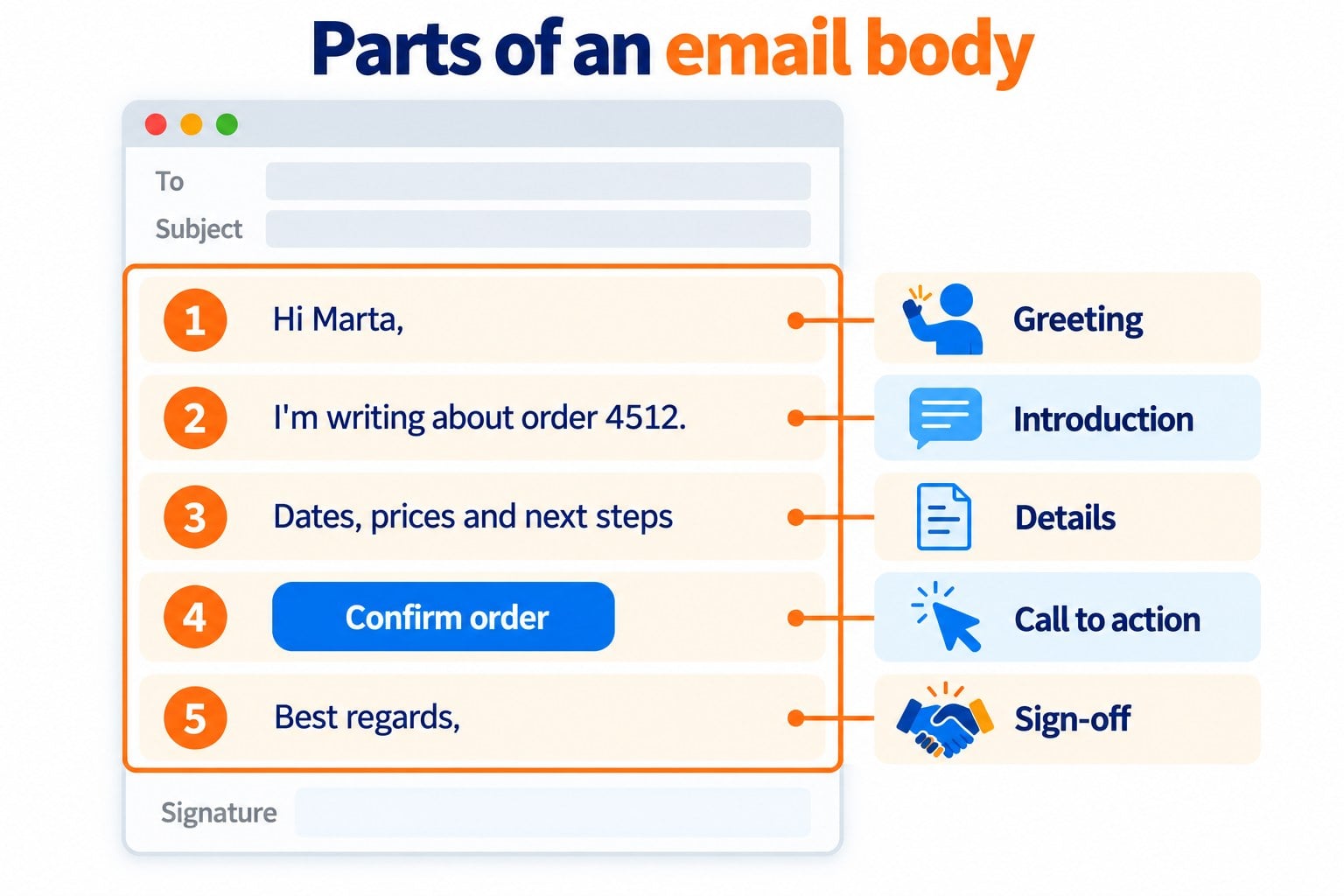
A good email body almost always follows this order:
| Part | What it’s for | Example |
|---|---|---|
| Greeting | Open the message with the right tone | “Hi Marta,” |
| Introduction | Say in one sentence why you’re writing | “I’m writing about order 4512.” |
| Details | Give the information that’s needed | Dates, prices, steps |
| Call to action | Say what you expect the reader to do | “Could you confirm by Friday?” |
| Sign-off | Close politely | “Best regards,” |
In a marketing email, the call to action is usually a button. We explain it in our entry on the call to action (CTA).
Do you write newsletters for your customers?
Create the body of your emails with the drag-and-drop editor and mobile-ready templates. Free for up to 80,000 emails a month.
How to write an email body
- Get to the point. Say in the first sentence what you want or what you’re offering.
- Keep paragraphs short. Two or three lines per paragraph are easier to read, especially on a phone.
- Ask for one thing only. If you ask several questions, number them.
- Watch your tone. Choose a casual or formal tone depending on your relationship with the recipient.
- Check before you send. Double-check names, dates, links and attachments.
How long should the email body be? Boomerang analyzed more than 40 million emails. Those between 50 and 125 words got a reply more than half the time.
Example of a formal email body
Here’s what an email requesting a quote might look like:
| Part | Text |
|---|---|
| Greeting | Good morning, Mr. García, |
| Introduction | I’m writing on behalf of Tienda Verde to request a quote for 200 recycled cardboard boxes. |
| Details | We need the 30 × 20 × 15 cm size, with our logo printed on one side, by November 15. |
| Call to action | Could you send us the price and delivery time by Friday? |
| Sign-off | Kind regards, |
The signature would go below, with name, job title and phone number. If you write letters to customers or suppliers, our entry on the business letter may also help.
The email body in email marketing
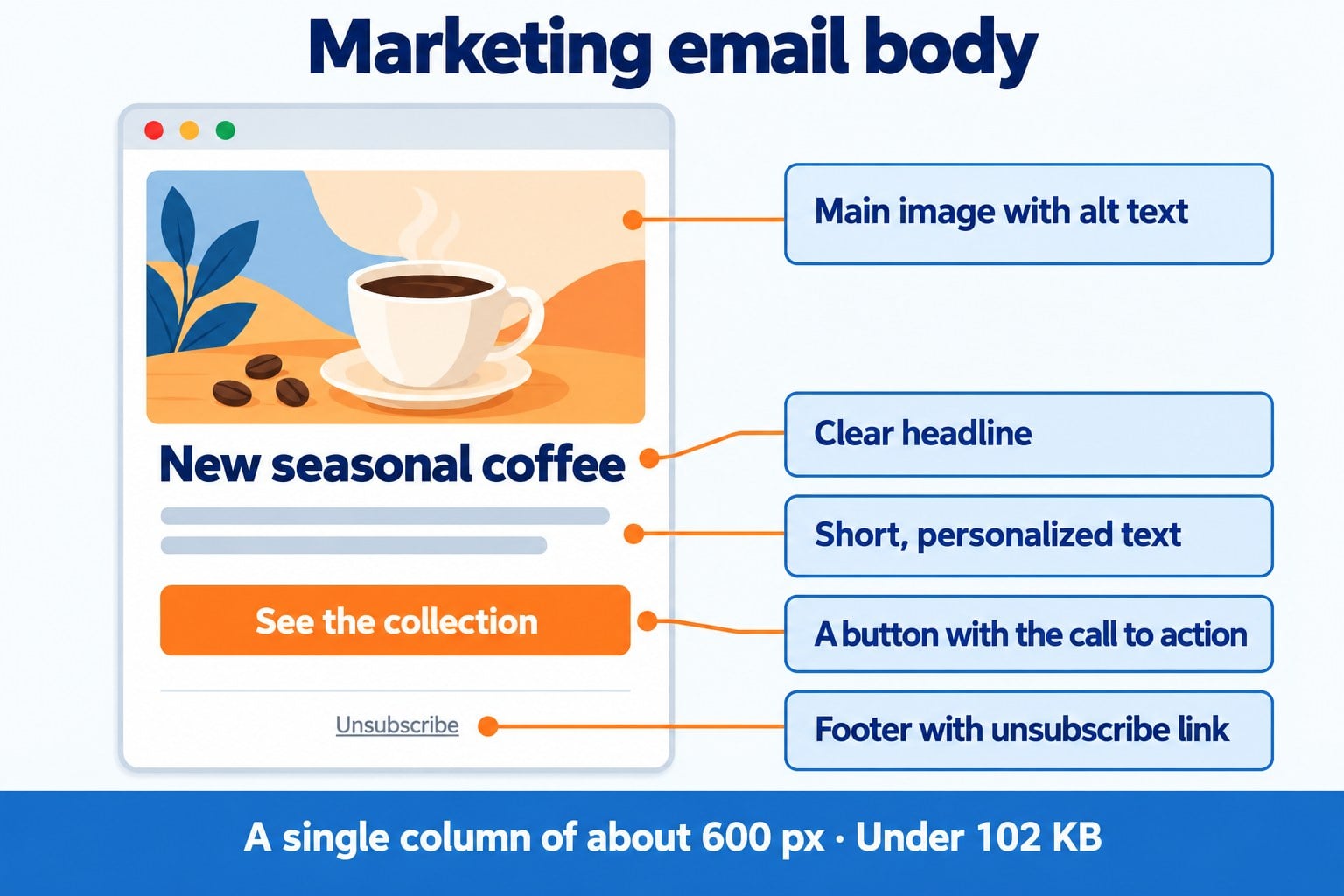
In a newsletter or a promotion, the email body is more than just text. It usually includes a main image, content blocks, one or more buttons, and links.
Keep these guidelines in mind:
- A single column about 600 pixels wide. That way it looks good on both desktop and mobile.
- More text than images. Many email programs don’t display images until the reader allows them. Always add alt text.
- Personalization. With custom fields, you can include the subscriber’s name or details of their last purchase.
- Keep the size down. Gmail clips messages larger than 102 KB and hides the rest behind a “View entire message” link.
The preheader, the text shown next to the subject line in the inbox, comes from the beginning of the body. Make the most of that first line.
What does an email with no body mean?
It’s an email sent with a subject line but an empty body. Sometimes it’s done on purpose: some people write everything in the subject line and add “(end)” or “EOM”, short for end of message.
Gmail warns you if you try to send a message with no subject line and no text in the body. That way you avoid sending an empty email by mistake.
In email marketing, an empty body, or one with just an image and no text, draws the attention of spam filters. Always include real text and an email footer with the unsubscribe link.
How Mailrelay helps you
With Mailrelay, you create the body of your newsletters without knowing how to code:
- Drag-and-drop editor with text, image, button and video blocks.
- Mobile-friendly email templates and an AI email generator.
- Personalization with the name and any field of your subscribers.
- Test emails to check the message before sending it to your list.
The free account includes up to 80,000 emails a month and 20,000 contacts, with human support in English on all plans.
Design emails that get read from start to finish
Templates, personalization and test emails, with human support in English on all plans.
Frequently asked questions about the email body
These are the most common questions.
What is the body of an email?
It’s the main part of the message, below the subject line. It includes the greeting, the text you want to get across, the call to action and the sign-off.
Where is the email body in Gmail?
It’s the large box that appears when you click “Compose”, below the “To” and “Subject” fields. That’s where you write the message.
What do you write in the email body?
A greeting, the reason for the email, the necessary information, what you expect the reader to do and a sign-off.
What’s the difference between the subject line and the email body?
The subject line is the line that sums up the message and is shown in the inbox. The body is the full message, which is read when the email is opened.
How long should an email body be?
Just long enough to be understood. For personal and work emails, 50 to 125 words usually works well.