Google Shopping: what it is, how it works and how to sell your products on Google
How to show your products with a photo and price on Google, for free or with ads, and turn those visits into customers
Google Shopping is the Google service that displays products from different stores, with their photo, price and seller name, so users can compare and buy. It appears in the search engine’s “Shopping” tab and in many product search results.
When users click a product, they go to the store’s website to complete the purchase. Google doesn’t sell anything: it connects people who are searching with people who are selling.
What is Google Shopping?
It’s a product comparison tool built into the search engine. When someone searches for “trail running shoes” or “moka pot”, Google Shopping shows them product listings from several stores with:
Product image.
Price, and sometimes the sale price or shipping costs.
Store name.
Ratings, if the store or product has them.
It was born in 2002 as a comparison engine called Froogle and changed its name several times. For a few years it only accepted paid ads, and it even offered direct checkout within Google, a feature that was later withdrawn. Today it combines free listings and ads.
Free listings and Shopping ads
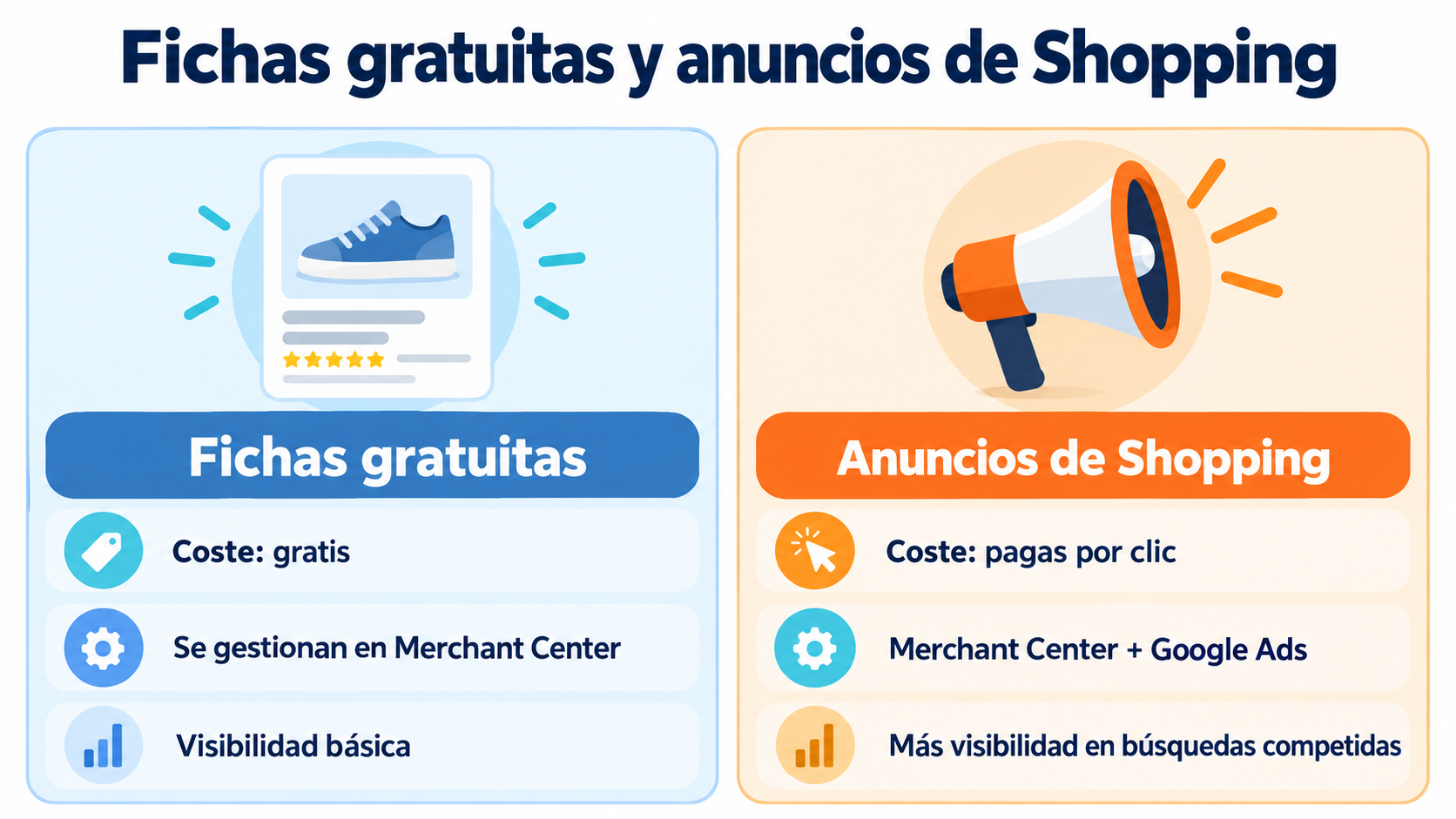
| Free listings | Shopping Ads | |
|---|---|---|
| Cost | Free | You pay per click |
| Where they are managed | Google Merchant Center | Merchant Center + Google Ads |
| Where they appear | Shopping tab and other Google surfaces | Top of the results and Shopping tab, labeled “Sponsored” |
| Control over position | None | Depends on the bid and the ad quality |
| What they’re for | Basic visibility with no investment | Gaining visibility in competitive searches |
Many stores start with free listings and add ads once they see which products perform well.
What is Google Merchant Center?
It’s the free tool where stores upload their product information so it can appear on Google Shopping. There you manage:
The product catalog. Name, description, price, availability, image and code for each item.
Store information. Shipping, returns and contact details.
Diagnostics. Alerts about rejected products or products with errors.
The catalog can be uploaded manually, with a spreadsheet, with a data feed or through your online store platform’s integration. WooCommerce and PrestaShop, for example, have extensions to connect it.
How to sell on Google Shopping in 6 steps
1. Create a Merchant Center account. With your business and website details.
2. Verify your website. Google checks that the store is yours.
3. Set up shipping and returns. They must match what your website says.
4. Upload your products. With clear titles, good photos and up-to-date prices.
5. Enable free listings. Your products can then appear at no cost.
6. Create an ad campaign if you want more visibility. It’s managed from Google Ads by linking your Merchant Center account.
Don’t let your Shopping visitors slip away
Capture the email of everyone who lands on your store with Mailrelay forms and turn them into customers.
Tips to stand out
Descriptive titles. Brand, model, color, size and material. Write the way your customers search.
Clean photos. Neutral background, the product clearly visible and no text overlays.
Up-to-date price and stock. If they don’t match your website, Google may reject the product.
Reviews. Customer ratings build trust when shoppers compare.
Real offers. A sale price or free shipping shows up in the listing and attracts clicks.
Measure the results. For ads, check the ROAS of each product group and remove what doesn’t sell.
Google Shopping and email marketing
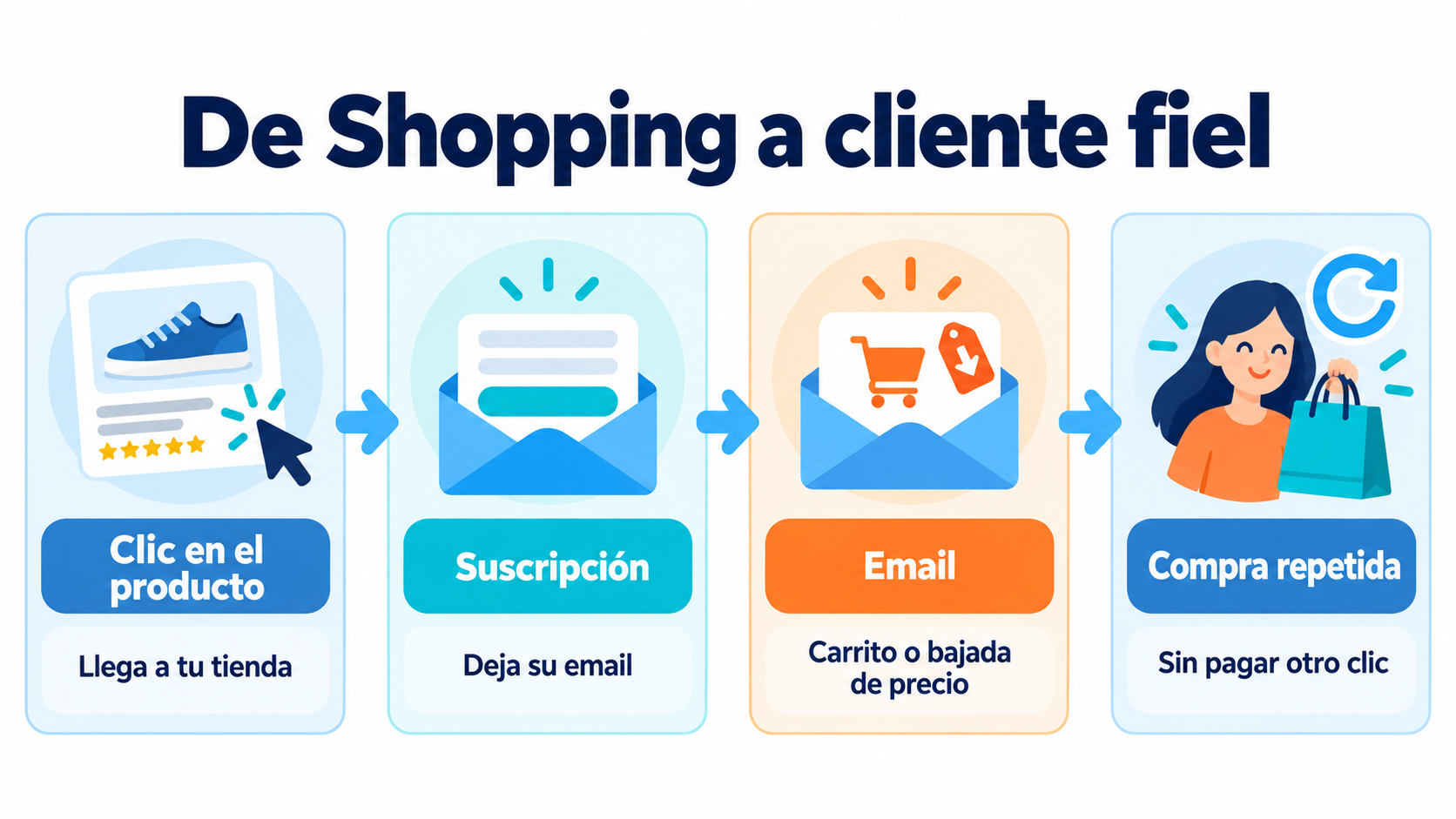
Google Shopping brings in the first visit. Email brings the customer back:
Capture the email on the first visit. A welcome discount or new product alerts in exchange for subscribing.
Recover carts. An abandoned cart email closes purchases that started with a click on Shopping.
Announce price drops and restocks. For people who have already shown interest in a product.
Get them to buy again. A customer who comes back from your newsletter is a sale you don’t pay another click for.
Common mistakes
Data that doesn’t match the website. Different prices, stock or shipping costs lead to rejections.
Generic titles. “Blue T-shirt” competes worse than “Men’s navy blue organic cotton T-shirt”.
Poor images. Blurry photos, watermarks or cluttered backgrounds.
Forgetting free listings. Many stores pay for ads without first taking advantage of free visibility.
Not capturing visitors. If all you do is buy clicks, every visit that doesn’t end in a purchase is lost.
How Mailrelay helps you
With Mailrelay you can capture subscribers on your store and send abandoned cart emails and newsletters with your new products and offers. Segmentation lets you send each customer offers on what they’re interested in.
The free account includes up to 80,000 emails a month and 20,000 contacts, with human support by chat, ticket and phone.
Send your newsletters with Mailrelay
Up to 80,000 emails a month and 20,000 contacts for free, with human support on every plan.
Frequently Asked Questions
These are the most common questions about this service.
What is Google Shopping in a nutshell?
A Google product comparison tool that shows items from different stores with their photo and price.
Is it free to appear on Google Shopping?
Yes, with free listings. If you want more visibility, you can pay for Shopping ads.
Do you complete the purchase on Google?
No. When users click, they go to the store’s website to complete the purchase.
What do I need to sell on Google Shopping?
An online store, a Google Merchant Center account and your products uploaded with the correct details.
What’s the difference between Google Shopping and Google Ads?
Google Shopping is where products appear. Google Ads is the tool you use to pay for Shopping ads and other formats.