Email marketing for ecommerce: the emails your online store needs
The emails that turn visits into purchases and buyers into loyal customers
Email marketing for ecommerce is the use of email to help an online store make sales, recover carts and get its customers to buy again. It combines campaigns, such as the newsletter or promotions, with automated emails.
The latter are sent automatically when the customer does something in the store.
Think about what happens in your store every day. Someone subscribes, someone else adds products to the cart and leaves, a third person buys for the first time.
Each of those moments is a sales opportunity. And email marketing for ecommerce is the channel that makes the most of it.
It reaches a list that is yours and doesn’t depend on any algorithm.
Why does email marketing work so well for an online store?
Because every email can be tied to a sale. You know who opens it, who clicks and who ends up buying, so you can calculate the ROI of each send.
It is also the channel that best recovers lost sales. According to the Baymard Institute, about 7 out of 10 carts are abandoned (70.22% on average across 50 studies).
Almost half of those abandonments are due to extra costs, such as shipping or taxes.
And it helps you sell more to people who have already bought. A repeat customer spends more and costs less to win than a new one, something measured with customer lifetime value.
Which email platforms are best for small online stores?
For a small store, the best platform isn’t the one with the most features, but the one that fits your store and your budget as your list grows. Look at four things:
- a free or low-cost plan that you won’t outgrow in a few months;
- that it connects to your store’s platform;
- abandoned cart emails and a few basic automations: welcome, post-purchase and reactivation;
- SMS in the same workflow, if you’re going to use it, and support in your language.
The rule of thumb is to choose based on your store first. If you sell with WooCommerce, Mailrelay gives you up to 80,000 emails a month and 20,000 contacts for free, with the official plugin and the abandoned cart automation included from the free account, SMS in automations with credit, and human support on every plan. If your store is on Shopify, choose a tool with a direct Shopify integration.
Email platforms for small online stores (November 2026)
| Platform | Free plan | Stores it connects to | Abandoned cart | SMS |
|---|---|---|---|---|
| Mailrelay | 80,000 emails a month and 20,000 contacts | WooCommerce, with its official plugin; other stores, with Make or the API | Yes, even on the free account | Yes, in automations, with SMS credit |
| Mailchimp | 250 contacts and 500 emails per month | WooCommerce, Shopify and others | Only on paid plans (automations have been paid-only since June 2025) | Paid add-on from the Essentials plan |
| MailerLite | 250 subscribers and 2,500 emails a month, with a maximum of 3 automations | WooCommerce, Shopify and others | Yes | No built-in SMS |
| Klaviyo | 250 profiles and 500 emails a month, with $5 a month in SMS | Shopify, BigCommerce, WooCommerce, Magento, PrestaShop and others | Yes | Yes |
| Brevo | 300 emails a day | Tracker and purchase events in the store | Yes, with the tracker and purchase events | Yes, with SMS credits |
| Mailjet | 6,000 emails a month, up to 200 a day | Shopify, via Zapier | No built-in cart automation | With Zapier |
Plans and prices change often: check them on each tool’s website before you choose.
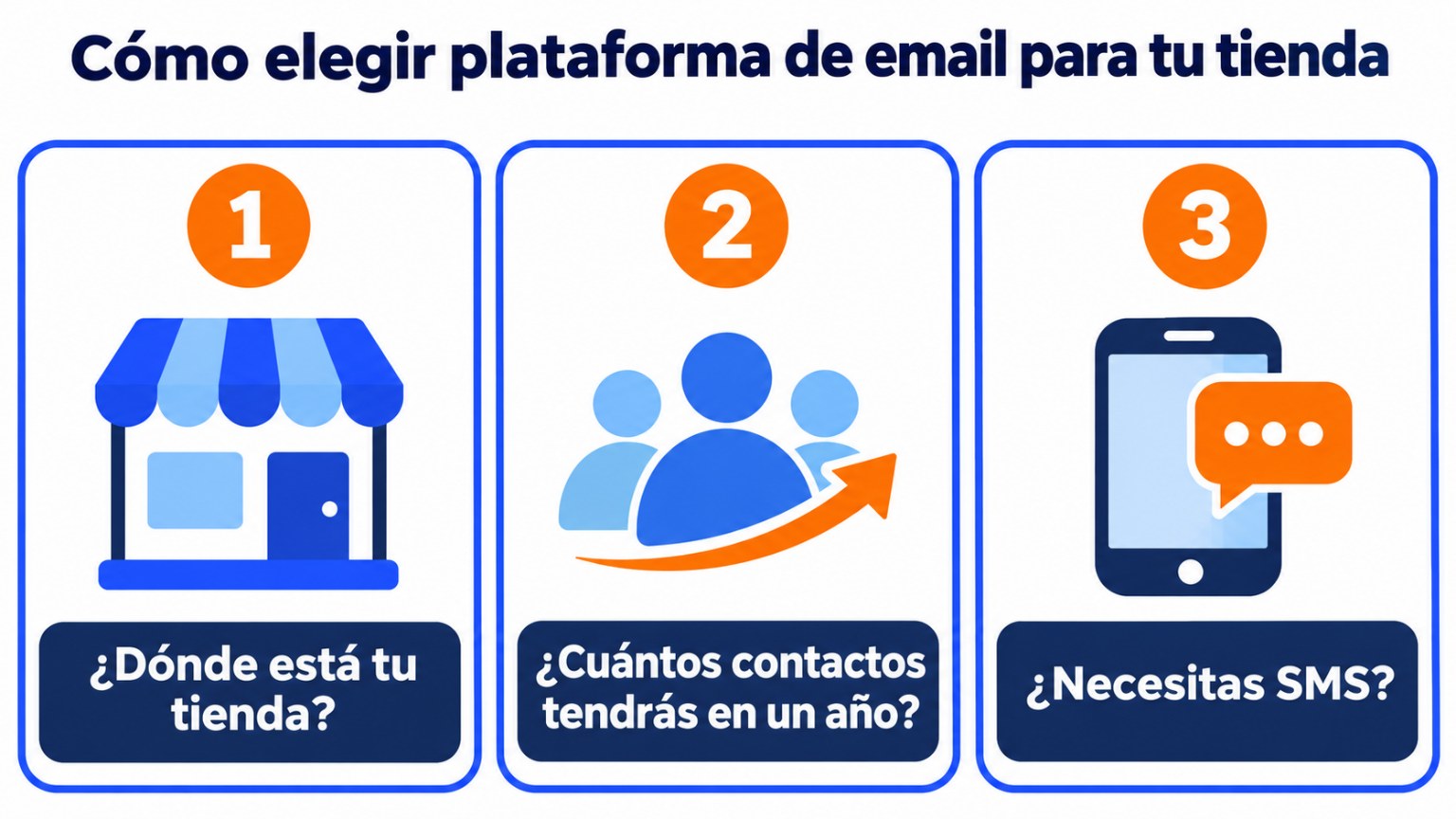
How to choose in three questions:
- Where is your store? This determines which tools connect without coding.
- How many contacts will you have a year from now? Compare prices against that number, not today’s.
- Do you need SMS? If so, it’s best to have it in the same workflow as your emails.
You’ll find more details in abandoned carts and SMS marketing.
The most common mistake I’ve seen in small stores isn’t having a small budget, but deciding poorly where to spend it. Most of them insisted on expensive social media or SEM campaigns that they couldn’t keep up for more than a few weeks. An online store needs a marketing strategy that holds steady over time. Email marketing, working on your contact list, is more efficient in that respect. Although the results may take a little longer, they are more sustainable for a small store.
Jose Argudo, CMO of Mailrelay
The 8 emails every online store should send
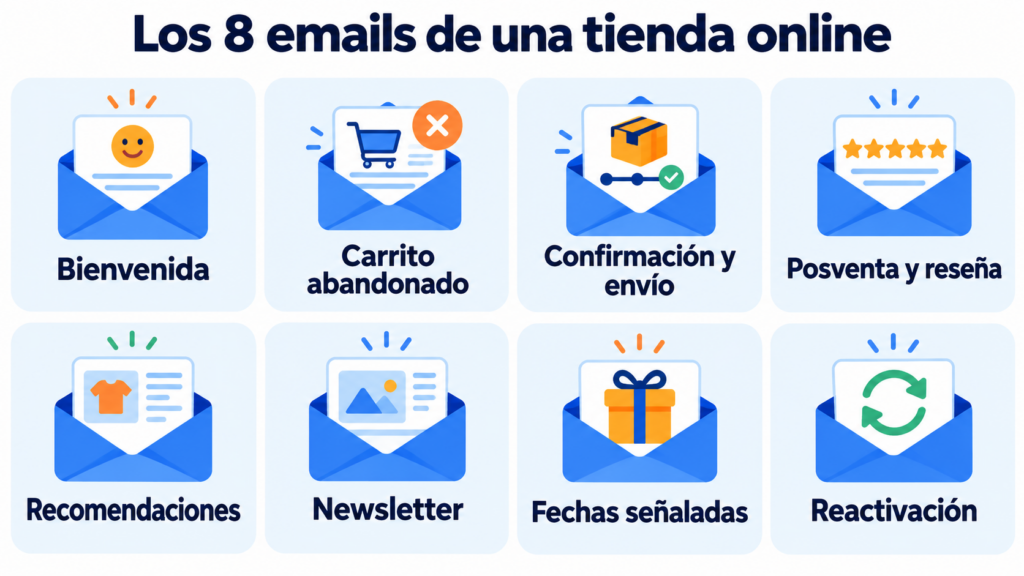
1. Welcome email
It is the first email a new subscriber receives and one of the most opened. Introduce yourself, explain what they will receive and, if you like, include a discount for their first purchase.
You’ll find examples in our welcome email entry.
2. Abandoned cart
It is sent when someone leaves products in the cart without paying. Remind them what they left behind, answer questions about shipping or returns and add a button to go back to the cart.
It is explained step by step in our abandoned cart email entry and in how to recover abandoned carts.
3. Order and shipping confirmation
These are transactional emails: the customer expects them and almost always opens them.
Confirm the order, let them know when it ships and add the tracking number. A link to related products doesn’t hurt here.
4. Post-purchase and review request
A few days after delivery, ask whether everything went well and ask for a review. Reviews help you sell to the next customers and alert you to problems early.
5. Recommendations and cross-selling
Suggest products that go with what they already bought: an accessory, a refill, the next size up. It is the basis of cross-selling and upselling.
6. Newsletter and promotions
They keep your store on the customer’s mind between purchases. New arrivals, seasons, how-to guides and offers.
Learn how to create one in our guide to newsletters for ecommerce.
7. Key calendar dates
Sales seasons, Black Friday, Christmas or Mother’s Day account for a large share of the year’s sales.
Prepare a short sequence: an advance notice, the day of the offer and a last reminder.
8. Reactivating inactive customers
If someone hasn’t bought anything or opened your emails for months, send them a reactivation campaign with an incentive.
If they still don’t respond, remove them from your list: it improves your deliverability.
Automate your online store’s emails
Welcome, abandoned cart and post-purchase emails with the free account: up to 80,000 emails a month to 20,000 contacts.
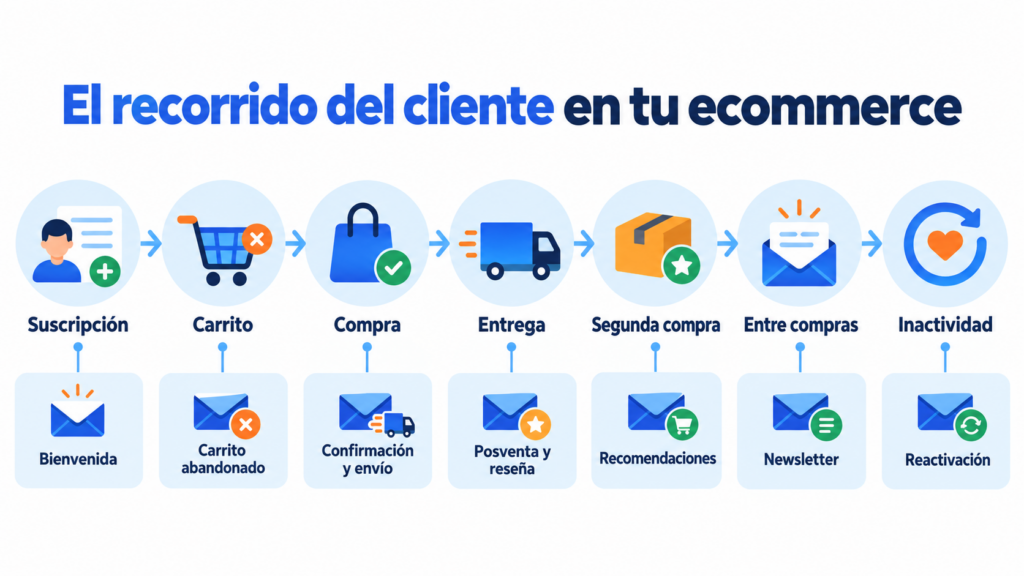
Which email to send at each moment
This table sums up when each email is triggered and what you want to achieve with it:
| When it is sent | Goal | |
|---|---|---|
| Welcome | Right after subscribing | First purchase |
| Abandoned cart | 1 to 24 hours after abandonment | Recover the sale |
| Confirmation and shipping | When the order is placed and when it ships | Trust and fewer inquiries |
| Post-purchase and review | 5 to 10 days after delivery | Reviews and satisfaction |
| Recommendations | 2 to 4 weeks after the purchase | Second purchase |
| Newsletter | Every week or every month | Brand recall and traffic |
| Key dates | Before and during each campaign | Sales peaks |
| Reactivation | 3 to 6 months without activity | Win the customer back or clean the list |
These are guidelines. Adjust the timing to your purchase cycle: a store that sells coffee is not the same as one that sells furniture.
Example: an online store’s first automations
Imagine a natural cosmetics store that is getting started with email marketing. Here is what its first two automations could look like:
| When | Sample subject line | What it includes | |
|---|---|---|---|
| Welcome 1 | On subscribing | Welcome: this is how we care for your skin | Who you are, what makes you different and the first-purchase code, if there is one |
| Welcome 2 | 2 days later | Dry, combination or oily skin? | A short guide by skin type, with links to each category |
| Welcome 3 | 5 days later | The 3 products customers buy again most often | The best sellers, with customer reviews |
| Cart 1 | 2 hours later | Did you forget something? | A reminder, shipping and return terms, and a button to go back to the cart |
| Cart 2 | 24 hours later | Your cart is still waiting for you | Answers to the most common questions and an easy way to get in touch |
If your margin allows it, you can add a third cart email with free shipping. Once these two automations are working, add the post-purchase one. And measure each email by the sales it brings in, not by its opens.
How to automate your store’s email marketing
In email marketing for ecommerce, most emails are written once and run on their own. The key is to connect your store to your email tool so it knows who buys, what they buy and who abandons their cart.
Start with three automations: welcome, abandoned cart and post-purchase. They cover the moments with the highest purchase intent.
Once they’re working, you can build longer sequences with drip email marketing.
Then use segmentation so you don’t send the same thing to everyone. Separate people who have never bought from regular customers, or group them by product category.
The RFM model helps you rank your customers by how recent, frequent and profitable they are.
And don’t forget permission. Capture subscribers with a pop-up or a subscription form with double opt-in.
In Spain, the LSSI allows you to email your customers about products similar to the ones they bought, as long as they can unsubscribe.
What to measure in ecommerce email marketing
In an online store’s email marketing, the metric that matters most is sales, not opens. Measure revenue per campaign and per automation, and compare it with what it costs you to send them.
Then look at the conversion rate, the average order value and the cart recovery rate.
Opens and clicks help you improve subject lines and designs. If you can’t decide between two versions, run an A/B test.
Common mistakes in email marketing for ecommerce
- Sending only offers. If every email is a discount, your customers learn to wait for the next one and buy less at full price.
- Sending the same thing to everyone. Someone who has never bought and someone who buys every month need different messages.
- Offering a discount in the first cart email. Many people come back with just the reminder. Save the incentive for the last one.
- Not checking the email on mobile. Many of your customers will open it there. Check images, buttons and text before sending.
- Emailing without permission. The LSSI exception only covers products similar to the ones the customer bought. For everything else, you need their consent.
How Mailrelay helps with your online store’s email marketing
With the free Mailrelay account you can send up to 80,000 emails a month to 20,000 contacts. For many small stores, that covers the newsletter, promotions and automations without paying.
Megasur, one of the largest IT wholesalers in Spain, for example, segments its subscriber base and has improved the deliverability of its newsletters (see the Megasur case study).
If your store runs on WooCommerce, the official Mailrelay plugin for WordPress has synced customers, products and carts since version 3.0.
With that data, you can automate the abandoned cart email. For other platforms, you can use the API or the Make integration.
You get hundreds of email marketing templates, an AI-powered editor, segmentation, A/B testing and reports with click maps.
And human support on every plan.
If you run a hotel, a restaurant or a leisure business, also see our entry on email marketing for tourism and hotels.
Sell more with your ecommerce email marketing
Templates, automations and segmentation, with human support on every plan.
Frequently asked questions about email marketing for ecommerce
These are the most common questions about email marketing for ecommerce.
What emails should an online store send?
At a minimum, welcome, abandoned cart, order confirmation and post-purchase emails. Then you can add a newsletter, recommendations, key dates and reactivation.
How many emails should an abandoned cart sequence have?
One to three is usually enough. The first one a few hours later; the second one the next day; the third one with an incentive if your margin allows it.
It depends on how much news you have. Once a week or every two weeks works for most stores. What matters is keeping a steady pace.
Can I email my customers without asking for their permission?
Yes, if you offer them products similar to the ones they bought and they can unsubscribe from every email. For all other contacts, you need their prior consent.
What is the difference between email marketing and transactional email in ecommerce?
Email marketing aims to sell or build loyalty, like a newsletter or a promotion. Transactional email responds to a customer action, like an order confirmation.
Which email marketing platform is best for WooCommerce?
One that has an official WooCommerce plugin and syncs customers, products and carts, so you can automate abandoned cart emails without coding. Mailrelay has one, and the abandoned cart automation is included from the free account.