Spoofing: what it is, types and how to stop your email from being spoofed
How identity spoofing works and what to do so that nobody sends emails in your name
Spoofing is a fraud technique in which someone pretends to be another person, company or system to deceive the victim. The attacker fakes a piece of information that inspires trust, such as an email sender, a phone number or a website, to steal data or money.
It is also known as identity impersonation. In email marketing, it is a double risk: your customers can receive fake emails in your name, and your sender reputation can suffer.
What does spoofing mean?
In English, spoof means “hoax” or “parody”. The term refers to deceiving someone by pretending to be someone else.
It should not be confused with phishing, although the two often go hand in hand:
| Spoofing | Phishing | |
|---|---|---|
| What it is | Faking an identity | Deceiving someone to steal data |
| It is | The technique | The goal of the attack |
| Example | An email that seems to come from your bank | The fake page that asks for your password |
Many phishing attacks use spoofing to make the message look legitimate.
Types of spoofing
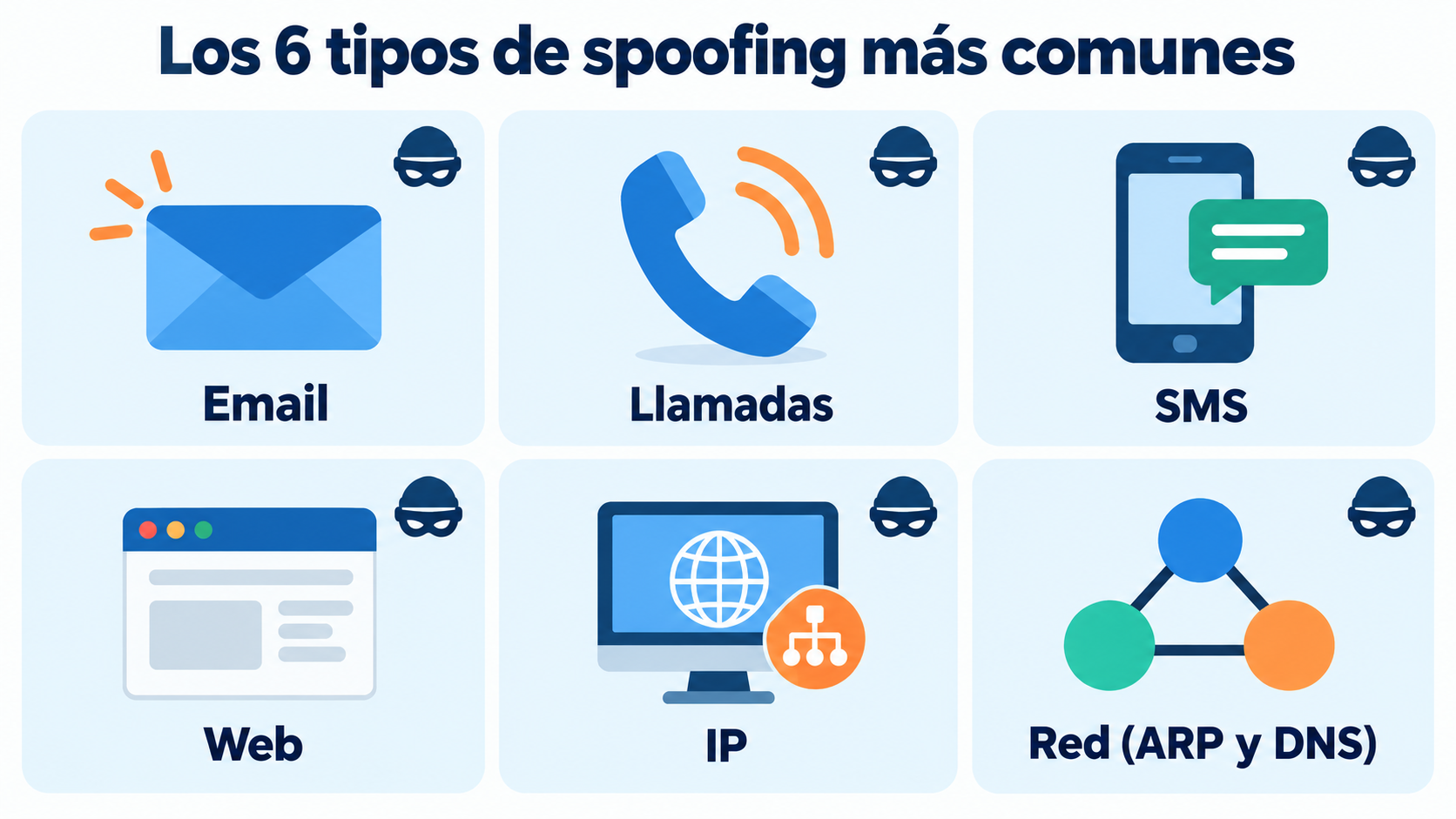
These are the most common:
| Type | What is faked | Example |
|---|---|---|
| Email spoofing | The email sender | An email “from your bank” asking you to verify your account |
| Caller ID spoofing | The calling number | A call that shows up as your electricity company |
| SMS spoofing | The SMS sender name | A fake parcel delivery notice |
| Website or URL spoofing | A web page | A copy of a store’s website at a different address |
| IP spoofing | A device’s IP address | Attacks to overload servers |
| ARP and DNS spoofing | A network’s traffic | Redirecting users to a fake website |
When it is done by SMS, it is also called smishing.
How does email spoofing work?
SMTP, the protocol used to send email, does not check on its own who sends each message. That is why it is possible to put any address in the “From” field.
The attacker sends an email with the name and address of a well-known company. The recipient sees a trusted sender and does not suspect anything. Inside, there is usually a link to a fake website, an attachment with malware or an urgent payment request.
To stop it, there are three authentication records that are published in the domain’s DNS:
| Record | What it checks |
|---|---|
| SPF | Which servers can send emails with your domain |
| DKIM | That the message carries your signature and has not been modified |
| DMARC | What the receiver should do if SPF or DKIM fail |
With a strict DMARC policy, mailbox providers can reject emails that spoof your domain or send them to spam.
How to tell if an email is fake
These signs help you spot a spoofed email:
Look at the full address, not just the name. The name may say “Your bank”, but the address may belong to another domain.
Be wary of urgency. “Your account will be closed today” or “pending payment” are typical phrases.
Hover over the links. Check that the address they lead to is the official one.
Check the headers. In Gmail, the “Show original” option tells you whether the message passed SPF, DKIM and DMARC. Read more about the header.
Never send passwords or bank details by email. Reputable companies don’t ask for them that way.
Send from your authenticated domain
Set up SPF and DKIM with Mailrelay and let your customers know your emails really come from you.
How to protect your domain from spoofing
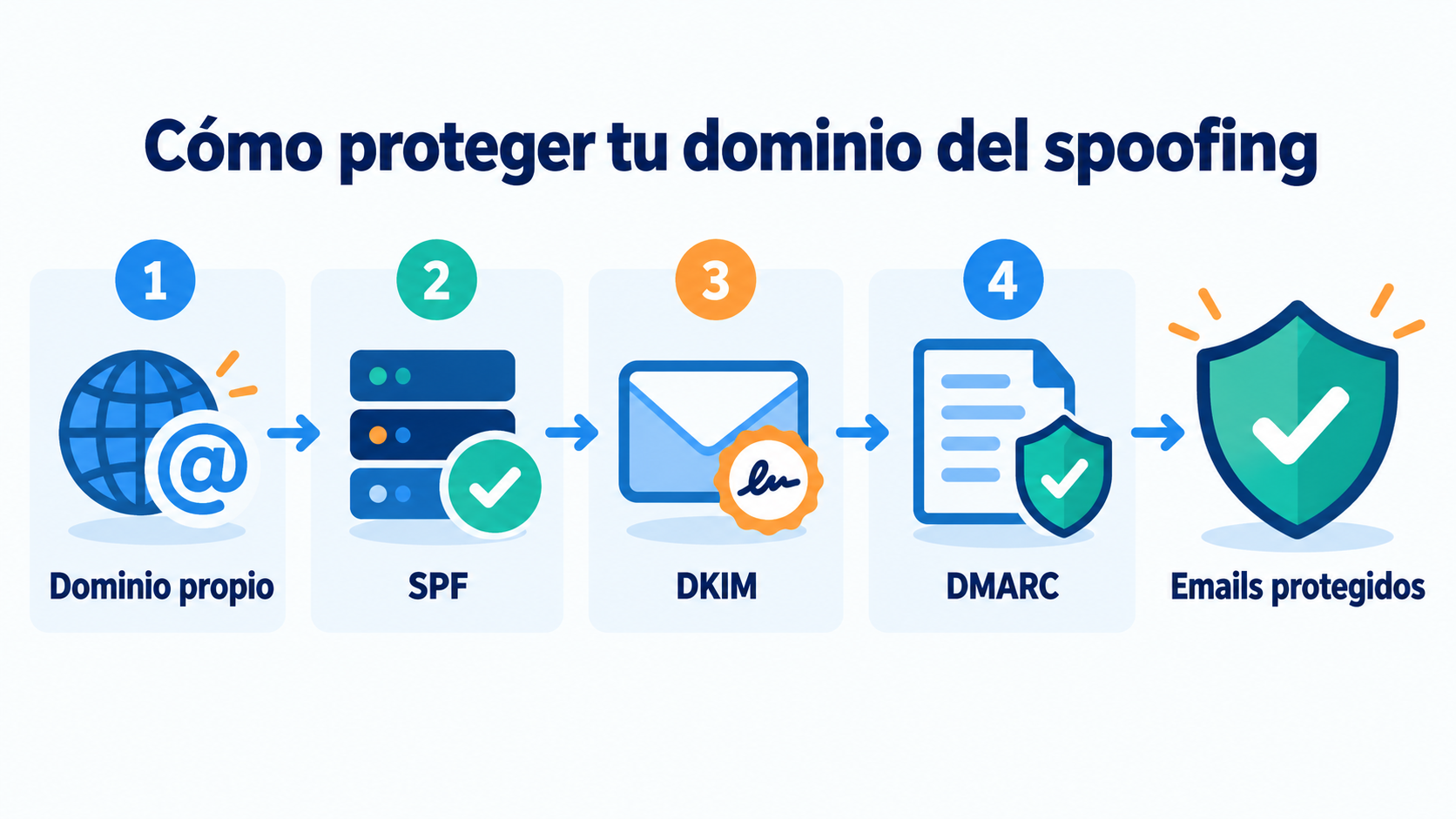
If you send newsletters, these steps stop others from using your domain:
1. Send from your own domain. Use a sending domain you control, not a free address.
2. Publish SPF and DKIM. Include your email marketing platform in the SPF record and enable DKIM signing.
3. Add DMARC. Start with a monitoring policy (p=none), review the reports and then move to quarantine or reject.
4. Consider BIMI. With a strict DMARC policy, BIMI lets you show your logo next to your emails in some mailbox providers.
5. Warn your customers. Explain what information you will never ask them for by email and which address you write from.
Since 2024, Gmail and Yahoo require SPF, DKIM and DMARC from anyone who sends large volumes of email. We explain it in bulk sender requirements.
What to do if someone impersonates your company
If your customers receive fake emails in your name:
Warn your customers through your official channels and explain how to recognize the fraud.
Review your DMARC. If you don’t have it, publish it. If you have p=none, consider moving to a stricter policy.
Report it. In Spain, you can contact INCIBE (phone 017) and file a complaint with the police.
Monitor your reputation. Check whether your domain appears on any blacklist.
How Mailrelay helps you
Mailrelay lets you send from your own domain authenticated with SPF and DKIM, and guides you through setting it up. That way, your campaigns stand apart from fake emails and your domain reputation stays yours.
The free account includes up to 80,000 emails a month and 20,000 contacts, with human support by chat, ticket and phone.
Protect your sending with Mailrelay
Up to 80,000 emails a month and 20,000 contacts for free, with human support on every plan.
Frequently Asked Questions
These are the most common questions about identity spoofing.
What is spoofing in a nutshell?
It is pretending to be another person, company or system to deceive someone, by email, phone, SMS or web.
What is the difference between spoofing and phishing?
Spoofing is faking an identity. Phishing is deceiving someone to steal data, and it often uses spoofing.
Is spoofing a crime?
Impersonating another person or company to deceive someone can be the crime of fraud or identity theft, depending on the case.
How do I stop my domain from being used to send spam?
Publish SPF, DKIM and DMARC, and move DMARC to a strict policy once all your legitimate email is authenticated.
Can a domain with DMARC be spoofed?
It is much harder. With p=reject, providers that honor DMARC reject fake emails that use your exact domain.