
In a digital world where inboxes fill up fast, making your emails stand out has become an art.
If you don’t have your own newsletter yet, first find out how to create a free newsletter and then add the finishing touch with these emojis.
Emoticons, or emojis, those little images that express emotions or ideas, can be the key to grabbing your recipients’ attention.
In this article, we’ll explore how and why emoticons can make your emails more visible.
From where to find the perfect emojis to how to use them in your email subject lines, plus the potential benefits they can bring to your email marketing, we’ll give you a complete guide to using emoticons in your email communications.
Emojis for emails: where can you find them?
Today, inboxes are packed and standing out is getting harder and harder.
This is where emoticons, or emojis, come into play.
These little images that express emotions or ideas can be the key to grabbing your recipients’ attention and making your emails more visible.
But where can you find the perfect emojis for your emails?
Here are some of the best sources of emoticons for your emails.
→ Fsymbols
The first one is Fsymbols, where you’ll find lots of free emoticons. It’s also very easy to use: just search for the emoticon, copy it and paste it into your mailing’s subject line.
When you open the website, you’ll see something like this:
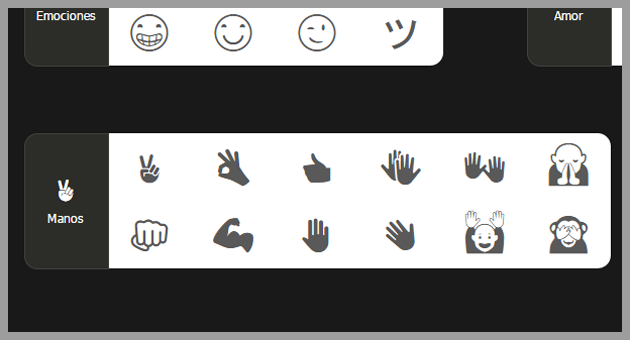
So all we have to do is find the emoticon we like and click on it.
When we do, it tells us it has been copied to the clipboard.
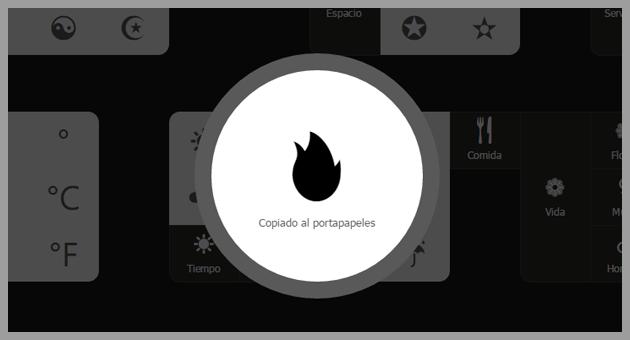
All that’s left is to paste our emoticon when we create our newsletter.
We can add our email emoticons in two ways:
- With the CTRL+V keys
- With the mouse: “right-click + paste”
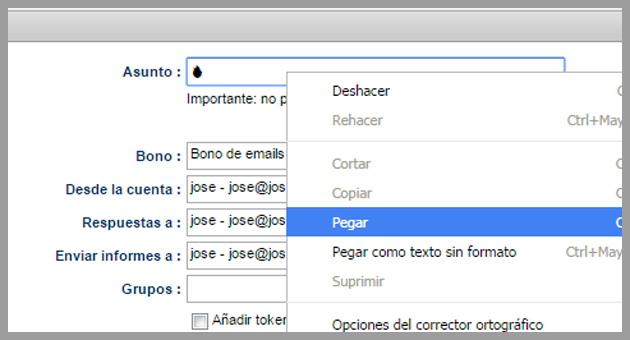
Then, depending on the email client, it will be displayed one way or another, for example in Gmail.
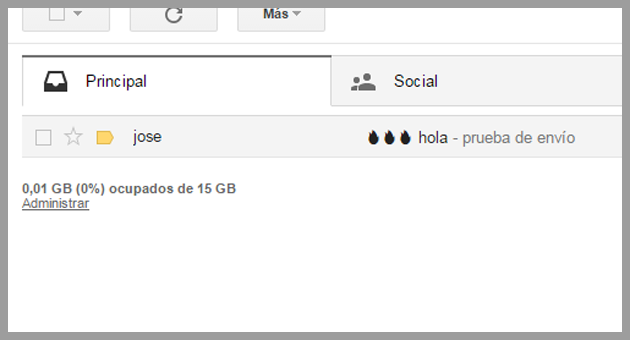
And in the inbox, the email emoticons are shown as in the following image.
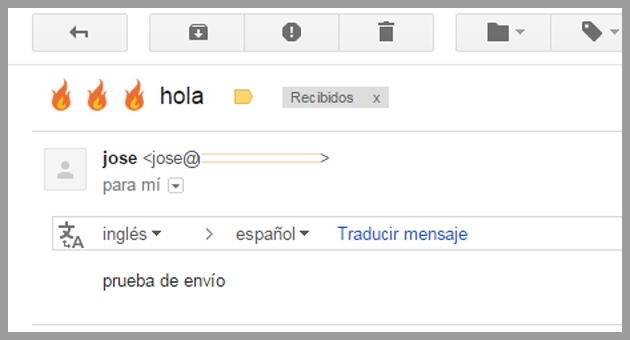
But that depends on the email client.
→ i2symbol
Another site where we can copy emoticons for our bulk emails is:
- i2symbol
It’s just as easy: simply go to the site and click on the emoticon, which will be copied to the clipboard:
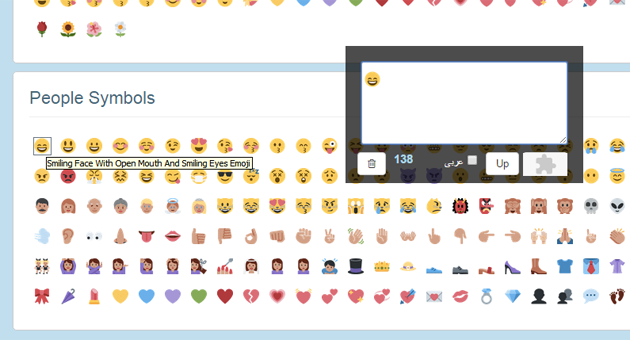
And we can paste it into the email subject line the same way as before.
→ Emojipedia
Emojipedia is basically an encyclopedia of emojis.
The advantage of this site is that it gives you the description and meaning of each emoji, which is very useful if you want to be sure of the impression you’re giving.
Emojipedia stays up to date with the latest emojis, so you can keep up with new trends.
→ GetEmoji
GetEmoji is a simple but effective site for getting emojis.
All the emojis on GetEmoji are laid out on a single page, which makes them easy to find and copy.
You just need to browse, find the emoji you’d like to use and click to copy it.

How to add emojis to your email subject line
Adding emoticons to your emails can bring a touch of personality and visual appeal that helps your messages stand out in a crowded inbox.
But how can you add these small but powerful symbols to your emails?
Here are two simple methods.
→ Copy and paste emojis
This is the simplest, most direct way to add emoticons to your email subject line.
On the websites we mentioned earlier, such as Fsymbols, i2Symbol, Emojipedia and GetEmoji, you can find the emoji you want to use, click on it to select it, and then simply copy it (Ctrl+C or Cmd+C) and paste it (Ctrl+V or Cmd+V) into your email subject line.
This method is quick and effective, and lets you choose from a wide range of emojis.
→ Use emoji codes
Some systems and platforms let you use codes to insert emojis.
These codes are usually made up of a series of characters that turn into the corresponding emoji when you type them.
For example, on some platforms, typing “:smile:” turns into a smiling face emoji.
It’s important to note that this method can be more complicated, and not all email systems recognize emoji codes.
So it’s a good idea to check that the emojis display correctly before sending the email.
Remember that, although emojis can make your emails more appealing, it’s also important to use them sparingly and appropriately to keep your communications professional and effective.
In the next section, we’ll look at why you should consider using emojis in your email subject lines.
Why use emojis in your email subject lines?
With their ability to grab attention and convey emotions quickly and effectively, emoticons can be a powerful tool in your email marketing strategy.
But what are the specific reasons for including them in your email subject lines?
Three of the main benefits are:
→ Improve your email open rate
Studies show that emails with emojis in the subject line have higher open rates than those without them.
Emoticons can make your emails stand out in a sea of plain text, catching the recipient’s eye and sparking their curiosity.
When a relevant, eye-catching emoji appears in the subject line, the recipient is more likely to feel motivated to open the email and read its content.
→ Increase reader engagement
Emoticons can not only increase your email open rates, but also boost engagement with your readers.
By using emojis in the subject line, you can convey a friendly, approachable tone that can encourage the recipient to interact with your email, whether by replying, clicking a link or taking the action you suggest.
→ Make your emails stand out in the recipient’s inbox
In an inbox full of emails, making yours stand out can be a challenge.
Emoticons can be a great way to set your emails apart from the rest.
By providing a visual point of interest, emojis can help make your emails more recognizable and memorable for your recipients.
Remember that emoticons should be used in emails with care and thought.
In the next section, we’ll go over some important considerations when using emoticons in your emails.

Things to consider when using emojis in emails
Using emoticons in emails can offer many benefits, but it’s also important to keep a few key considerations in mind to make sure your messages are effective and professional.
Here are three important factors to consider.
→ Compatibility with different email clients
Not all email clients display emojis the same way.
Some may not support certain emoticons, which can make your emails look strange or incomprehensible to some recipients.
Before sending an email with emoticons, it’s a good idea to run tests to see how they display in different email clients.
→ Keeping it professional and striking the right tone
Although emoticons can add a touch of personality and friendliness to your bulk emails, it’s also important to stay professional.
Overusing emojis can make your emails seem less serious or even childish.
Likewise, using inappropriate emoticons or emoticons out of context can cause confusion or even offend your recipients.
So it’s important to choose the emoticons you use carefully and make sure they fit the tone and content of your message.
→ The chance of your emails being marked as spam
There’s a chance that using emoticons in email subject lines could cause some email filters to mark them as spam.
This is because some spammers use emoticons to try to stand out in the inbox or to hide spam keywords.
So it’s a good idea to use emoticons sparingly and avoid combining them with other techniques that may be seen as spam, such as excessive use of capital letters or sensationalist words and phrases.
Conclusions
In this digital age, emoticons have become essential in email communications, improving open rates and reader engagement.
We’ve explored several sources for finding emoticons and how to add them to our emails.
However, they should be used strategically and thoughtfully, taking into account factors such as compatibility with different email clients, a professional tone and the chance of messages being marked as spam.
In short, emoticons are a useful and powerful tool in email marketing when used correctly.
Using emojis well can improve your open rate, although it’s best to combine them with good copywriting techniques so the message is truly effective.

Jose Argudo
CMO at Mailrelay. Writes about email marketing, copywriting, and conversion for small businesses and entrepreneurs.