Email marketing tool: what it is, what it should include and how to choose one
The software that creates, sends and measures your email campaigns
Quick answer: an email marketing tool lets you create, send, automate and measure email campaigns. The best option combines ease of use, good deliverability, segmentation, clear statistics and human support. It must also fit your volume and budget.
Choosing an email marketing tool seems simple until you compare plans, limits and features.
That’s when the questions start:
- Do you need automations?
- How many contacts does it support?
- Is support included?
- Will your emails arrive?
The answer isn’t to sign up for the platform with the most buttons.
It’s to pick the one that meets your needs without adding complexity or hidden costs.
In this guide you’ll discover what to check and how to test each option. You’ll also see why Mailrelay can support you from your first newsletter all the way to high-volume campaigns.
What is an email marketing tool?
An email marketing tool is software for managing campaigns aimed at a list of subscribers. It brings design, sending, automation, segmentation and analysis together in a single dashboard.
It’s not the same as your corporate email. Gmail or Outlook are fine for individual conversations and daily tasks. However, they aren’t designed to send thousands of messages, manage unsubscribes or measure results.
An email marketing platform also takes care of technical processes. For example, it organizes bounces, prevents further sends to invalid addresses and makes domain authentication easier.
That’s why it doesn’t just save time. It also turns email into a measurable channel for attracting, selling and building loyalty.
If you want to dig deeper into the concept, read our guide on what email marketing is.
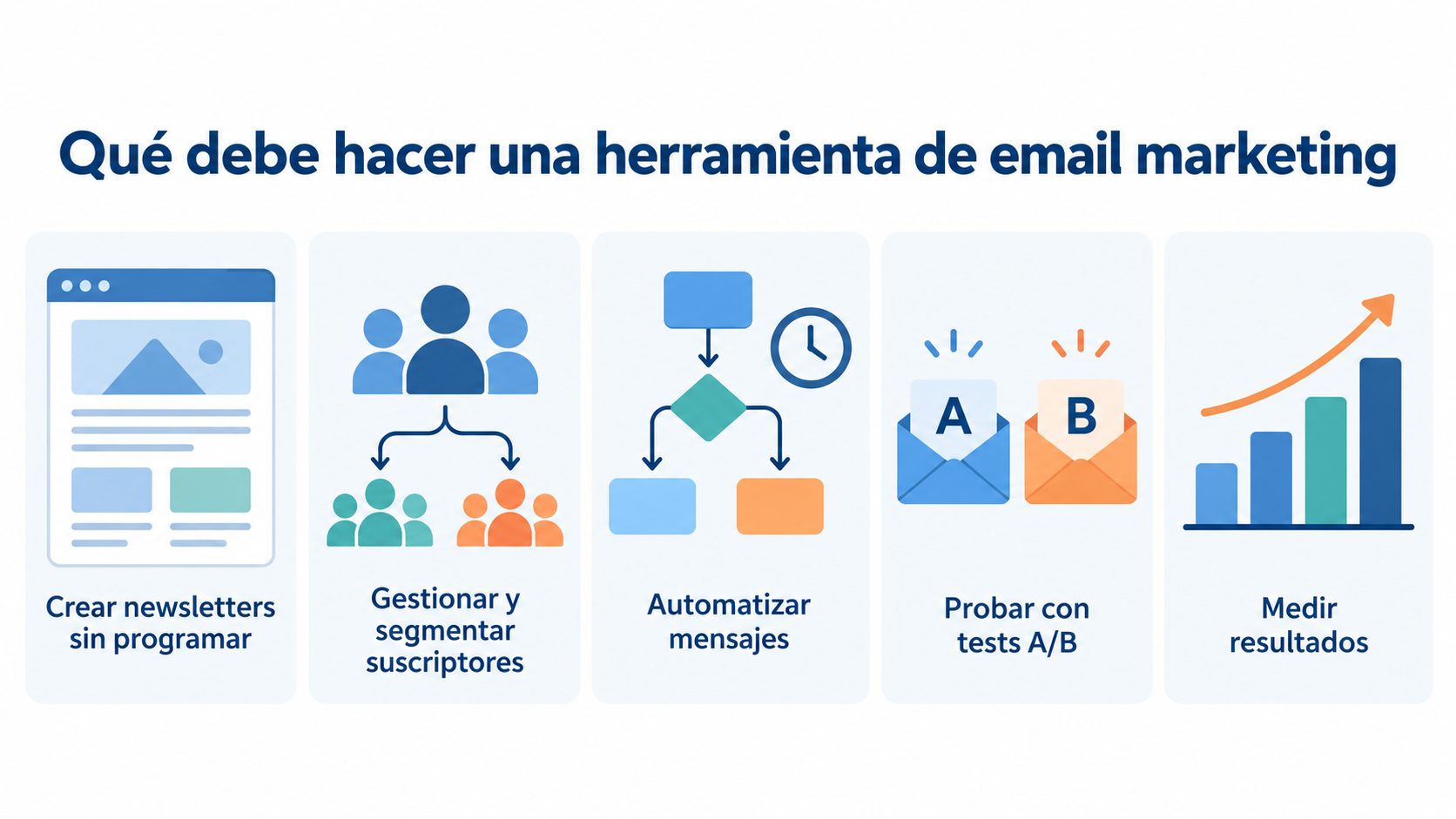
What should an email marketing tool do?
The best email marketing tools cover the whole life cycle of a campaign. Sending a pretty newsletter isn’t enough.
A visual editor should let you drag and drop blocks, add images and adapt the design to your brand. Likewise, responsive templates should look good on mobile and desktop.
AI assistance can speed up subject lines and first drafts. But you must review the message, the tone and the offer before sending.
Manage and segment subscribers
A good email marketing tool imports contacts easily and removes duplicates.
It also organizes your audience by groups, tags, custom fields or behavior.
Segmentation prevents you from sending the same email to everyone. As a result, you can adapt offers, content and frequency to each group.
Automate relevant messages
Email marketing automation sends emails when a condition is met. It can be a sign-up, a date, a purchase or a tag change.
Start with simple flows: welcome, drip, birthday, follow-up or abandoned cart. That way you’ll save on repetitive tasks without losing control.
Test and improve every campaign
A/B tests compare versions of a subject line, a sender or a piece of content. The tool distributes the alternatives and helps you spot which one works best.
Don’t test everything at once. Change just one variable, because that way you can attribute the difference to a specific element.
Measure what your contacts do
Email marketing software should show deliveries, opens, clicks, unsubscribes and bounces. A click map adds visual context about the most appealing links.
However, an isolated figure doesn’t explain the result. Relate each metric to the goal: reading, visiting, signing up, requesting information or buying.
Try an email marketing tool for free
Create your Mailrelay account and send up to 80,000 emails per month with an editor, automations and statistics.
How to choose the best email marketing tool
The best email marketing tool isn’t universal. It’s the one that covers your use case, your volume and your team’s capacity.
This table summarizes the key questions:
| Criterion | Question to ask | Good sign |
|---|---|---|
| Ease of use | Can I create and send a campaign without technical help? | Clear editor and a short path to sending |
| Contacts and sends | Which limit would I hit first? | Visible terms and room to grow |
| Automation | Can I build the flows I’m going to use? | Understandable triggers and conditions |
| Segmentation | Can I tailor messages based on data or actions? | Groups, fields, tags and segments |
| Deliverability | Does it help me authenticate and maintain my list? | SPF, DKIM, DMARC and bounce management |
| Analytics | Will I understand what to improve after sending? | Clear metrics, click map and export |
| Support | Can I talk to a person when I get stuck? | Accessible, expert support |
| Integrations | Does it connect with my website, store or systems? | Plugin, API, SMTP or connectors |
Define your goal first
Don’t start with the list of features. Define what you want to achieve over the next six months.
A small business may need a monthly newsletter and a welcome series. An ecommerce store may require abandoned cart emails. A custom-built software product, on the other hand, may need an API, SMTP and webhooks.
This clarity avoids paying for automations you’ll never use.
Calculate the real cost, not just the fee
Some platforms charge by number of contacts. Others charge by sends, users or features. In addition, an inactive contact may still count toward the limit.
Review your monthly volume, your stored list and your planned frequency. Then add extras, support, branding removal and estimated growth.
Time costs money too. A cheap tool can turn out expensive if it forces you to solve every issue without help.
Evaluate deliverability with care
No mailing tool can guarantee that 100% of your emails reach the inbox. Deliverability also depends on your consent, reputation, content and frequency.
Look for help setting up SPF, DKIM and DMARC. Also check how bounces, unsubscribes and complaints are handled.
A reliable platform provides the infrastructure. You must provide a legitimate list and messages your subscribers expect.
Check support before you need it
Support makes the difference when a campaign has a deadline. Review the channels, hours, languages and availability by plan.
Ask a specific question during the trial. That way you’ll know whether you get a generic answer or a workable solution.
Check your key integrations
Your email marketing tool must work alongside your website and your data. Check WordPress, WooCommerce, CRM, forms, REST API, SMTP and automation platforms.
You don’t need a hundred connectors. You need the three your process relies on to work properly.
Free or paid email marketing tool: which is better?
A free email marketing tool is a good fit for validating the channel. It also works if your list and frequency fit within the limits.
However, “free” doesn’t always mean the same thing. A plan may limit contacts, daily sends, automations, statistics, support or logo removal.
Compare these four figures before signing up:
- Contacts you can store.
- Emails you can send each month.
- Campaigns or automations included.
- Cost once you exceed the first limit.
A paid plan makes sense when you need more volume, priority or advanced requirements. It can also suit you for predictability, even if you haven’t reached the free limit yet.
So choose based on total cost and usefulness. Don’t decide on the headline price alone.
The 30-minute test for comparing email marketing platforms
A sales comparison table doesn’t reveal what your daily work will be like. This short test can give you useful signals.
- Import a small, authorized list.
- Create a segment using a real data point.
- Design an email with your visual identity.
- Set up an automatic welcome email.
- Send a test and check its mobile version.
- Look for opens, clicks, bounces and the click map.
- Ask the support team a question.
Score each step from one to five. If a basic task requires endless tutorials, that problem will grow with your list.
This test also helps you compare email marketing tools using the same criteria. As a result, you’ll give less weight to promises that are hard to verify.
Mailrelay as a simple, scalable email marketing tool
At Mailrelay we’ve designed a platform so you can send, automate and measure without an unnecessary learning curve.
Our goal is for technology not to hold your strategy back. That’s why we combine a simple dashboard, the features you really need and expert support.
A free account built for real work
We offer the largest free email marketing account, with up to 80,000 emails per month and 20,000 contacts. You can check the current limits and conditions on our pricing page.
You don’t need to enter a card to create it.
That way you can validate campaigns with a useful volume. You can also find out your real frequency before choosing a higher plan.
Useful automation without unnecessary complexity
Our email marketing tool includes a visual automation editor. You can create welcome emails, drip sequences, special dates and abandoned carts.
You can also use conditions, tags and custom fields. This way, each subscriber receives a more relevant message.
We don’t want to force you to build mazes. We want you to automate the journeys that add value to your business.
Visual editor, AI and A/B tests
You can design newsletters with our drag-and-drop editor. If you need a starting point, AI helps you with a basic template and its text.
Likewise, A/B tests let you compare subject lines or senders. That way you make decisions based on data, not hunches.
Statistics that show what to improve
We show real-time results such as deliveries, bounces and unsubscribes, as well as opens and clicks on the free account and the Enterprise plan. The click map reveals which areas attract the most interest.
You can also export data to share or analyze it. Here we explain how to make the most of real-time email statistics.
Technical support on the free account too
At Mailrelay we help you by ticket even if you use the free plan; chat is added on Standard and phone on Enterprise. Our team knows the platform and helps you resolve real issues.
That support reduces roadblocks and speeds up your first campaign. It’s also valuable when you need to review an important configuration.
WordPress, REST API and other ways to integrate
You can connect Mailrelay to your systems through our WordPress plugin, REST API, SMTP, webhooks and other integrations.
Check out our plugins and tools if you want to sync contacts. For custom developments, see the Mailrelay API documentation.
Start for free with Mailrelay
Drag-and-drop editor, automations and human support on every plan.
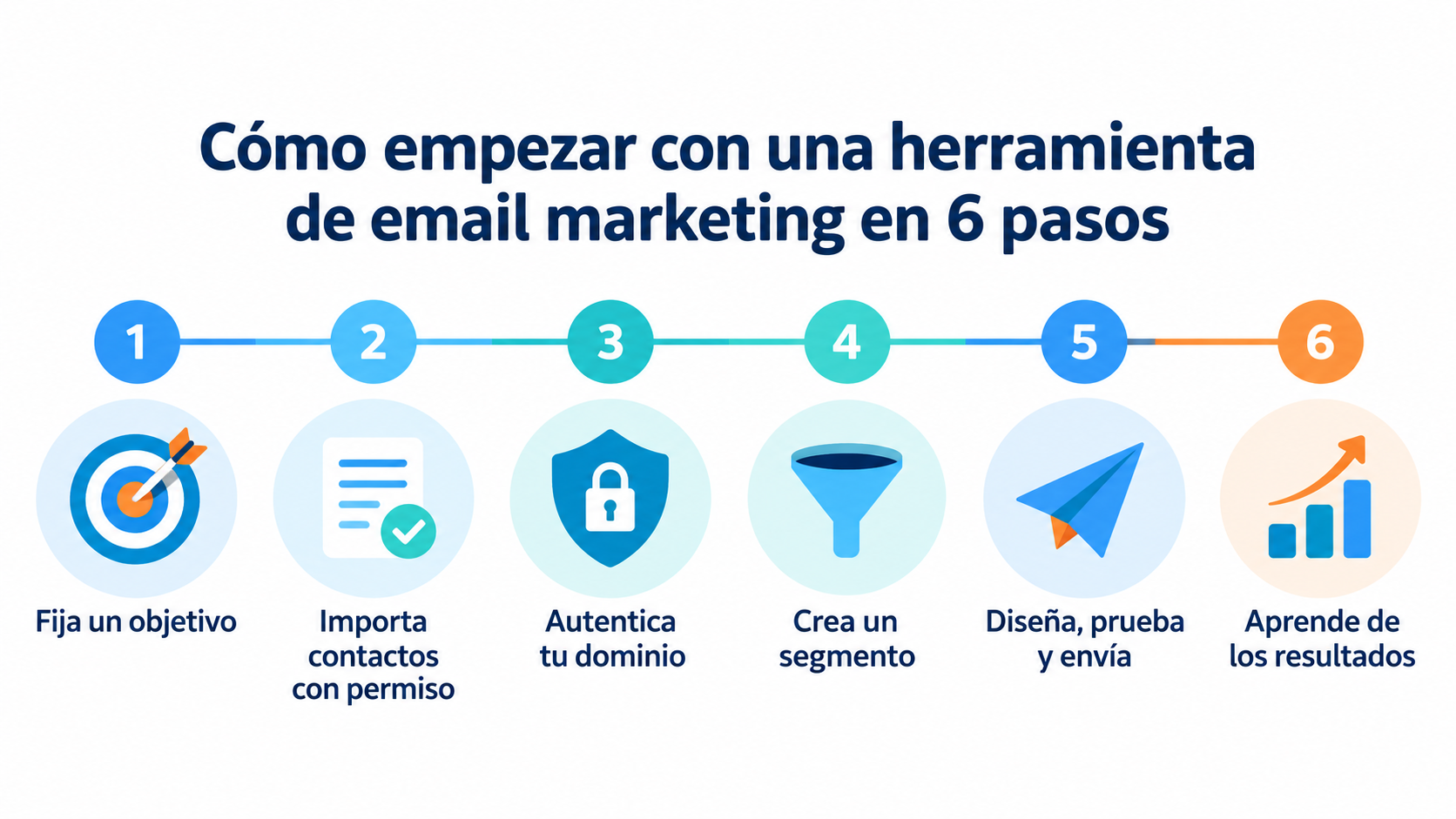
How to get started with an email marketing tool
You don’t need to launch a complex strategy on day one. Start with a small, measurable journey.
1. Set a goal and a metric
Choose one main action: getting visits, inquiries, bookings or sales. Then attach a metric you can check.
2. Import only contacts who gave permission
Don’t buy databases. Use clear forms and keep the consent records, because a legitimate list protects your reputation.
3. Authenticate your domain
Set up SPF, DKIM and DMARC before scaling. Your corporate email will inspire more trust and have a verifiable identity.
4. Create your first segments
Split your list by interest, relationship or stage. Even two simple groups can outperform a generic send.
5. Design, test and send
Check the subject line, the links and the mobile version. Send an internal test before launching the full campaign.
6. Learn from behavior
Watch clicks, conversions, unsubscribes and bounces. Then change one variable and measure again.
With that cycle, your email marketing platform stops being a megaphone. It becomes a learning system.
Mistakes when choosing email marketing software
The first mistake is looking only at the free limit. You must check what happens when your list grows.
The second is paying for complexity. Advanced automation adds little if nobody can maintain it.
The third is ignoring support. Problems usually show up when the send date is already set.
The fourth is confusing sending with deliverability. An email marketing tool provides infrastructure, but it can’t fix a purchased list or irrelevant content.
Finally, avoid migrating without testing import, segmentation, design and statistics. The day-to-day experience matters as much as the feature sheet.
Frequently asked questions about email marketing tools
What is the best email marketing tool?
The best email marketing tool is the one that meets your goals with the lowest total cost and a manageable level of complexity. Review volume, automation, deliverability, analytics, support and integrations. Then run a test with a real campaign.
What features does a small business need?
A small business usually needs a visual editor, contact management, segmentation, simple automations, A/B tests and clear statistics. Human support matters too, because it saves you from depending on technical knowledge.
Can I use a free email marketing tool?
Yes, as long as its limits let you actually work and not just explore the dashboard. Check contacts, sends, automations and support. At Mailrelay we offer up to 80,000 emails per month for 20,000 contacts on the free account.
Those services are designed for individual email, not for mass campaigns. An email marketing platform handles unsubscribes, bounces, segmentation and statistics. It also uses infrastructure built for sending to lists.
Does a platform guarantee that emails won’t land in spam?
No. No provider can guarantee 100% deliverability. The platform provides the technology, but consent, list hygiene, authentication, content and frequency also play a part.
Do I need technical knowledge to use Mailrelay?
You don’t need to code or know HTML to create a campaign. At Mailrelay we offer a visual editor and expert support. If you want to integrate your own systems, you also have a REST API, SMTP and webhooks.
Which metrics should I review in an email marketing campaign?
Start with deliveries, bounces, clicks, conversions and unsubscribes. Opens add context, although they can have measurement limitations. Relate each metric to the campaign’s goal and compare how it evolves.
How do I try Mailrelay as an email marketing tool?
You can create a free Mailrelay account and complete this guide’s 30-minute test. Import authorized contacts, create a segment, design an email, set up an automation and review the statistics. That way you’ll know whether it fits the way you work.