Ideally, advertising should capture the attention of potential consumers and convince them to use your product, spreading your brand’s message among people who are likely to be interested.
Ad optimization is an essential part of any marketing activity, so understanding how to use this strategy will be vital to your business’s success.
It’s a crucial skill, and mastering it can take a long time and plenty of mistakes along the way. But what if you could optimize your ads based on your users’ intent and deliver them to those users automatically? That’s what a new type of advertising, dynamic product ads, can help you achieve.
In this article, we’ll talk about dynamic product ads and how to use them in your digital marketing strategy.
What are dynamic product ads?
Dynamic product ads are advertising campaigns that change automatically based on users’ activity on your website, app, business page and so on.
In other words, when someone visits your website, the Facebook pixel fires.
This means the platform starts collecting data. When you run dynamic product ads, you can target these people based on the information collected about them, showing relevant products according to the specific activities you’ve selected, such as particular products users have viewed or added to their cart.
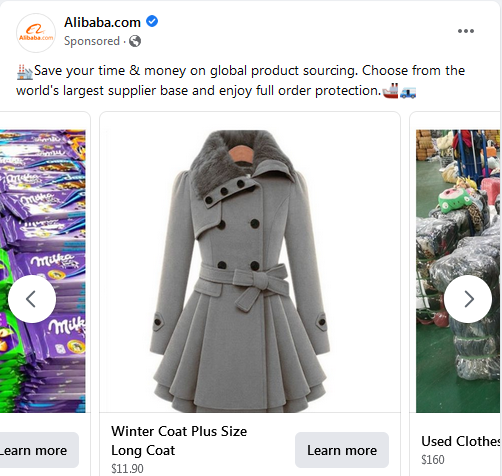
Dynamic product ads let you market relevant items to your customers or to anyone who has looked at your products on your website or mobile app. Both Google and Meta (Facebook, Instagram, etc.) offer dynamic product ads. You’ve probably seen plenty of these ads in your Facebook feed, but here’s an example from Alibaba to refresh your memory.
There are three main types of dynamic product ads (DPAs):
· Same-product DPA: imagine a potential consumer visits your website and views one of your products. You could target that same person with DPAs based on the items they’ve viewed.
· Cross-sell DPA: shows items similar to the ones a consumer has bought before.
· Upsell DPA: targets consumers who have added products to their cart, usually with bundled offers.
Instead of creating an ad for each product separately, you can create an ad template that automatically uses the details from your data feeds for the products you want to advertise.
Why should you use dynamic product ads?
Dynamic product ads let you create ad units using content and images from your product catalogs, instead of building every other ad unit by hand.
For example, if you run a department store with thousands of items, you’d probably need to manage a thousand different campaigns, one for each of them, to advertise them. DPAs are easy to set up and promote all your items automatically, so you can almost forget about them.
It’s an excellent way to increase your customer lifetime value by showing customers ads for items they’re likely to be interested in buying too. You only need to set them up once, and your ad will be shown automatically to every user who matches the criteria you’ve set.
Dynamic product ads can also help you increase your average order value and your customers’ lifetime value. Specifically, cross-sell and upsell campaigns. If you retarget them with a hyper-targeted, interest-based marketing message, they’re more likely to remember the product and buy it.
Dynamic product ads can help you reach consumers who have already bought other items, which can increase their customer lifetime value. In short, you can convince them to buy from your store more than once.
Let’s say someone is about to buy a product from your company for $30.
In this case, you could run dynamic product ads for a bundled offer worth around $60, doubling the value of the original order.

6 tips to help you create dynamic product ads that work
If you’ve ever created a Facebook ad campaign based on traffic conversions or something similar, you’ll recognize the process when you set up these dynamic product ads. So, to keep this article from getting too long, we won’t go into detail about the process.
Instead, I’ll help you better understand how to make these ads more effective.
Let’s look at some tips to make your dynamic product ads more effective.
1. Create product sets
The “product sets” option lets you target a specific audience based on their interests.
It’s useful when you don’t want to promote every item to every audience; instead, you can filter items by category, product type, currency, product availability and more.
Product sets keep your customers up to date, which has a positive impact on your audience. They make your message easier to remember and encourage consumers to click the CTA you’ve created.
Let’s say you want to show products that cost less than $500, or you have a Christmas collection or something similar, such as a commemorative collection. In these situations, you should work with product sets. They’re very powerful, especially in upselling and cross-selling strategies.
Product sets also let you control which products benefit from the promotion. Product sets built around special discounts and news, for example, can be used to reach consumers who have added products to their carts (an upselling strategy).
2. Don’t let your ads overlap
When you start creating and scaling your campaigns, or duplicating ad sets to target new potential customers, your audiences will eventually overlap, and your ad sets will stop producing results or you may end up paying more for each click.
For example, this happens when two audiences share the same data because you’ve used the same interest within the same campaign budget optimization.
The ads would reach a point where they overlap, and the campaigns would stop working.
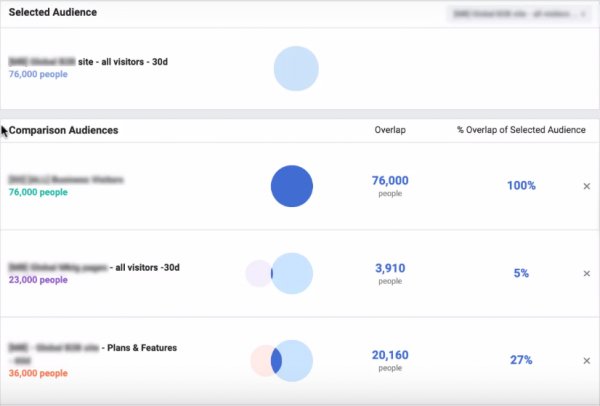
So you should remove some of these interests or target audiences. If you have several audiences in your platform account that you want to use, you should check whether any audience overlaps between two separate groups. You can use Facebook’s audience overlap tool to compare several audiences at once and see the percentage of users who overlap. You can see how it works in this image.
It can also be frustrating for the same person to receive several ads.
The bigger problem is that both ads can start bidding against each other.
For example, say you’ve created one ad that targets your website visitors and another that targets your email subscribers. Website visitors would start seeing the ads meant for email subscribers, and subscribers would start seeing the ads meant for website visitors, which would be a problem.
So make sure there’s minimal overlap between your target groups. You need to keep track of them to maximize your results and save money.
3. Optimize for shoppers who use apps
As more and more people use apps to shop, you should target the audience that shops in apps to make sure you’re reaching the people most likely to convert. You can target ads based on in-app behavior on Facebook or Instagram, particularly audiences that clicked the Shop Now button.
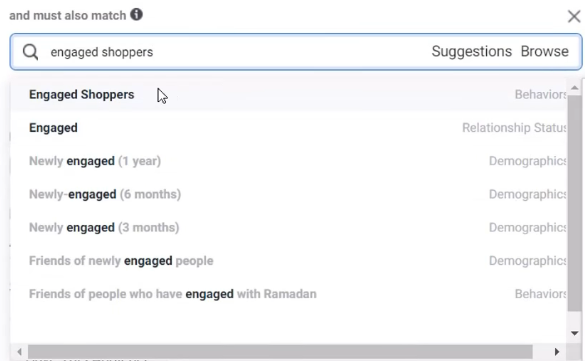
In dynamic product ads, you can use the “engaged shoppers” option as a behavior or criterion to target audiences that have bought in apps.
It works best when you sell physical products such as jewelry, clothing or accessories. But if you’re selling something that may be more specific to your target audience, such as a B2B product, it wouldn’t make sense to include this option in your campaigns.
4. Fit the campaign to your budget
It’s crucial to specify the result you want from your ads: clicks, impressions or conversions. It’s not a good idea to put your entire ad spend into a single goal.
You’ll need to work out how many different types of ads you can afford.
For example, you could split your budget strategy into two main categories:
Spend part of your advertising budget on a year-round branding effort to build credibility and name recognition in your target market. The rest of the money could go to additional advertising to drive sales or when you’re running some kind of promotion.
Keep in mind that the money you spend on advertising is a long-term investment in growing your business.
The key to success is consistency and continuity.
So you should invest and wait as long as it takes to get the results you want, with a strategy that uses your budget sparingly. In most cases, new businesses start with an annual advertising budget. The budget should be enough to cover 52 consistent weeks of advertising.
5. Don’t overlook the creative
The creative tool affects the images that appear in your ads.
It lets you group multiple ads with different creative elements, such as color palette, font and graphics, for different target groups.
Choose the format that suits your business based on how you see your brand, which one you like best and which one you think will work best with your image. There are several affordable alternatives for every type of business.
You can also add catalog metadata to your photos. Price discount percentage and free shipping are some of the options available.
You can choose the font you’ll use. Choose it based on your brand or whichever one you think works best. Fashion and Friends, for example, uses creative elements such as discount percentage, color palette and font style to customize its photo templates and match its brand style in this dynamic product ad on Instagram.
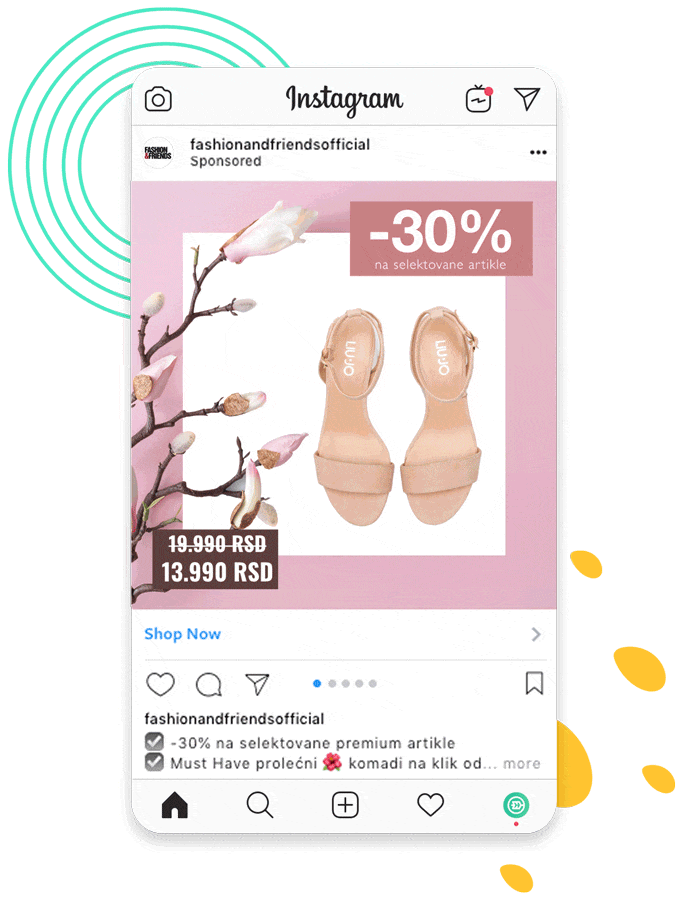
All of this will help you achieve your ad goals by making your ads aesthetically appealing.
The human brain responds immediately to beautiful or visually appealing materials.
Aesthetically pleasing ads also attract their audience, build a relationship between the brand and its target audience and convey a clear message.
6. Use a custom audience
A custom audience is a group of people who have already interacted with your company. You can create these audiences using current data and different sources. A custom audience can be created from your existing email list of customers who have bought from you before, people who have visited your website or engaged with your Instagram or Facebook page, or a range of other touchpoints.
They should be based on your buyer persona’s personality, or a fictional representation of your ideal customers.
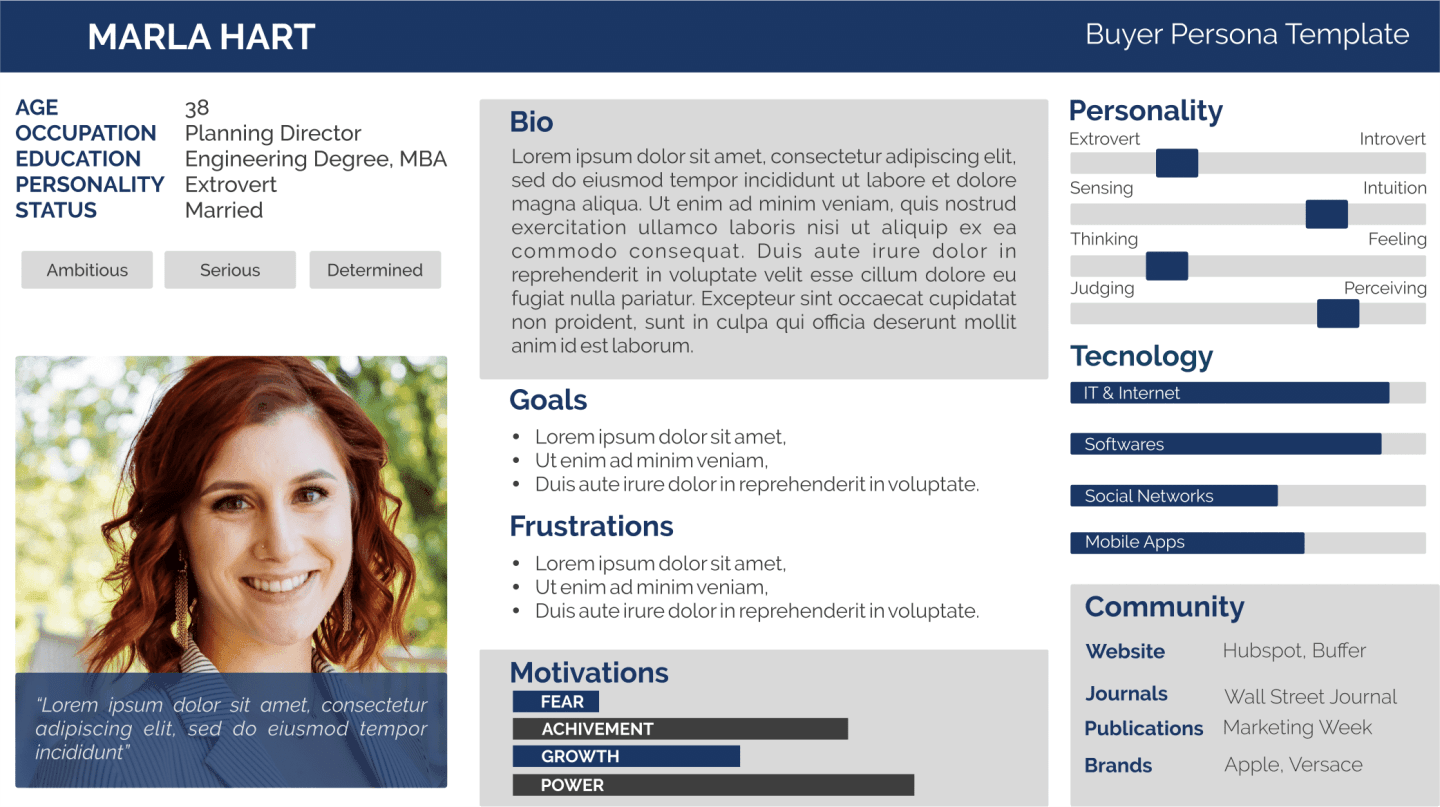
Custom audiences can be one of the best options for your strategy, since consumers who have already interacted with your business are much more likely to convert and buy your products or services than a cold audience that has never shown much engagement with or interest in your brand. As a result, they’re higher quality and more engaged, which leads to ads with better results.
That’s why you should set up custom audiences for each sales funnel and include them in your retargeting ad sets.
7. Test your copy
You should run tests to find out whether products are underperforming because of a lack of interest or a lack of promotion. It’s vital to get data to back up your decisions and gather ideas for future improvements.
You’ll also need to learn how to measure and target different audiences.
So you’ll need to try targeting a single audience with several options to see which one performs best. You can use dynamic testing to check various creative elements, such as photos and headlines.
This will let you generate combinations optimized for your target audience. Variations can include different formats or templates based on one or more elements.
For example, you could create five different headlines, each with different graphics, placement and so on. However, make sure they’re completely different from one another so your tests are as efficient as possible.
8. Use retargeting
Retargeting is the process of showing your ads to someone who has already interacted with your business in some way, to keep them interested and convince them to move further down the sales funnel.
Retargeting ads have an average click-through rate ten times higher than regular ads. To create retargeting ads, you can use website activity data, app activity data, content engagement data and so on.
Depending on your goals and how you target them, there are three main types of retargeting.
Dynamic retargeting: these are retargeting campaigns based on customer activity, such as viewing a product or adding it to the cart without buying it at that point.
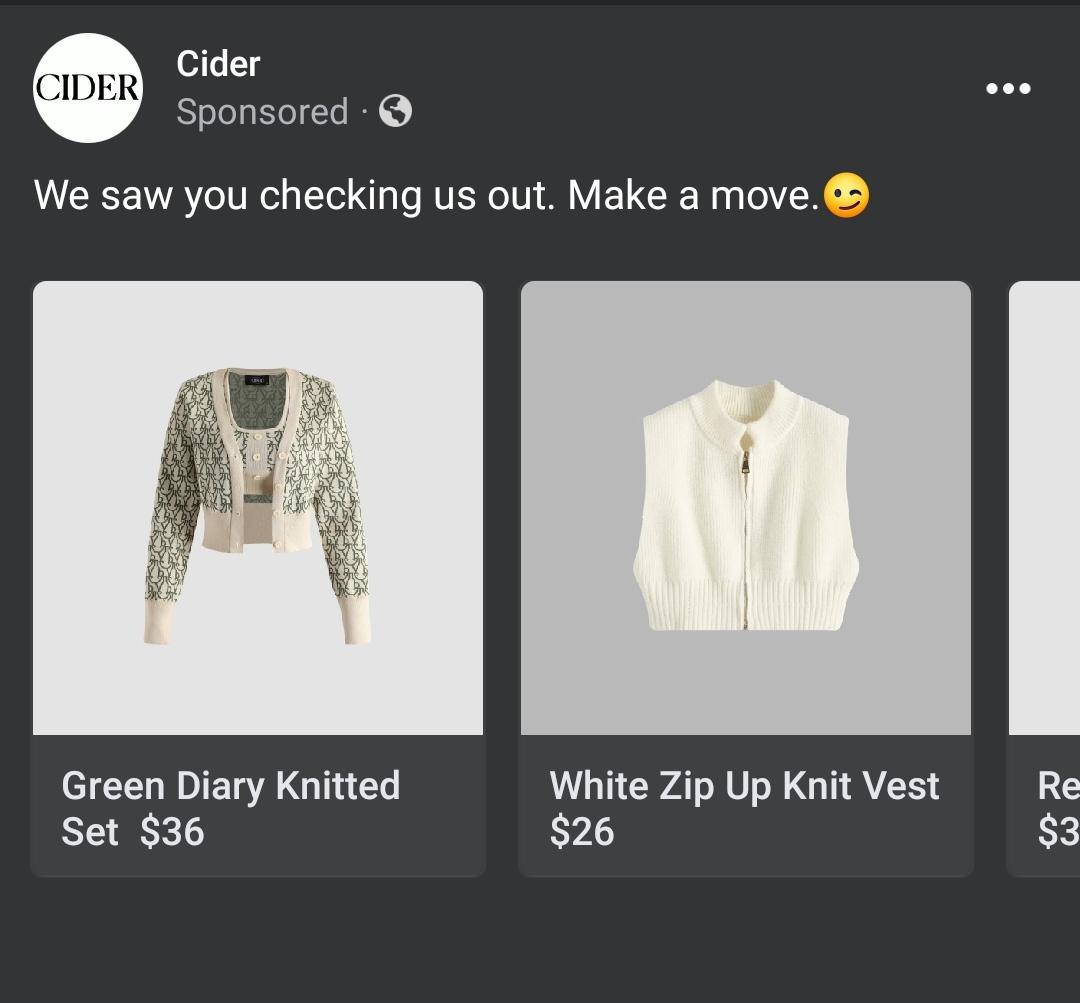
Cider, for example, uses dynamic product ads to show this retargeting ad. They mention the customer’s activity and create a call to action. Items are shown based on visitors’ activity.
Engagement retargeting: these ads use activity data to show ads to people who have visited your website, store or page. The ultimate goal is to catch the attention of a group or a user and offer them personalized options.
Source audience retargeting: this type of ad can be used to reach people who have never heard of your company but are interested in the same things as your current customers. The idea is to build new lookalike audiences in order to promote your brand to these users.
Retargeting ads can help you reduce cart abandonment, lower your cost per click, increase your conversion rate and boost brand awareness.
Conclusion
Dynamic product ads, when used correctly, can help you turn intent into a sale, increase conversions, improve engagement and give your promotional activity a boost. They give you a competitive advantage by leveraging the data collected by the platforms your customers use.
They’re great for prospecting and increasing sales. Instead of targeting new customers, DPAs target social media users who have shown interest in what you offer on different platforms.
Dynamic ads are more effective than regular ads, especially in a society saturated with advertising. So why not use them in your marketing strategy? But before you use them, make sure you’re prepared to keep optimizing your ad campaigns to get the best results.
This format is one of the most effective remarketing tactics, as it relies on the most precise customer targeting.