In this article, we’ll look at some of the most important terms related to email marketing, so we can get a clearer picture of the possible differences and what each concept refers to.
It isn’t an overly long article, and we’ll present every concept in summary form so we can focus only on what matters.
You’ll see that some concepts are quite similar, though with slight nuances.
You’ll even find that some of them can be used interchangeably without much trouble.
Let’s start with the basics
An email is an electronic message, essentially the digital version of the old-fashioned letter.
It enables communication between a sender and one or more recipients in a convenient, immediate and private way.
It’s sometimes also used to refer to the email account or address, that is, the electronic mailbox to which messages can be sent.
· ESP
“Email Service Provider”.
Behind this odd acronym are companies you surely know, such as Gmail, Outlook or Yahoo!
These are the companies that let you create email addresses, as well as manage, send and receive emails.
· Email client
These are the applications that work with the services offered by the ESP.
You can think of them as an interface that sits on top and helps you manage your emails, so you can write new ones, receive, reply, delete, and so on.
These applications aren’t designed for managing bulk email sends; although you can CC people, the volume they can send is very small. Keep in mind that there are also volume limits set by the ESPs.
These programs are meant for sending and receiving emails for personal or office use.
· Email marketing, definition
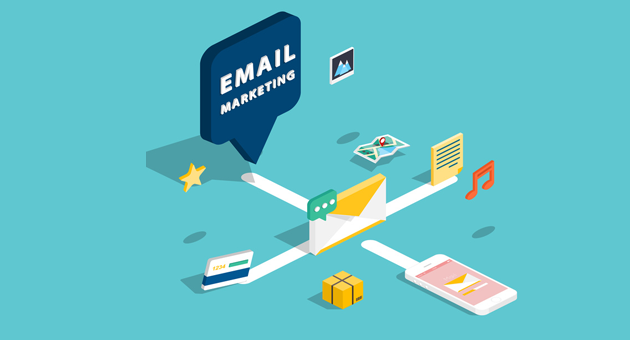
This is the general term usually used to cover all marketing actions that use email as the channel.
This can include sending newsletters, sending bulk mailings, or using transactional emails.
Sending a bulk mailing to 20,000 contacts is not the same as sending a transactional abandoned cart recovery email.
They’re different actions, yet both use email as the channel, so we could include both under email marketing.
Email marketing is a cost-effective and efficient marketing tool, as it’s a direct and private channel.
Unlike other tools, it gives us a wider scope of action and much less outside interference (noise).
This is one of the key factors behind its effectiveness.
As for cost, it’s also usually lower than other tools, partly because it isn’t affected by the level of competition.
· Email marketing tool
There are many email marketing tools on the market; their most basic function is to let you:
· Manage your contact list
· Easily design your bulletins or newsletters
· Send them
· Handle any errors, unsubscribes, etc.
· And get statistics
Depending on the tool you choose, you may get even more features; for example, in Mailrelay’s case you can see the most important ones here.
Unlike email clients, email marketing tools don’t let you receive or manage replies to the mailings you send.
Some useful information that email marketing tools can provide is:
► Open rate
This is the number of emails opened out of the total sent.
It’s a metric or statistic that has traditionally been widely used to assess the results of email campaigns.
Right now, it’s not at its best due to ESP restrictions and intermediation, so the information provided is often less complete or not always available.
Instead, it’s more effective to assess results based on other data, such as the click rate.
► Click rate
This information relates to the number of clicks on the links you include in your email.
It’s valuable information that will also help you better understand your subscribers’ interests.
· SPAM
Unwanted emails, that is, emails you receive without having requested information, often without knowing the sender.
It’s a practice penalized by ESPs, which try to limit and block this type of sending.
· Email lists (contact databases)
This term refers to the contact list: the emails of our customers or potential customers.
This is the list of emails we import into the email marketing tool so we can send mailings or newsletters.
In its most basic form, this list will contain only emails, but it’s also possible to include other data:
- Names
- Phone numbers
- Addresses
- Preferences
Information that can help us segment (filter) lists and add extra information to emails to personalize them even further.
These email lists can be imported into email marketing tools, but it’s also possible to export that information from them.
· Bulk email or bulk mailing
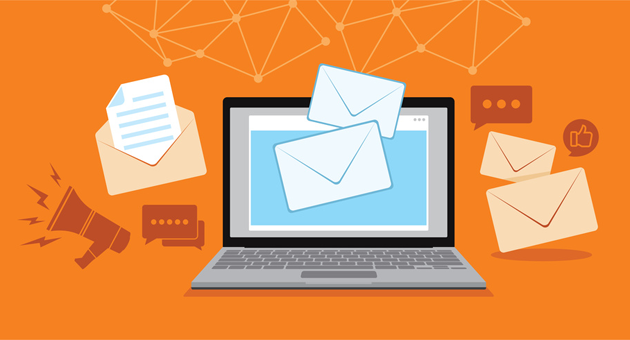
We often use email marketing interchangeably with bulk email or bulk mailing.
Although the terms are used interchangeably, bulk email refers to sending emails to a large number of contacts.
These communications are usually promotional, meaning they have a sales intent.
One aspect to watch is consent and permission.
Even if we’re sending a mailing to thousands of contacts, we need permission from every one of them.
In other words, at some point these contacts must have actively requested to receive information from us.
If we don’t, we run the risk of being considered spam.
You need to be careful with this, as it can affect all the emails we send from our domain.
· Newsletters or news bulletins
These can also be considered a type of bulk send, but there’s one main difference: the purpose of the communication.
In this case, the purpose is more informative than promotional.
An example of this type of communication would be sending out blog content when it’s published.
This way, several goals are pursued:
· Increase brand or product visibility
· Drive traffic and visits to the blog
· Keep potential customers interested
In short, although it’s informative in nature, we’re actually working on sales in the medium and long term.
· Transactional email sends
Another strategy that falls under email marketing is transactional emails, although in this case they’re one-to-one sends.
They can have a variety of goals, both informative and promotional:
· Confirm a user’s registration
· Abandoned cart recovery emails
· Or password recovery emails
· Report on an order’s status
· Even deliver a discount or lead magnet
Although not all of these emails are meant to sell at first, you can follow certain strategies to encourage sales, such as including links to the site or related products.
Perhaps one of the best-known transactional emails is the classic “welcome email” we usually receive when we sign up on a website.
► Email sending API
Some transactional emails can be sent from the email marketing tool itself. Welcome emails, for example.
Others, however, can’t be set up from the email marketing tool itself, due to the complexity of the situation or the need for more information.
Imagine we share information with a CRM; in that case, we’ll need a development tool to extract the information and send the emails.
In these cases, a development API is usually used, as it lets the email marketing tool communicate with external systems.

· SMTP and SMTP server
“Simple Mail Transfer Protocol”.
Behind this technical acronym is the language that servers and other machines use to send emails.
Put very simply, we can think of SMTP as a tool for connecting to the server (computer) that will send the emails.
Let’s look at a clear example.
You have your desktop or laptop computer, with desktop Outlook or Thunderbird installed. To send your emails, you need to connect to an external server or computer (SMTP server), which is the one that ultimately sends your email.
So your machine connects to another one, which takes care of sending the email.
· That’s it for the email marketing glossary
With this short glossary, I think we’ve covered the most important concepts, giving you an idea of what email marketing involves and helping you better understand any related content or article.
I hope you enjoyed it and, above all, that you find it useful.

Jose Argudo
CMO at Mailrelay. Writes about email marketing, copywriting and conversion for small businesses and entrepreneurs.