Email marketing is one of the most effective and profitable marketing methods. And, though it isn’t often considered, it’s also quick and easy to use.
You probably don’t have much spare time, but you still need to promote your business.
Email campaigns are a great solution:
- Affordable
- Effective
- Easy to set up
- And they include comprehensive reporting
How do you put together an effective bulk email campaign?
In this article, we’ll give you time-saving tips to help you create the most effective email campaign possible.
Results within your reach!
How to brainstorm promotional campaign ideas
Every campaign needs to start with an idea:
- What do you want to achieve? Whether it’s sales, sign-ups, or winning back customers…
- How are you going to do it? Maybe through an offer or a promotion?
- What creative concept will you use?
It could be a one-off event, like a campaign tied to a specific promotional period (Black Friday, Christmas, Valentine’s Day, Sales, etc.), or part of a broader, long-term strategy.
With that in mind, the next question is how do we find inspiration?
It helps to understand that you don’t need to reinvent the wheel every time you want to run a promotion.
And that’s exactly where we’ll start.
· Get inspired by successful campaigns:
You can find thousands of examples of highly successful campaigns online.
Don’t forget to subscribe to a few newsletters either, so you can keep an eye on strategies on a regular basis.
This will keep you up to date on trends, catchy subject lines, and offers, giving you solid ideas to build your own promotion.
· Seasonal marketing calendar:
As we mentioned earlier, certain times of the year are simply better for sending these kinds of promotions.
This will give you a solid foundation, so your next step is finding a way to stand out from the competition.
Always strive to make your message shine and stand out from the rest of the emails your contacts will receive.
· Past statistics:
If you have analytics from previous years or past email campaigns, review them.
This will show you which types of campaigns worked best, which offers delivered the best results, and which ones fell short of expectations.
Look not only at the subject lines and content but also at the times you sent those campaigns.
· Customer feedback:
This is another crucial aspect.
During your day-to-day interactions with customers, you’ve likely picked up on suggestions or requests that can spark ideas for a promotion tailored to their expectations.
· Use AI tools:
Even after going through all the previous steps, you might still need more ideas.
For that, you can use some of the AI tools included in Mailrelay.
For example, the subject line generator:
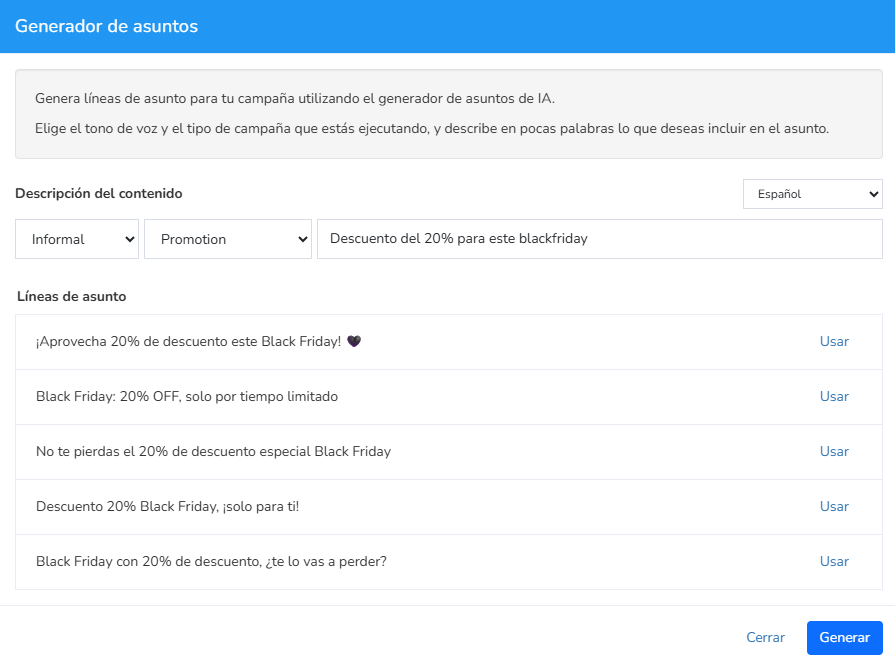
You just need to provide a few details about what you’re looking for, and it will offer you several suggestions.
You can use them exactly as they are or tweak them to fit your needs.
You can do the same with your newsletter content:
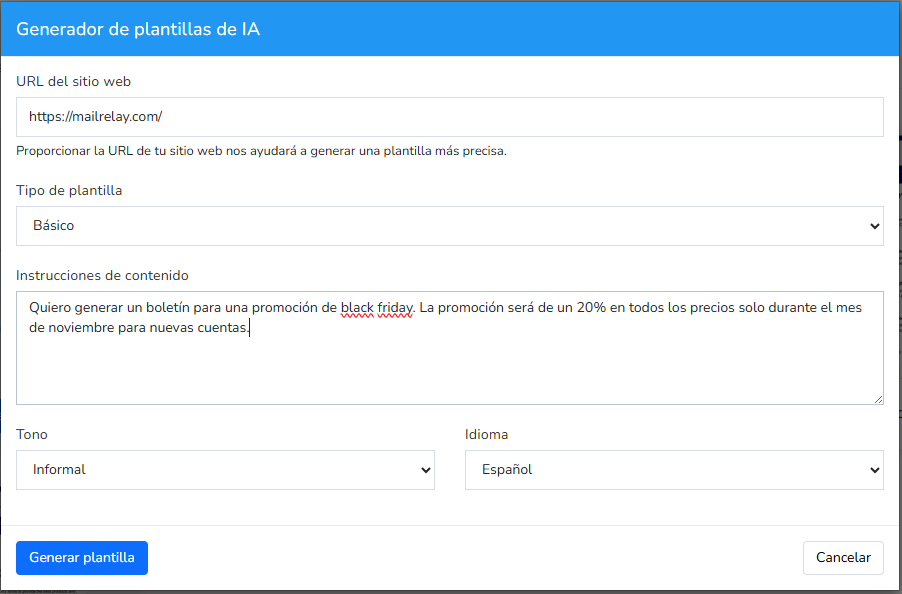
Both options can save you a lot of time and help you set up your email campaign in just a few minutes.
With everything we’ve covered, you likely already have a solid idea for your campaign.

Creativity for direct response: effective email marketing
During the creative process of designing our newsletter, we can sometimes forget its ultimate goal.
And end up focusing more on the creative side than on that actual objective.
Or we might pack in too much information, creating multiple competing goals.
You need to think about the person receiving the email.
First, consider how much time your readers have, which probably isn’t much.
What would make it easier for contacts to take the action we’re hoping for?
The best approach is:
- A simple design
- Clear copy that guides the reader
- A single, clear goal
But don’t worry, we’ll look at these points in more detail.
· Clear message focused on benefits:
The first thing your contacts want to know when they open your email is:
- What’s in it for me?
So the answer to that question needs to be clear almost instantly.
Highlight the benefit for the customer.
Frame it so that the discount isn’t the main benefit.
The discount is just an incentive to get the real benefit your product or service offers; that core benefit is what you must make crystal clear.
Why?
Because if the email doesn’t sell the benefit, no matter how huge the discount is, your potential customers—your contacts—probably won’t be interested.
· Action-oriented, appealing design:
We’ve already mentioned that it’s best to avoid a cluttered email design, but there’s another crucial aspect you need to pay close attention to:
The call to action is usually a button or a text link that sums up what you expect contacts to do and encourages them to do it.
Of course, it needs to stand out visually, or it defeats the purpose.
· Add a relevant image:
While you shouldn’t overdo it with images, and your whole email shouldn’t be just one big image, you’ll definitely want to include at least one.
If you don’t have one, no worries—you can browse the free image gallery right inside the editor:
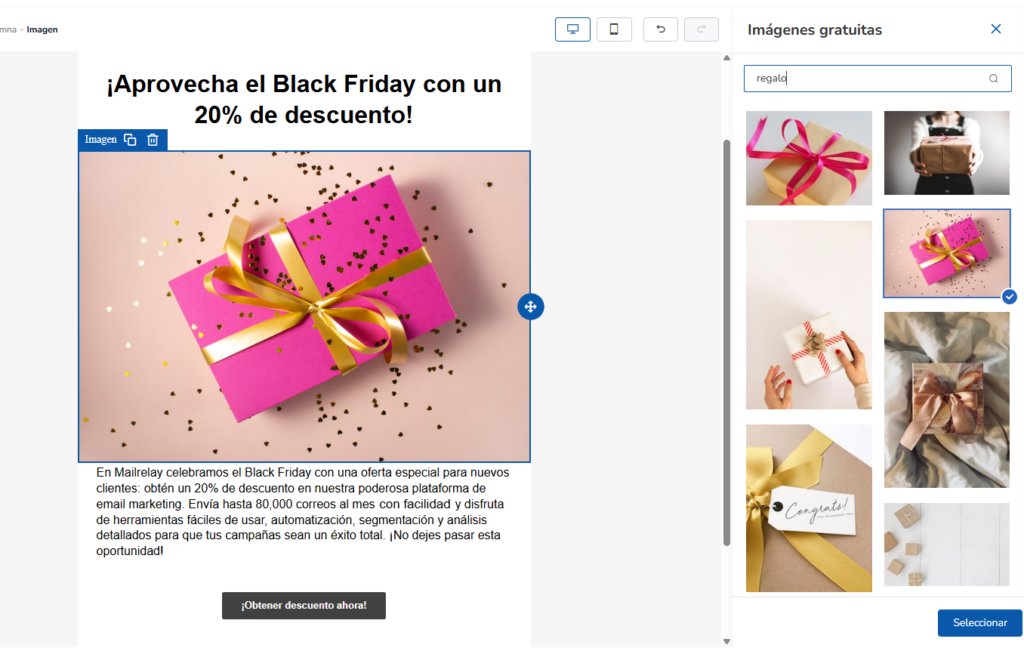
This makes it incredibly quick and easy to add images to your newsletter.
· Essential personalization:
Thanks to Mailrelay’s custom variables, you can send unique newsletters to each of your contacts.
You just need to create the variables and upload your data, and Mailrelay will generate a unique email for every single contact when you send it.
Personalized emails typically deliver much better results.
· Measured urgency and scarcity:
Even though these are classic marketing techniques, the truth is they still work.
Scarcity is a very powerful hook because it doesn’t leave room for planning or putting off the decision for later.
So, a decision has to be made as soon as possible.
That’s why phrases like:
- Only 2 items left
- 24-hour flash sale
- Final days
Are often highly effective, precisely because they don’t give people time to overthink or shop around.
But don’t abuse it—not all your promotions can rely on scarcity; it wouldn’t make sense.
· Persuasive copy:
We mentioned earlier that shorter emails tend to perform better.
Similarly, try to avoid long paragraphs; shorter sentences usually work best.
This is because we often don’t read everything, especially when we’re short on time, but rather we “scan” the text looking for the most important parts.
Keeping sentences short helps ensure the entire text gets read, especially if your line spacing is optimal.
In addition to keeping your copy concise, make sure to clearly state the email’s purpose—cut the fluff and get straight to the point.

Tips for direct response campaigns during promotional periods
Promotional dates are usually highly profitable, as contacts are generally more eager to buy.
On the flip side, it’s also highly likely they’ll be receiving far more promotional emails than usual.
It’s no longer just about landing in the inbox; it’s about standing out from the rest of the messages.
· Plan ahead:
Try to find a window within those promotional dates where you’ll face less competition.
It’s tough, sure, because promotional periods keep getting longer and tend to overlap with one another.
In this situation, it can also be a good idea to send multiple email campaigns at different times to maximize your chances of making an impact.
Just don’t send the exact same content multiple times—tweak it and adapt it as you go.
· Analyze the competition:
Just like when you’re brainstorming ideas, analyzing your competitors can help you see exactly what promotions they’re running.
This allows you to adapt, perhaps run a more aggressive offer, or somehow differentiate your message from what your competition is sending.
· Automate reminders:
This is something you can leave scheduled: thanks to Mailrelay’s automations, you can automatically check whether a sent campaign has been opened or not, for example:
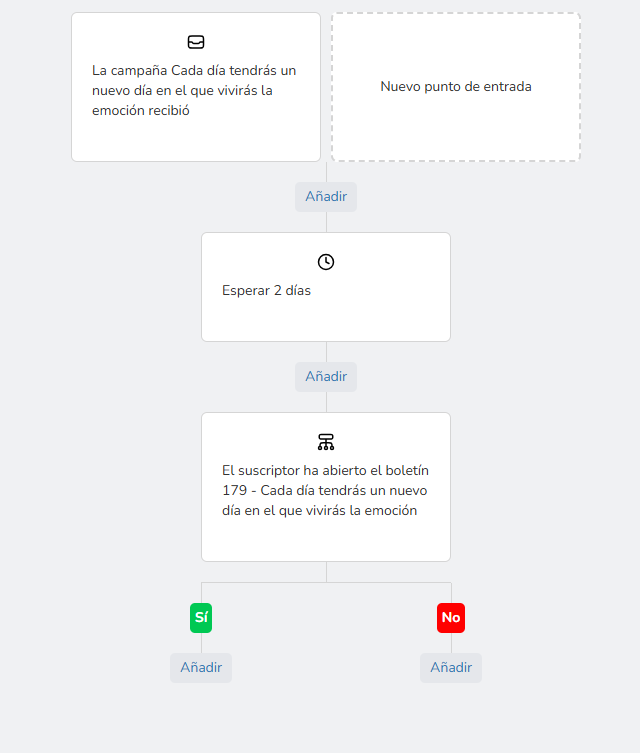
This way, you can set up an email workflow that automatically tracks which contacts react to your promotions and which ones don’t.
You save time and make your email campaigns more effective.
· Check your analytics:
Even if you have historical data from previous years, don’t forget to review the stats for your current campaigns.
This will allow you to tweak your campaigns during the current promotional period and ensure a higher volume of emails hits the inbox.
Track your:
- Opens
- Clicks
- Best times
- Top-performing links
All this information will help you continuously optimize your campaign.
· Spend time on your calls to action:
If you want direct responses to your email campaigns, that is, sales, for example, your calls to action need to be clear and visible.
Ideally, an email should have a single, focused goal, which allows you to repeat the call to action several times throughout the message.
That way, it becomes more visible.
Test different formats: buttons, text links, images, etc.
Always test to see what works best for your specific audience.
It’s not just about reaching the inbox; it’s about effectiveness and getting real results.

Simple drag-and-drop editor to create emails in a minute, plus a few tricks
We’ve already seen that Mailrelay’s editor can generate copy ideas to save you time, as well as easily load free images.
The editor is incredibly easy to use; you just drag and drop elements exactly where you want them:
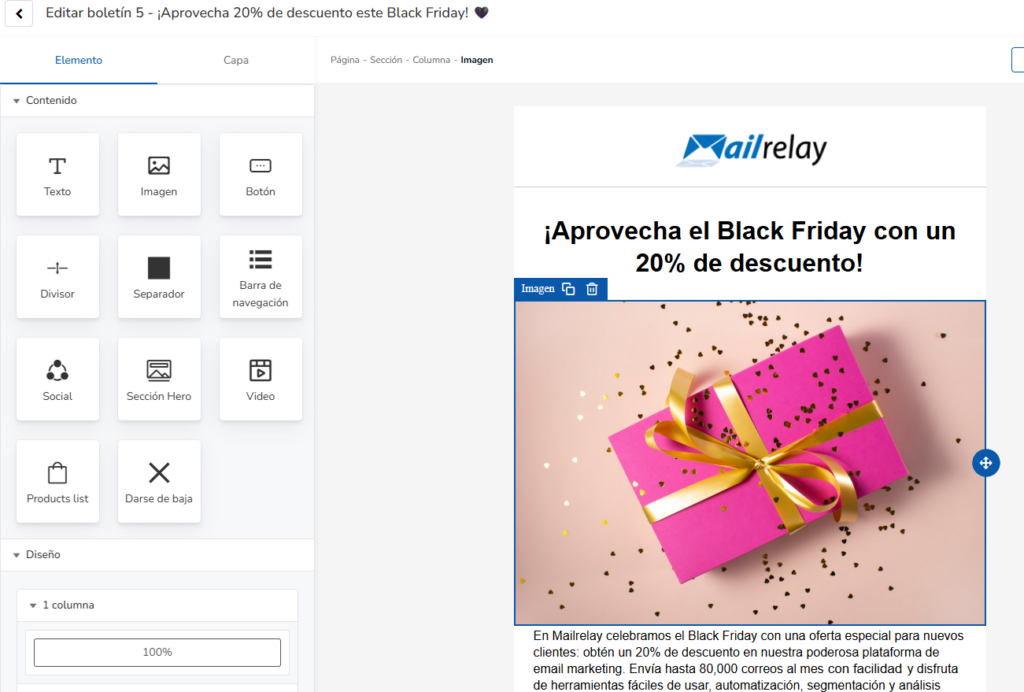
Notice also that you can add columns. For example, we could change this image so that it shows three products in three different columns instead:
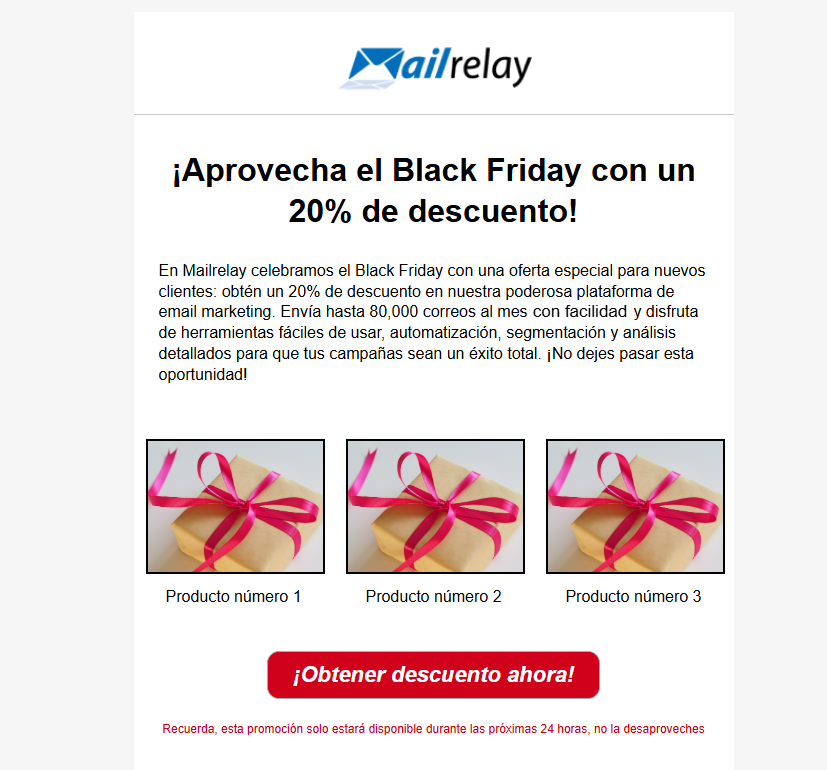
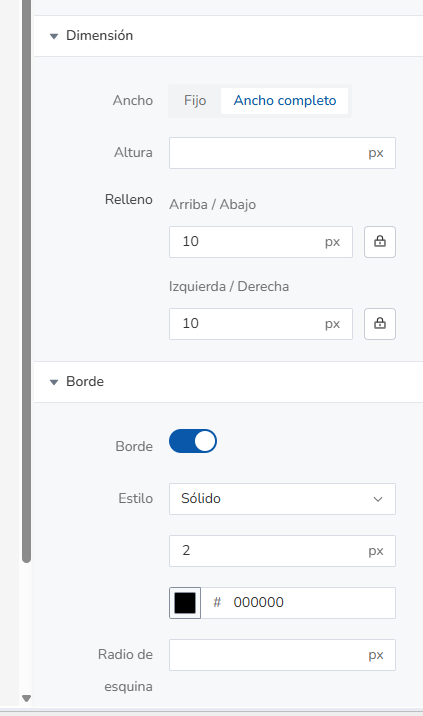
This is super easy to set up just by adding some padding and a border to your images, for example:
· Oh, and a quick trick for mobile versions
Newsletter templates generated with the editor will automatically adapt to different devices.
In fact, you can preview how it will look by using these buttons:
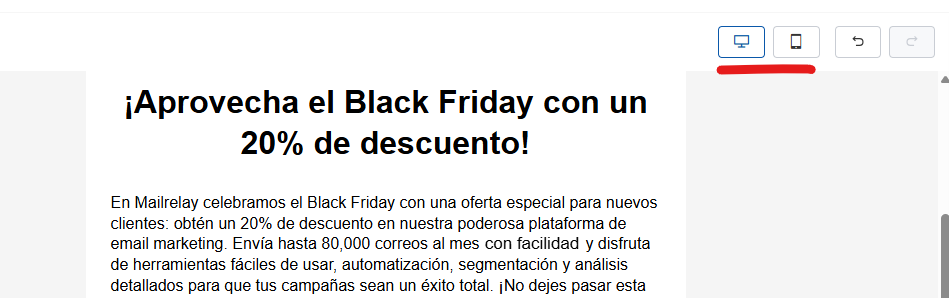
So what happens to the columns in this case?
You can choose exactly how you want them displayed:
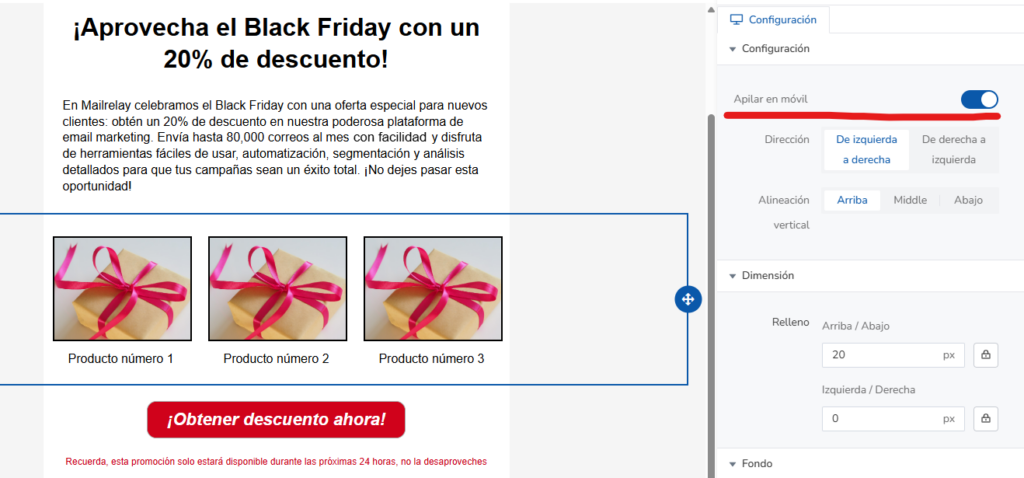
As you can see, we have a couple of options:
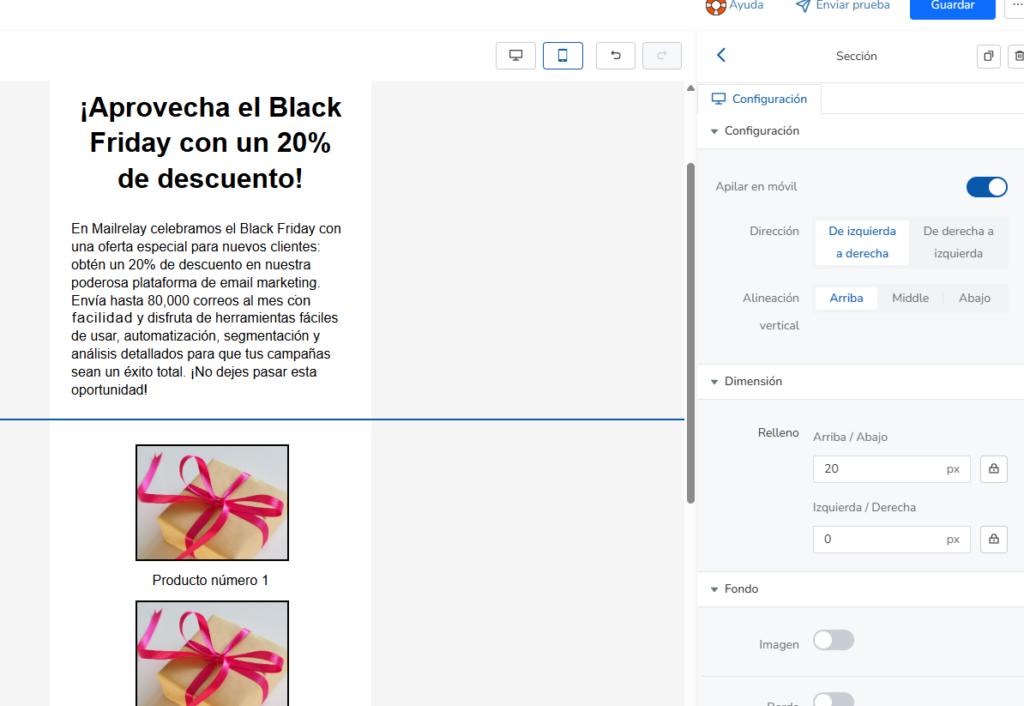
- Stacking the columns one under the other
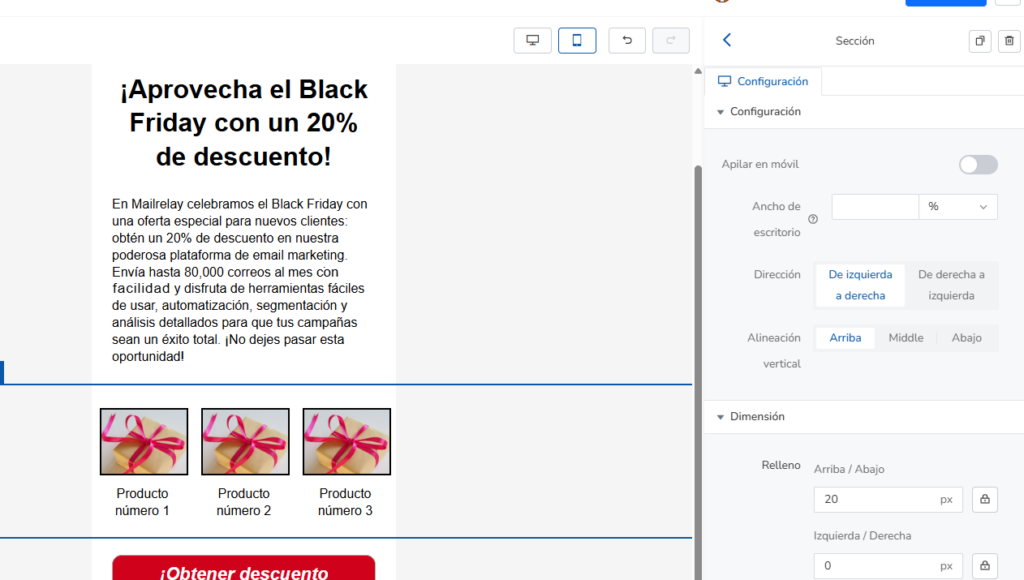
- Or scaling them down to fit side-by-side on the screen
The result looks something like this for stacked columns:
And something like this for scaled-down columns:
You can test them out until you find the option you like best.
It will only take a few minutes, and you’ll have your email ready to send to inboxes around the world.

Real-time stats and reporting
After sending your email campaign, it’s time to analyze the results.
Luckily, Mailrelay offers real-time statistics.
That way, you can watch your campaign gather data as it goes, including:
· Open and click-through rates:
These are your core metrics.
How many contacts open your emails, and of those, how many click on your links.
This is fantastic information for figuring out what you need to improve.
It tells you whether you need to tweak your subject lines, your calls to action, your content, etc.
· Click map or heatmap:
This visual tool gives you a quick overview of which links performed the best:
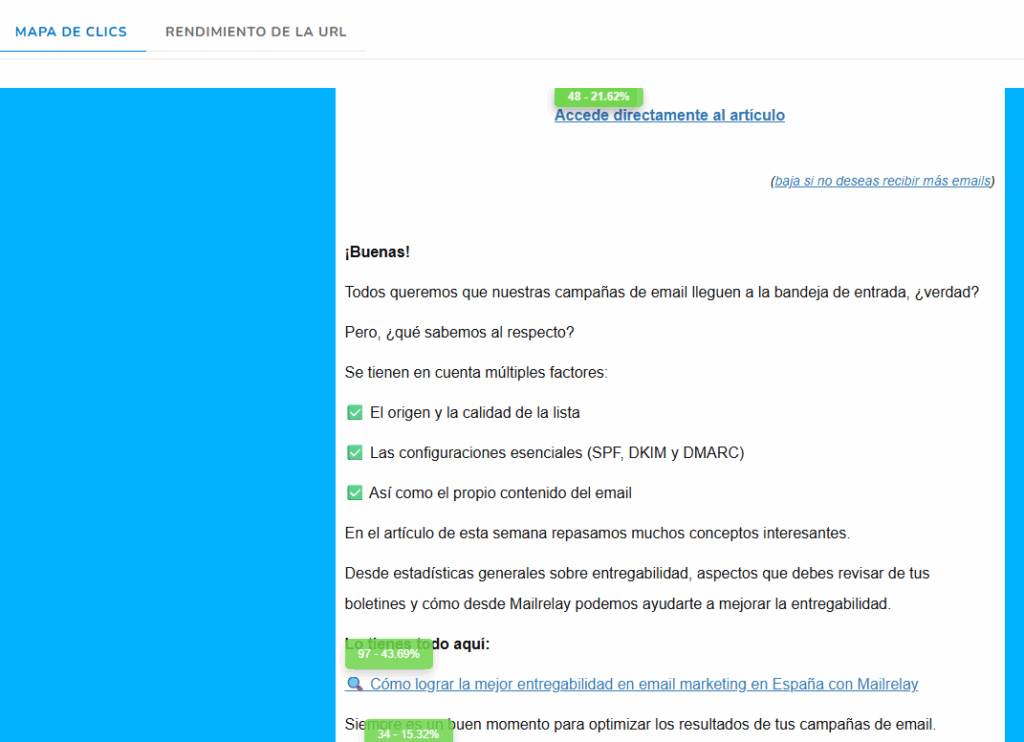
Thanks to this, you can easily spot if any of your calls to action are flying under the radar.
Make sure to review these links so you can continuously improve your newsletters.
· List quality metrics:
We recently talked about list quality in this article.
And it’s an area where Mailrelay’s real-time analytics can also provide a wealth of information:
- Unsubscribes
- Spam complaints
- Bounces
These numbers should be as low as possible.
For example, a very high bounce figure can indicate that the list isn’t very good, or perhaps that it’s very old. Either way, it can hurt your results.
· A/B Testing:
Sometimes, with promotional newsletters, picking the most effective subject line is tough.
We might have doubts or feel unsure, and obviously, we want the absolute best results.
The best thing to do in these cases is to use A/B tests in Mailrelay, so you can choose the most effective subject line with data to back up the decision.
You can choose to test two different subject lines on a small segment of your list and pick the winner based on the data, or you can just let the system choose automatically so you don’t have to lift a finger.

The highest volume free plan for your email campaigns
Creating a newsletter in minutes is great, but it’s no use if you can’t send it.
Because if you don’t send it, it won’t reach the inbox.
That’s why Mailrelay’s free plan can be a big help. Here are the details:
· Up to 80,000 emails a month to as many as 20,000 contacts:
As of today, no other email marketing tool offers a bigger free account, or even an equal one, or one that comes anywhere close.
For example, Mailchimp limits its free plan to 250 contacts and 500 sends a month.
Brevo (formerly Sendinblue) allows unlimited contacts but only 300 emails a day (about 9,000 a month).
Acumbamail offers barely 2,000 emails a month on its free tier.
Other platforms don’t even have a permanent free plan; they only offer limited-time trials.
Clearly, Mailrelay’s free plan lets you get more results.
More emails sent, more sales opportunities, more results.
· Real technical support, even on the free account:
Alongside ease of use, customer support is one of the features our users value most.
With Mailrelay, even on the free version, you get ticket support from an expert human team (in several languages).
On other platforms, customer support is usually locked behind a paywall.
That leaves free users stranded with nothing but tutorials and forums for help.
Does this also mean missed sales opportunities?
Without a doubt, because whenever you run into a problem or hit a roadblock, there’s no one there to help.
· Affordable scalability:
The goal of the free plan is to let you grow without any initial roadblocks.
And when your database surpasses 20,000 contacts or you need to send over 80,000 emails a month, you can easily upgrade to a paid plan, knowing your list is already turning a profit.
Don’t stop sending your promotional campaigns
Every email blast you send creates new sales opportunities.
It’s pure statistics: more chances, more results.
The process couldn’t be faster or easier if you follow the steps and tips we’ve covered in this article.
Give it a try and you’ll see results!

Jose Argudo
CMO at Mailrelay. Writes about email marketing, copywriting, and conversion for small businesses and entrepreneurs.