Funny email signatures: 30 examples to copy and fun facts you didn’t know
30 humorous signatures to copy, when to use them, and fun facts about those lines nobody reads

30 humorous signatures to copy, when to use them, and fun facts about those lines nobody reads
Have you ever read an entire email just to get to the signature? It happens more than you think. A funny line at the end makes people remember you, as long as it doesn’t get in the way of what matters.
A funny email signature is your usual one (name, job title and contact details) with a short, humorous line at the end. It doesn’t replace the details. It goes with them. If you’re looking for how to build a basic signature, you’ll find templates in the email signature entry. Here we’re going for the fun part.
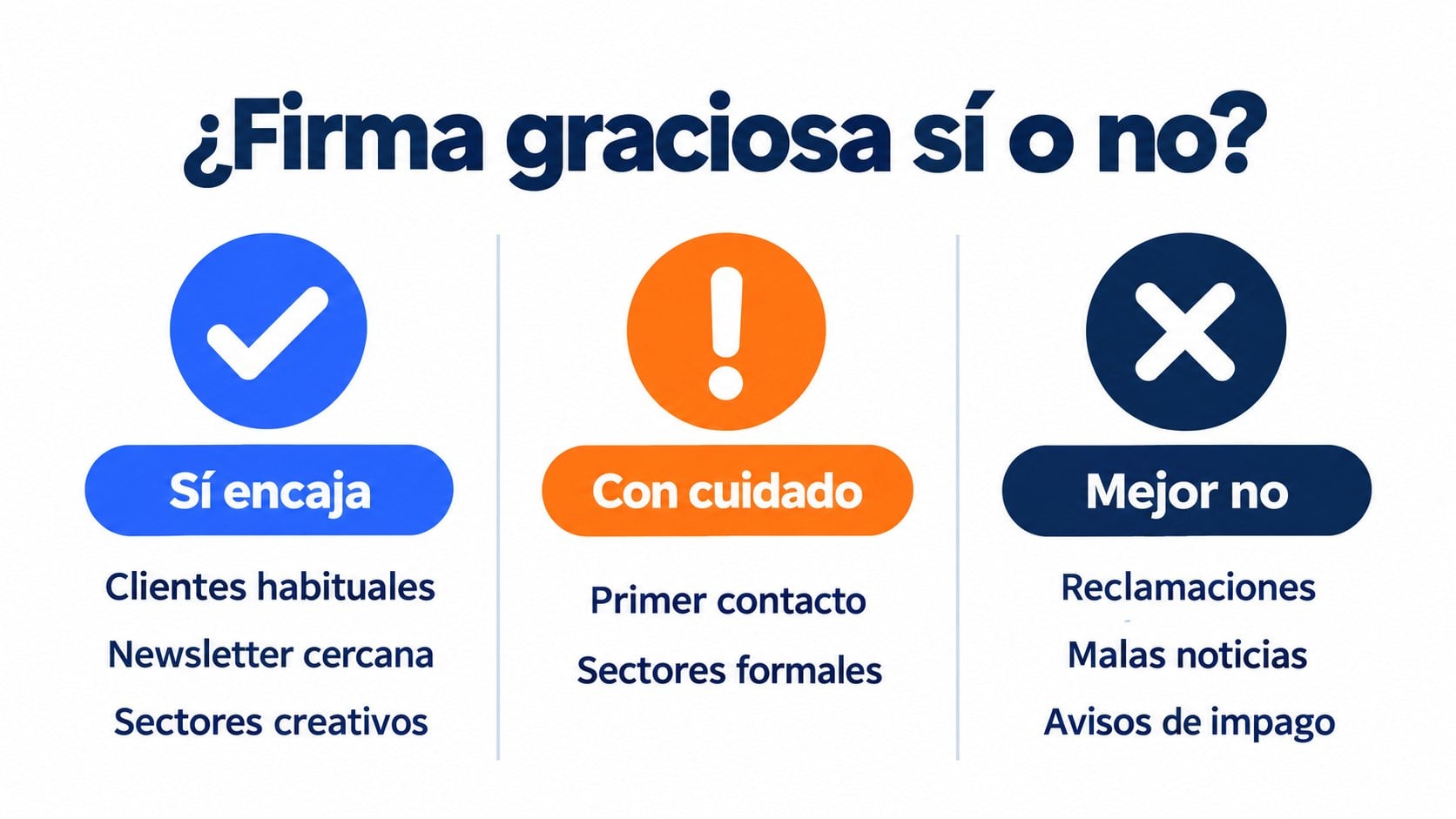
Humor in a signature works when there’s already trust or when your brand has a friendly tone. Otherwise, it’s better to hold it back.
| Situation | Funny signature? | Why |
|---|---|---|
| Emails with regular clients | Yes | They already know you and the nod strengthens the relationship |
| Newsletter from a friendly brand | Yes | Readers expect it and it’s part of the tone |
| Freelancers in creative fields | Yes | It shows your style before they hire you |
| First contact with a client | Carefully | Better something light that can’t be misread |
| Complaints, unpaid invoices or bad news | No | The joke comes across as disrespectful |
| Serious industries (legal, healthcare, finance) | Carefully | A fun fact is better than a joke |
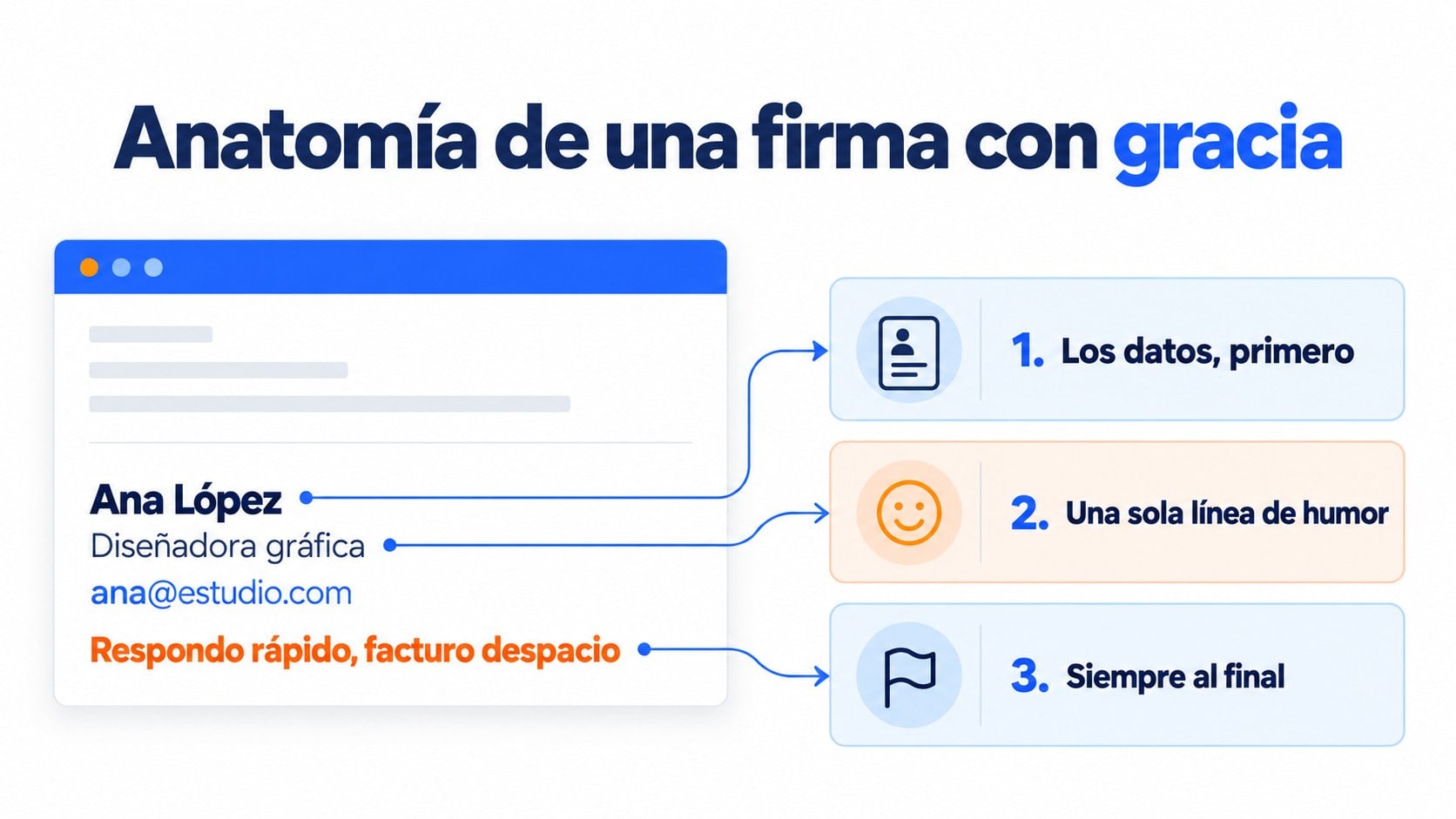
Add your signature to your newsletters too
Create your template once with your signature and use it in every send.
We’ve grouped them by type of job. Change the name and details, and pick the line that sounds most like you.
| # | Signature |
|---|---|
| 1 | Sent from my phone. Typos courtesy of autocorrect |
| 2 | Typed with my thumbs. Please be understanding |
| 3 | Sent from my phone, standing in line, with a coffee in the other hand |
| 4 | Sent from my phone. If it’s short, that’s why. If it’s long, I’m sorry about that too |
| 5 | Message written on 4% battery. Every word counts |
| # | Signature |
|---|---|
| 6 | Ana López · Designer · I reply fast and invoice slowly (for your peace of mind) |
| 7 | Translator. I speak three and a half languages. The half is the one I speak on Monday mornings |
| 8 | Photographer. If you don’t look good, blame the lighting |
| 9 | Copywriter. I’ve rewritten this signature 14 times |
| 10 | Developer. It works on my machine |
| # | Signature |
|---|---|
| 11 | Marketing team. Yes, we read the subject lines we write too |
| 12 | Sales manager. My coffee thinks I’m productive |
| 13 | Community manager. I answer emails faster than comments, I promise |
| 14 | Marketing. We even A/B test this signature |
| 15 | Sales. My favorite KPI is your reply |
| # | Signature |
|---|---|
| 16 | Support. Real people, with names and with patience |
| 17 | Customer service. We read your whole email, P.S. included |
| 18 | If you’ve restarted it and it still doesn’t work, I’m here |
| 19 | Tech support. I translate “it doesn’t work” into solutions |
| 20 | We reply Monday to Friday. On Sundays we just think about you |
| # | Signature |
|---|---|
| 21 | Inbox zero advocate (and frequent loser) |
| 22 | This email has no attachments. If you were expecting some, I forgot them again |
| 23 | I reply within 24 hours. Or 25, which is also a nice number |
| 24 | If you CC me, keep me in the reply too |
| 25 | Before printing this email, think about whether you really need to. Spoiler: you don’t |
| # | Signature |
|---|---|
| 26 | Written by someone who also unsubscribes from boring newsletters |
| 27 | If you’ve read this far, you’re one of us |
| 28 | Reply to this email. I read it myself, not a robot |
| 29 | See you in your inbox next Tuesday. Same place, same time |
| 30 | Thanks for reading. If you liked it, forward it. If you didn’t, forward it anyway, so people can criticize us as a group |
Newsletter signatures have a trick: inviting people to reply. When your subscribers reply, it tells mailbox providers they’re interested in what you send, and that helps your deliverability.
Signatures have more history than you’d think. Many of today’s habits come from the forums of the ’80s and ’90s.
In Usenet newsgroups, the netiquette of the time considered a signature longer than four lines very bad manners. Every extra line was repeated across thousands of messages and took up space on a network much slower than today’s. The rule is still a good idea.
Many email programs recognize a line with two hyphens and a space (“– “) as the start of the signature. Thunderbird, for example, uses it to strip the signature when you quote a message in a reply. It’s a convention that comes from Usenet.
Unix systems had a program, fortune, that displayed a random quote or joke. Many people used it so that every message carried a different signature. It was the old-school version of the funny line you now change by hand.
Researchers Caleb T. Carr and Chad M. Stefaniak studied how people judge someone who writes with errors. They concluded that a signature like “Sent from my iPhone” softens the bad impression typos make, because the reader understands you wrote from your phone.
In 2017, Boomerang analyzed more than 350,000 email threads. Those that ended with “Thanks in advance” got a 65.7% response rate, compared with an average of 47.5%. Saying thanks at the end, even with a touch of humor, helps.
You don’t need to be a comedian. Just pay attention to what happens to you at work every day.
When the email is serious. A late-payment notice or an apology with a joke at the end loses its impact.
When it can be misread. Irony doesn’t come across the same way in every country or at every age. If in doubt, remove it.
When it’s longer than the message. A two-line reply with a ten-line signature looks like an ad.
When it’s an image. Many email programs block images, and your joke turns into an empty box. Write the line as text.
If you like humor in your emails, you’ll find more ideas in these funny emails and in the wordplay for subject lines. And if something ever slips through, a good errata notice fixes it.
In a newsletter, the signature makes the send feel like it comes from a person and not from a faceless company. Some ideas that work:
Sign with a name. “Lucía, from the Mailrelay team” reads better than “The team”. It goes hand in hand with the name you use as the sender.
A P.S. at the end. The postscript is a good place for the funny line or for repeating the main link.
Always the same signature. If you change tone with every send, readers won’t recognize who’s writing to them.
Sign your newsletters in your own style
Design your template and send up to 80,000 emails a month for free.
In the Mailrelay editor, you can create your template with your signature at the end and reuse it in every send. If you can’t decide between two versions, for example one with the funny line and one without, you can run an A/B test on the subject line or the content and keep the one that works best.
With the free account, you can send up to 80,000 emails a month to 20,000 contacts, with human support on every plan.
A memorable signature in every email
Start for free and send your first newsletter today.
It depends on your industry and who you’re talking to. With regular clients or in creative fields, it usually adds something. In serious emails or in a first contact in formal industries, it’s better without it.
At the end, below your name, job title and contact details. The first thing the reader should see is who you are and how to reach you.
Ideally, around four lines. It’s a rule that comes from the forums of the ’90s and still works, especially on mobile.
You can, but many email programs block images by default. If the joke is in the image, the reader may not see it. A line of text is better.
Your name, your brand’s name and, if it fits your tone, a short line that invites people to reply. Always keep the same one so your subscribers recognize you.

Jose Argudo
CMO at Mailrelay. Writes about email marketing, copywriting and conversion for small businesses and entrepreneurs.