Junk mail: what unwanted email is, how to recognize it and how to avoid it
What unwanted email is and what to do when it reaches your inbox
Junk mail (or junk email) is unwanted email, also called “junk” or “spam”: unsolicited emails that reach the user’s inbox, usually with irrelevant or unwanted content.
This type of email can come from various sources, such as companies that send mass emails without properly segmenting their audience or malicious senders with fraudulent intentions.
Characteristics of junk mail
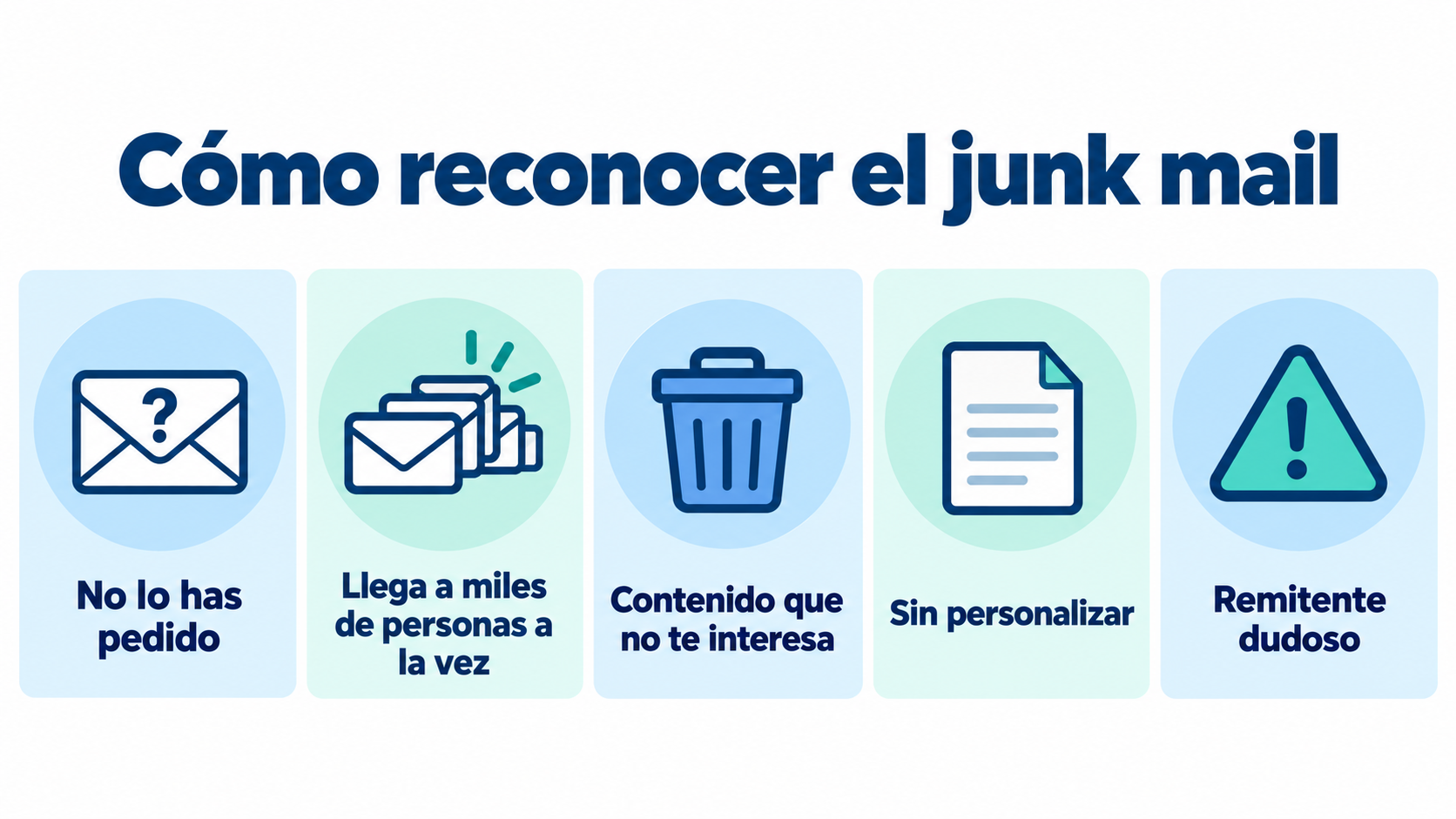
To better understand what junk mail is, it helps to know its main characteristics:
- Unsolicited: The main characteristic of junk mail is that the recipient has not requested to receive it. This means that the email arrives unexpectedly and without the recipient’s explicit consent.
- Sent in bulk: Junk mail is usually sent in large volumes to a long list of contacts. This is done using email automation tools that allow thousands of emails to be sent in just a few minutes.
- Irrelevant content: These emails usually contain information that is of no interest to the recipient. They can be advertisements for products, services, fake promotions, or even phishing attempts.
- Lack of personalization: Unlike well-segmented email marketing campaigns, junk mail lacks personalization. It doesn’t address the user by name or adapt the content to their interests or previous behavior.
- Questionable origin: Many times, junk mail comes from unknown senders or email addresses that seem suspicious. This makes it difficult to identify the sender and verify the legitimacy of the message.
Keep your emails out of junk
Send from your authenticated domain (SPF, DKIM and DMARC) and only to contacts who have given you permission.
What causes junk mail?
Junk mail can have several causes, most notably:
Unethical marketing practices
Some companies resort to buying email lists or illegally collecting addresses to expand their reach.
These practices go against data protection regulations and the informed consent of users.
Malicious intent
Cybercriminals use junk mail as a tactic to carry out fraud, such as phishing.
Through emails that look legitimate, they seek to obtain users’ personal or financial information.
The junk mail folder (Junk Email) in Outlook and Gmail
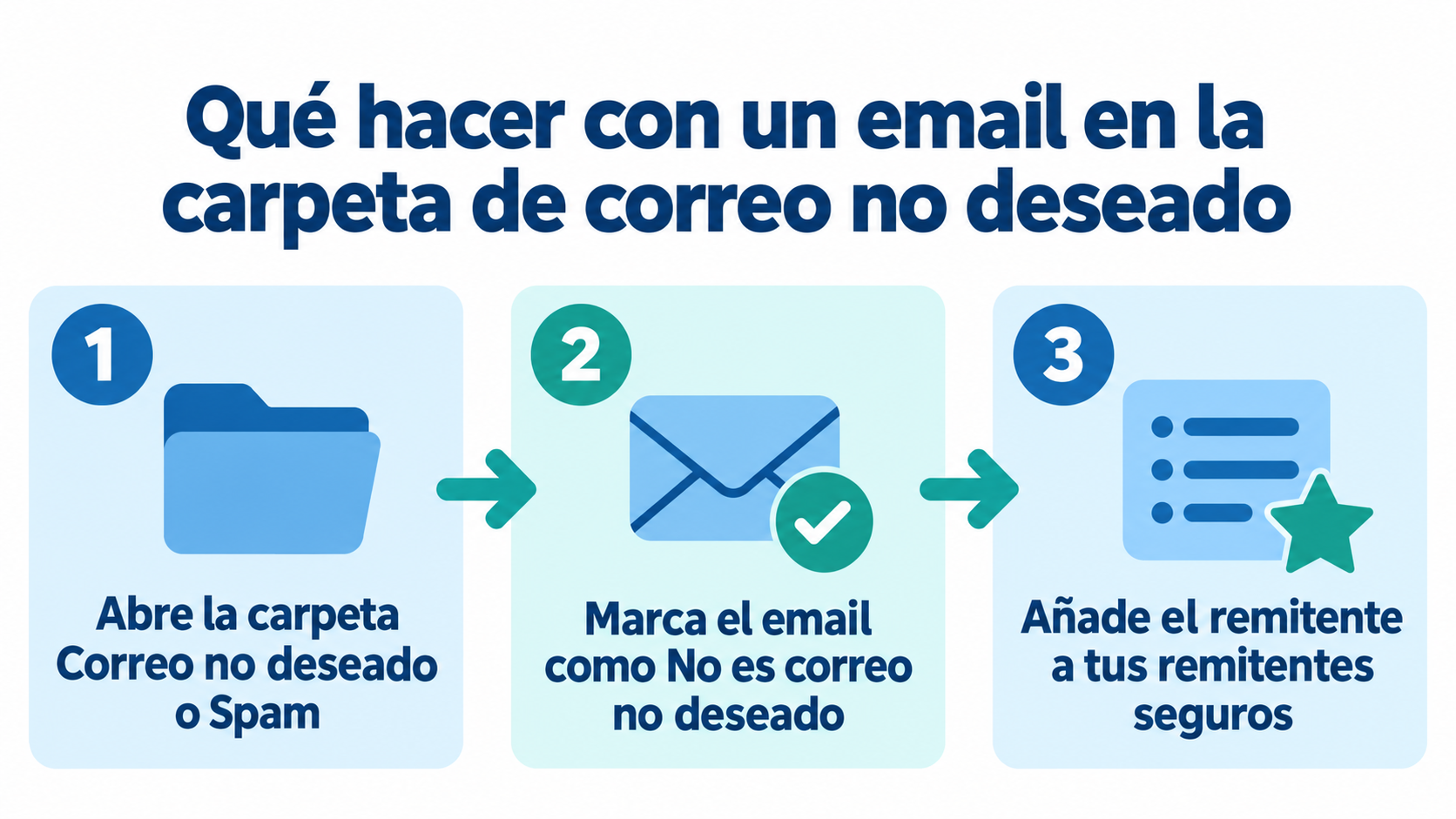
Email programs keep junk mail in a separate folder. In Outlook it’s called Junk Email and in Gmail, “Spam”. Sometimes an email you actually wanted ends up there: an invoice, a confirmation or the newsletter you subscribed to.
- To get it out in Outlook: open the Junk Email folder, select the message and choose “Not junk”. To keep it from happening again, add the sender to your Safe Senders list.
- To get it out in Gmail: open the Spam folder, open the message and click “Report not spam”. Gmail automatically deletes anything that has been in that folder for more than 30 days.
- If it really is junk mail: mark it as junk or spam instead of deleting it. That way your email provider learns to filter it.
The impact of junk mail on email marketing
Junk mail not only hurts the user experience, it also has major repercussions for email marketing strategies.
Below are some of these impacts:
Distrust in the channel
The proliferation of junk emails can cause users to lose trust in email as a communication channel.
This can lead users to ignore legitimate and relevant emails, affecting the effectiveness of email marketing campaigns.
Low open rate
Emails that end up in the spam folder or are considered junk mail usually have a low open rate.
This means that important messages don’t get read, reducing the impact of campaigns.
Damage to the sender’s reputation
If a company is identified as a sender of junk emails, its reputation can be severely affected.
Email providers such as Gmail or Outlook may block or limit the emails they receive from that sender, making it harder to deliver future messages.
Best Practices to Avoid Junk Mail
To keep email marketing campaigns from being classified as junk mail, it’s worth following a few best practices:
- Get the user’s consent: Before sending any email, you need the recipient’s explicit consent. This can be achieved through subscription forms where users opt to receive messages.
- Segment the audience: Segmentation allows you to send relevant and personalized messages to different user groups. By understanding recipients’ interests and behaviors, you can create more effective and less invasive campaigns.
- Personalize the content: Personalizing content is key to capturing the user’s attention. Using the recipient’s name, referring to previous purchases, or adapting the message to their interests increases the chances that the email will be opened and read.
- Include unsubscribe options: It is important to always provide a clear and easy option for users to unsubscribe from mailing lists. This is not only an ethical practice but also a legal requirement in many jurisdictions.
How Mailrelay helps you
With Mailrelay, your campaigns are less likely to end up in the junk folder. Every subscription goes through double opt-in, unsubscribes are handled automatically and addresses that hard bounce are never sent to again.
You can also authenticate your domain with SPF and DKIM, and before sending you can run the editor’s spam report, based on SpamAssassin, which flags problems in the content or links. Emails go out from shared IPs that are monitored continuously.
Reach the inbox, not the junk folder
Mailrelay works with double opt-in and guides you through authenticating your domain.