Phishing: what it is, types and how to spot a fraudulent email
How to recognize a fake email before you click and how to stop scammers from using your brand to deceive people
Phishing is a type of fraud in which someone impersonates a trusted company or person to steal data, passwords or money. It usually arrives by email, but also by SMS, phone calls or social media.
The message imitates a bank, a store, a delivery company or a coworker. Its goal is to get you to click a link, download a file or hand over your details without thinking.
What does phishing mean?
The word comes from fishing: the attacker casts the bait and waits for someone to bite. The initial “ph” is a nod to the slang of the early hackers.
It is also known as identity spoofing or online fraud.
How does a phishing attack work?
1. The bait. A message arrives that looks legitimate: copied logos, tone and signature.
2. The urgency. “Your account will be blocked today”, “Your package is on hold”, “Final payment notice”.
3. The action. You are asked to click, log in, download an attachment or reply with your details.
4. The theft. The fake page captures your password or card details, or the attachment installs malware.
A typical example: you get an SMS from a supposed delivery company. It says your package is on hold and that you need to pay €1.99 in customs fees. The link leads to a website identical to the real one that asks for your card details.
Types of phishing
| Type | Channel | Description |
|---|---|---|
| Email phishing | Mass messages that imitate a well-known brand | |
| Spear phishing | A targeted attack on a specific person, using real information about them | |
| Whaling | Spear phishing aimed at executives or staff with access to payments | |
| Smishing | SMS | Text messages with fake links, for example about a delivery |
| Vishing | Phone | Calls from people posing as the bank or technical support |
| Social media phishing | Social media and messaging apps | Fake profiles or stolen accounts that send malicious links |
| Fake website (pharming) | Browser | Copies of real websites that collect your login details |
Spear phishing is the most dangerous type for businesses: the attacker researches the victim and personalizes the message, sometimes impersonating a supplier or the CEO themselves.
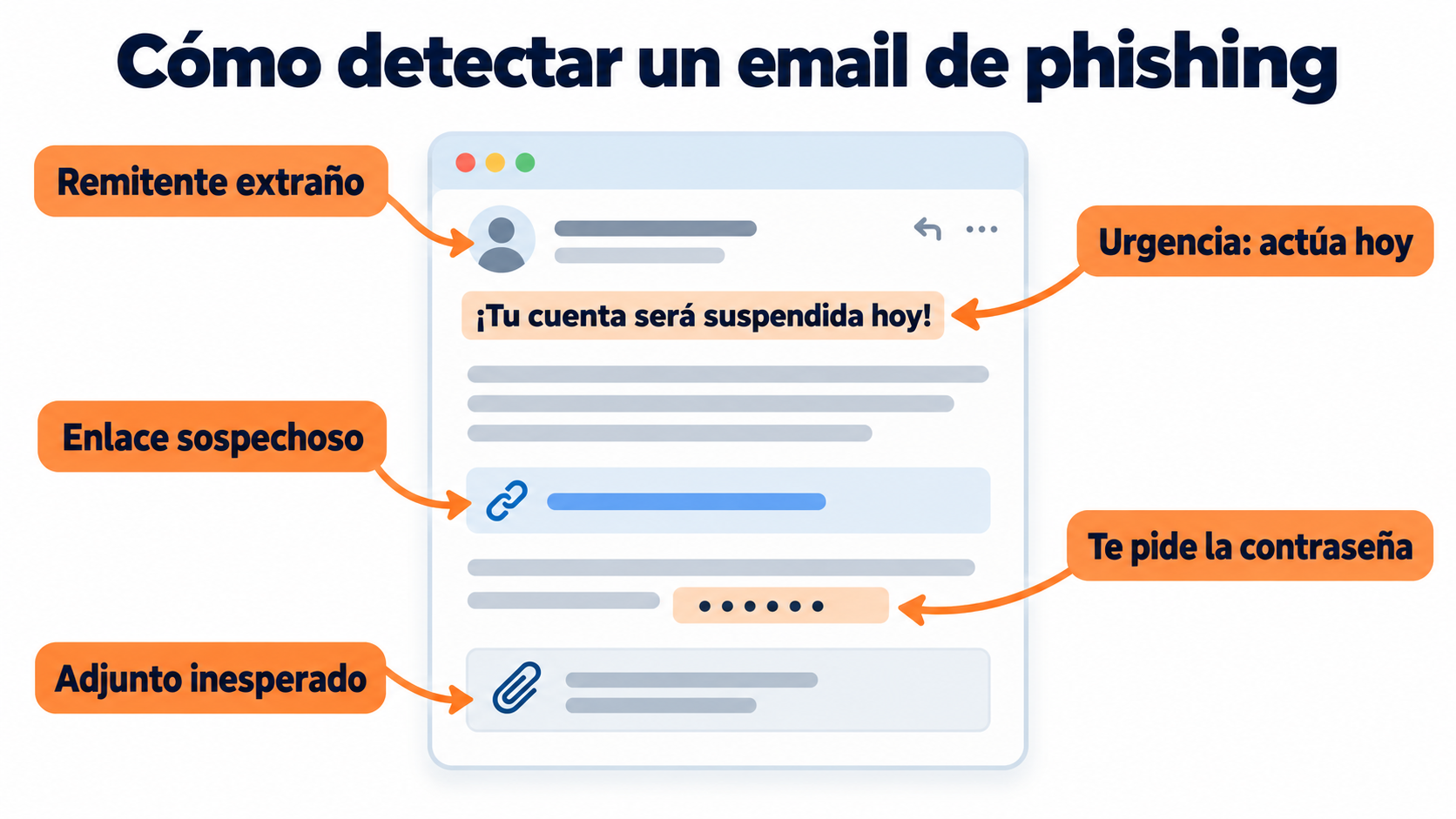
How to spot a phishing email
Check the real sender. Not just the name: the full address. A lookalike domain (with swapped or added letters) is a clear warning sign.
Be wary of urgency. Legitimate companies rarely demand that you act “within the next few hours”.
Hover over the links. Before clicking, check where they actually lead.
Check the attachments. Invoices or documents you weren’t expecting, especially compressed files or files with macros.
Look at the greeting and the mistakes. A generic “Dear customer” or spelling errors are common.
No legitimate sender will ask for your password by email. Not your bank, not any reputable service.
Make sure your subscribers recognize your emails
Set up SPF and DKIM in Mailrelay and always send from a verified sender.
What to do if you’ve fallen for it
Change the password of the affected account and of any other account where you use it.
Turn on two-step verification. A one-time code (OTP) blocks many break-ins even if attackers have your password.
Notify your bank if you gave out payment details, so they can block the card.
Get help. In Spain, INCIBE offers free help on 017.
Report it. To the police or the Guardia Civil, with screenshots of the message.
Phishing and email marketing: how to protect your brand
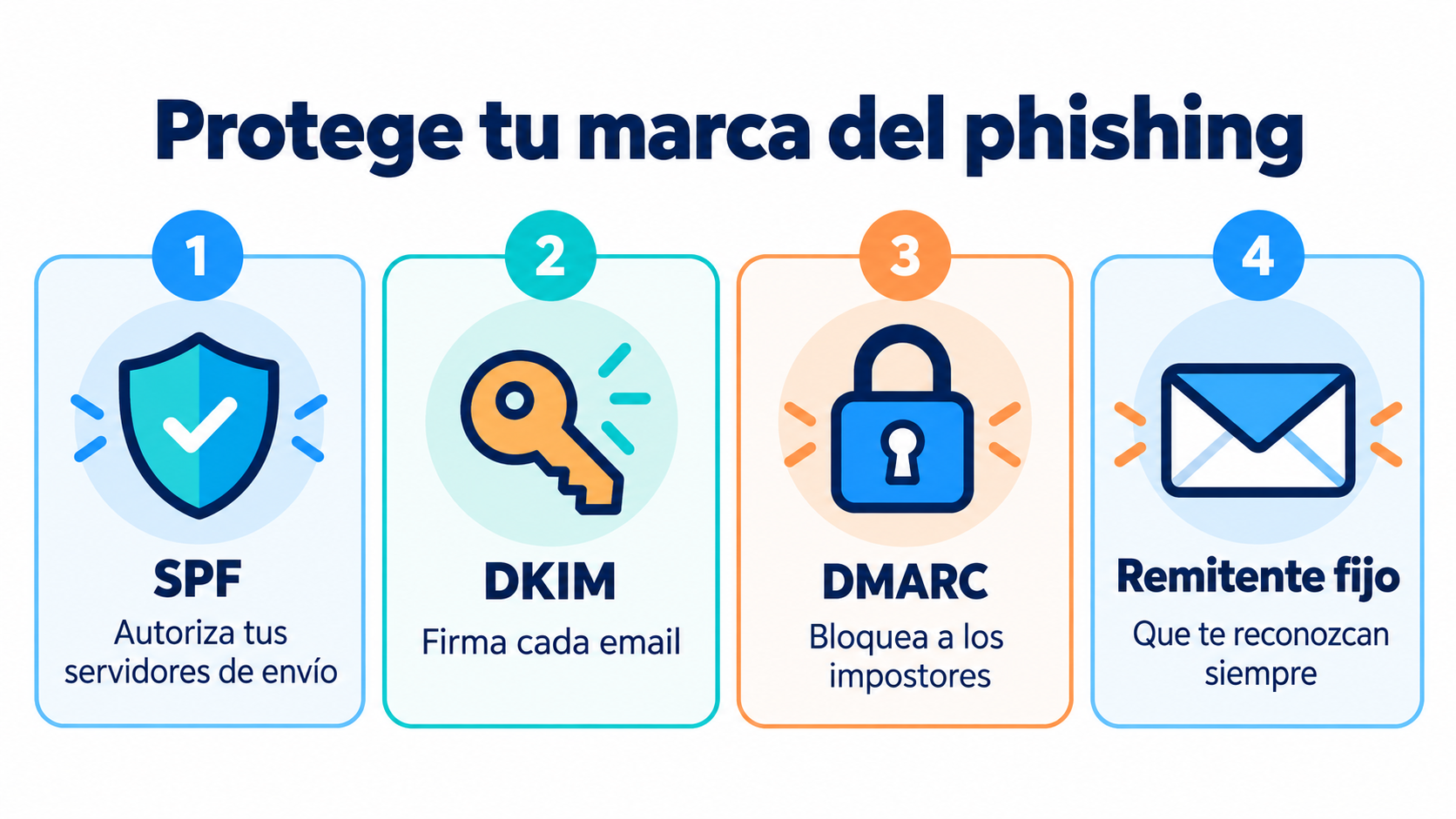
If you have a subscriber list, attackers can use your name to deceive them. This is known as spoofing. To prevent it:
Authenticate your domain. Set up SPF, DKIM and DMARC so no one can send emails on your behalf without being detected.
Always send from the same sender. Your subscribers will spot a strange message more quickly.
Don’t ask for sensitive data by email. And say so in your communications: “We will never ask for your password”.
Use links to your own domain. Avoid URL shorteners that hide the destination.
Also, an email that looks like phishing ends up in spam. Good design and a clear sender also protect your deliverability.
Common mistakes
Thinking it only affects large companies. Small businesses are a frequent target because they tend to have less protection.
Trusting the browser padlock. Many fake websites also use HTTPS.
Not training your team. Most attacks get in through someone’s click, not a technical flaw.
Reusing passwords. If one leaks, the attacker tries it on all your other accounts.
Replying to check. Answering the message confirms that your address is active.
How Mailrelay helps you
Mailrelay helps you set up SPF and DKIM on your sending domain and keep a consistent sender, so your subscribers can tell your emails apart from fake ones. The statistics alert you to bounces and complaints that could point to a problem.
The free account includes up to 80,000 emails a month and 20,000 contacts, with human support by chat, ticket and phone.
Send your newsletters with Mailrelay
Up to 80,000 emails a month and 20,000 contacts for free, with human support on every plan.
Frequently Asked Questions
These are the most common questions about phishing.
What is phishing in a nutshell?
A scam in which someone impersonates a trusted company or person to steal your data or money.
What’s the difference between phishing and spam?
Spam is unwanted advertising. Phishing is fraud that aims to steal something from you.
What is smishing?
Phishing by SMS: text messages with fake links, for example about a package or from your bank.
What is spear phishing?
An attack targeted at a specific person, using real information about them to be more convincing.
Where do I report a phishing attempt?
In Spain, to INCIBE (phone 017) and to the police or the Guardia Civil. You can also forward it to the company being impersonated.