Email format: structure, sizes and 5 templates to copy
Sender, subject line, body, button and footer: the layout that effective emails follow, with 5 filled-in templates

Sender, subject line, body, button and footer: the layout that effective emails follow, with 5 filled-in templates
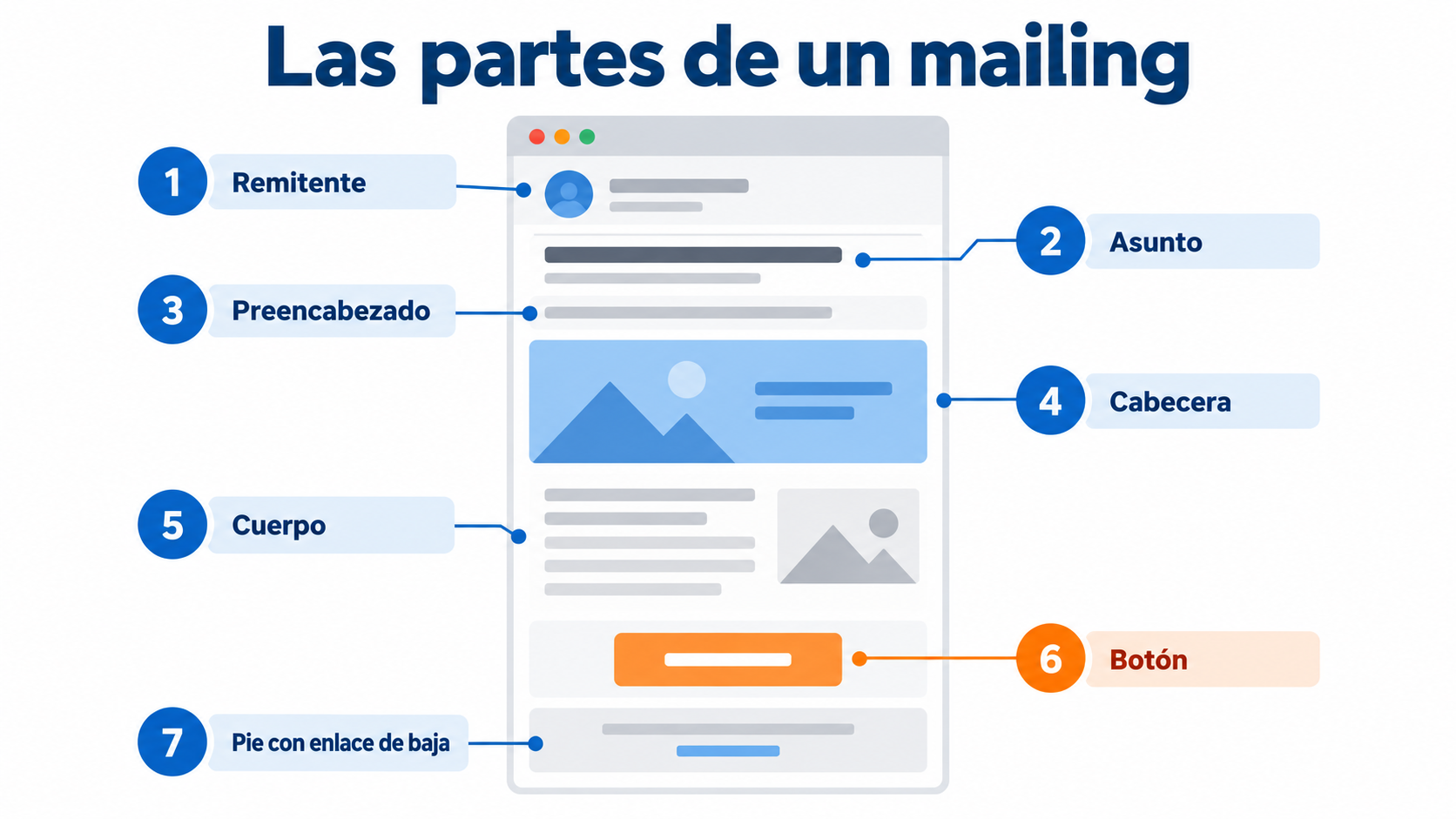
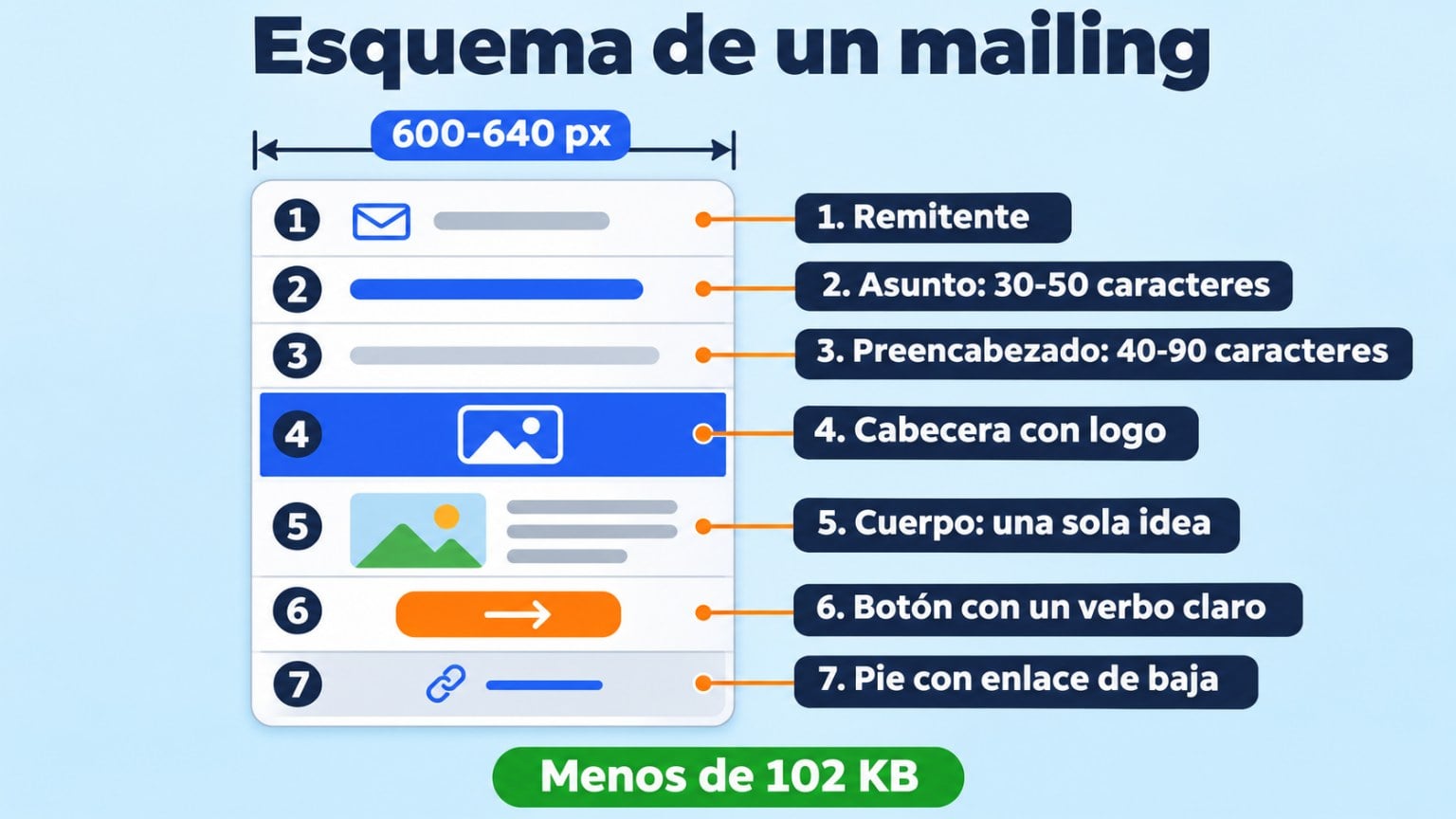
An email’s format has seven parts, from top to bottom: sender, subject line, preheader, header, body, button and footer.
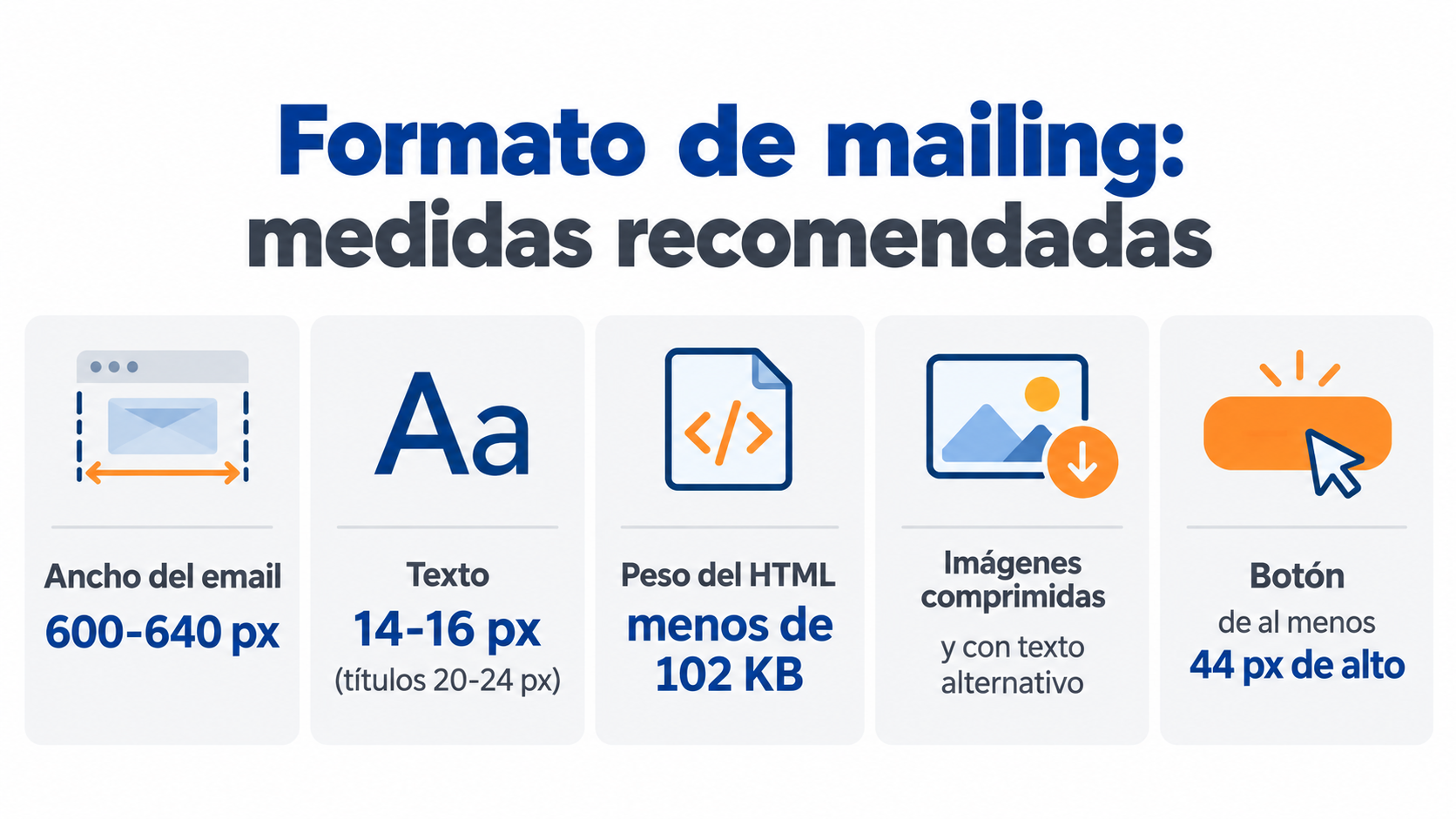
It’s 600 to 640 px wide, weighs less than 102 KB and has a single call to action.
Here you’ll find the structure explained, the sizes, an outline to copy and 5 email templates with filled-in examples.
Almost every effective email follows the same structure. Each part has a specific job:
| Part | What it’s for | Recommendation |
|---|---|---|
| Sender | Let the reader know who is writing to them | Your brand or “Name from Brand”. Always the same |
| Subject line | Get the email opened | 30-50 characters. Say what the reader gets |
| Preheader | Complete the subject line | 40-90 characters. Don’t repeat the subject line |
| Header | Make the email recognizable | A logo or a simple image, not too tall |
| Body | Tell a single idea | Short paragraphs, and subheadings if it’s long |
| Button | Get the reader to act | A clear verb: “Book your spot”, “Watch the course” |
| Footer | Legal details and unsubscribe | Your details, social media and an unsubscribe link (mandatory) |
The most common mistake is cramming several ideas into the same email.
If you have three pieces of news, pick the main one and save the others for your next campaign.
Create your email with the right format
Choose a template in the Mailrelay editor, adapt it to your brand and send it without knowing any HTML.
| Element | Recommendation |
|---|---|
| Email width | 600-640 px |
| Text size | 14-16 px in the body, 20-24 px in headings |
| HTML size | Under 102 KB (if it’s larger, Gmail clips the message) |
| Images | Compressed, with alt text, and never the whole message as a single image |
| Button | At least 44 px tall, so it’s easy to tap on mobile |
If you want more detail, this article covers newsletter dimensions with a complete table.
The HTML format allows images, colors and buttons. It’s the usual choice for newsletters and promotions.
Plain text looks like a personal email. It works well for follow-up and support emails, or in B2B campaigns where you want to sound approachable.
The templates in this article work for both formats.
Before you write, fill in this outline. If you don’t know what to put on a line, the email isn’t ready yet.
Sender: [Name] from [Brand]
Subject line: [What the reader gets, in under 50 characters]
Preheader: [A detail that completes the subject line]
Greeting: Hi [Name],
Paragraph 1: [The problem or the news, in one or two sentences]
Paragraph 2: [Your offer and why it matters to them]
Button: [Verb + benefit]
Sign-off: [Signed by a person]
Footer: [Company details · Unsubscribe]
The 5 email templates below are plain text. You copy them, paste them into your email marketing software and adapt them.
The parts you need to change are in square brackets: [like this].
After each template there’s a filled-in example, so you can see how it turns out.
Read the result out loud before you send it. If it sounds like a template, change the sentences you wouldn’t say yourself.
Using pre-designed templates doesn’t have to clash with creating personalized emails. Use the templates as a starting point, to give you an idea of what usually works in that context. And from there, adjust them to your needs. Think of it as starting a race with a head start, not skipping it altogether.
Jose Argudo, CMO at Mailrelay
The first three templates are inspired by two emails from Asana, the project management tool.

Asana sent a free 15-minute mini-course on a specific problem marketing teams face: chaotic creative processes.
It doesn’t sell anything. It helps solve a problem and, along the way, makes it clear that Asana is the tool to solve it.
The formula works for any business. Your audience always has problems, and if you lend them a hand, they’ll pay attention to you.
You don’t need to create new content: a video, a guide or an article you already have can do the job.
The template follows the problem-solution formula:
Hi [Name],
[Your audience’s problem, explained clearly and directly].
That’s why at [Company] we’ve created this [video, course, guide…] to help you [solution to the problem].
Are you in?
[Button: watch the video, start the course, download the guide]
[Sign-off],
[Signature]
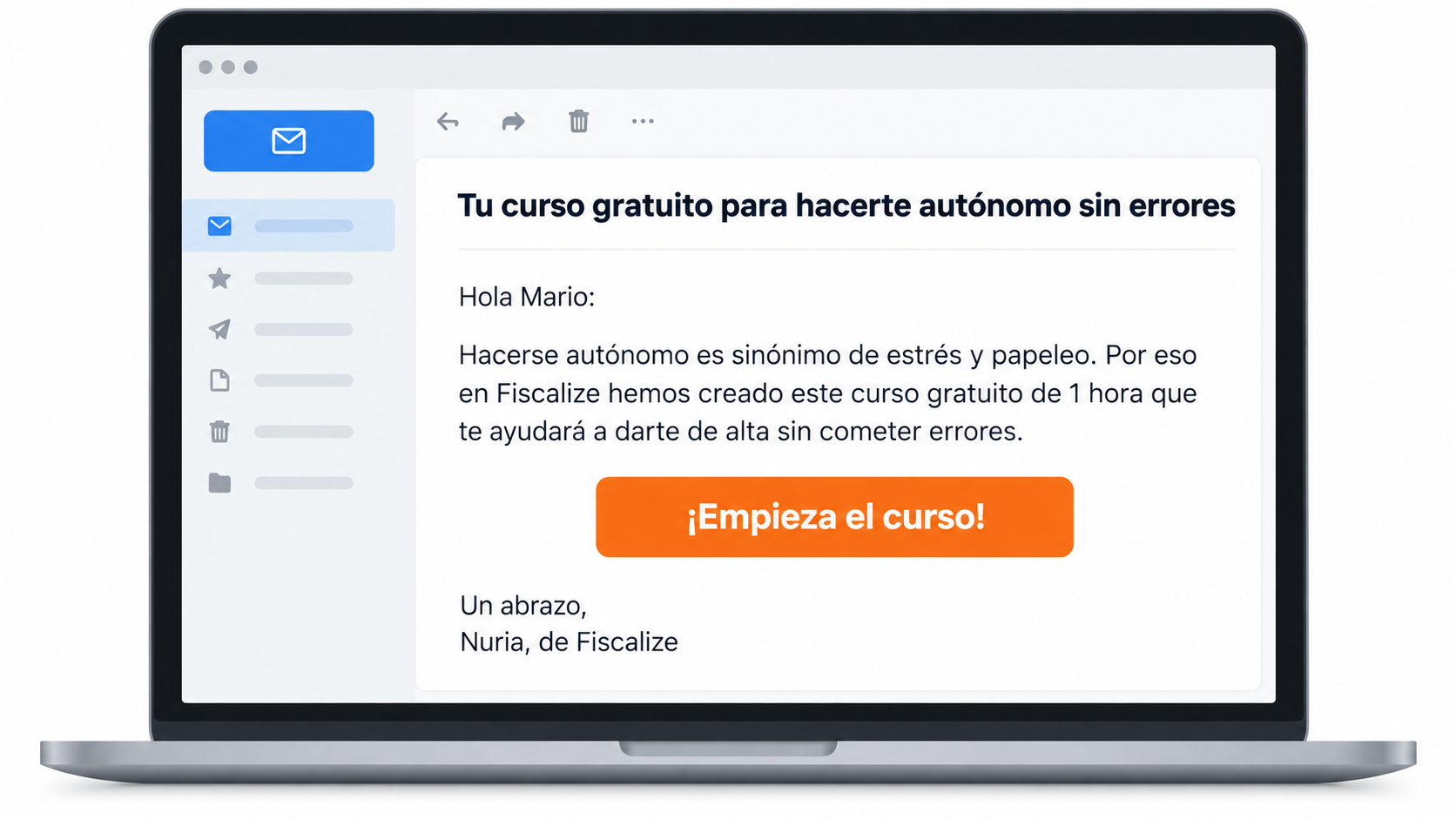
Here’s how it looks filled in for an accounting firm for freelancers:
Hi Mario,
Going freelance means stress and paperwork. And a simple mistake on a form can lead to a fine.
That’s why at Fiscalize we’ve created this free 1-hour course to help you register as self-employed safely, without making mistakes.
Are you in?
[Start the course]
Warm regards,
Nuria, from Fiscalize

Asana took advantage of World Productivity Day to send tips on how to be more productive. That’s exactly the benefit its tool sells.
Almost any business has a world day that fits what it does:
A topical date gives you a reason to write and boosts opens. Mention it in the subject line.
Here are two versions: one with content and another with a sales promotion.
Template #2: World Day with content
Hi [Name],
Did you know that today is World [date] Day?
It’s an important day for you and for us, and we want to celebrate it with you.
That’s why we’ve prepared [content related to the date], so that [benefit of watching or reading it].
We hope you like it.
[Sign-off],
[Signature]
Filled in for an online coaching center:
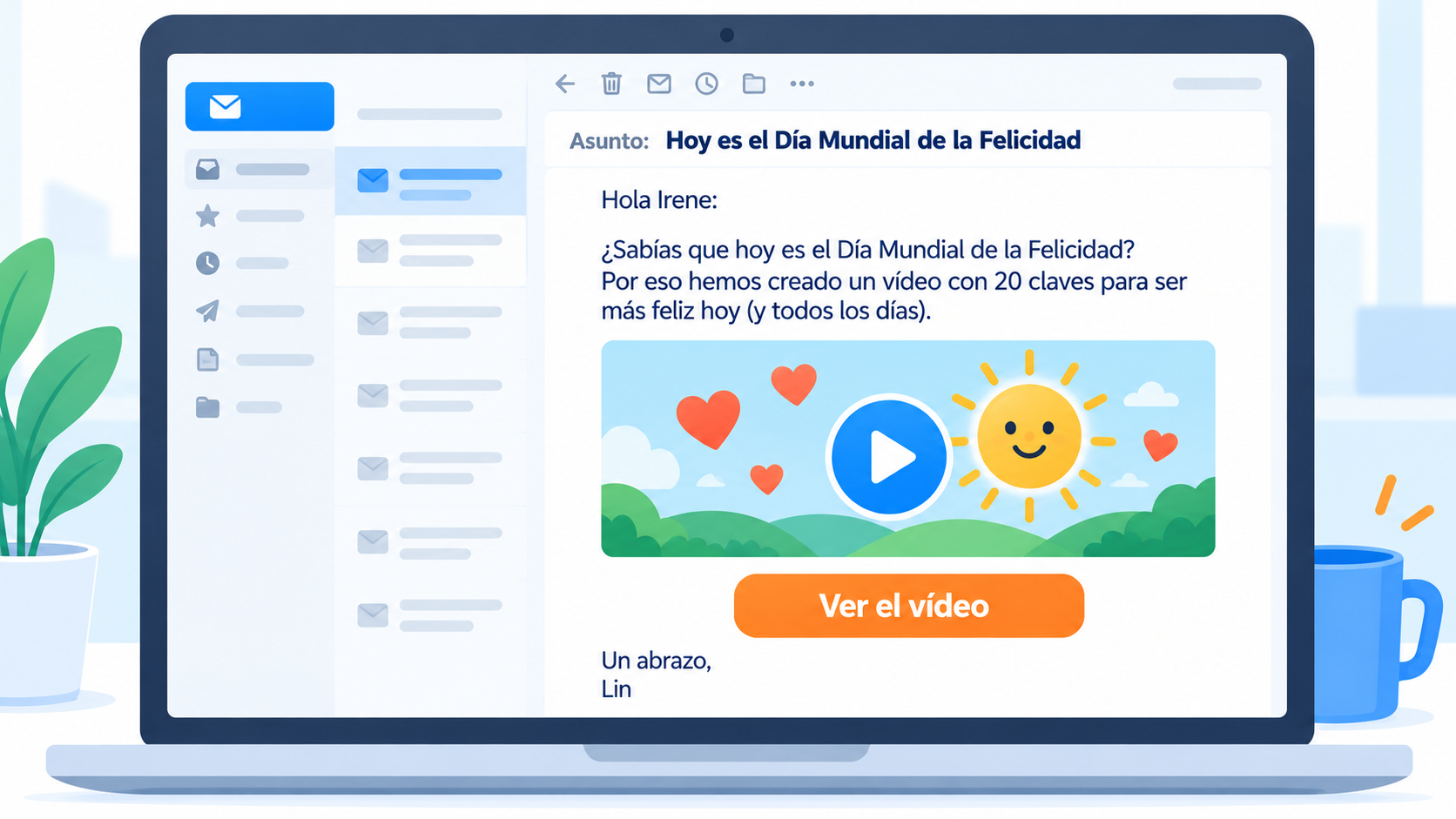
Hi Irene,
Did you know that today is International Day of Happiness?
It’s an important day for you and for us, and we want to celebrate it with you.
That’s why we’ve prepared a video with 20 habits to be happier every day.
We hope you like it.
Warm regards,
Lin
Template #3: World Day with a promotion
Hi [Name],
Happy World [date] Day!
It’s an important day for you and for us, and we want to celebrate it with you.
Today only, you can [promotion and conditions], so that [benefit].
Enjoy the day.
[Sign-off],
[Signature]
Filled in for the same coaching center:
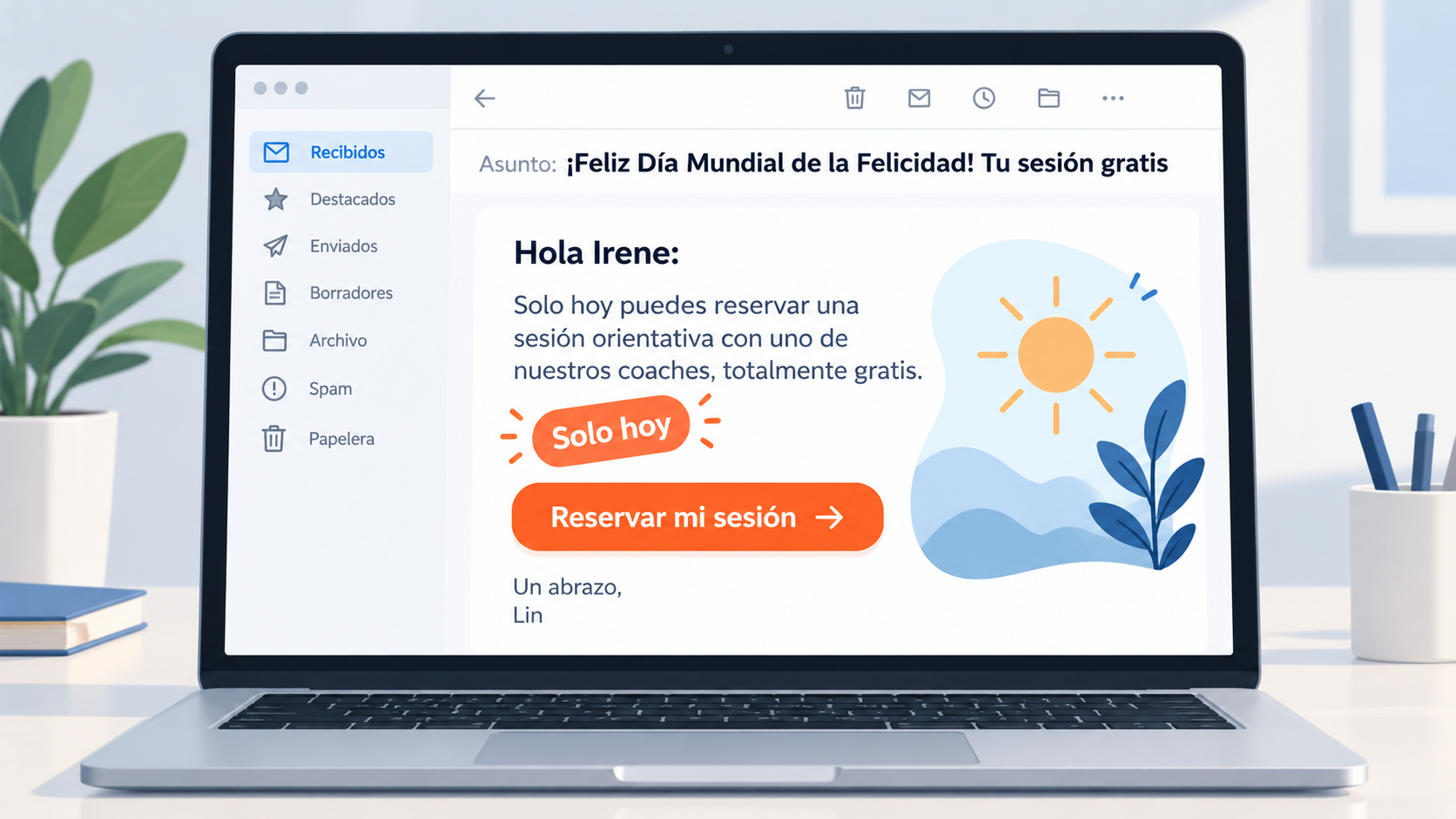
Hi Irene,
Happy International Day of Happiness!
It’s an important day for you and for us, and we want to celebrate it with you.
Today only, you can book a free discovery session with one of our coaches, to take the first step toward those goals you’ve been putting off for a while.
Enjoy the day.
Warm regards,
Lin
Use these templates in your next campaign
Paste the text into the editor, personalize each contact’s name and send up to 80,000 emails a month for free.
The last two are inspired by emails from Buffer, the tool for scheduling social media posts.

Buffer congratulated its users on the anniversary of their signup.
In the email, two team members wave at the reader in an animated GIF.

The text is humble and, at the same time, reminds the reader what Buffer does for them.
They say they’re grateful to play “a small part” in their social media success.
You can celebrate the first year as a customer or the first year as a subscriber to your newsletter.
Thank your customers.
For subscribers, you can offer special content or an exclusive deal.
Hi [Name],
Time flies. It’s been a year since [we started working together / you subscribed to our newsletter].
At [Company], we want to thank you for trusting us to [main benefit of your product or service].
And to celebrate, here’s a gift: [content or promotion], so that [benefit].
[Sign-off],
[Signature]
[Team photo or GIF]
Filled in for a web design and SEO agency:
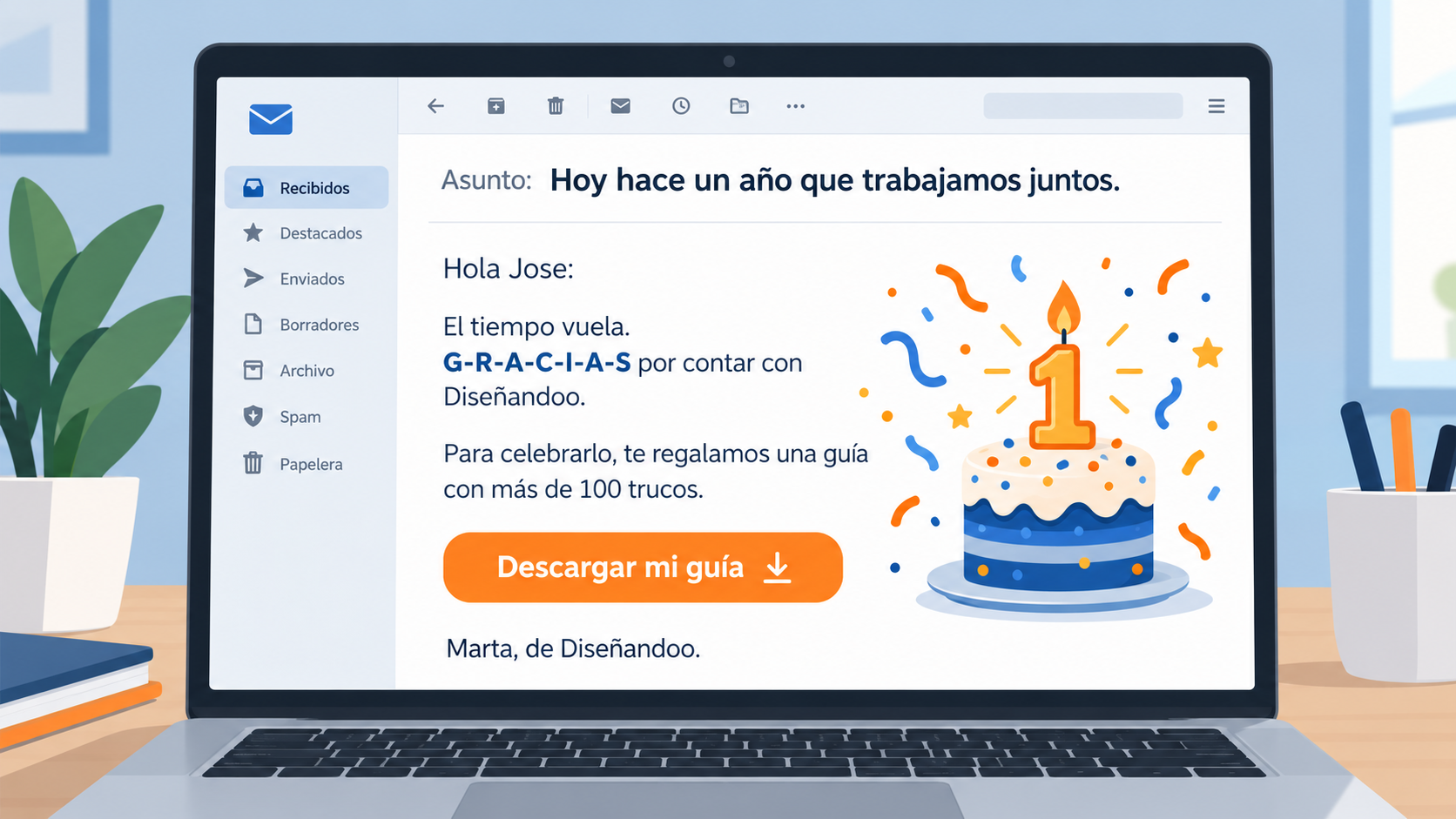
Hi Jose,
Time flies. It’s been a year since we started working together.
At Diseñandoo, we want to thank you for trusting us to improve your online visibility.
And to celebrate, here’s a gift: a guide with over 100 tips taken from real projects, so you can benefit from what we’ve learned with all our clients.
Have a great day,
Marta
[Photo of the Diseñandoo team saying thank you]

Buffer announced that its “Awesome” plan was becoming “Pro”, with more features and a higher price.
Anyone who upgraded before the end of the day kept special terms.
The ending is the best part of the email.
It tells people on the free plan not to feel pressured and that they’re glad to have them.
That way it tones down the sales pitch and nobody feels left out, whether they pay or not.
It’s an upselling email: offering an existing customer a higher-tier product or plan.
If what you’re offering is a complementary product, it’s cross-selling.
The template uses a price increase with a deadline to create urgency:
Hi [Name],
I wanted to let you know that from [date], the price of [higher-tier product or plan] will go from [current price] to [new price].
Here’s a reminder of what it includes:
· [Benefit 1]
· [Benefit 2]
· [Benefit 3]
If you want to get it at the current price, [sign up / book / upgrade] before [date].
And if you’re happy with [current product or plan], just ignore this email. We’re happy to have you with us too.
[Sign-off],
[Signature]
If you sell services, group them into plans or packages.
That makes it easier to offer the higher-tier plan.
For example, a yoga studio with a two-classes-a-week plan and an unlimited one:
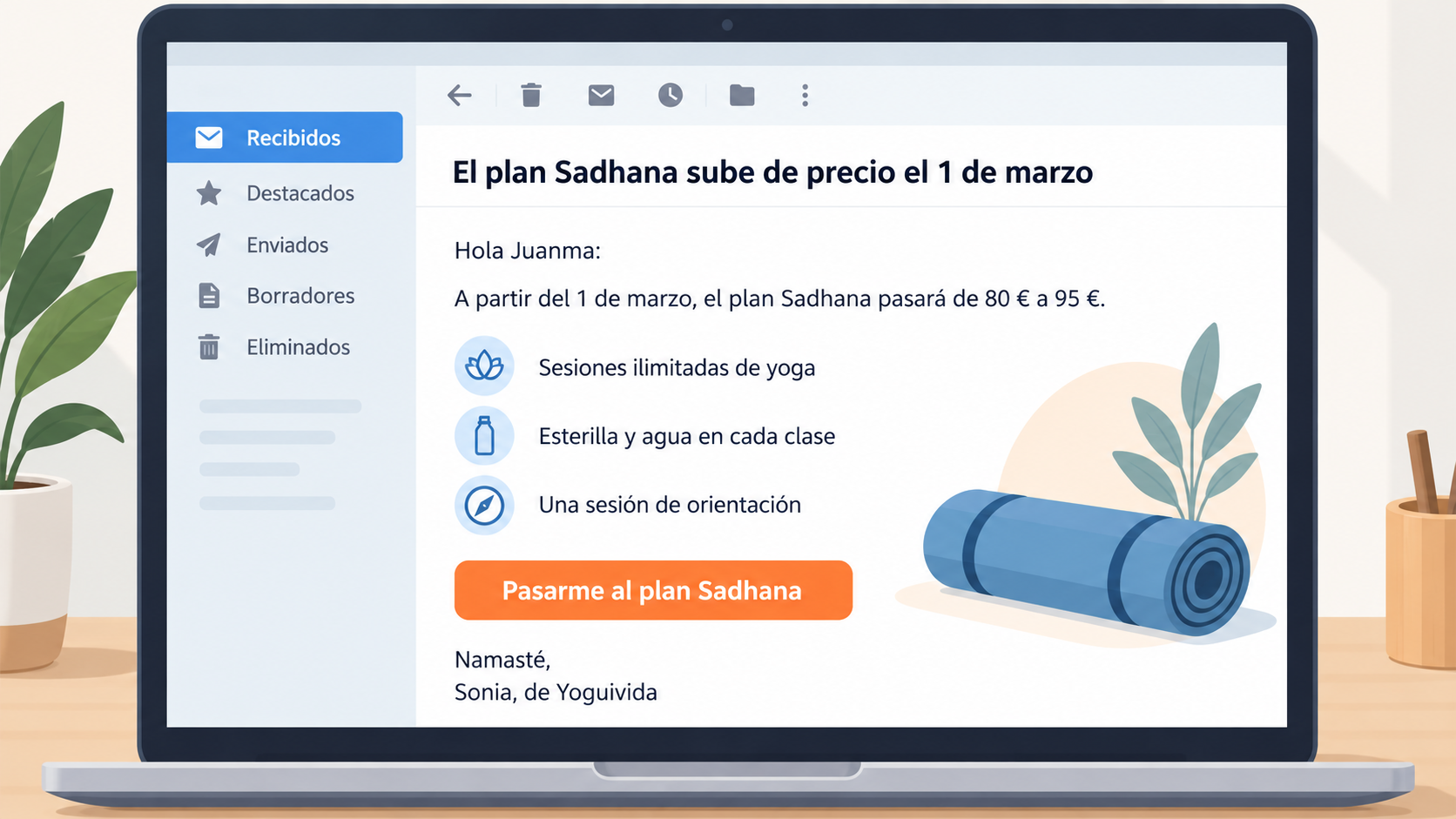
Hi Juanma,
I wanted to let you know that from March 1, the price of the Sadhana plan will go from €80 to €95.
Here’s a reminder of what it includes:
· Unlimited classes, so you can practice every day.
· A mat and water at every class.
· A guidance session with one of our teachers.
If you want to get it at the current price, switch to the Sadhana plan before March 1.
And if you’re happy with the Ohm plan, just ignore this email. We’re happy to have you with us too.
Namaste,
Sonia, from Yoguivida
The 5 templates in this article are plain text.
If you’d rather start from a ready-made design, there are hundreds of free email marketing templates ready to use in the Mailrelay editor.
You pick one, change the logo, colors and text, and send it. You don’t need to know HTML.
Start sending your emails today
Create your free Mailrelay account and launch your first campaign in minutes.
Seven parts from top to bottom: sender, subject line, preheader, header, body, button and a footer with the unsubscribe link.
A single main idea and a single button.
Between 600 and 640 px wide and under 102 KB of HTML.
If it’s larger, Gmail clips the message and hides the end, including the unsubscribe link.
Between 30 and 50 characters is usually enough. On mobile it gets cut off sooner, so put the important part at the beginning.
It depends on the goal.
HTML works better for newsletters and promotions with images.
Plain text feels more personal and works for follow-ups and B2B sales.
None: they’re two names for the same thing.
It can be plain text only, like the ones in this article, or designed, like the ones in the Mailrelay editor.
Newsletter dimensions
Size, width and 10 keys to laying out your emails well.
Email template
What an email template is and how to choose yours.
Creative email ideas
20 ways to make your email stand out, with examples.
Sending frequency
How often to send your newsletter without wearing out your list.

Jose Argudo
CMO at Mailrelay. Writes about email marketing, copywriting and conversion for small businesses and entrepreneurs.
Comments are closed.
melhor plataforma de captura e emeil grátis