CXA (Customer Experience Automation): what it is, examples and how to apply it
How to automate every moment of your customer relationships without losing the personal touch
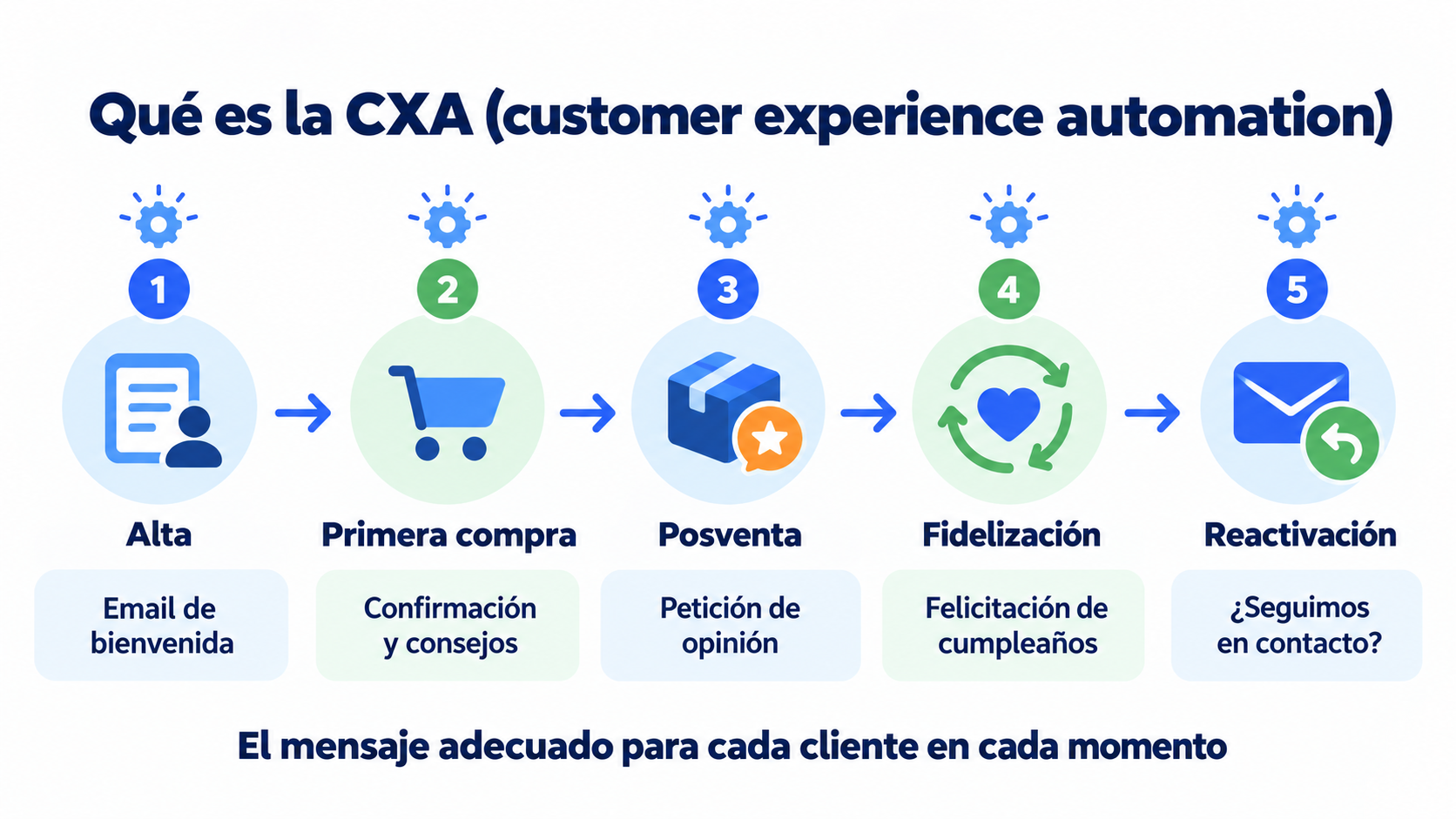
CXA stands for customer experience automation. It is the use of data and automations so that each customer gets the right message at every moment of their relationship with the brand, from the moment they sign up until they buy again.
CXA, or Customer Experience Automation, is one of those terms you hear more and more often in the world of digital marketing.
It’s not just a passing trend.
It’s a natural evolution in the way brands communicate with their customers, especially in digital environments where automation and personalization make all the difference.
Below, we’ll break down exactly what CXA means, how it applies to email marketing strategies, what its benefits are and which tools can help you put it into practice.
Get ready to dive into a concept that you’ll want to implement immediately if you aren’t using it already.
What is customer experience automation?
The term Customer Experience Automation refers to the intelligent automation of the customer experience throughout their entire journey with a brand.
In other words, CXA is the integration of technology, data, and automated processes to deliver personalized, relevant, and timely experiences across all customer touchpoints.
It’s not just about automating tasks such as sending emails or replying to messages.
CXA goes much further: it seeks to understand user behavior, predict their needs and act accordingly to improve their overall experience.
The term was popularized by ActiveCampaign in 2019, when it presented its automations as “CX Automation” to set them apart from classic marketing automation. If you want a refresher on what customer experience itself is, see the CX entry.
How does it differ from traditional marketing automation?
Although both concepts share similarities, there are key differences:
Marketing automation focuses on automating marketing tasks (such as email campaigns, social media or lead nurturing). CXA, on the other hand, covers the entire customer experience and is centered on the user, not the campaign.
| CX | Marketing automation | CXA | |
|---|---|---|---|
| What it is | The experience the customer has with your brand | Automating marketing tasks | Automating each customer’s experience |
| Focus | The customer | The campaign | The customer |
| Data | Feedback, surveys, NPS | Broad segments | Each person’s behavior |
| Example | Making the customer feel well looked after | One email to the whole list every Tuesday | A different email depending on what each person did |
Automate your customers’ experience from the very first email
Create workflows that adapt to what each contact does. Automations are included in the Mailrelay free account too.
While marketing automation often works with broad segments, customer experience automation relies on deeper, real-time data.
This enables hyper-personalization, something that makes all the difference in today’s saturated market.
The importance of CXA in email marketing
Email marketing is one of the most powerful channels for CXA to show its full potential.
Thanks to customer experience automation, it’s no longer just about sending newsletters once a week.
Now you can create automated workflows that adapt to every action the user takes.
For example, if a customer opens an email with a promotion but doesn’t click, you can send them another one with an exclusive discount.
If they visit a specific product page, you can trigger a personalized sequence related to that item.
The result is more relevant emails that add value and increase conversions.
In addition, by integrating CXA tools with your email marketing platform, you can improve key metrics such as open rate, CTR (click-through rate) and customer retention.
CXA use cases
To better understand how CXA works in practice, here are a few examples:
- E-commerce: a customer abandons their cart. The system detects it and triggers an email sequence with reminders, offers and testimonials from other customers, all tailored to the product they left behind.
- Online education: a student signs up for a free course. The platform analyzes their behavior and recommends other paid courses based on their interests and activity level.
- Financial services: a customer repeatedly views content about investing. CXA triggers personalized messages with information about financial products, webinars or specific advisory services.
In all these cases, the experience is unique to each user, increasing satisfaction and, ultimately, sales.
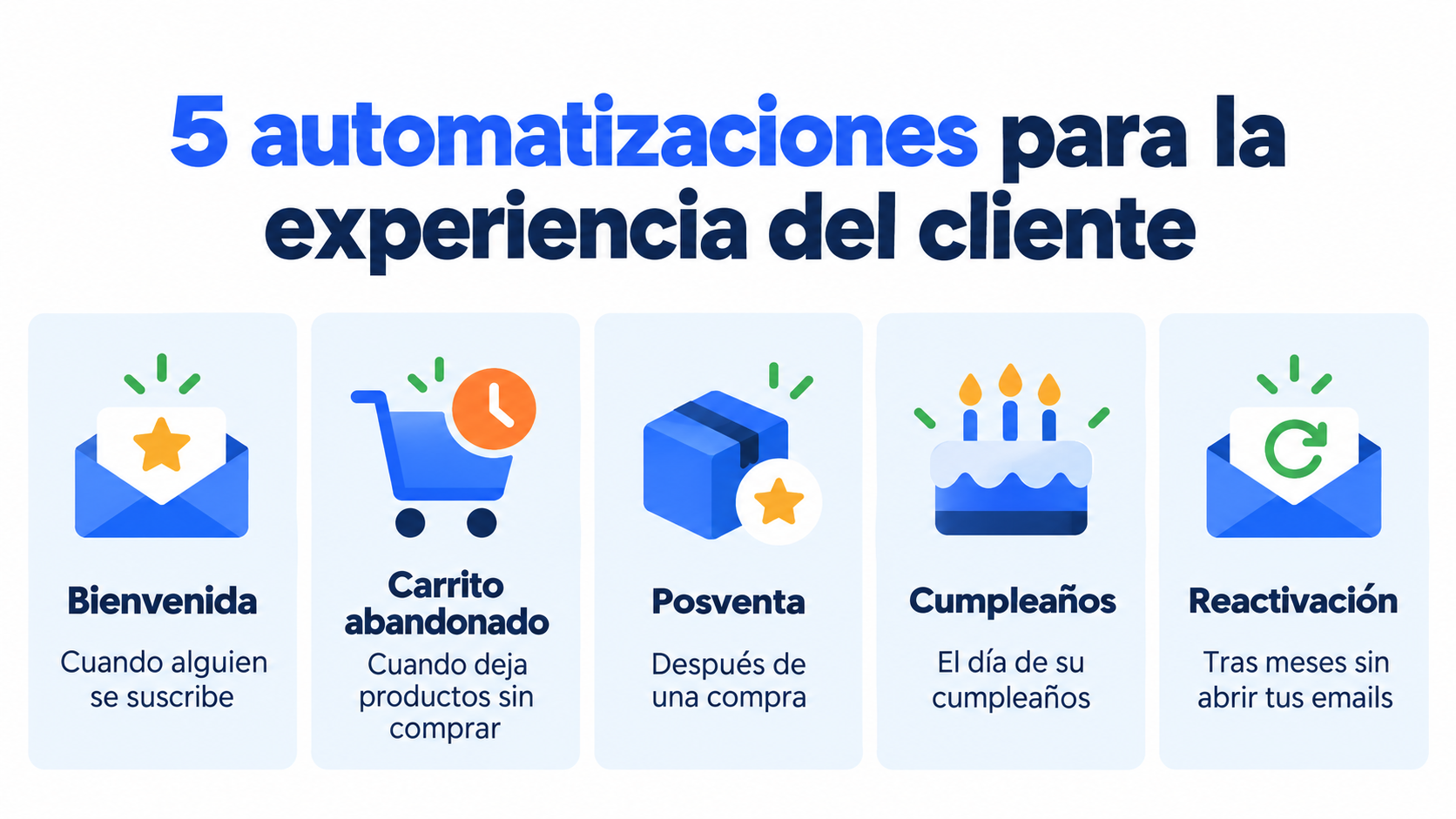
5 CXA automations to get started
You don’t have to set everything up at once. These five automations cover the most important moments in a customer relationship:
| Automation | When it is triggered | What you send |
|---|---|---|
| Welcome | When someone subscribes | An introduction, what they’ll receive and a first perk |
| Abandoned cart | When they leave products without buying | A reminder and, if they don’t respond, an SMS |
| Post-purchase | After a purchase | Usage tips and a request for feedback |
| Birthday | On the subscriber’s birthday | Birthday wishes with a small gift |
| Re-engagement | When they haven’t opened your emails for months | A “shall we stay in touch?” message with an offer |
Start with the welcome automation, which arrives when the subscriber’s interest is at its highest, and add the others one at a time.
Benefits of implementing Customer Experience Automation
Implementing a CXA strategy brings multiple benefits to your business:
- Advanced personalization: you deliver content and messages tailored to each user.
- Higher conversion: relevant experiences generate more sales.
- Customer retention: a better experience reduces churn.
- Scalability: you can manage thousands of interactions without losing quality.
- Real-time analytics: you get immediate insights into your customers’ behavior.
All this translates into a better brand-customer relationship and stronger loyalty.
Popular tools for implementing CXA
Today, many platforms offer Customer Experience Automation features. Some of the best known are:
| Tool | What stands out |
|---|---|
| Mailrelay | Email and SMS automations with triggers such as signup or birthday, also on the free account |
| ActiveCampaign | Popularized the term CXA in 2019 |
| Klaviyo | Widely used in ecommerce, with personalized workflows based on real user behavior |
| HubSpot | Its built-in CRM lets you automate experiences across marketing, sales and customer service |
| Mailchimp | Started as an email marketing tool and offers more advanced automations on its paid plans |
If you already use an email marketing platform, check if it has built-in CXA features or if it supports integrations with external tools that facilitate it.
CXA and artificial intelligence: the next step
One of the most exciting advancements in CXA is its integration with artificial intelligence.
Thanks to algorithms, it’s possible to predict behavior, adapt messages automatically and optimize the customer experience without manual intervention.
For example, an AI system can detect the best time to send an email to each subscriber or determine which type of message has the highest probability of converting.
This, combined with a solid automated email marketing strategy, multiplies your results.
Tips to get started with CXA
If you’re considering incorporating customer experience automation into your strategy, here are some recommended steps:
- Map the customer journey: identify the key touchpoints, for example with a customer journey map.
- Collect and centralize data: the more you know about your customers, the better you can personalize.
- Set up simple automations: start with basic workflows (abandoned carts, welcome, post-purchase).
- Analyze and adjust: measure performance and optimize continuously.
Don’t forget the human factor: even if everything is automated, the tone and approach should be authentic and empathetic.
How Mailrelay helps
Customer Experience Automation is not the future of digital marketing; it’s the present.
Brands that understand the importance of delivering personalized, automated, and consistent experiences are gaining a competitive advantage that’s hard to match.
With Mailrelay you can put CXA into practice without a technical team. Automations start with a trigger, such as the subscriber’s signup or birthday, and can check conditions, for example whether they opened the previous email, to send another email or an SMS.
Automations are included in the free account, which lets you send 80,000 emails a month to 20,000 contacts.
Create your first automation today
Start with a welcome email and add post-purchase, birthday or re-engagement whenever you like. Up to 80,000 emails a month for free with Mailrelay.
Frequently asked questions
What does CXA mean?
It stands for customer experience automation.
What’s the difference between CX and CXA?
CX is the experience the customer has with your brand. CXA is the way to automate that experience so that each person gets the message that fits them.
Are CXA and marketing automation the same thing?
No. Marketing automation automates campaigns and tasks. CXA puts the customer at the center and adapts each message to what they do.
Which CXA automation should you create first?
The welcome automation. It arrives when the subscriber’s interest is at its highest and sets the tone for the whole relationship.
Do you need artificial intelligence to do CXA?
No. With triggers and conditions you can already adapt your messages. AI helps you go further, for example by choosing the best send time for each person.