Keyword research: what it is and how to do it
How to find what your customers are searching for in 5 steps, and which tools to use
Keyword research is the process of finding the keywords or search terms that are relevant to your business and that you want potential customers to find you by.
These are, therefore, the keywords you want to rank for: organically in the SERPs (SEO) or through paid campaigns (SEM).
The keywords you choose after your keyword research will be the foundation of your SEO strategy. That’s why it pays to do it carefully: a large share of your traffic depends on it.
You’ll see it called keyword research, keyword search or keyword analysis. They all mean the same thing.
How to do keyword research in 5 steps
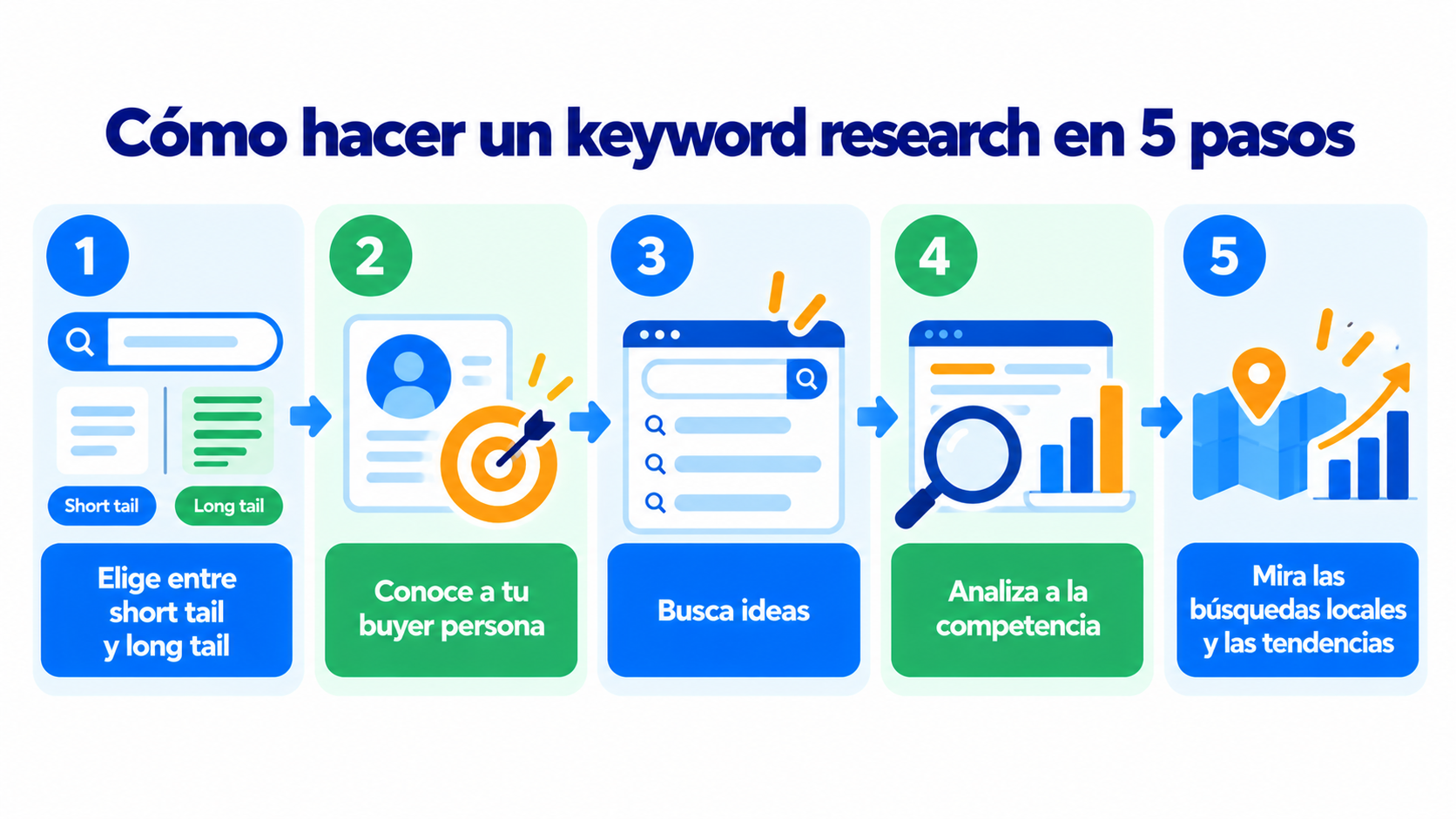
Good keyword research involves several steps, so you end up with keywords that relate to what you offer and are aligned with your goals:
- Choose between short tail and long tail. First, decide whether you want to work with short-tail or long-tail terms. Short-tail terms bring in more search volume and long-tail terms less, but long-tail terms are easier to rank for.
- Get to know your buyer persona in detail. The goal of keyword research is to find the keywords that will help you reach your buyer persona. Imagine what they would search for on Google and start from there.
- Look for ideas in several places. To build a list of terms related to your business or product, share ideas with other people on your team and hold a brainstorming session.
- Analyze your competitors. Use tools that show which keywords a specific domain ranks for, so you can get an idea of your competitors’ strategy. That way you’ll know which keywords are worth targeting and which ones you don’t want to fight for, and you’ll save effort for others.
- Look at local searches and trends. Use keyword research tools to find keywords you can rank for locally and spot trends so you’re well positioned for the future. You’re bound to find data you didn’t expect that will be really useful.
With your final list, sort the keywords by search volume, difficulty and intent. Then assign each one to a single page on your website, so that two pages don’t compete for the same search (what’s known as keyword cannibalization).
Turn your visitors into subscribers
Add subscription forms to your articles and send your content by email. Get started for free with Mailrelay.
Types of search intent
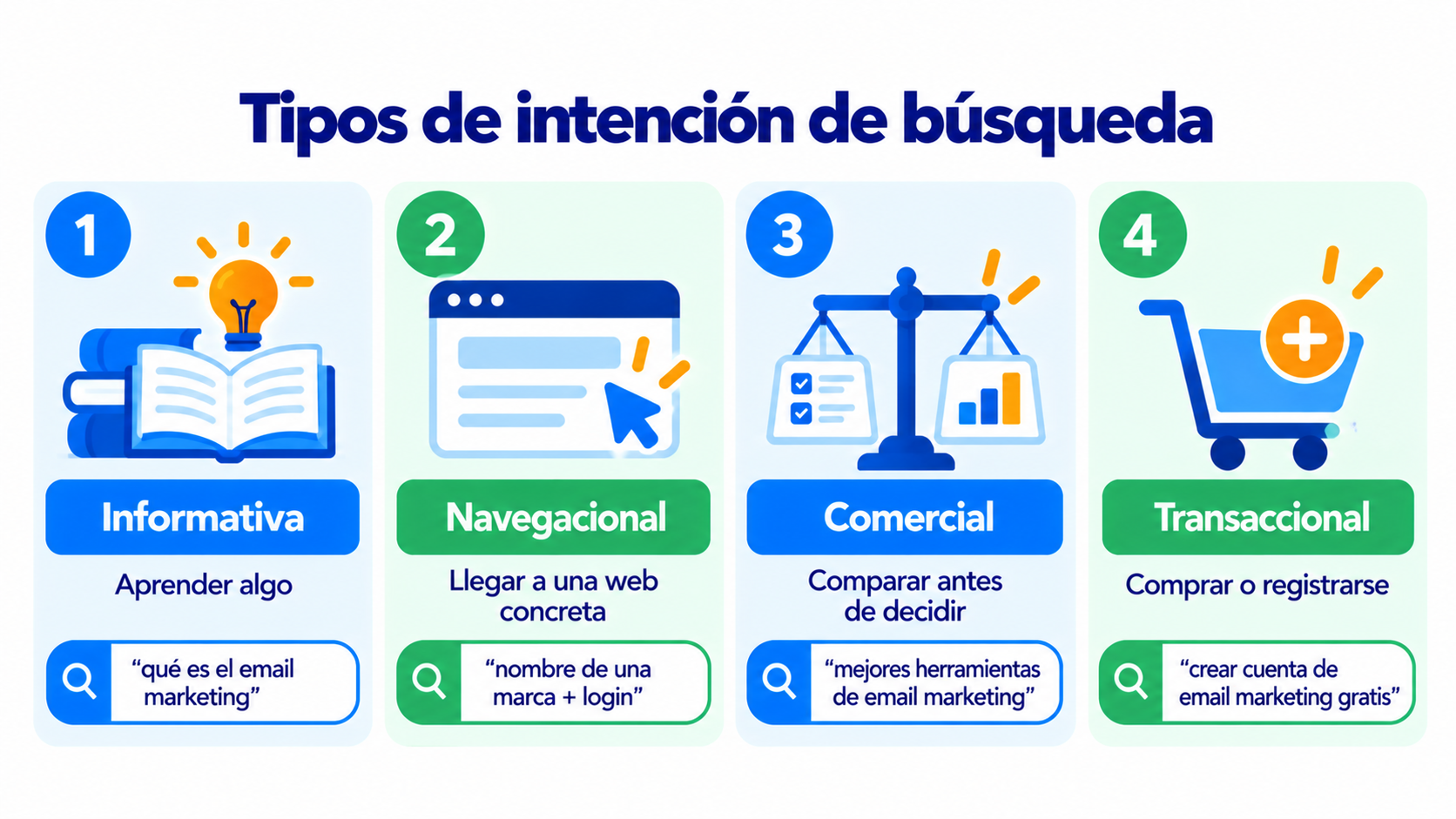
Search intent is what the person typing the search wants to achieve. To choose a keyword well, you need to know what that person expects to find:
| Intent | What it’s after | Example | What content to create |
|---|---|---|---|
| Informational | Learn something | “what is email marketing” | Article, guide or glossary entry |
| Navigational | Reach a specific website | “brand name + login” | That brand’s page |
| Commercial | Compare before deciding | “best email marketing tools” | Comparisons and reviews |
| Transactional | Buy or sign up | “create free email marketing account” | Product or signup page |
Keyword research tools
There are very popular paid SEO tools that include keyword research features, as well as free resources that let you do it without advanced knowledge.
Here’s a selection of tools for doing your keyword research, depending on your needs:
- Ahrefs. One of the most popular tools for finding keywords, with a search engine that runs on its own database. It lets you choose between several search engines and shows a difficulty score from 0 to 100 for ranking each keyword.
- Google Autocomplete and related searches. They aren’t a tool as such, but Google Autocomplete gives you plenty of clues about similar searches users have already made. The same goes for the related searches that appear at the bottom of each SERP.
- Google Keyword Planner. Google Ads has a good keyword search tool that takes its data straight from Google. It also gives you a very useful piece of data: the estimated cost per click in Google Ads.
- Google Search Console. It’s free and shows you the searches your website already appears for on Google, with their impressions, clicks and position. It’s a good starting point for finding keywords you almost rank for.
- Keywordtool. It gets keywords from the search engines’ own autocomplete. This way you can find out the most popular variations, search volume and trends.
- Semrush. This SEO and content marketing tool includes an area for finding keywords and doing keyword research: Keyword Magic Tool. It shows trends, keyword variations and search volumes.
- Soovle. A free tool, now from SEO.com, for getting started with finding keywords and their variations across different search engines. It isn’t the most complete, but it’s free and does its job well.
- Ubersuggest. It’s easy to use and lets you search for keywords by language and country.
Keyword research is also useful for email marketing:
- Choose your newsletter topics based on what your audience searches for on Google.
- Use the same words they do in your subject lines and buttons. If they search for “free templates”, don’t write “downloadable resources”.
- Win subscribers with the traffic from your articles. Add a subscription form to your best-ranking content.
How Mailrelay helps you
With Mailrelay you can make the most of the content that brings you visitors:
- Subscription forms for your website, with double opt-in on every signup.
- Editor with an AI assistant to improve the copy in your newsletter.
- A/B tests to find out which subject line works best.
- Click statistics per link (opens and clicks on the free account and on Enterprise) to see which topics your subscribers are most interested in.
- Segments to send each group the content it’s interested in.
The free account includes 80,000 emails a month and up to 20,000 contacts.
Get your content into the inbox
Send a newsletter with your best articles and see which topics get the most clicks. Up to 80,000 emails a month for free with Mailrelay.
Frequently asked questions
What is keyword research?
It’s the study of the words your customers use when they search Google for what you offer. It helps you decide what content to create and which words to use when writing it.
What is the difference between a keyword and keyword research?
A keyword is a word or phrase someone types into a search engine. Keyword research is the process of finding, analyzing and choosing the keywords you want your website to rank for.
Which free tools are good for getting started?
Google Keyword Planner (you need a Google Ads account), Google Search Console, Google Autocomplete, related searches, Soovle and the free version of Ubersuggest.
What is search intent?
It’s what the person searching wants to achieve: find information, reach a specific website, compare options or buy. Your content has to match that intent.
How often should you do keyword research?
Before creating a website or a new section, and then it’s a good idea to review it every few months. Searches change with trends and the seasons.