Zoho Mail: what it is, how to log in, plans and IMAP and SMTP settings
Email on your own domain that you can get for free for a small team, and what it won't let you do
Zoho Mail is an email service for businesses. It lets you have addresses on your own domain, like [email protected], with no ads and with a free account for small teams.
It is developed by Zoho, the Indian company known for its CRM. That’s why it integrates with the rest of its apps, such as the calendar, documents or team chat.
What is Zoho Mail?
Zoho Mail is an alternative to Gmail and Outlook designed for work. Its strong point is corporate email: addresses with your company’s name instead of a generic account.
It includes webmail, mobile apps, calendar, contacts, tasks and notes. On the paid plans you can also use it from programs like Outlook or Thunderbird.
It is part of Zoho Workplace, Zoho’s office suite, which competes with Google Workspace and Microsoft 365.
Don’t confuse it with Zoho Campaigns, its email marketing tool, which we cover in the entry on Zoho mailing.
How do you log in to Zoho Mail?
To log in to Zoho Mail from your browser, go to mail.zoho.eu if your account is in Europe, or to mail.zoho.com if it was created in the US. Enter your email address and password.
Zoho stores each account in a data center based on its region. If you can’t log in at one address, try the other: the account only exists in one of them.
You can also use the Zoho Mail app for Android and iOS. And if you have two-step verification turned on, you’ll have to confirm the login from your phone.
What does the free Zoho Mail account include?
Zoho Mail’s free plan, which the brand calls Forever Free, is designed for small businesses that want email on their own domain without paying.
According to the official pricing table, it includes:
| What it includes | Free plan |
|---|---|
| Users | Up to 5 |
| Storage | 5 GB per user |
| Attachments | Up to 25 MB |
| Custom domain | One |
| Access | Web and mobile apps |
| IMAP, POP and ActiveSync | No |
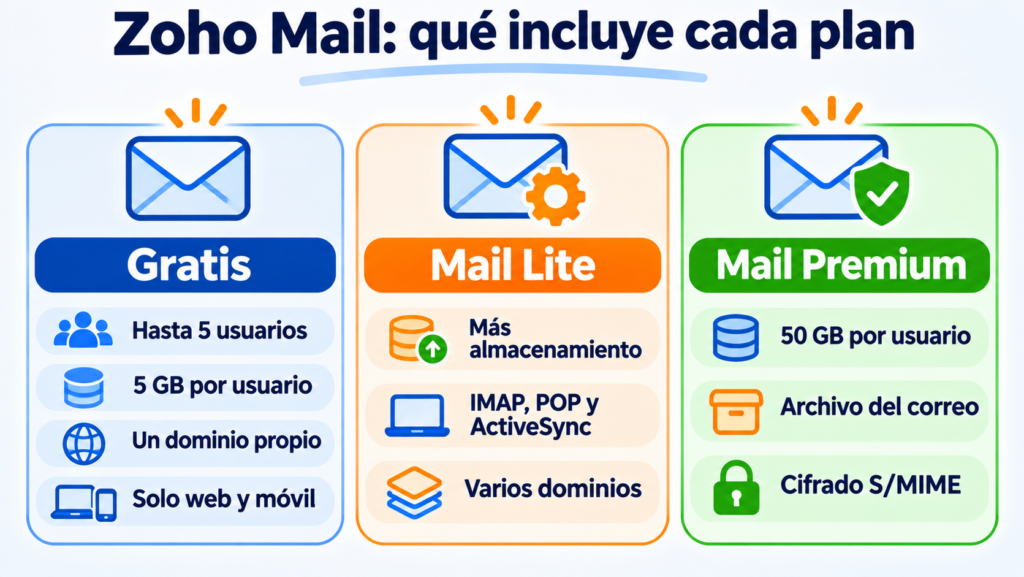
It has two limits worth knowing about. You can’t connect it to Outlook or other email programs, because it doesn’t include IMAP or POP.
And it isn’t available in every data center, so depending on your country it may not let you create one.
Have email on your own domain? Use it for your campaigns too
Send your newsletters with Mailrelay from the same address you use every day. The free account includes up to 80,000 emails a month.
What paid plans does Zoho Mail have?
Zoho Mail has two email-only plans. Others combine it with the rest of the brand’s apps:
| Plan | Who it’s for | What it adds |
|---|---|---|
| Mail Lite | Teams that need to use their email in Outlook or on their phone | IMAP, POP and ActiveSync, plus more storage and multiple domains |
| Mail Premium | Companies with security or archiving requirements | 50 GB per user, email archiving, eDiscovery and S/MIME encryption |
| Workplace | Teams that want email, documents and chat together | Zoho’s office apps |
Prices depend on your country and the storage you choose, and most plans are billed yearly. You can check them on Zoho’s website before deciding.
How do you set up Zoho Mail in Outlook or Thunderbird?
To use Zoho Mail in another program you need a paid plan and these settings. They are for accounts created in Europe; if your account is from the US, replace “.eu” with “.com”.
| Server | Address | Port | Security |
|---|---|---|---|
| Incoming IMAP (email on your domain) | imappro.zoho.eu | 993 | SSL |
| Incoming IMAP (personal Zoho account) | imap.zoho.eu | 993 | SSL |
| Outgoing SMTP (email on your domain) | smtppro.zoho.eu | 465 or 587 | SSL or TLS |
| Outgoing SMTP (personal Zoho account) | smtp.zoho.eu | 465 or 587 | SSL or TLS |
The username is your full email address. If you have two-step verification turned on, instead of your normal password you’ll need to generate an app-specific password.
If you want to understand what each SMTP port does, we explain it in its entry.
And if you prefer to receive email with POP3, Zoho also allows it on the paid plans.
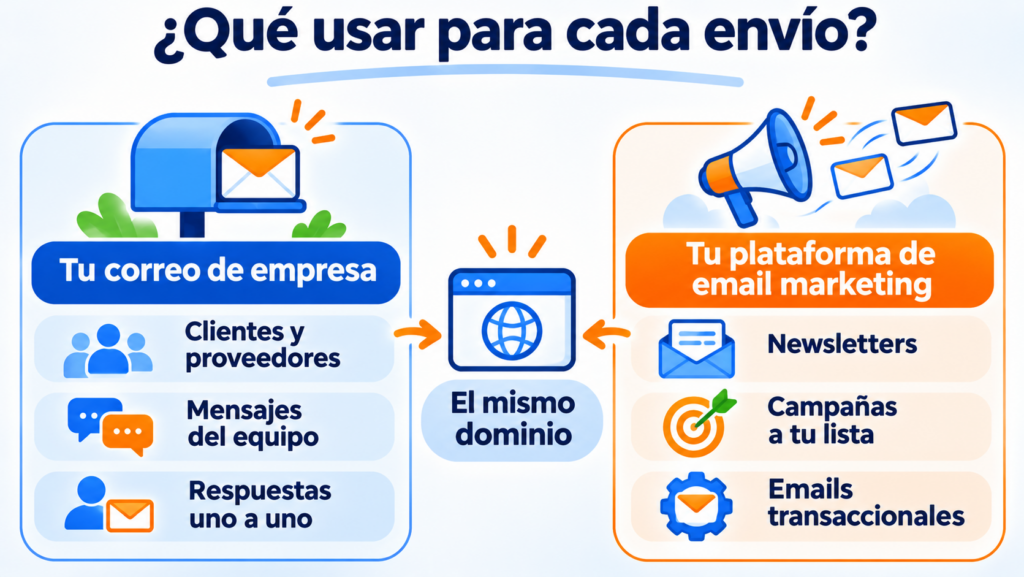
No. Zoho Mail’s usage policy prohibits using it for promotional emails, bulk sending, marketing, newsletters, automated emails and transactional emails.
It is designed for everyday email: writing to customers, suppliers or colleagues.
It also has technical limits. According to its limits page, a free account can send each message to a maximum of 100 external recipients, and a paid one to 150.
Outgoing emails are limited per hour and vary according to the account’s reputation.
If you try anyway, Zoho may block your account. And even if it didn’t, sending campaigns from a regular mailbox leaves you without an automatic unsubscribe link, without statistics and with a higher risk of ending up in spam.
Zoho has its own tools for those emails: Zoho Campaigns for email marketing and ZeptoMail for transactional emails. But you can use any other platform with the same domain.
How Mailrelay helps you
The usual approach is to combine the two: Zoho Mail for everyday email and an email marketing platform for campaigns.
With Mailrelay you send your newsletters from the same address on your domain that you use in Zoho Mail. You just add the SPF and DKIM records the dashboard shows you, without touching your email settings.
Mailrelay handles the unsubscribes, bounces and statistics for each send.
And if you need to send transactional emails from your website or online store, you get SMTP and API on Standard and Enterprise, with a 30-day trial on the free account.
The free account lets you send up to 80,000 emails a month to 20,000 contacts, with human support on every plan.
Your email on Zoho, your newsletters on Mailrelay
Campaigns, automations and statistics on your own domain, and human support on every plan.
Frequently asked questions about Zoho Mail
These are the most common questions about this email service.
Is Zoho Mail free?
It has a free plan for up to 5 users with 5 GB each and one custom domain. It only works on the web and mobile apps, and it isn’t available in every country.
Does Zoho Mail have ads?
No. Neither the free plan nor the paid ones show ads in your inbox.
Can I use Zoho Mail with my own domain?
Yes, that’s its main purpose. When you add your domain, Zoho tells you which records you need to add to verify it and receive email.