Thunderbird: what it is, how to set it up and what Mozilla's email client offers
All your email accounts in one free program: how to set it up and what to do if it gives you trouble
Thunderbird is a free, open-source email client created by Mozilla that brings your email accounts, calendar and contacts together in a single application.
Here’s what it offers, how to set up your accounts, which versions there are and the most common problems.
What is Thunderbird?
It’s an email client you install on your computer to read and send emails from any provider, without relying on your browser. Its first version came out in 2003, and it’s the email “sibling” of the Firefox browser.
Today it’s developed by MZLA Technologies, a subsidiary of the Mozilla Foundation, and it’s funded mainly through donations. It doesn’t show ads or sell your data.
It runs on Windows, macOS and Linux. Since 2024 it has also had an Android app, based on K-9 Mail, and the iPhone app is in testing.
What is Thunderbird used for?
To keep everything in one place:
- Several email accounts at once: Gmail, Outlook, iCloud Mail, your work email or your internet provider’s.
- Calendar and contacts synced with those accounts.
- Filters and tags to organize your inbox, and a spam filter that learns from what you mark.
- Built-in OpenPGP encryption to sign and encrypt your messages.
- RSS news reader and add-ons for extra features.
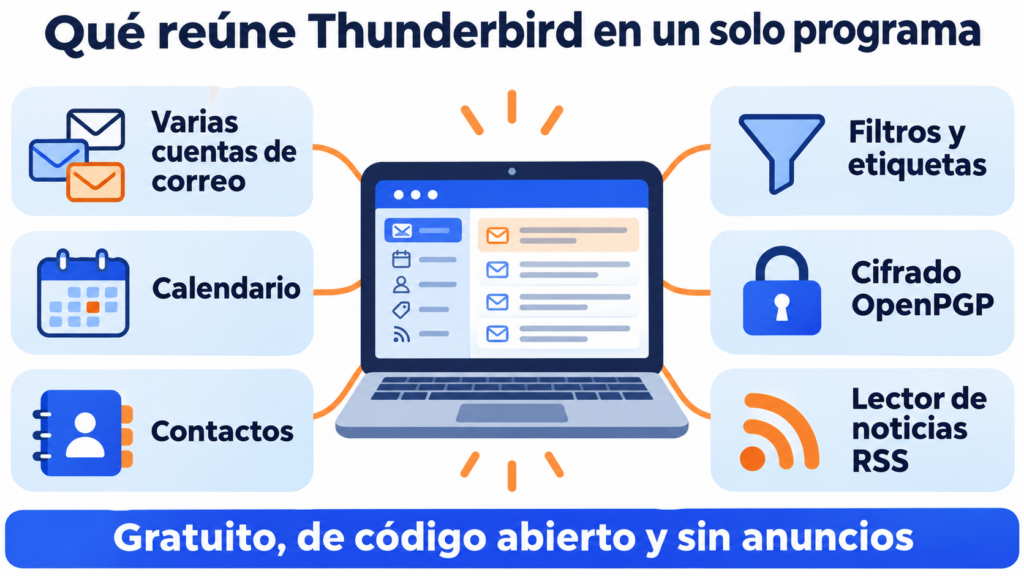
If you use several addresses, it’s more convenient than opening a separate webmail for each one.
Do you send emails to your customers from Thunderbird?
With Mailrelay you send your newsletters to your whole list, without your email account’s limits, with statistics and automatic unsubscribes. Free account with up to 80,000 emails a month.
How do you set up an account in Thunderbird?
In most cases, it does it on its own:
- Download Thunderbird from its official website and install it.
- Enter your name, your address and your password.
- The program looks up your provider’s settings and suggests IMAP or POP3.
- If your provider requires it, sign in in the window that opens in your browser.
- Confirm and wait for your messages to download.
Choose IMAP if you read your email on several devices. POP3 downloads messages to a single computer.
How to set up Gmail, Outlook and other providers
Each provider has its own quirks:
| Provider | What to keep in mind |
|---|---|
| Gmail | Sets itself up with OAuth2: you sign in with your Google account |
| Outlook and Hotmail | Uses OAuth2 on the incoming server and on SMTP. Your regular password no longer works |
| Exchange (business) | Recent versions support it natively, without add-ons |
| iCloud Mail | You need an app-specific password |
| Proton Mail | Only with Proton Mail Bridge, on paid plans |
| Your own domain’s email | Ask your hosting provider for its email server details |
If the wizard can’t find the settings, choose manual configuration and enter your provider’s servers, ports and encryption type.
Which versions are there? Release and ESR
There are two update channels, and both are free:
| Channel | Updates | Who it’s for |
|---|---|---|
| Release | A new version every month | People who want new features sooner |
| ESR (Extended Support Release) | One major version a year | Businesses and people who prefer stability |
The latest ESR is Thunderbird 153 “Meadow”, from July 2026, with a redesigned account setup wizard.
Mozilla is also preparing Thunderbird Pro, a paid service with its own email (Thundermail), which has been in beta since 2026. The program itself remains free.
Common problems and how to fix them
I can’t connect my Outlook account. Change the authentication method to OAuth2 on both the incoming and outgoing servers.
It doesn’t send emails. Check that the outgoing server’s port and encryption match, and that SMTP requires authentication.
The program is slow. Compact your folders and empty the trash. If you have many years of email, archive the old messages.
I want to switch computers. Copy your profile folder or use the program’s own export tool.
For a few recipients, yes, with a mail merge add-on. But it has the same limits as the account you send from.
Gmail, Outlook or your internet provider limit how many emails you can send per day, and large sends from a personal account end up blocked. Check each provider’s sending limits.
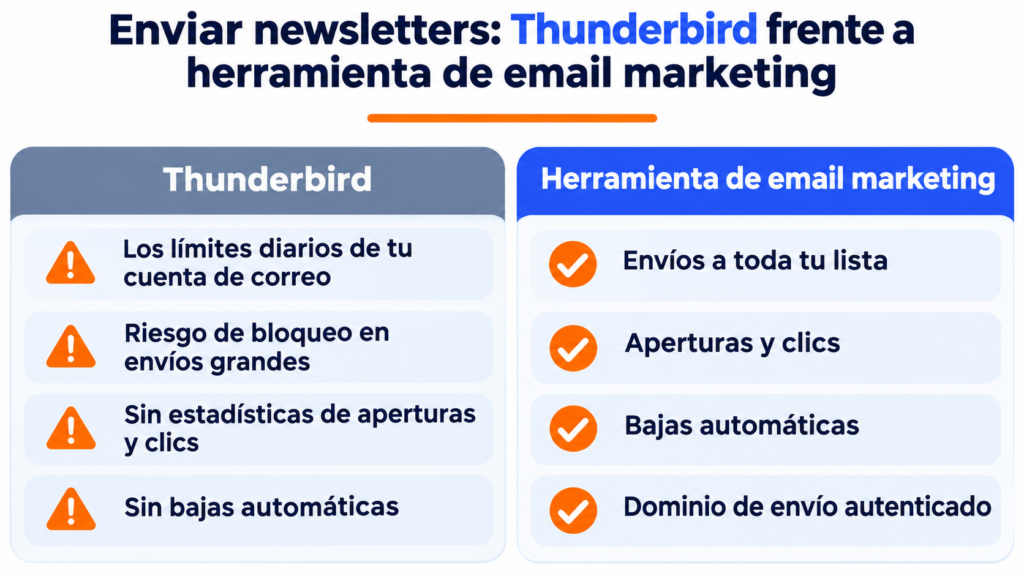
You also won’t get open and click statistics or automatic unsubscribes. And if you CC everyone, each contact sees everyone else’s addresses. BCC prevents that, but doesn’t solve the rest.
That’s what bulk email tools are for.
How Mailrelay helps you
Mailrelay and Thunderbird complement each other. You keep using Thunderbird for your everyday email, and you send your newsletters from Mailrelay with the same address and an authenticated sending domain.
The free account includes up to 80,000 emails a month and 20,000 contacts.
You get a visual editor, automations, open and click statistics, and automatic management of unsubscribes and bounces, with human support on every plan. All the details are on the pricing page.
Thunderbird for your email, Mailrelay for your newsletters
Templates, automations and statistics, with human support on every plan.
Thunderbird FAQ
These are the most common questions.
Is Thunderbird free?
Yes. It’s free and open source, with no ads. It’s funded by donations from its users.
Is Thunderbird safe?
Yes. It gets frequent security updates, blocks remote content in emails by default, warns you about messages that look like phishing and includes OpenPGP encryption.
Thunderbird or Outlook?
Thunderbird is free and works the same with any provider. Outlook is a better fit if your company already works with Microsoft 365.
Is there Thunderbird for mobile?
Yes, for Android, since 2024. The iPhone version is in testing.
Is Thunderbird made by Mozilla?
Yes. It’s developed by MZLA Technologies, a subsidiary of the Mozilla Foundation, the same organization behind Firefox.