Vendor lock-in: what it is, what it means and how to avoid it
When switching providers costs so much that you're stuck, and how to keep your freedom
Vendor lock-in is the situation in which a company depends so heavily on one provider that switching to another becomes very difficult or very expensive. It happens when its data, processes or tools are so tied to a specific technology that leaving costs more than staying.
It is also known as vendor dependency, proprietary lock-in or customer lock-in.
What does vendor lock-in mean?
Vendor means “provider” or “supplier”, and lock-in means being “locked in” or unable to get out. Literally, it means being locked in by your provider.
It is written vendor lock-in, with a hyphen. You will sometimes see it as “vendor lock in” or, mistakenly, “vendor locking”. In economics, the term lock-in effect is also used to describe any situation in which a customer becomes tied to a product.
How does vendor lock-in happen?
The key is switching costs: everything you lose or have to pay if you move to another provider. The most common are:
Data that is hard to get out. The provider doesn’t let you export everything, or does so in a format nobody else understands.
Proprietary formats and technology. Files, templates or integrations that only work on that platform.
Long contracts. Minimum terms, cancellation penalties or discounts you lose when you leave.
Integrations. The more tools you connect to a provider, the more work it takes to replace it.
Training and habit. Your team already knows how to use the tool, and learning another one takes time.
Types of vendor lock-in
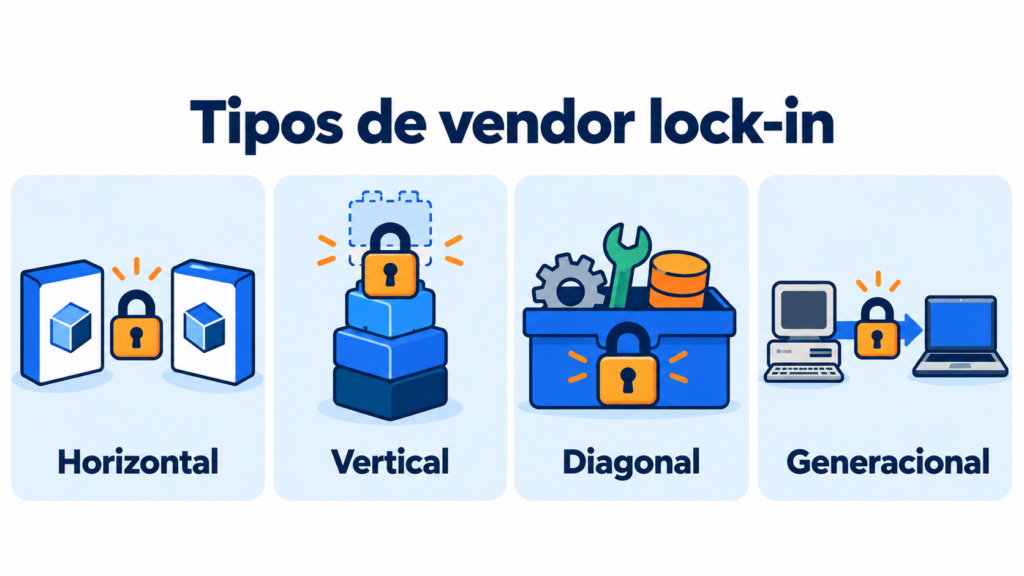
Four types are usually distinguished:
| Type | What it is | Example |
|---|---|---|
| Horizontal | It’s hard to switch to a similar product from a competitor | Moving from one invoicing program to another |
| Vertical | The provider limits which third-party tools you can connect | A platform that only integrates with its own apps |
| Diagonal | You buy everything from the same provider because it’s convenient | Email, storage and office software in the same bundle |
| Generational | Switching is unavoidable, but the jump is costly | An old technology that is no longer supported |
Examples of vendor lock-in
Vendor lock-in shows up in almost any kind of software or service:
| Area | What ties you in |
|---|---|
| Cloud services | Databases and features specific to each provider |
| Device ecosystems | Apps, purchases and files that only work with that brand |
| ERP and CRM | Years of data and processes adapted to one program |
| Software as a Service (SaaS) | Data stored on the provider’s servers |
| Email marketing | Lists, templates, automations and integrations |
It isn’t always a bad thing. A single provider simplifies management and can be cheaper. The problem comes when it raises prices, its service gets worse or it shuts down, and you have no way out.
Your contacts belong to you
Import and export your lists whenever you want and send from your own domain with Mailrelay.
How to avoid vendor lock-in
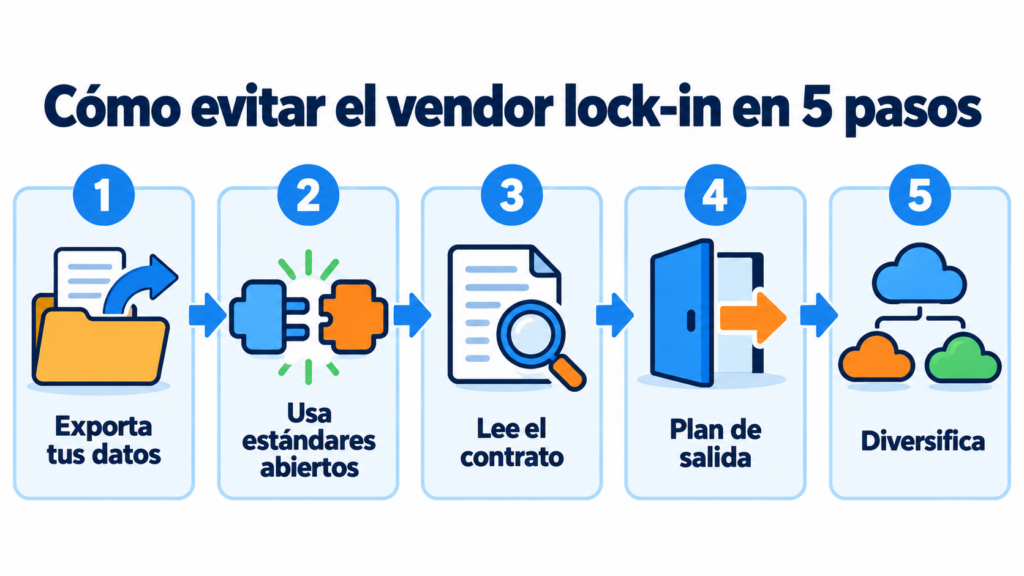
These are the most useful measures:
1. Check how data is exported. Before signing up, see whether you can download everything in standard formats such as CSV.
2. Choose open standards. Protocols such as SMTP or a documented API make it easier to connect another provider.
3. Read the contract. Check the minimum term, the penalties and what happens to your data if you cancel.
4. Have an exit plan. Write down what you would need to move and how long it would take, even if you aren’t planning to switch.
5. Don’t put all your eggs in one basket. If an area is essential to your business, consider having an alternative ready.
Vendor lock-in in email marketing
In email marketing, what ties you to a platform most is your contact list. Templates, automations and sending reputation also count.
Before choosing an email marketing platform, check these points:
| What to check | Why it matters |
|---|---|
| Exporting contacts | Your list, with its fields and unsubscribes, must be exportable in full |
| Sending from your domain | If you authenticate your sending domain with SPF and DKIM, the domain reputation is yours |
| Templates | You should be able to save them as HTML and reuse them |
| API, SMTP and webhooks | They make it easier to connect your tools and switch them |
| Contract | Monthly or annual billing, minimum term and cancellation terms |
If you decide to switch one day, follow the steps for email marketing migration. And if you’re comparing providers, preparing an RFP can help.
How Mailrelay helps you
With Mailrelay you can import and export your contacts in CSV, connect your tools via API and SMTP, and send from your own authenticated domain. If you’re coming from another platform, our support team will help you migrate your lists.
The free account includes up to 80,000 emails a month and 20,000 contacts, with human support by chat, ticket and phone.
Send your newsletters with Mailrelay
Up to 80,000 emails a month and 20,000 contacts for free, with human support on every plan.
Frequently Asked Questions
These are the most common questions about vendor lock-in.
What is vendor lock-in in a nutshell?
It means depending so much on a provider that switching to another becomes too difficult or expensive.
What are other names for vendor lock-in?
Vendor dependency, proprietary lock-in or customer lock-in.
What is the lock-in effect?
It is the situation in which a customer sticks with a product because switching would cost more than staying, even if there are better options.
Are there laws against vendor lock-in?
In the European Union, the GDPR gives individuals the right to take their personal data with them. In addition, since 2025 the Data Act requires cloud service providers to make it easier to switch between them.
How do I avoid vendor lock-in in email marketing?
Choose a platform that lets you export your contacts, send from your own domain, and check that there’s no minimum term or penalty for leaving.