Domain Reputation: What It Is and How to Protect It in Email Marketing
What makes it rise or fall, how to spot that something is wrong and what to do so your campaigns, automations and transactional emails keep getting delivered
Domain reputation is the assessment that Gmail, Outlook, Yahoo and other mailbox providers make of your sending domain, the one that appears in your sender address. It indicates whether your domain looks trustworthy when it sends emails.
If your domain reputation is good, your emails have a better chance of reaching the inbox. If it is bad, they will end up in spam, get blocked or lose visibility.
It’s not about sending emails for the sake of it, and the more the better. What matters most is how your contacts react, how often you send, and whether your domain is properly authenticated.
What Domain Reputation Is
Domain reputation is a trust signal. Mailbox providers analyze a domain’s history and decide whether its messages deserve to reach the inbox, the spam folder or nowhere at all.
How is domain reputation calculated?
It doesn’t depend on a single factor, and it is built up over time. Your sending volume, your bounces, your spam complaints, your authentication, and your subscribers’ engagement all influence that perception.
If your reputation drops, it doesn’t recover right away. A single send that sinks it will force you to do things right for quite a while to bring it back up.
Why Domain Reputation Matters So Much in Email Marketing
Because it affects the deliverability of your emails, and deliverability affects everything else:
- If your emails don’t reach the inbox, opens drop.
- As opens drop, clicks fall.
- And with them, sales, sign-ups and the response to your campaigns go down too.
A poor domain reputation doesn’t only affect bulk sends. It also hurts your automations and your transactional emails. You can have a perfect welcome sequence, but if the emails don’t arrive, it will be useless.
Domain Reputation, IP Reputation, and Sender Reputation
They are not interchangeable terms:
| Concept | What is assessed | Does it change if you switch tools? |
|---|---|---|
| Domain reputation | The domain you send from, usually your website’s | No, it stays with you |
| IP reputation | The IP address of the server that delivers the email | Yes, it depends on the provider |
| Sender reputation | The whole picture: domain, IP and how your contacts respond | Partly |
That’s why domain reputation is so important: you can switch email marketing tools or servers, but your domain stays with you. It’s something you need to look after constantly. If you want to see how Mailrelay looks after its IPs, we explain it in how to achieve the best deliverability with Mailrelay.
Look after your domain from the very first send
Set up SPF and DKIM from the dashboard, send only to double opt-in contacts and let bounces be removed automatically. 80,000 free emails a month.
What Factors Affect Domain Reputation
It doesn’t depend on technical aspects alone. It also depends on how your contacts behave.
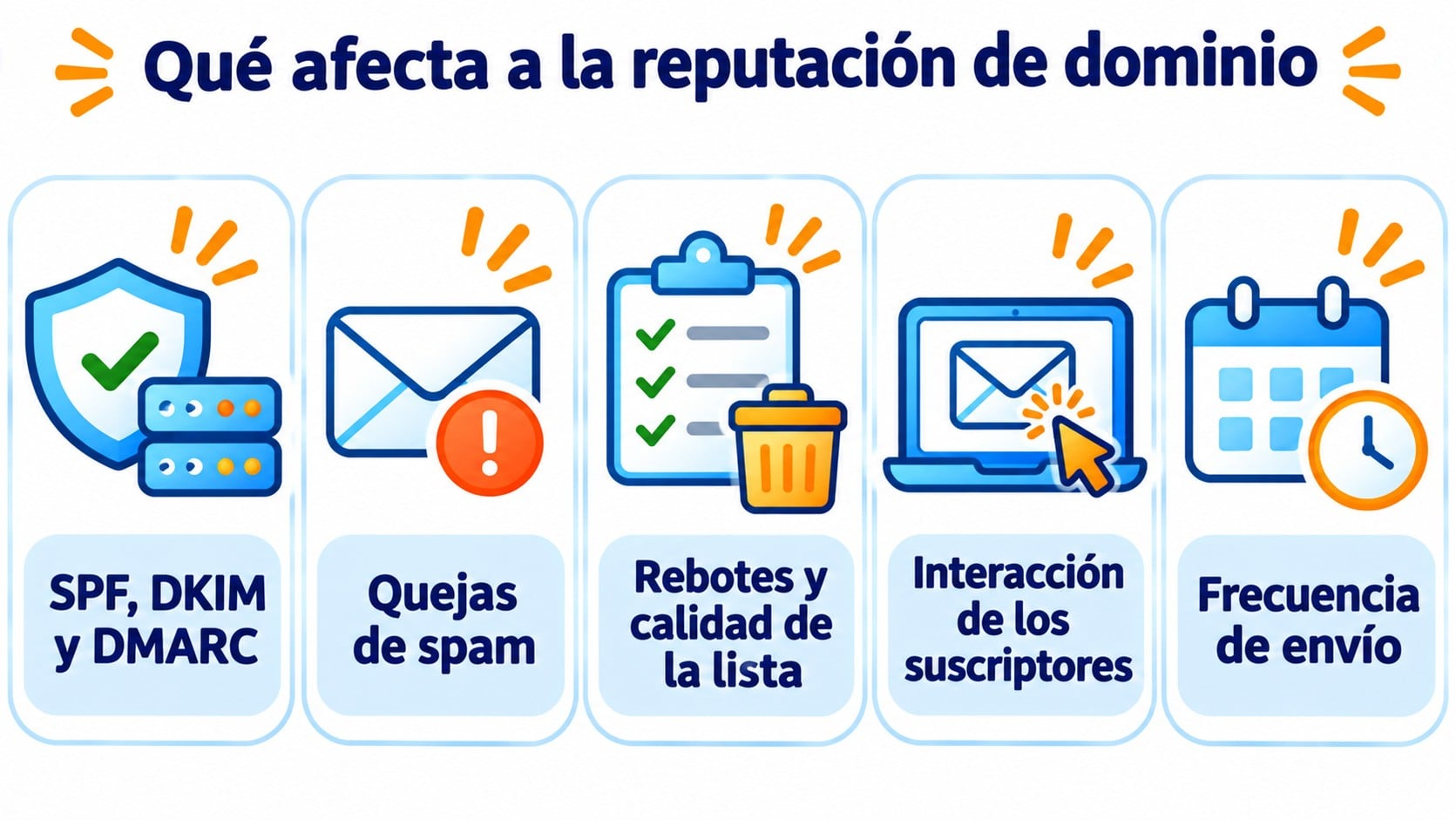
· Domain authentication
SPF, DKIM, and DMARC help prove that your emails are legitimate. With your domain properly authenticated, providers trust the origin of the message more.
· Spam complaints
Every time someone marks your email as spam, your domain reputation suffers. You don’t need to rack up thousands of complaints to have a problem. In its sender guidelines, Gmail asks that your spam complaint rate stay below 0.3%.
· Bounces and list quality
Sending to old, misspelled or inactive addresses doesn’t sound very useful, does it? Those sends bounce because the addresses no longer exist or have some problem. And although it may seem harmless, it sends a very negative signal to the receiving servers: they see that your list isn’t well maintained, and they penalize it.
· Subscriber engagement
Measuring the open rate isn’t as easy as it was a few years ago, but engagement is still key. Opens, clicks, replies and few spam complaints are the best signals you can send.
· Frequency and consistency
Keeping a steady sending frequency is a good signal. If you need to send a large volume, start small and ramp up gradually. Sudden spikes or campaigns to cold lists damage your reputation because they usually bring more bounces and complaints.
How to Tell If Your Domain Reputation Is Getting Worse
Until September 2025, Google Postmaster Tools showed a domain reputation rating. With its new version, Google removed it and now shows whether you meet its sender requirements. It is still useful for monitoring your domain’s spam rate and authentication.
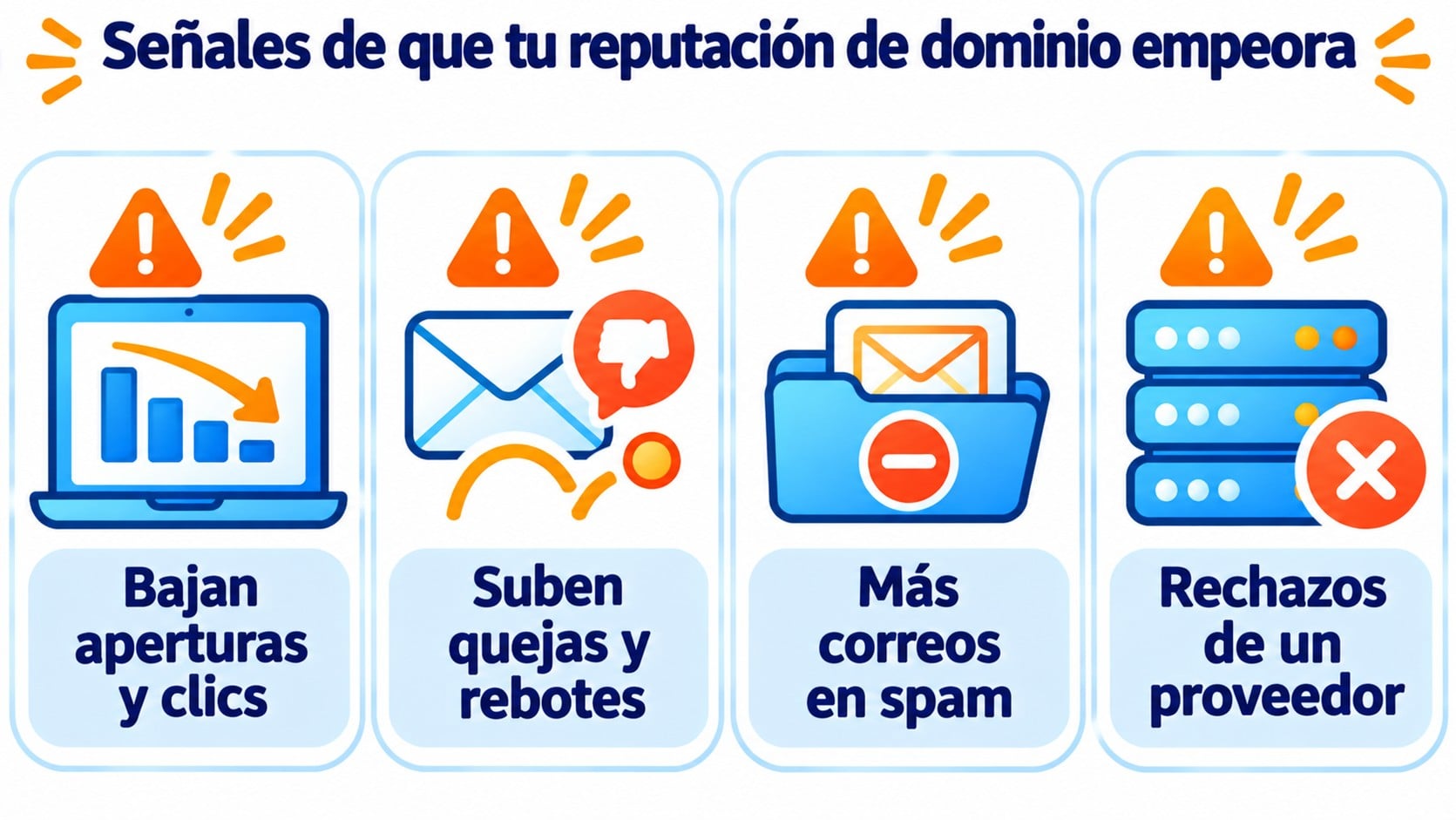
Also, watch for these signs in your statistics:
- Opens and clicks drop for no apparent reason.
- Spam complaints or bounces go up.
- More messages land in the spam folder in your tests.
- You get rejections from a specific provider, such as Gmail or Outlook.
How to Improve Your Domain Reputation
Improving your reputation takes several things at once and, above all, consistency.
· Configuration
The first step is to have SPF, DKIM and DMARC set up correctly. Having them isn’t optional.
· Segment your sends better
Send each segment content it is interested in. The better the response, the better for your domain reputation.
· Send regularly
Don’t overdo it, but don’t go more than a month without sending anything either. If your domain is new, start with a low volume so you don’t create a spike that could cause problems.
The Most Common Mistakes That Damage Domain Reputation
We always advise against buying contact lists because of the risk involved. Almost everyone knows about that danger.
Much less known is the risk of sending to old lists. If a list is years old, it will cause problems. It’s better to send only to contacts who have signed up or engaged in the last six months.
How Mailrelay Helps You
In Mailrelay, you can set up SPF and DKIM for your domain from the dashboard. Sign-ups always use double opt-in, so your list only grows with people who have confirmed their address. Hard bounces are flagged as bounced and stop receiving your emails.
The statistics show the bounces, unsubscribes and complaints for each campaign, so you can see in time if something is getting worse. The free account lets you send 80,000 emails a month to 20,000 contacts, and you get human support on every plan.
A reputation that shows in your results
Create your free account, keep an eye on bounces and complaints in every campaign and count on human support whenever you need it.
Frequently Asked Questions
Is domain reputation the same as IP reputation?
No. Domain reputation focuses on your sending domain, usually your website’s. IP reputation relates to the IP that the email marketing tool or server uses to deliver the email.
Can a poor domain reputation send my emails to spam?
Yes, that’s the most common outcome, although you may also run into blocks and rejected emails.
Do SPF, DKIM, and DMARC improve domain reputation?
They keep it from getting drastically worse and are the foundation for providers to trust you. Don’t even think about sending without them.
Can a poor domain reputation be recovered?
Yes, but it takes time and consistency. You’ll need to improve your list quality, reduce complaints, segment better, increase engagement and keep sending regularly.
What matters most to protect your domain reputation?
Without a doubt, sending only to people who have asked to receive your emails.
Key Takeaways on Domain Reputation
It’s the trust mailbox providers have in your domain, and it stays with you even if you switch tools. It’s built with authentication, permission-based lists, few complaints and regular sending, and it’s lost much faster than it’s regained.