Email, SMS or WhatsApp? Which channel to use for each of your business messages
A table with 14 common messages, the right channel for each one and how to combine them without wearing out your customers
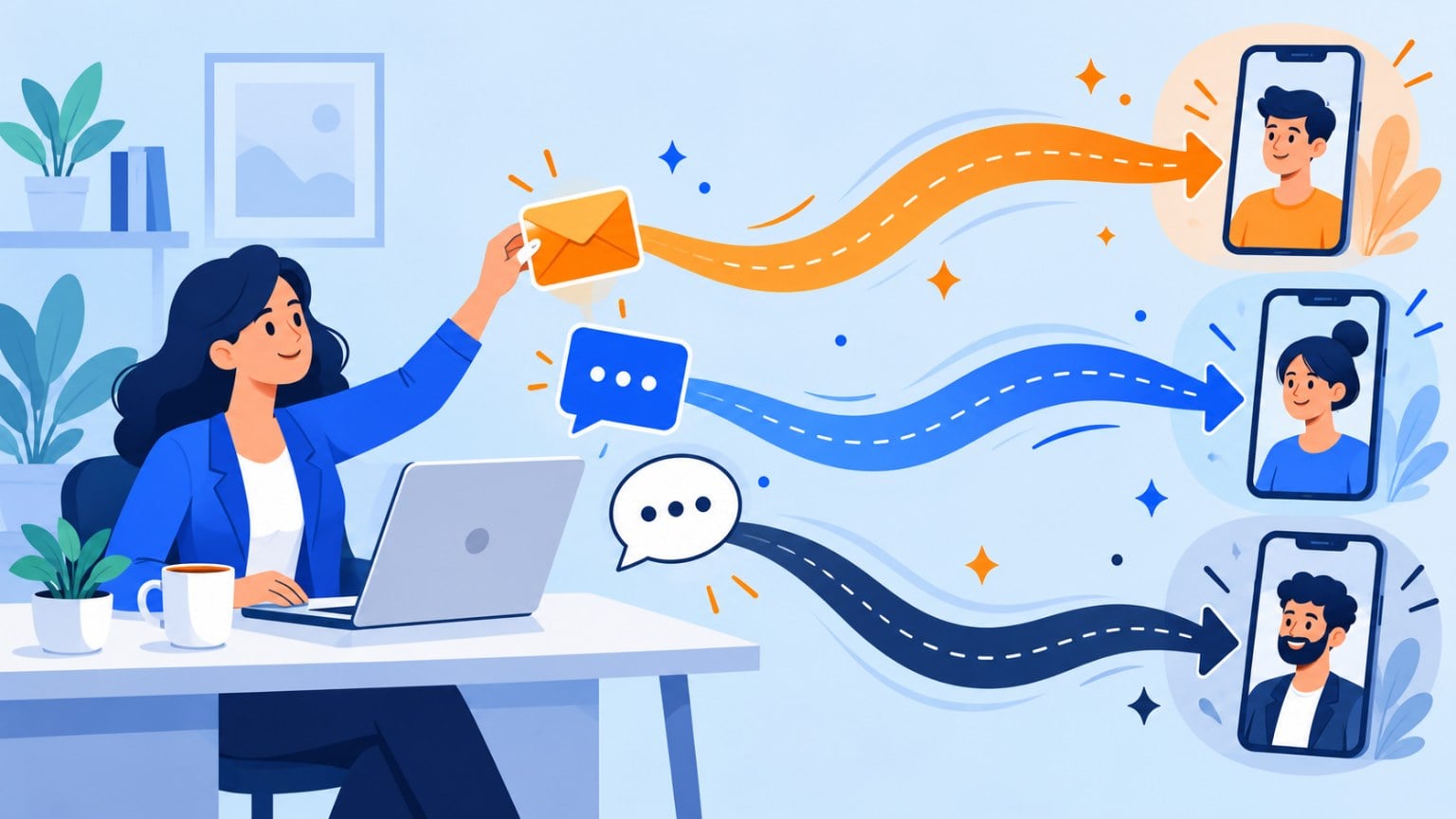
A table with 14 common messages, the right channel for each one and how to combine them without wearing out your customers
Email, SMS or WhatsApp? Use email for what people read at their own pace and keep, SMS for what’s short and urgent, and WhatsApp to talk with existing customers who gave you their number for that purpose.
If you have to pick just one to start with, make it email.
All three reach your customers’ phones.
But they aren’t used for the same things, they don’t cost the same and people don’t tolerate them equally. The same message can work by email and be annoying on WhatsApp.
Here are the five questions that decide the channel, a table with 14 common messages for a small business and three ways to combine them.
Before going into detail, here’s the summary:
| SMS | |||
|---|---|---|---|
| What for | Content, explained offers, documents and long-term relationships | Short, urgent notices | Conversations and notices to customers who have asked for them |
| Its strength | Supports long texts, images and links, and your list is yours | Reaches any phone, with no app or internet needed | The customer can reply in the same chat |
| Its limit | Competes with lots of other emails in the inbox | 160 characters, or 70 with emojis and special characters | Needs Meta-approved templates for the messages you initiate |
| Cost per message | Low, even free with a free plan | Paid per message and per country | Paid per message, depending on the type and country |
| What people tolerate | Several sends a month | Few and far between | Few and useful |
As you can see, email is the core channel, the one you use every week. SMS and WhatsApp are channels for the moment: save them for what needs to be read right away.
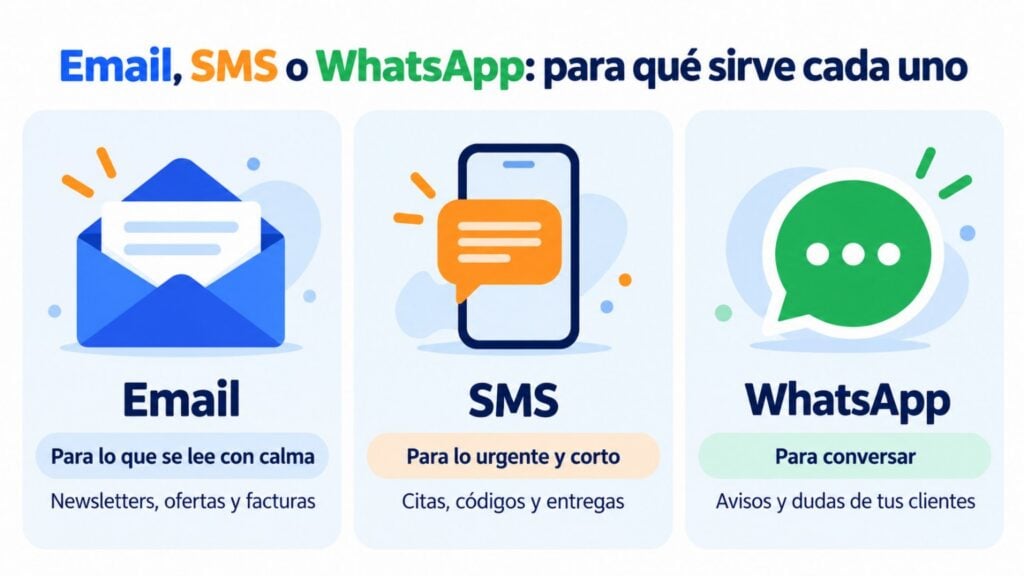
Email, SMS and WhatsApp in a single account
Start with email for free and add SMS and WhatsApp when you need them.
You don’t need to memorize a table for every case. Before sending, ask yourself these five questions.
If the message loses its value within a few hours, email isn’t the best option.
An appointment tomorrow at 10, an order arriving today or a spot that opens up this afternoon call for an SMS or a WhatsApp message.
If it can wait until your customer checks their inbox, use email. Most marketing messages can wait.
An SMS allows 160 characters. If you use emojis or some special characters, the limit drops to 70.
And if you go over, the message is split into several SMS that are billed separately. We explain it in SMS character limit.
If your message needs an image, several links or more than two sentences, it’s an email. Or a WhatsApp message with an image, if it meets the other conditions.
WhatsApp is built for conversation. If you want your customer to confirm an appointment, choose a time slot or ask you a question, it’s the most convenient channel for them.
Email is two-way too, as long as you don’t send it from a noreply address. SMS is the least suited to replies, especially if you use your company name as the sender.
With email, sending to a thousand people or ten thousand makes little difference to the cost.
With SMS and WhatsApp you pay for each message, and the price depends on the country and, for WhatsApp, on the message type.
That’s why it makes no sense to send your newsletter by SMS. And that’s why it’s best to save the pay-per-message channels for what really needs them.
You’ll find up-to-date prices on the pricing page and on the SMS pricing page.
A customer giving you their email address doesn’t mean they’ve given you permission to message them on WhatsApp. Permission is given per channel.
For commercial email and SMS, in Spain you need prior consent from each contact.
The exception is writing to your customers about products similar to the ones they’ve already bought from you, always with an easy way to unsubscribe.
For WhatsApp, Meta also requires the customer to have agreed to receive your messages on that channel.
If you don’t have permission, the channel chooses itself: the one you do have permission for.
This is the table to check whenever you’re unsure. It covers a small business’s most common messages, the channel that works best and an alternative.
| Message | Main channel | Alternative | Why |
|---|---|---|---|
| Welcoming a subscriber | — | It’s the moment to introduce yourself calmly and explain what you’ll be sending | |
| Newsletter | — | It’s content to read at leisure, with links and images | |
| Offer or launch | WhatsApp, to customers who have asked for it | It needs to explain the product. WhatsApp only for a small, loyal list | |
| Offer ending today | SMS | Email the day before | If it’s read tomorrow, it’s too late |
| Abandoned cart | SMS if there’s no purchase | The email reminds them of the product with a photo. The SMS gives the final nudge | |
| Order confirmation | The customer will want to keep it and find it later | ||
| Order shipped or out for delivery | SMS or WhatsApp | It’s useful to know right away | |
| Invoice | — | It’s a document that needs to be filed | |
| Appointment or booking reminder | SMS | Reaches any phone and reduces no-shows | |
| Payment reminder | SMS if still unpaid | First calmly and with the details. Then a short notice | |
| Verification code | SMS | — | It has to arrive instantly and on any phone |
| Incident or change of opening hours | SMS | The customer needs to find out before they travel | |
| Post-purchase survey | Allows several questions and a link | ||
| Birthday greeting | SMS with a code | A nice touch, not an emergency |
Notice one thing: email is the main channel in half the cases. SMS and WhatsApp win when there’s a rush or when a reply is needed.
The three channels don’t compete with each other. They work best when each one does its part within the same sequence. Here are three combinations you can copy.
Send an email an hour after the cart is abandoned, with a photo of the product and a button to return to the cart.
If they haven’t bought by the next day, a short SMS with the link. You’ll find examples in abandoned cart email.
The email does the work. The SMS only goes to those who haven’t responded, so you pay for fewer messages.
The email confirms the booking with all the details: address, time, what to bring and how to change it. The day before, a one-line SMS: “See you tomorrow at 10:00. To change your appointment, call…”.
First, a friendly email with the amount and the payment link.
If it’s still unpaid, another email a few days later. And if that doesn’t work either, a short SMS before taking other steps. You’ll find templates for each step in payment reminder: email, SMS and WhatsApp examples.
The same rule applies in all three cases: email opens and explains, and the pay-per-message channel only comes in if needed.
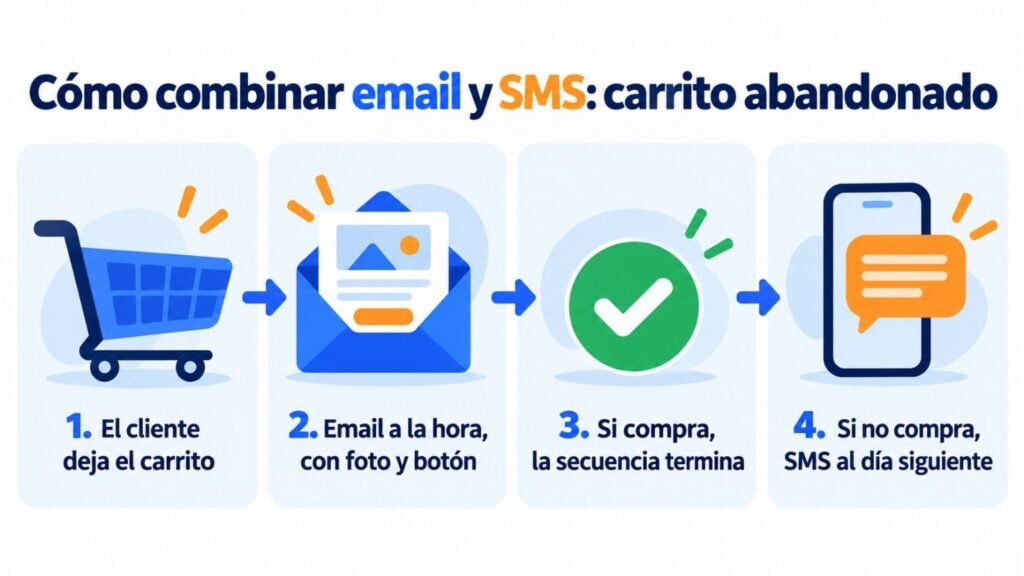
Combine email and SMS in your automations
An abandoned cart email and, if there’s no purchase, an SMS the next day. Without switching tools.
These are the mistakes that wear customers out the most:
If I could only choose two channels, I’d probably choose content and email marketing, combined. I think both are essential for any business, and the sooner you work on them, the more profitable they’ll be for you: they’re affordable, measurable and effective. A drawback? Maybe that they aren’t the ones that deliver results fastest. But in the long run they pay off. My advice: build your email list first and keep SMS and WhatsApp for what can’t wait.
Jose Argudo, CMO at Mailrelay
The requirements aren’t the same. Here are the basics before you start:
You’ll find the details for each channel in SMS marketing, WhatsApp marketing and WhatsApp Business API.
With Mailrelay you have all three channels in the same account, so you don’t need a separate tool for each one.
Email is included in the free account, with automations, segments and A/B tests. You can start there and add the other channels when you need them.
SMS works with prepaid credit, with no monthly fee or commitment.
You can send SMS campaigns or include SMS in your automations alongside emails, as in the abandoned cart example. The sender with your company name is registered right from the dashboard. It’s all in SMS campaigns.
WhatsApp is included in the Standard and Enterprise plans, and with the free account you can try it for 10 days.
You create your templates, send campaigns and see your customers’ deliveries, reads and replies. Meta’s per-message fees are paid separately, directly to Meta. More information in WhatsApp campaigns.
Check the up-to-date prices for each channel on the pricing page.
Choose the channel for each message
Create your account and send your first email campaign today.
Email. It’s the cheapest per message, supports any type of content and the list you build is yours.
When you have urgent messages that can’t wait, add SMS. And WhatsApp, when your customers ask you for it.
It depends on your customers. SMS reaches any phone, even without data or the app.
WhatsApp lets the customer confirm or request a change by replying to the message. If you don’t know which they prefer, start with SMS.
Yes, under two conditions: the customer must have agreed to receive messages from you on WhatsApp, and you must use Meta-approved marketing templates. Send few, useful ones, because blocks hurt your number.
Yes, for what it’s meant for: short, urgent notices. It reaches any phone and gets read quickly. What doesn’t work is using it for long messages or frequent promotions.
No. With a platform that brings together email, SMS and WhatsApp, you manage the list, permissions and statistics in one place, and you can combine the channels in the same sequence.
If you want to see what each type of software offers, we compare them in communication software for small businesses.

Jose Argudo
CMO at Mailrelay. Writes about email marketing, copywriting and conversion for small businesses and entrepreneurs.