Email masking: what a masked email is and how it works
An email address that isn't yours, forwards everything to you and can be switched off whenever you like
Have you ever signed up on a website just to download a PDF and been getting their emails ever since? Email masking exists to prevent exactly that: you give an address that isn’t yours, you still receive the messages and, if you get tired of them one day, you switch it off without changing accounts.
What is email masking?
Email masking means using an alternative email address that forwards messages to your real inbox without revealing it. Whoever writes to you only sees the “mask” address, never your main email address.
It is also known as email mask, masked email or email alias. In Spanish, expressions such as máscara de correo, correo enmascarado or alias de correo are used.
How does email masking work?
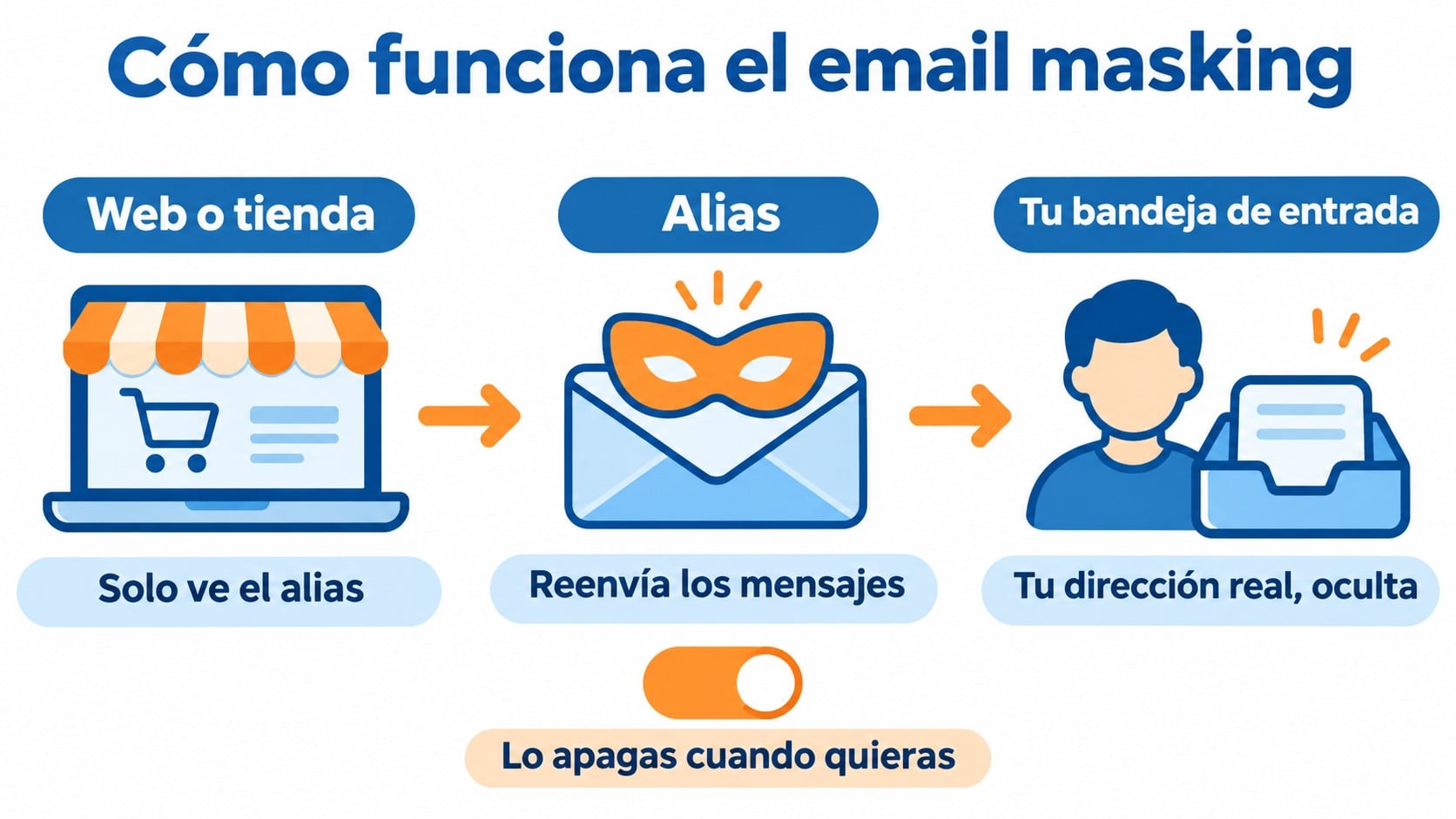
The process has three steps:
- You create an alias. The service generates a random address, for example something like [email protected].
- You use it instead of your own. You sign up for a website, an app or a newsletter with that alias.
- The service forwards the messages. Everything that reaches the alias shows up in your usual inbox. If you reply, the service replaces your real address with the alias.
When you no longer want to hear from that website, you deactivate the alias. From then on, the messages stop reaching you and your real address stays untouched.
Email masking vs. temporary email: the differences
They are similar, but they are not the same thing. A temporary email is a disposable address that expires in minutes or hours. An email mask is a permanent address that forwards to your inbox for as long as you want.
| Email masking | Temporary email | |
|---|---|---|
| Duration | Indefinite, until you deactivate it | Minutes or hours |
| Where you read the emails | In your usual inbox | On the service’s website |
| You can reply | Yes, without revealing your address | Usually not |
| Typical use | Sign-ups, purchases, newsletters | One-time verifications |
Nor should it be confused with adding “+something” to your Gmail address. That trick is useful for filtering, but your real address is still visible.
Best-known email masking services
Several providers offer email masks, some of them for free:
| Service | How it works |
|---|---|
| Hide My Email (Apple) | Built into iCloud+ and “Sign in with Apple” |
| Firefox Relay | Mozilla extension, with a limited number of free aliases |
| DuckDuckGo Email Protection | Free @duck.com addresses that also remove trackers |
| SimpleLogin and Proton Pass | Unlimited aliases on their paid plans |
The terms of each plan change often, so it’s worth checking them before you choose.
Advantages and limits of email masking
For the people who use it, the main advantage is control. If an alias starts receiving spam, you know exactly which website leaked or sold your address, and you switch it off. It also reduces the risk of targeted phishing, because your real address doesn’t circulate through databases.
There are limits too. If the alias service shuts down or fails, you stop receiving the messages. And managing dozens of different masks can end up being a mess if you don’t use a manager.
What email masking means for your subscriber list
More and more contacts subscribe with a mask, especially from iPhones. If you run a newsletter, keep this in mind:
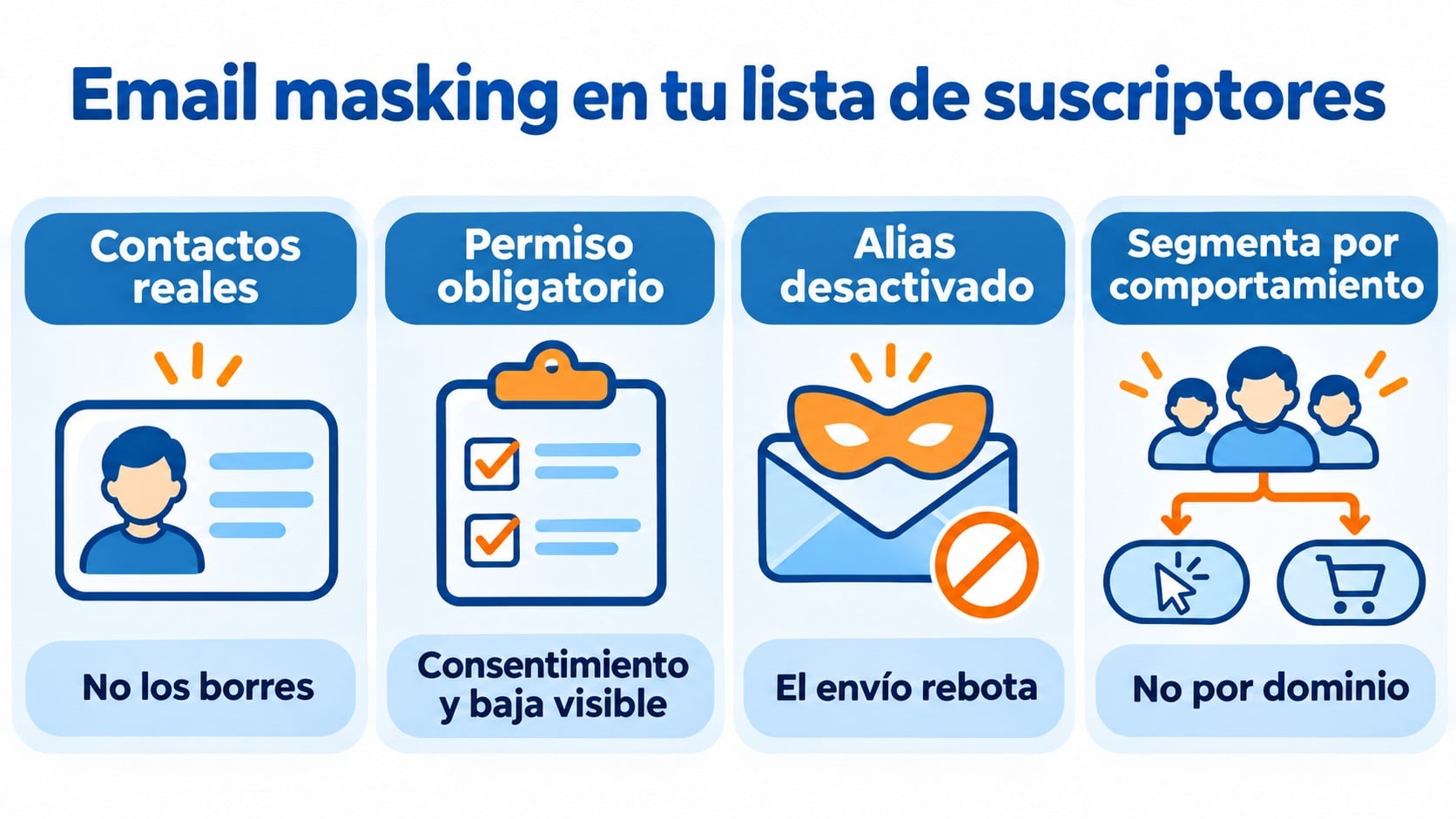
- They are real contacts. Behind the alias is a person who chose to subscribe. Don’t delete them because they have an unusual domain.
- Permission is still required. An alias doesn’t change the rules: you need the contact’s consent and a visible unsubscribe link.
- They can be deactivated at any time. When someone switches off their alias, your emails to that address start to bounce. Good bounce management removes them from the list automatically.
- Segmenting by domain no longer makes sense. You won’t know whether the contact uses Gmail or Outlook, so it’s better to segment by behavior and interests.
Seen this way, email masking is good news for senders who do things right. People who receive useful content keep their alias active. People who feel their inbox is being invaded switch it off without clicking “Report spam”, which protects your sender reputation.
A list of contacts who actually want to read you
Double opt-in sign-ups and bounces that remove themselves. The free account lets you send 80,000 emails a month to 20,000 contacts.
How Mailrelay helps you
In Mailrelay, every sign-up is confirmed with double opt-in. That means any alias that joins your list has received the confirmation email and someone has clicked the link, so you know it works.
When an alias is deactivated and starts bouncing, Mailrelay marks it as bounced and stops sending to it. You can also segment by opens, clicks or custom fields instead of by domain. The free account lets you send 80,000 emails a month to 20,000 contacts.
Frequently asked questions
Is it legal to use email masking?
Yes. It is a legitimate privacy tool, and Apple, Mozilla and DuckDuckGo openly offer it to their users.
Does a masked email receive every message?
Yes, as long as the alias is active. The service forwards them to your inbox like any other email.
Should I remove masked addresses from my list?
No. They are real subscribers who have confirmed their subscription. Treat them like everyone else and let bounce management remove the ones that get deactivated.
Key takeaways about email masking
Email masking protects the real address of people who sign up on a website, because it lets them receive emails through an alias they can switch off whenever they want.
For newsletter senders, the lesson is simple: a contact with a mask is a real contact, and the way to keep them is the same as always: send something worth reading.
Send content worth keeping an alias active for
Editor, segmentation and automations at no cost, with human support on every plan.