
Email remains a widely used communication medium for companies and individuals, whether to receive quotes, stay in touch with clients, or receive the latest offers from a newsletter.
Deciding which is the best email client is difficult, as you will work with a service based on the use you want to give the application.
But, to help you choose one to use in your daily life, I have compiled 9 email clients for this article.
The 3 best email clients for Windows
👉 Gmail
I’m sure you already know it, but I can’t stop recommending it, as it is one of the best free email clients available today for all platforms.
And I’m not the only one saying it; more than 1.8 billion active users on this platform think the same.
But, just in case you don’t know what Gmail is (you should never take anything for granted), it is a free email client created by Google on April 1, 2004.
Some of its features can be seen below.
Main features of Gmail as an email client
- It allows you to optimize your inbox.
- You can manage important or sensitive emails.
- You can use Google Calendar events.
- Manage unwanted messages.
- Free cloud storage.
- Customization.
Platforms available for Gmail
Another point in favor of this mailing software is how well adapted it is to the following media or systems:
- Available through the browser.
- Native application for iOS and Android.
- Integration with other email clients like Microsoft Outlook or Apple iCloud Mail.
👉 Outlook
Outlook is an email management application founded by Microsoft that previously had other names such as Hotmail or MSN Hotmail.
There are no current official data on how many users use this application.
Even so, the market experience this program has, specifically since July 4, 1996, under the name Hotmail, demonstrates the seniority and trust that users place in it.
For that reason, it is one of the great alternatives to consider for becoming your favorite email client.
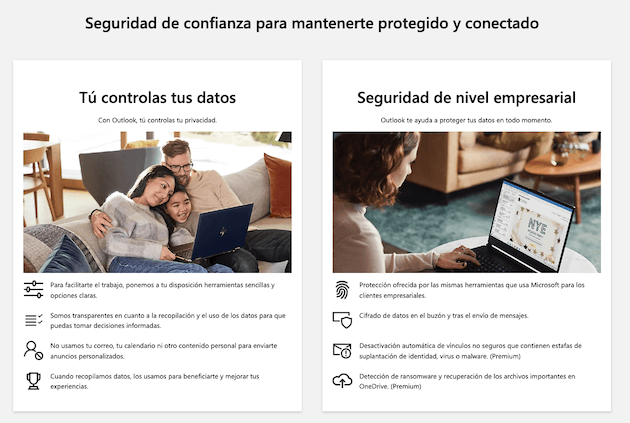
Below, I will tell you some of the advantages it offers you.
Main features of Outlook as an email client
- Unified email, calendar, tasks, and contacts.
- Microsoft protection systems used at an enterprise level.
- Free email client.
- Easy to use interface.
- 15 GB free storage.
It has a premium version, which offers you an ad-free space with advanced protection, custom domain names, and 24-hour support.
Platforms available for Outlook
Available for web, Android, and iOS in the free version. It is available for Mac using the paid version.
👉 Mailrelay, the best email client
This tool is a free and paid email client, oriented towards corporate or business environments.
It is a Spanish mailing platform that allows you to manage and measure your email marketing strategies in order to achieve the results you have set as a goal.
Companies with high reputations such as Ikea, RE/MAX, Cadena SER, SEAT, etc., have used this platform.
Main features of Mailrelay as an email client
- Complete email marketing statistics.
- Drag and drop editor.
- Create and manage sender accounts.
- Create subscription forms easily.
- Run A/B tests.
- Automated email bounce control.
- Support.
Platforms available for Mailrelay
You can use the tool in its web version.

The 3 best email clients for Mac
📌 Apple iCloud Mail
It is the official email client software of the Apple company, which you can use on its different operating systems.
It is not known for sure how many active users are using this email client, but in recent reports, it is said that there are already more than 1.8 billion active Apple devices worldwide.
The importance of this data is that this email client comes pre-installed by default on Apple devices.
You can use it for free; it allows you to link corporate emails, Gmail, Microsoft, Yahoo!, and AOL.
Main features of Apple iCloud Mail
This email client stands out from the rest of the competitors due to these features:
- After sending an email, you have a few seconds to cancel it.
- You can schedule the email.
- Option to remember a mailing you have to send but don’t have time for at the moment.
- Follow-up reminders for unanswered emails.
- Focus mode to activate certain email accounts depending on the time of day.
Platforms available for Apple iCloud Mail
You can use Apple Mail on:
- Windows computers.
- iPhone, iPad, Mac, iPod Touch.
- On the web through iCloud.
📌 Spark
14 million global users, according to its official website, support this email app, with an average rating of 4.7 out of 5 stars in the App Store.
It is one of the most complete and intuitive email clients for Mac, where productivity and focus are its strong points.
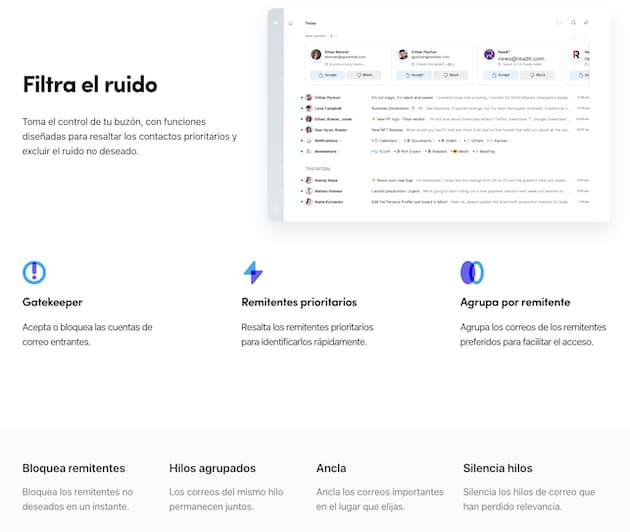
Main features of Spark
- Unified inbox to manage multiple accounts in a single entry.
- Push notifications.
- Highlights important contacts.
- Moves already answered emails.
- Option to ignore unanswered emails.
- Collaboration options for teamwork.
It offers both free and paid versions. Here you can see what functions are included depending on the plan that best suits you.
Platforms available for Spark
- Windows.
- Android.
- Mac.
- iPhone.
- iPad.
- Apple Watch.
📌 Mozilla Thunderbird
Another great alternative for email apps for Mac is Mozilla Thunderbird; it is an open-source software created by the Mozilla Foundation.
It is available in 56 languages, was launched in July 2003, and the platform is maintained thanks to donations from users and its community.
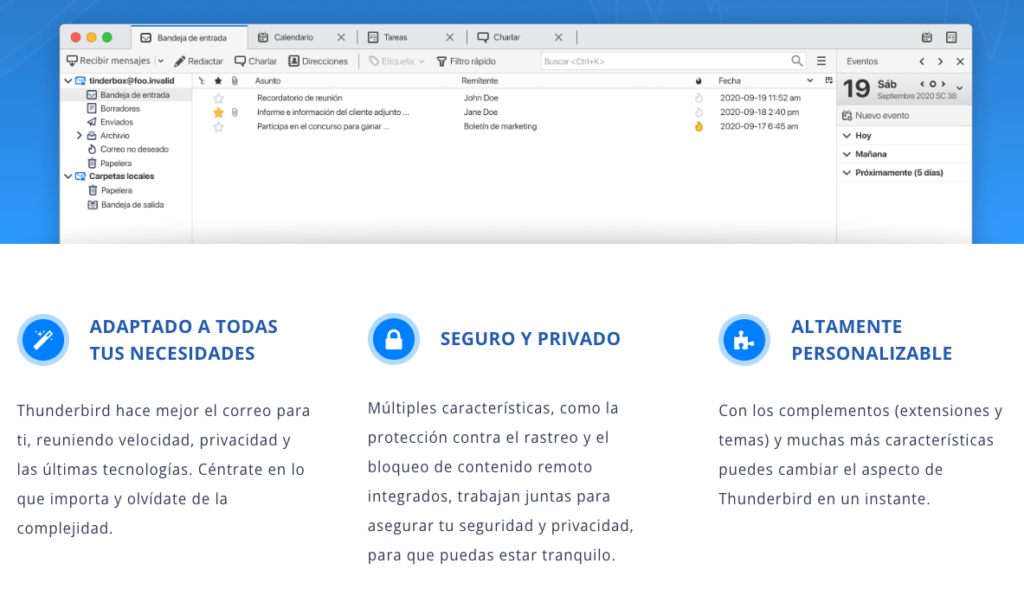
In this app, you can view email, chat, see news, and use its calendar for free to work with all the features we will detail in the following lines.
Main features of Mozilla Thunderbird
- Attachment reminder.
- Add contacts to your address book with just one click.
- Load emails in different tabs.
- Advanced search bar.
- Archive your emails without needing to delete them.
- Smart folders to receive messages from different accounts in one place.
- Add-on manager to make the program smarter.
- Protection against phishing.
- It updates automatically and for free.
Platforms available for Mozilla Thunderbird
This software is available for 3 different operating systems:
- Windows.
- Mac.
- Linux.

The 3 best email management applications for Android
🔎 Workspace ONE Boxer
This email app for Android, created by VMWare, has more than 1 million downloads on the Google Play Store and a rating of 4.2 out of 5 stars due to its more than 33,000 reviews.
It brings together your email, calendar, contacts, and files in one place.
It is a good alternative if you want to distance yourself from the dominant Google applications that come pre-installed on mobile devices.
Main features of Workspace ONE Boxer
- Smart inbox.
- Generate and manage events.
- Video calls within the same interface.
- Create contact avatars.
- Create custom smart folders.
Platforms available for Workspace ONE Boxer
- Android.
- iOS.
🔎 Edison Mail
I can’t leave out this free email client that was ‘Android Google Play Store winner par excellence in 2017′.
It is ideal if you have several email accounts and want to manage all from the same place, whether they are Gmail, Yahoo, Mail, Hotmail accounts…
Main features of Edison Mail
It stands out for:
- Minimalist design.
- Unsubscribe feature for email subscriptions.
- Undo sending a message.
- Smart email client.
Platforms available for Edison Mail
- Android.
- iOS.
- iPadOS.
- macOS.
🔎 Aqua Mail
‘Smart, customizable and secure email application’.
This is how this email client defines itself on its own website, where its 5 million downloads on Google Play and its 4.3 out of 5 stars support the promises the application makes.
Main features of Aqua Mail
- Management of several accounts in the same application.
- Privacy, the application doesn’t store or collect passwords, emails, or messages.
- Simple setup.
- More than 300 settings.
- Smart folders.
- Save emails as PDF documents.
It has both a free and a paid version.
Platforms available for Aqua Mail
- Android.
- iOS.
Conclusion of email management platforms
As you can see, there is a wide variety of email management platforms that you can use on your different operating systems.
The good thing is that each one stands out for different features, which helps the user choose the one that best suits their needs.
Each of them has its strengths and weaknesses; saying one is better than another would be unfair, since depending on how you will use it, the winner may be different.