WooCommerce
The WordPress online store and how to connect it to your email marketing to sell more
WooCommerce is a free, open-source plugin that turns a WordPress website into an online store. With it you can sell physical products, digital products or services, take payments and manage orders.
It is the most widely used ecommerce platform in the world. According to W3Techs (October 2026), it is used by 8% of all websites and 47.7% of online stores with a known system.
But setting up the store is just the beginning. To get customers buying again, you need something more: emails that arrive and campaigns that bring customers back.
What is WooCommerce and how does it work?
WooCommerce was launched in September 2011 by the company WooThemes. In 2015 it was acquired by Automattic, the company behind WordPress.com.
It works like any other plugin. You install it on your WordPress site, follow the setup wizard and within a few minutes you have a catalog, a cart and checkout.
From the dashboard you manage products, prices, taxes, shipping, orders and customers. And whatever it doesn’t include out of the box, you add with extensions: payment gateways, invoicing, bookings or subscriptions.
The software is free. What you pay for is hosting, the domain and any paid extensions you need.
Advantages and disadvantages of WooCommerce
Before choosing it, it’s worth comparing what you gain and what you take on:
| Aspect | Advantage | Disadvantage |
|---|---|---|
| Cost | The plugin is free | Hosting, extensions and maintenance add up |
| Control | Your data and your website are yours | You take care of backups, security and updates |
| Customization | Thousands of themes and extensions | Too many plugins slow the store down |
| Content | Blog and store on the same website, a good foundation for SEO | You need some experience with WordPress |
| Emails | Sends order emails automatically | By default they are sent from the server and can end up in spam |
If you’re looking for something more closed and maintenance-free, the usual alternative is Shopify. And if you want to compare it with another open-source option, we cover it in our entry on PrestaShop.
What emails does WooCommerce send?
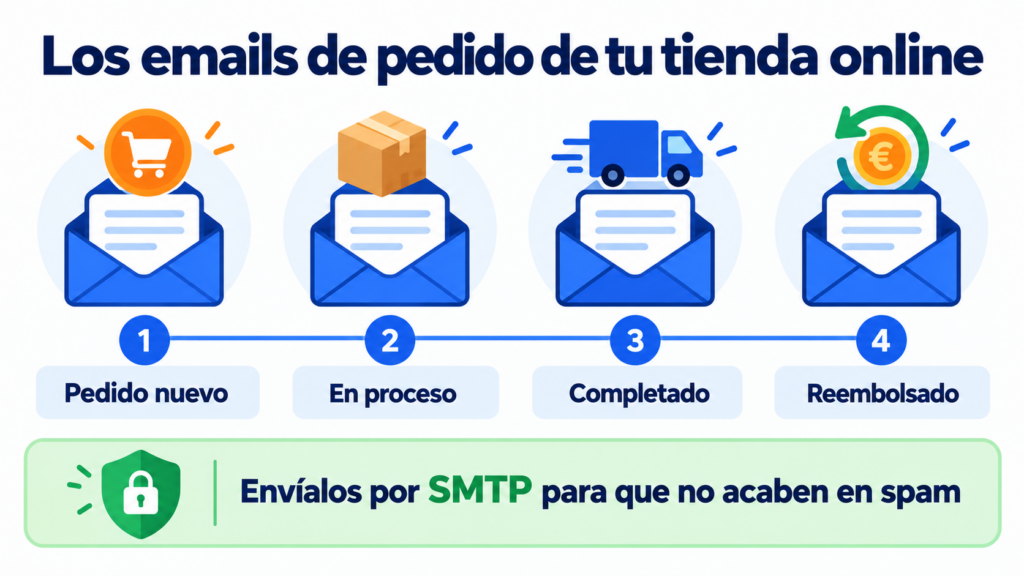
Out of the box, WooCommerce sends several transactional emails. Some go to the store administrator and others to the customer:
- To the administrator: new order, cancelled order and failed order.
- To the customer: order on hold, processing, completed and refunded, as well as order notes.
- About the account: new account, email confirmation and password reset.
- Optional features: cart recovery, in experimental stage, and review request, in beta. Both are disabled by default.
You can edit the texts, colors and sender from the dashboard, under Settings > Emails.
Why do WooCommerce emails end up in spam?
It’s one of the most common complaints. By default, WooCommerce sends with WordPress’s mail function, which uses your hosting server.
Those servers are not designed to send email. They usually have low sending limits and a reputation shared with other websites.
The result: order confirmations in spam and customers writing in to ask whether their purchase went through.
The solution has two steps. First, send from an address on your own sending domain, authenticated with SPF, DKIM and DMARC. That’s what the plugin’s own documentation recommends.
Second, connect the store to a professional SMTP server with an SMTP plugin. This improves your deliverability and lets you see which emails are delivered.
Make sure your order emails arrive
Connect your store to Mailrelay’s SMTP and check the delivery, bounces and opens of every transactional email.
Email marketing for WooCommerce stores
Order emails inform. Campaigns are what bring the customer back.
Start by capturing subscribers. A pop-up with a discount or a subscription form in the store’s footer work well.
At checkout, add a checkbox to receive news. In Spain, the LSSI (Article 21.2) allows you to email your customers about products similar to the ones they bought. However, you must offer them the option to unsubscribe in every email.
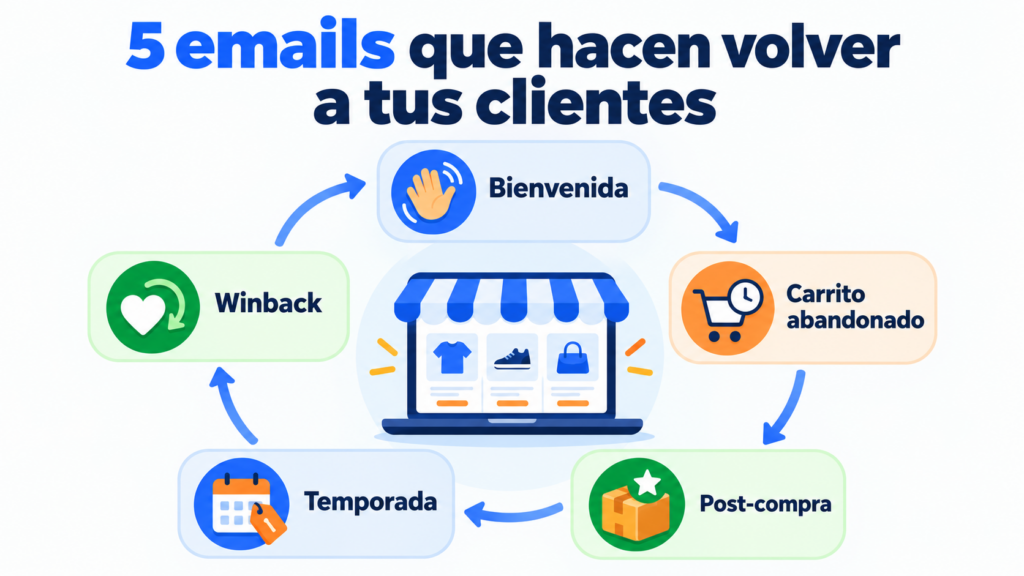
Then set up the emails that sell the most in an online store (you’ll find them all in our guide to email marketing for ecommerce):
- Welcome email, with the promised discount or your best-selling products.
- Abandoned cart email, for those who left products without paying.
- Post-purchase email, with usage tips, a review request or related products for cross-selling.
- Seasonal campaigns, such as Black Friday or sales.
- Winback campaign, for those who haven’t bought in months.
Segmentation by purchase history makes the difference. Writing to someone who has bought five times is not the same as writing to someone who hasn’t placed their first order yet.
That’s how you raise your average order value and customer lifetime value. If you want to dig deeper into carts, read our guide on how to recover abandoned carts.
How do you connect WooCommerce to your email marketing tool?
There are four common ways, from simplest to most technical.
The first is your email tool’s official plugin. It syncs customers, orders or carts without writing any code.
The second is to export your customers to a CSV file and import the contacts into your tool. It works for getting started, but you’ll have to repeat it manually.
The third is a no-code automation platform, such as Make. You define a scenario: “when an order comes in on WooCommerce, create or update the contact in your email tool”. Make has triggers for new orders, customers, products and coupons.
The fourth is the API, for fully custom workflows.
Whichever way you choose, only store the data you are going to use. And comply with the GDPR: a customer is not a subscriber unless there is a legal basis for emailing them.
How Mailrelay helps you with your WooCommerce store
Mailrelay has an official WordPress plugin, available in the WordPress.org directory. Since version 3.0 (June 2025), it includes WooCommerce integration.
The plugin syncs WordPress users with the subscriber groups you choose. And with WooCommerce, it also syncs customers, products and carts.
With that data you can automate the abandoned cart email in Mailrelay: if a customer leaves products without paying, they receive a reminder to complete the purchase. All you need is your account name and an API key.
Prefer not to install another plugin? Make has a verified integration with Mailrelay. With it you create or update subscribers and assign them to groups every time a new order or customer comes into your store.
For order emails, you can connect your store to Mailrelay’s SMTP. You’ll get delivery, bounce, open and click statistics for every transactional email.
SMTP and the API can be tried for 30 days on the free account. After that, they are included in the Standard and Enterprise plans or can be added to the free account.
And for urgent notifications, such as a shipment on its way, you have SMS on the same platform.
All with up to 80,000 emails per month and 20,000 contacts for free, plus support via chat, ticket and phone.
Your WooCommerce store, connected
Official WordPress plugin, up to 80,000 emails per month and 20,000 contacts for free, plus support via chat, ticket and phone.
Frequently asked questions about WooCommerce
What is WooCommerce? It’s a free WordPress plugin that turns your website into an online store with a catalog, cart, payments and order management.
Is WooCommerce free? The plugin is. You pay for hosting, the domain and any paid extensions you need.
Which is better, WooCommerce or Shopify? It depends. WooCommerce gives you more control and customization; Shopify is simpler because it takes care of hosting and maintenance.
Why aren’t my WooCommerce store’s emails arriving? Usually because they are sent from the hosting server without authentication. Use a sender address on your own domain, set up SPF, DKIM and DMARC, and send via SMTP.
How do I do email marketing with WooCommerce? Connect the store to your email tool with a plugin and capture subscribers on the website and at checkout. Then automate the welcome, abandoned cart and post-purchase emails.